Air Lite Psychrometric Calcs
Cold Means Mobile Software, LLC
3.7 ★
450 ratings
100,000+
downloads
Free
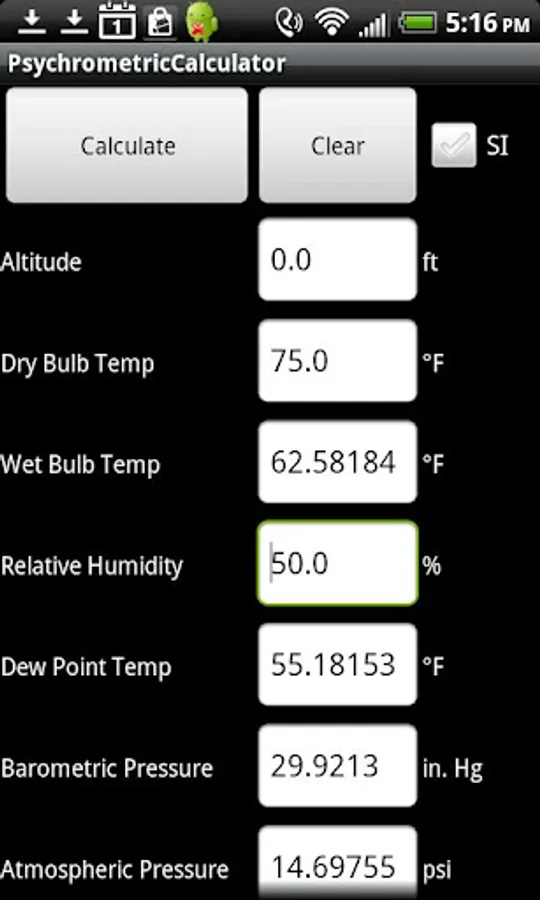
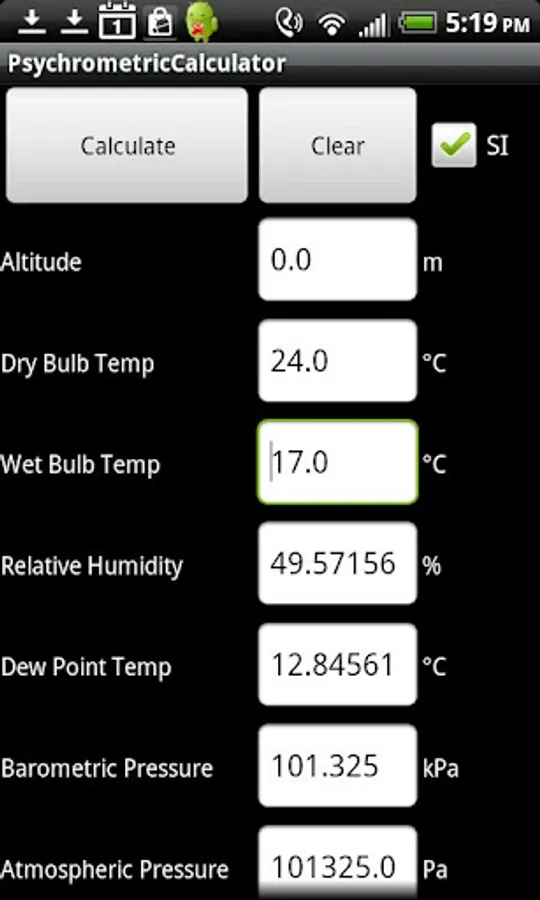
In this psychrometric calculator, users input temperature and humidity data to determine properties like dew point and enthalpy. Includes support for SI and IP units, with options to clear inputs between calculations.
AppRecs review analysis
AppRecs rating 3.7. Trustworthiness 0 out of 100. Review manipulation risk 0 out of 100. Based on a review sample analyzed.
★★★☆☆
3.7
AppRecs Rating
Ratings breakdown
5 star
46%
4 star
21%
3 star
8%
2 star
8%
1 star
16%
What to know
✓
Good user ratings
68% positive sampled reviews
✓
Authentic reviews
Natural distribution, no red flags
About Air Lite Psychrometric Calcs
Psychrometric calculator for HVAC engineers, designers, technicians, commissioning agents, and maintenance personnel. SI and IP units are supported.
Inputs:
- Altitude
- Dry Bulb Temperature
And either:
-Wet Bulb Temperature
-Relative Humidity
- Dew Point Temperature
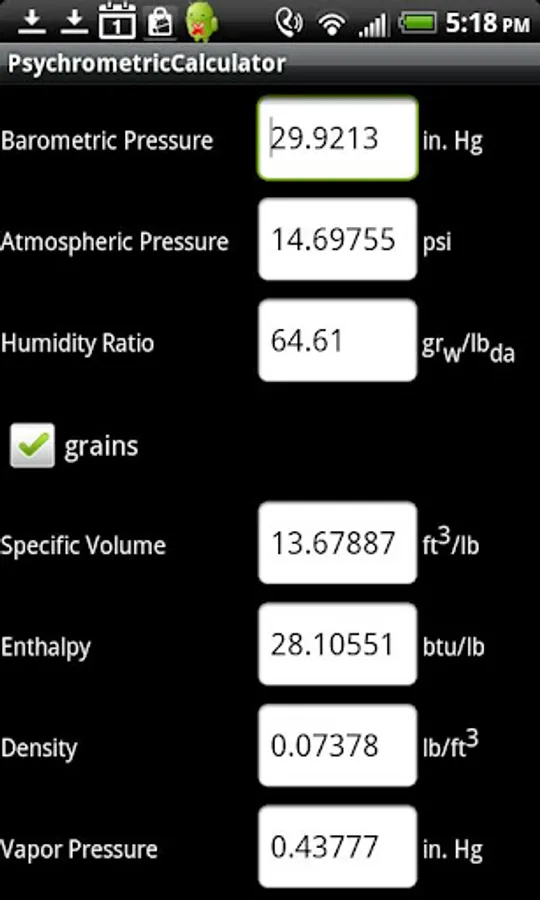
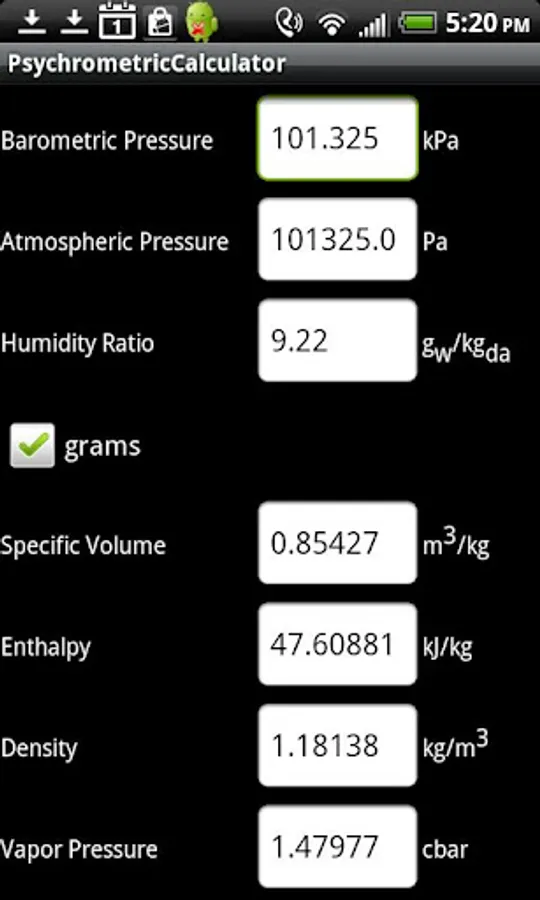
To Calculate:
-Wet Bulb Temperature
-Relative Humidity
-Dew Point Temperature
-Atmospheric Pressure
-Barometric Pressure
-Enthalpy
-Humidity Ratio
-Density
-Specific Volume
-Vapor Pressure
Calculations are made using The American Society of Heating Refrigeration and Air Conditioning Engineers (ASHRAE) Fundamentals 2009 ideal gas equations.
You must hit the clear button in between calculations. If more than three properties are filled in the application will default to using wet bulb as the humidity input.
Inputs:
- Altitude
- Dry Bulb Temperature
And either:
-Wet Bulb Temperature
-Relative Humidity
- Dew Point Temperature
To Calculate:
-Wet Bulb Temperature
-Relative Humidity
-Dew Point Temperature
-Atmospheric Pressure
-Barometric Pressure
-Enthalpy
-Humidity Ratio
-Density
-Specific Volume
-Vapor Pressure
Calculations are made using The American Society of Heating Refrigeration and Air Conditioning Engineers (ASHRAE) Fundamentals 2009 ideal gas equations.
You must hit the clear button in between calculations. If more than three properties are filled in the application will default to using wet bulb as the humidity input.