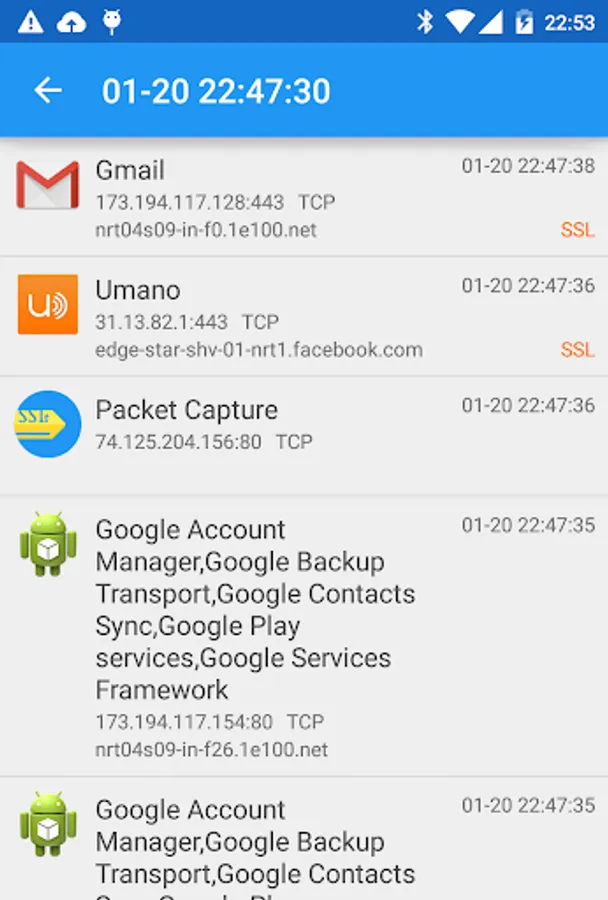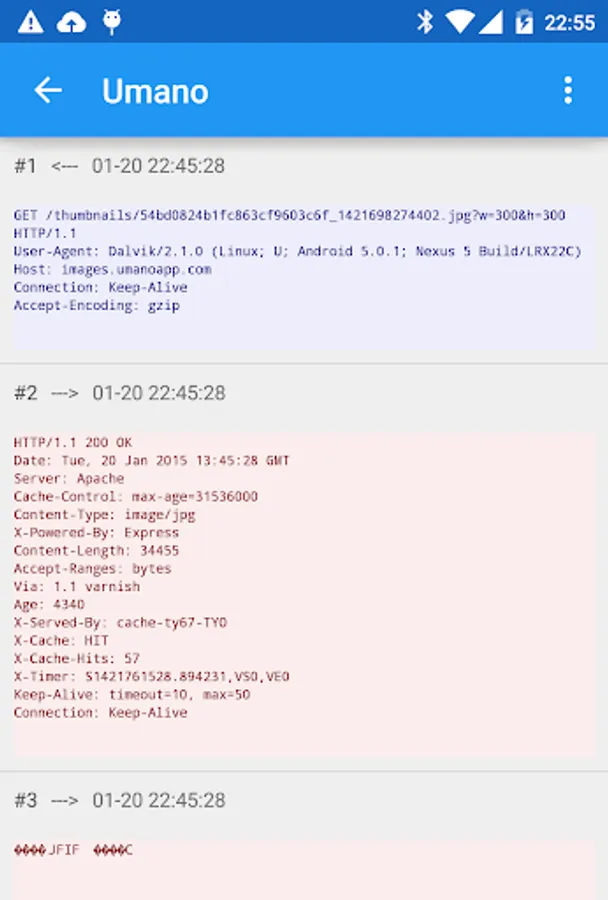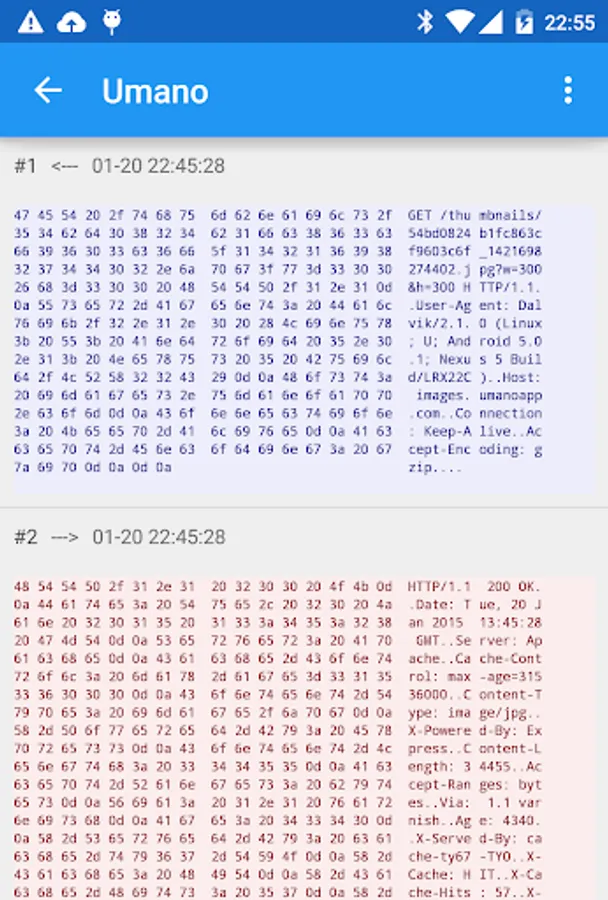
With this app, you can capture network packets and record traffic data, including SSL decryption. Includes packet recording, SSL decryption, hex and text display options.
AppRecs review analysis
AppRecs rating 3.3. Trustworthiness 0 out of 100. Review manipulation risk 0 out of 100. Based on a review sample analyzed.
★★★☆☆
3.3
AppRecs Rating
Ratings breakdown
5 star
46%
4 star
6%
3 star
8%
2 star
10%
1 star
30%
What to know
✓
Authentic reviews
Natural distribution, no red flags
⚠
High negative review ratio
40% of sampled ratings are 1–2 stars
About Packet Capture
Packet capture/Network traffic sniffer app with SSL decryption.
Not that feature rich yet, but it's a powerful debugging tool especially when developing an app.
If you can't capture your app's SSL packets
Do one of the followings:
- Set targetSDKversion to 23 or lower
- Setup security config described as 'The default configuration for apps targeting Android 6.0 (API level 23) and lower' at
https://developer.android.com/training/articles/security-config.html#base-config
Features
- Capture network packets and record them.
- SSL decryption using man-in-the-middle technique.
- No root required.
- Easy to use.
- Show packet in either hex or text.
You don't need to setup a dedicated proxy server on your PC. All you need is just your Android device.
How to get rid of PIN number
If you want to get rid of entering PIN number on a lock screen after Packet Capture is uninstalled, it is needed to clear credential storage.
Go to OS Setting->Security->Clear credentials
Not that feature rich yet, but it's a powerful debugging tool especially when developing an app.
If you can't capture your app's SSL packets
Do one of the followings:
- Set targetSDKversion to 23 or lower
- Setup security config described as 'The default configuration for apps targeting Android 6.0 (API level 23) and lower' at
https://developer.android.com/training/articles/security-config.html#base-config
Features
- Capture network packets and record them.
- SSL decryption using man-in-the-middle technique.
- No root required.
- Easy to use.
- Show packet in either hex or text.
You don't need to setup a dedicated proxy server on your PC. All you need is just your Android device.
How to get rid of PIN number
If you want to get rid of entering PIN number on a lock screen after Packet Capture is uninstalled, it is needed to clear credential storage.
Go to OS Setting->Security->Clear credentials