Text Expander: Fast Typing
Life & Tech
4.5 ★
457 ratings
100,000+
downloads
Free
+ in-app
In this text expander app, you can create keywords to automatically expand long phrases and insert emojis or dates. Includes folder grouping, phrase management, image pasting, and website shortcuts.
AppRecs review analysis
AppRecs rating 4.6. Trustworthiness 80 out of 100. Review manipulation risk 23 out of 100. Based on a review sample analyzed.
★★★★☆
4.6
AppRecs Rating
Ratings breakdown
5 star
82%
4 star
4%
3 star
0%
2 star
4%
1 star
9%
What to know
✓
Low review manipulation risk
23% review manipulation risk
✓
Credible reviews
80% trustworthiness score from analyzed reviews
✓
High user satisfaction
87% of sampled ratings are 4+ stars (4.5★ average)
About Text Expander: Fast Typing
Text Expander: Fast Typing
Text expander expands keyword with long phrases. Type fast like an octopus!
Have to type the same phrases again and again, everyday?
Fast Typing text expander can do the job for you.
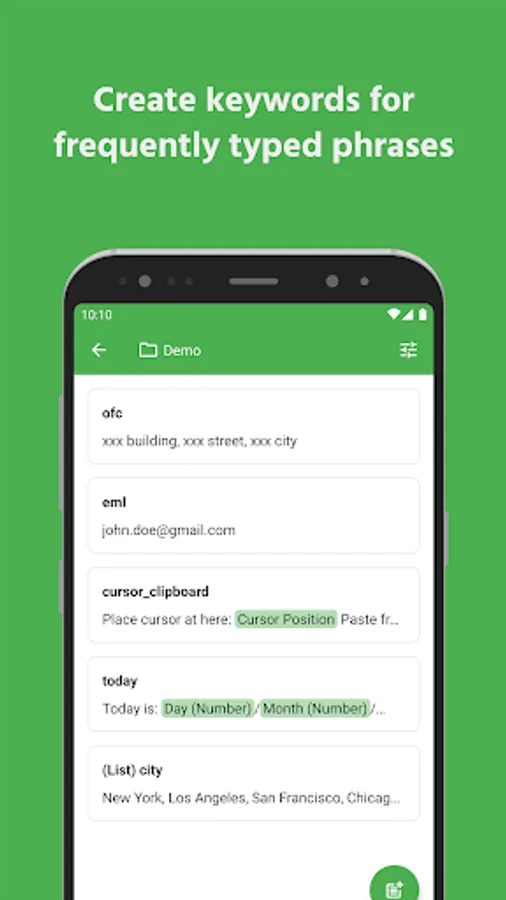
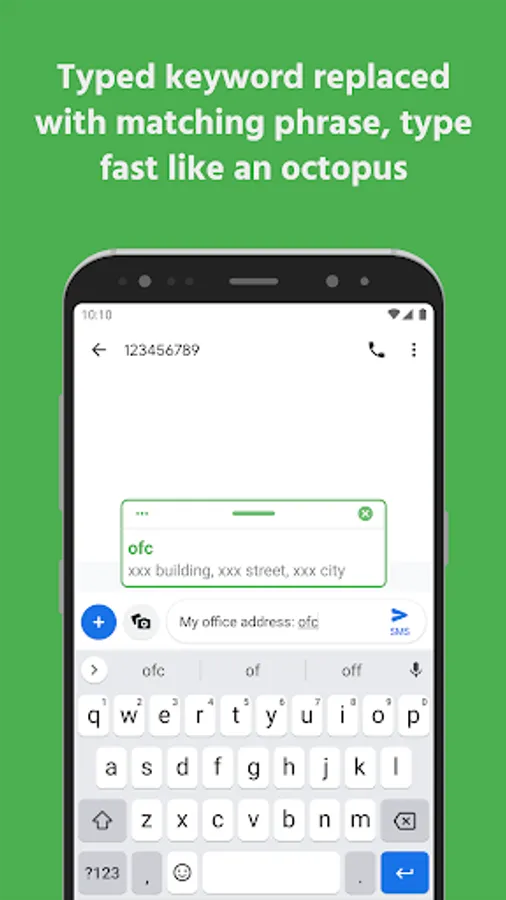
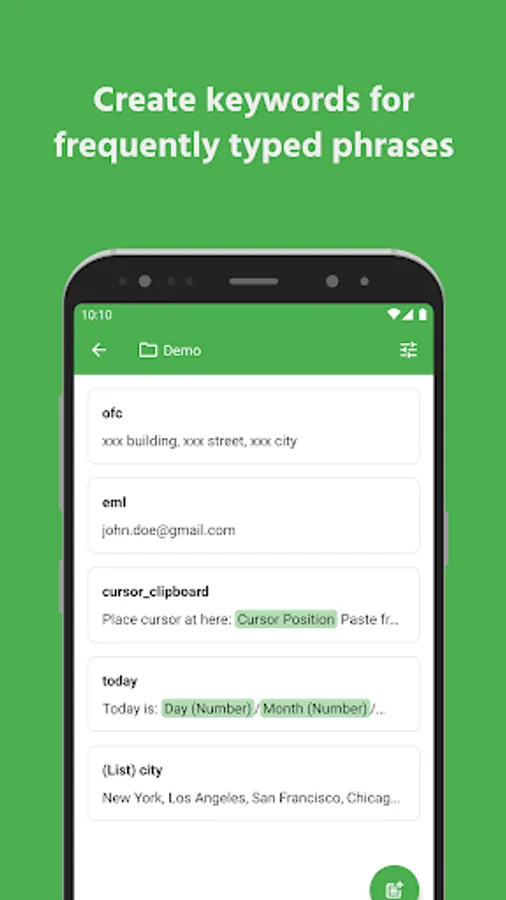
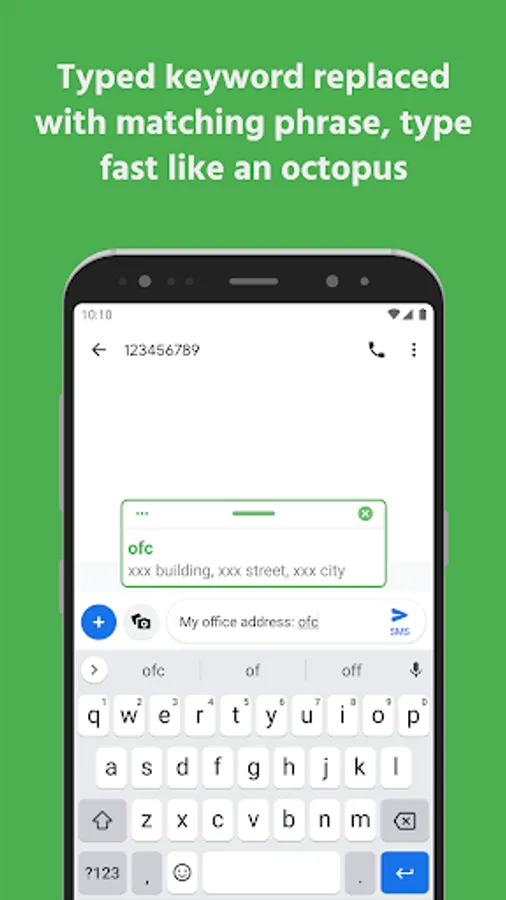
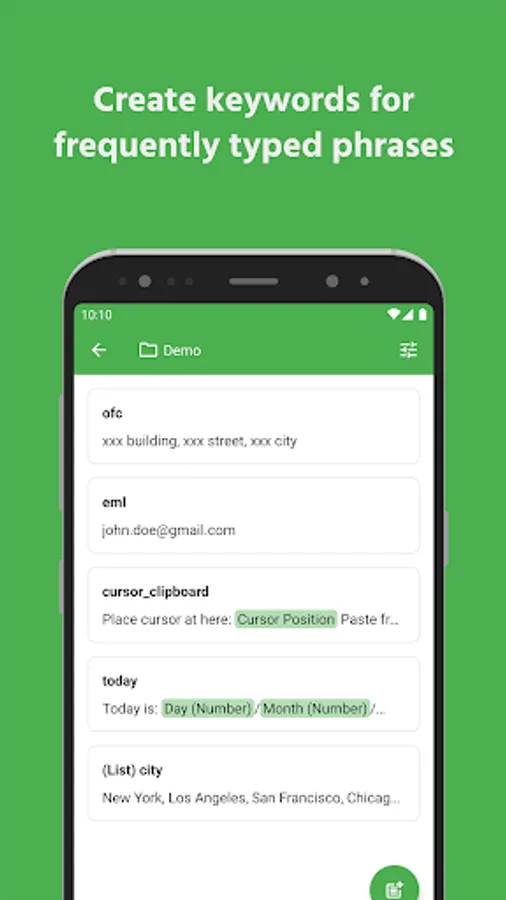
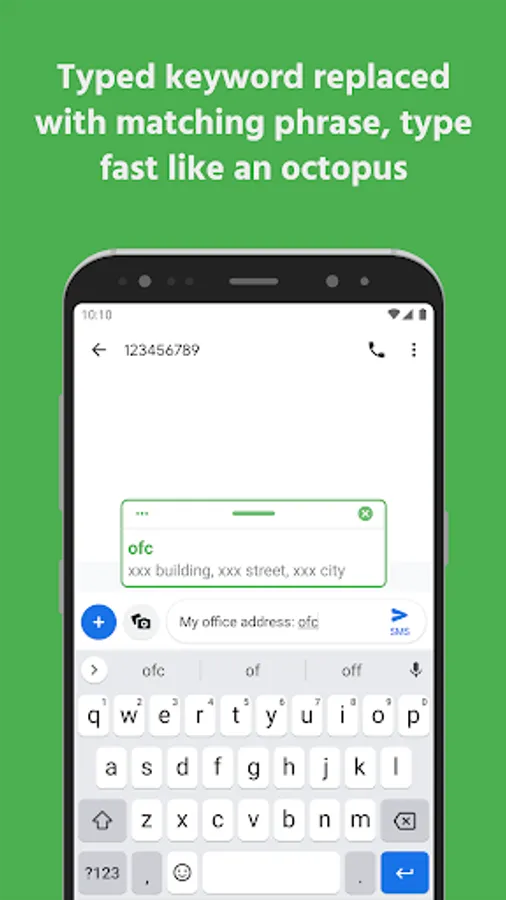
Create a short keyword for long phrase, anytime you type the keyword, text expander will replace it with corresponding full phrase.
No matter how long the sentence is, text expander will type it for you.
Save time for inputing words, sentences, emojis, date time, or anything!
Features
✔️ Text expander
✔️ Folder grouping
✔️ Show keyword suggestion when you type
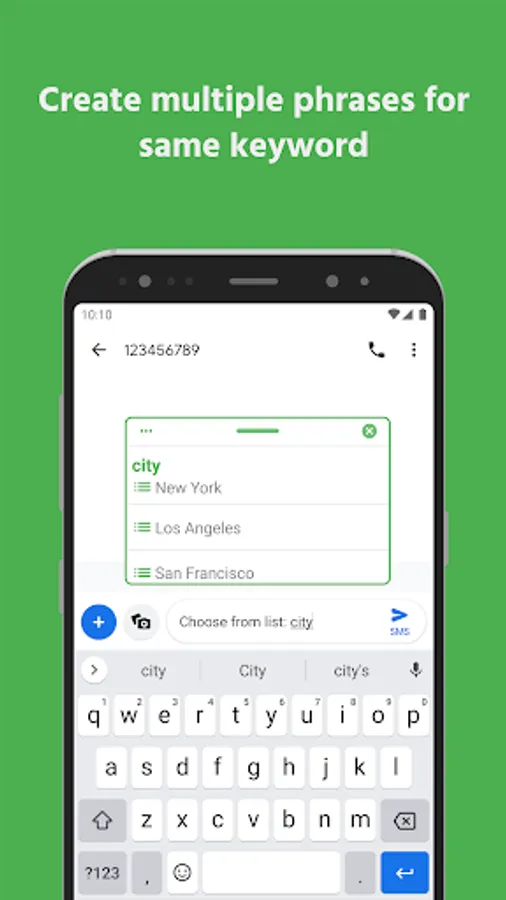
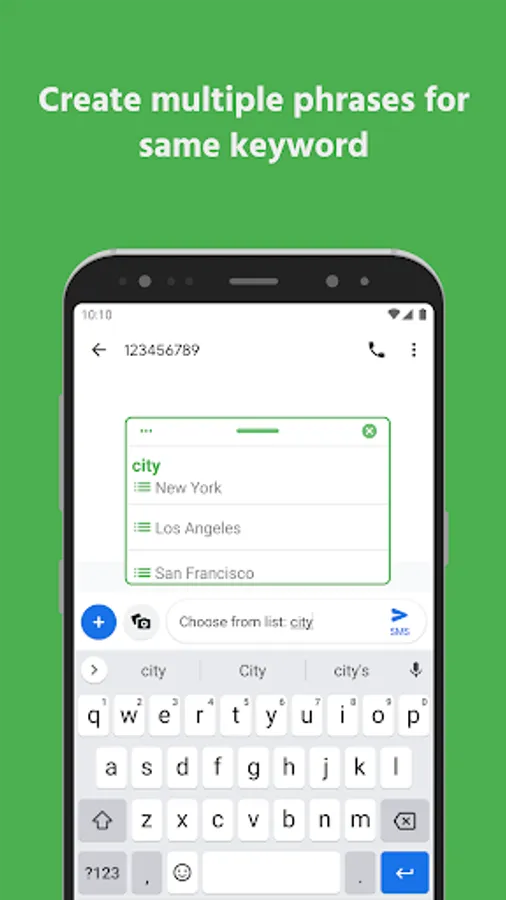
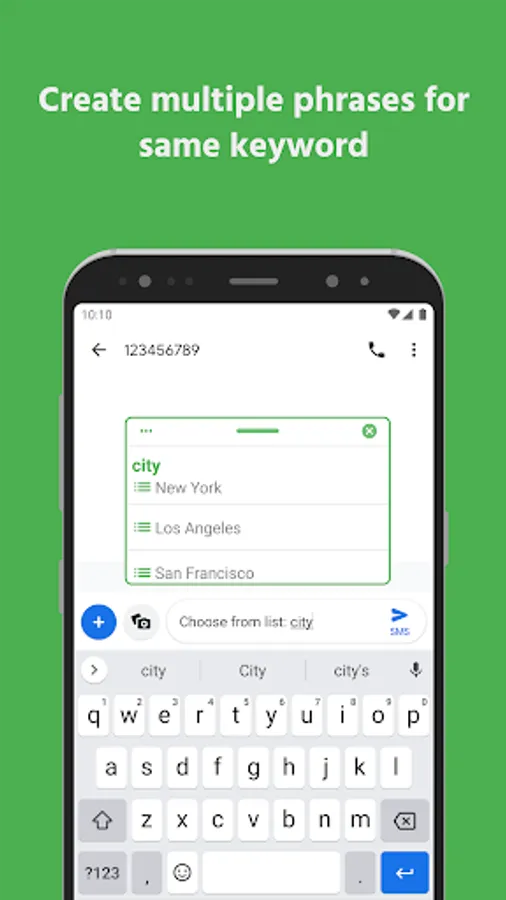
✔️ Phrase list: multiple phrases for one keyword
✔️ Easily paste image or send image to other apps. (Vary by app, depending on the app's capabilities.)
✔️ Instantly open your favorite websites and links. No need to open a browser or type in URLs
✔️ Change phrase case based on keyword case
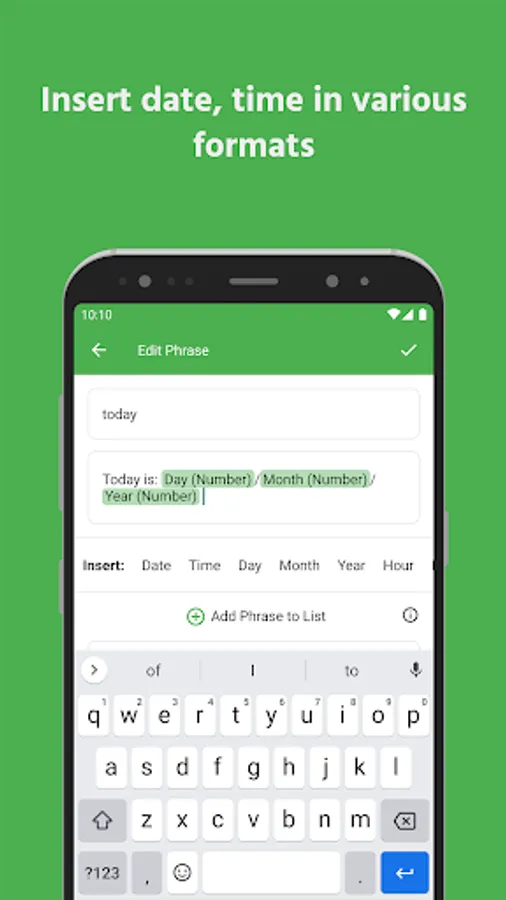
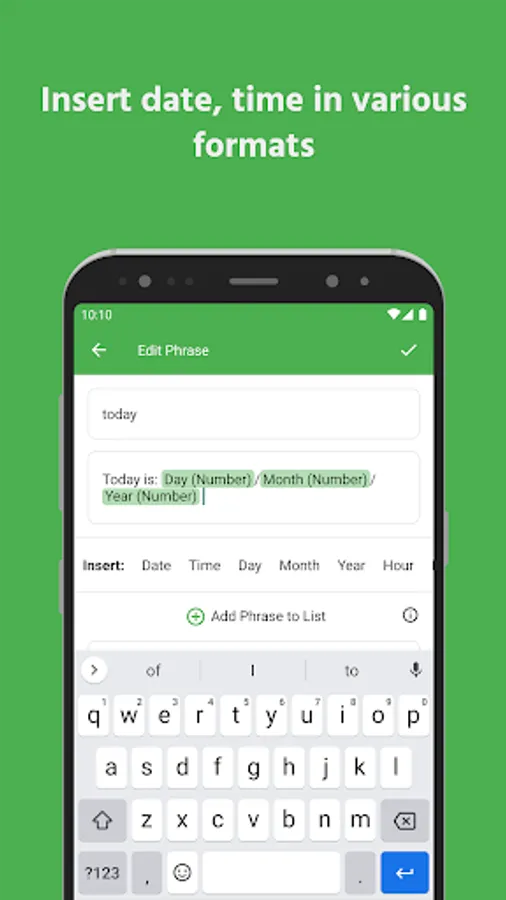
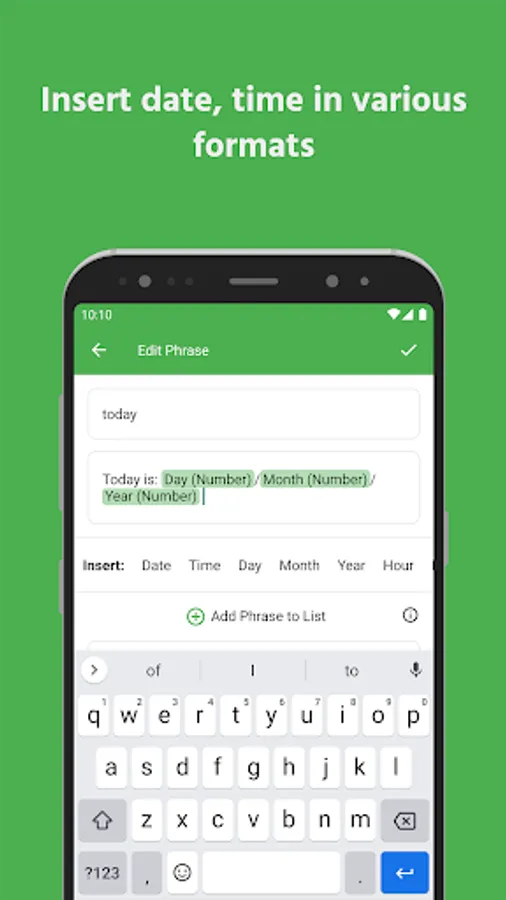
✔️ Insert date & time
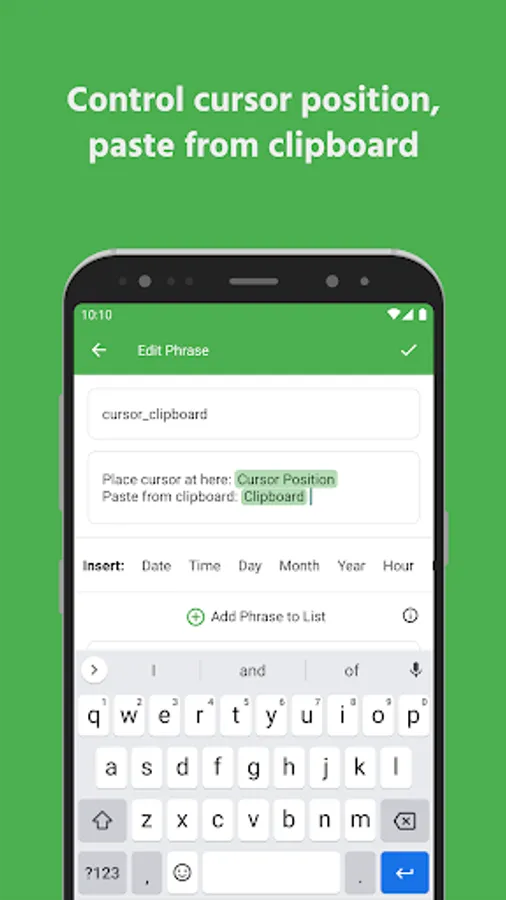
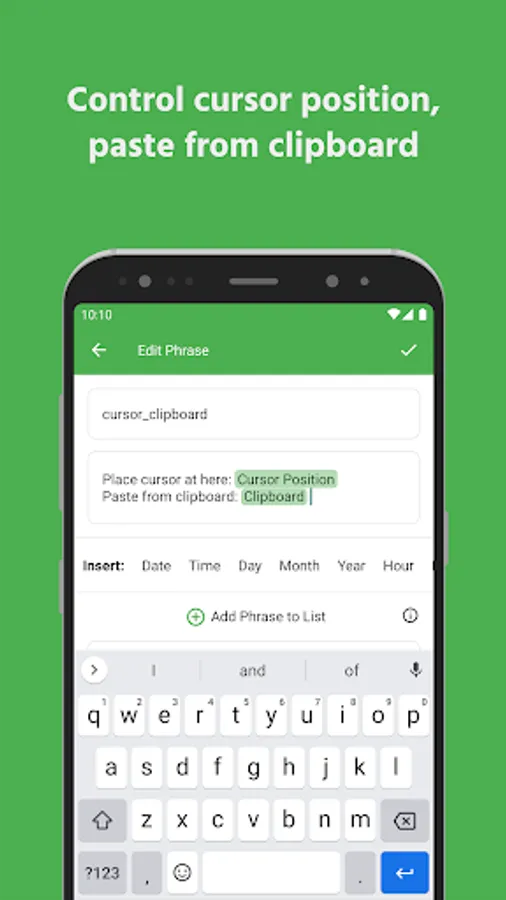
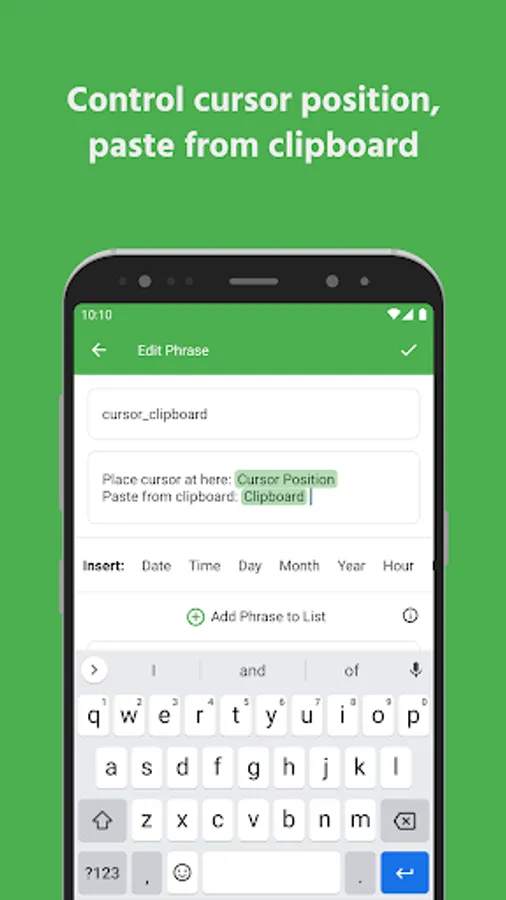
✔️ Cursor position
✔️ Paste from clipboard
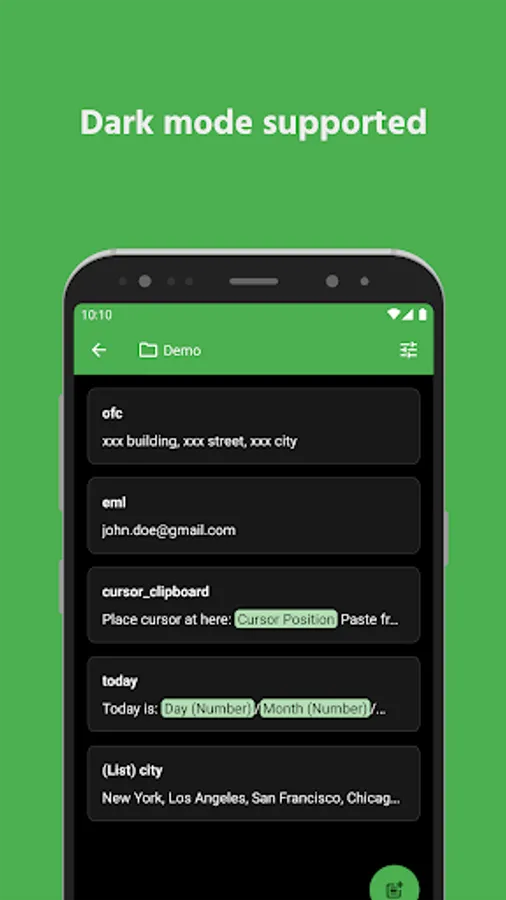
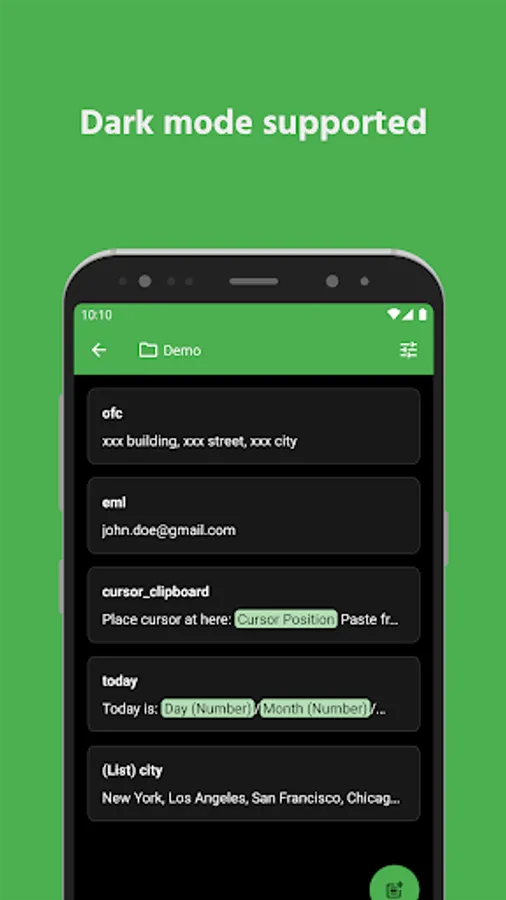
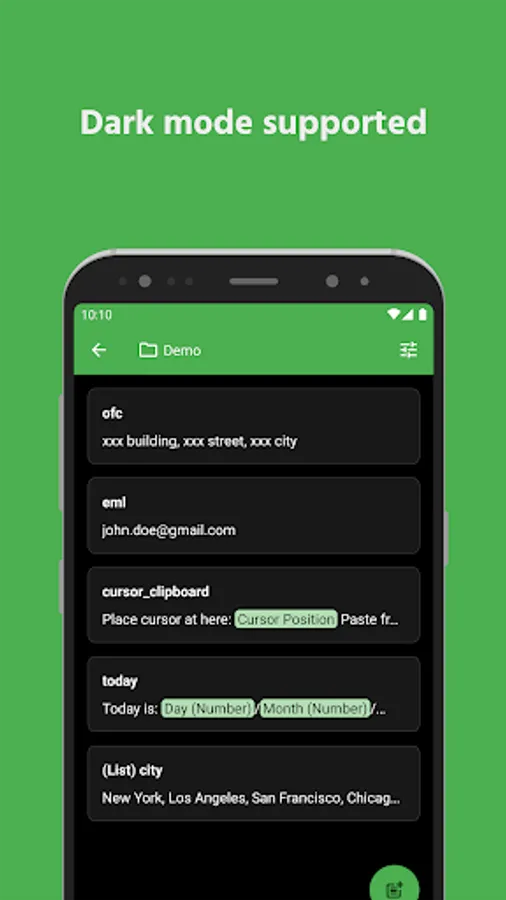
✔️ Dark mode
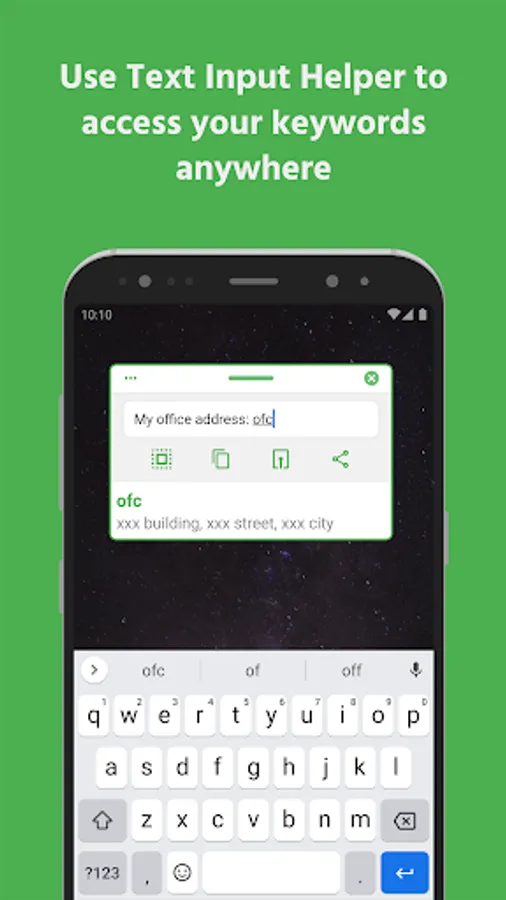
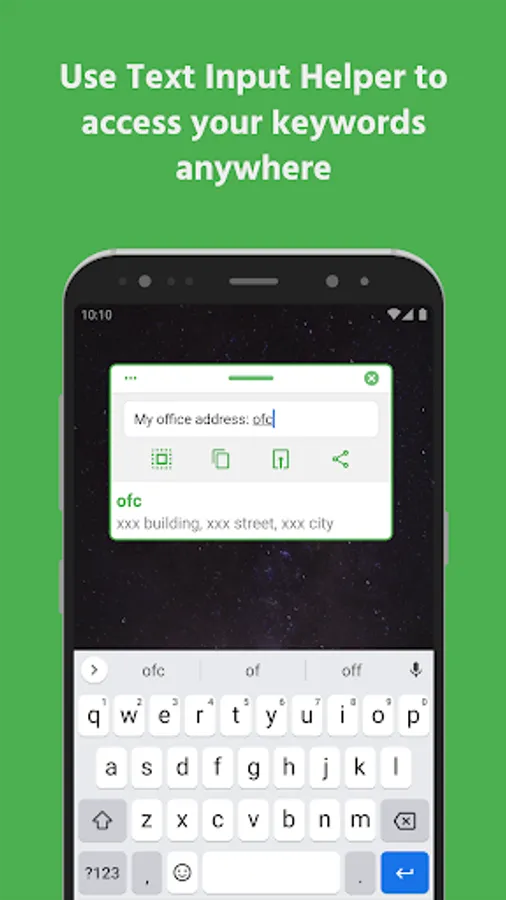
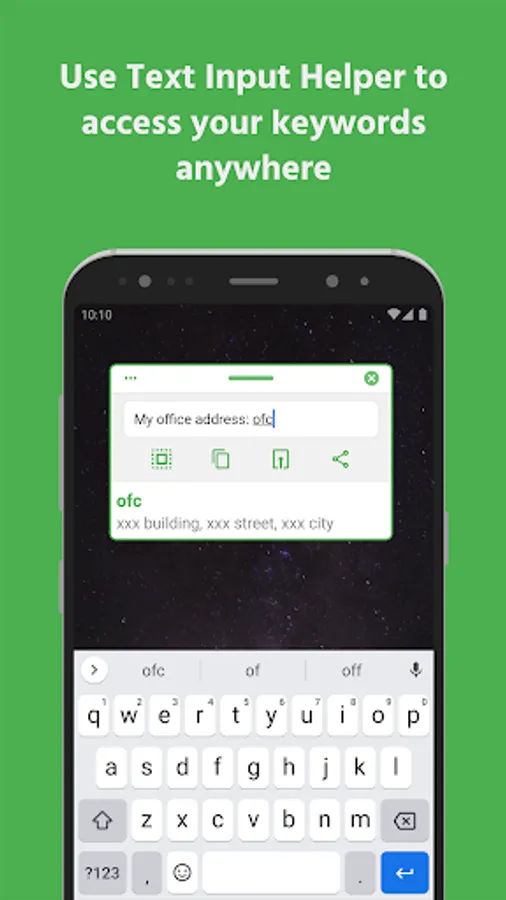
✔️ Text input helper
✔️ Backup & restore
✔️ App blacklist or whitelist
✔️ Pause service when necessary
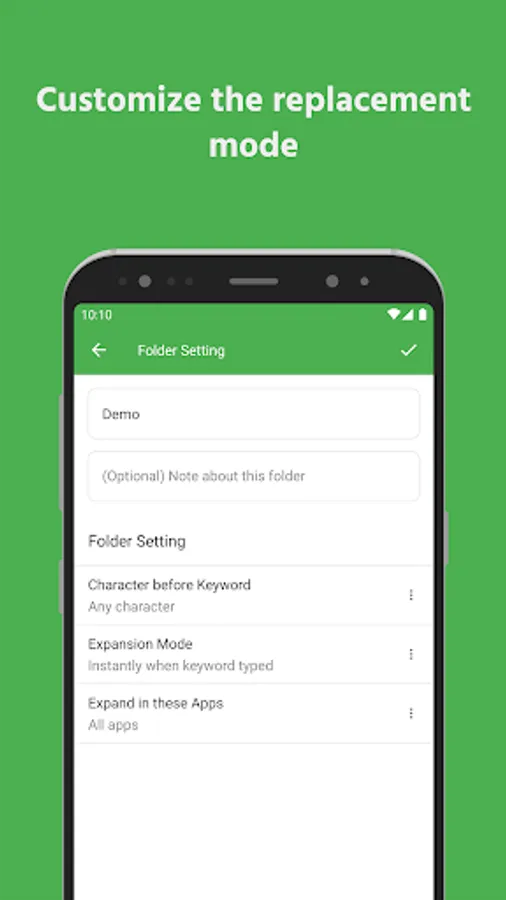
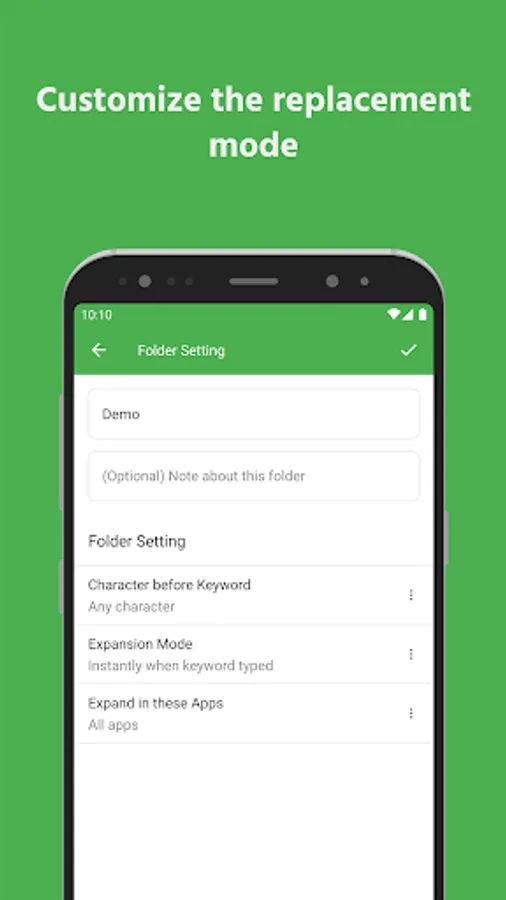
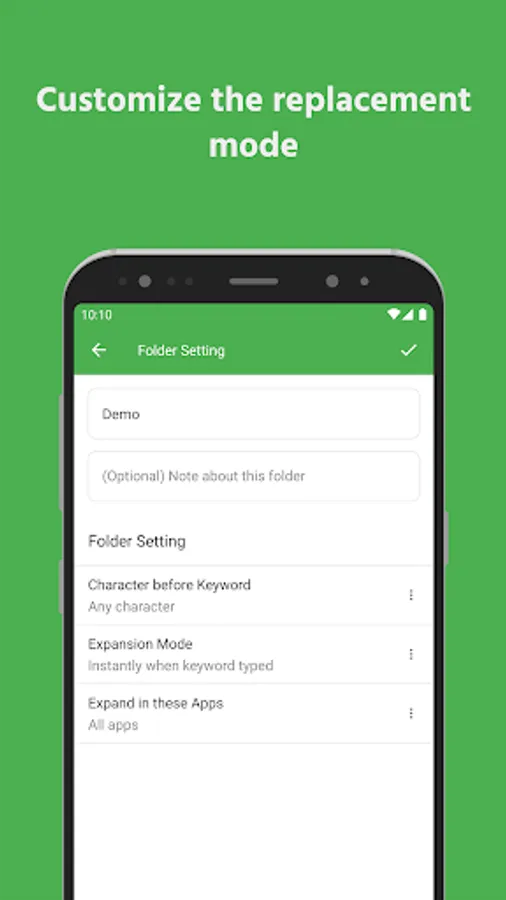
✔️ Trigger replacement instantly or after delimiter typed
✔️ Undo replacement
Important
Accessibility service is required to replace keywords with phrases in other apps.
All usage of accessibility service privileges is exclusively for the purpose of providing Accessibility features to users.
Text expander cannot detect keyword in incompatible apps. Use text input helper to help inputing in incompatible apps.
Useful Links
🔗 Documentation: https://text-expander-app.pages.dev/
🔗 Privacy policy: https://octopus-typing.web.app/privacy_policy.html
🔗 Terms of use: https://octopus-typing.web.app/terms.html
Icon originally created by Freepik - Flaticon: https://www.flaticon.com/free-icons/computer-hardware
Text expander expands keyword with long phrases. Type fast like an octopus!
Have to type the same phrases again and again, everyday?
Fast Typing text expander can do the job for you.
Create a short keyword for long phrase, anytime you type the keyword, text expander will replace it with corresponding full phrase.
No matter how long the sentence is, text expander will type it for you.
Save time for inputing words, sentences, emojis, date time, or anything!
Features
✔️ Text expander
✔️ Folder grouping
✔️ Show keyword suggestion when you type
✔️ Phrase list: multiple phrases for one keyword
✔️ Easily paste image or send image to other apps. (Vary by app, depending on the app's capabilities.)
✔️ Instantly open your favorite websites and links. No need to open a browser or type in URLs
✔️ Change phrase case based on keyword case
✔️ Insert date & time
✔️ Cursor position
✔️ Paste from clipboard
✔️ Dark mode
✔️ Text input helper
✔️ Backup & restore
✔️ App blacklist or whitelist
✔️ Pause service when necessary
✔️ Trigger replacement instantly or after delimiter typed
✔️ Undo replacement
Important
Accessibility service is required to replace keywords with phrases in other apps.
All usage of accessibility service privileges is exclusively for the purpose of providing Accessibility features to users.
Text expander cannot detect keyword in incompatible apps. Use text input helper to help inputing in incompatible apps.
Useful Links
🔗 Documentation: https://text-expander-app.pages.dev/
🔗 Privacy policy: https://octopus-typing.web.app/privacy_policy.html
🔗 Terms of use: https://octopus-typing.web.app/terms.html
Icon originally created by Freepik - Flaticon: https://www.flaticon.com/free-icons/computer-hardware
Text Expander: Fast Typing Screenshots
Tap to Rate:
Reviews for Text Expander: Fast Typing
DENNIS CHISENENA
12/27/2025
Very Good App
Ti Durz
12/2/2025
love it, super useful especially with overlay apps and emulators! 5 ⭐'s