
Turbo Clean - Storage Cleaner
Duo Hub
4.5 ★
197 ratings
1,000+
downloads
Free
+ in-app
In this storage cleaning app, users can remove junk files, duplicate photos, and manage storage effectively. Includes tools for junk cleanup, duplicate detection, and storage analysis.
AppRecs review analysis
AppRecs rating 4.5. Trustworthiness 78 out of 100. Review manipulation risk 35 out of 100. Based on a review sample analyzed.
★★★★☆
4.5
AppRecs Rating
Ratings breakdown
5 star
66%
4 star
25%
3 star
3%
2 star
3%
1 star
3%
What to know
✓
Credible reviews
78% trustworthiness score from analyzed reviews
✓
High user satisfaction
91% of sampled ratings are 4+ stars (4.5★ average)
✓
Authentic reviews
Natural distribution, no red flags
About Turbo Clean - Storage Cleaner
🌟 Turbo Clean: System Cleaner – Optimize Your Android Like a Pro!
Is your Android device slowing down? Struggling with junk files, app leftovers, or duplicate photos? Turbo Clean: System Cleaner is your ultimate solution to reclaim storage, boost performance, and manage apps effortlessly. With powerful tools like app cleaner, duplicate finder, and storage analyzer, keep your device running smoothly without ads!
Wide Compatibility:
Works seamlessly on all Android devices, including phones, tablets, SD cards, and USB devices, supporting all Android versions for comprehensive system cleaning.
🚀 Key Features
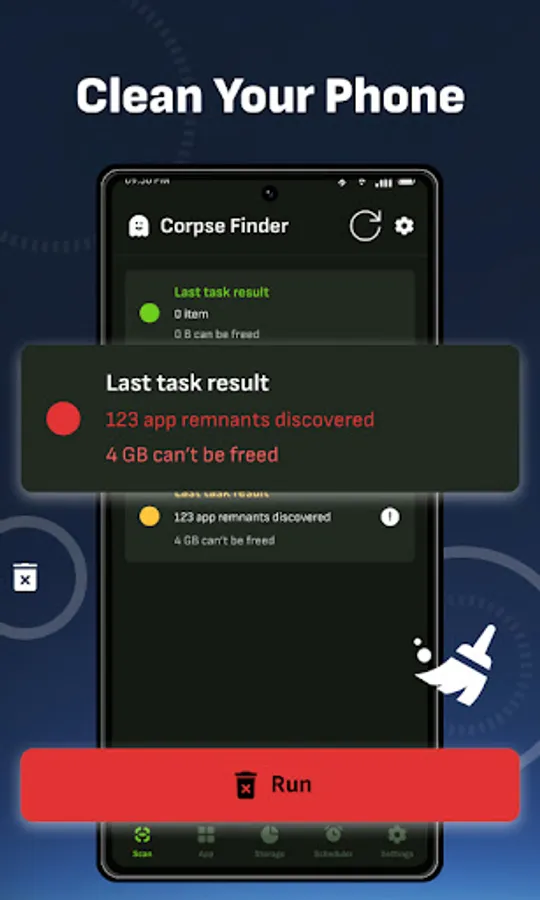
✅ Junk Cleaner – Remove app leftovers, logs, crash reports, and hidden caches with the CorpseFinder tool to free up space.
✅ System Cleaner – Scan and delete temporary files, empty folders, and expendable data with customizable search filters.
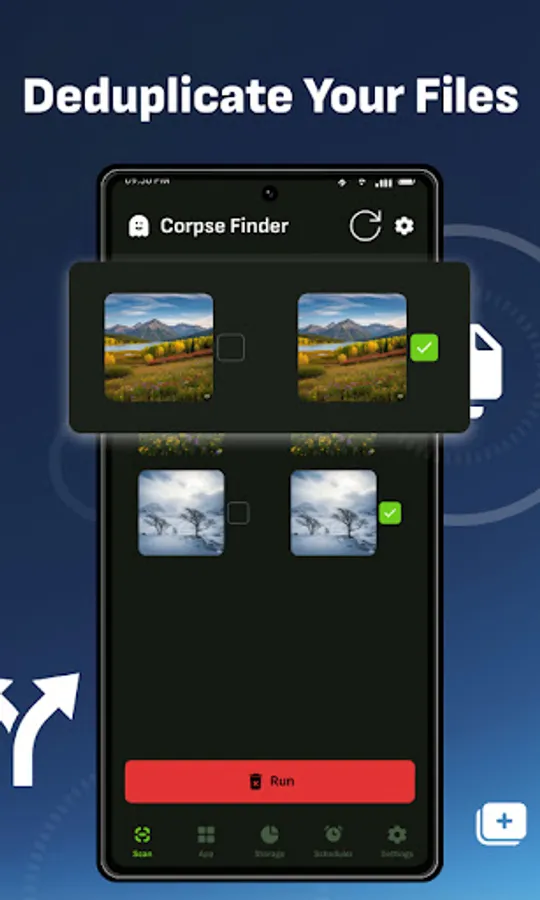
✅ Duplicate Finder – Detect and remove duplicate photos, downloads, and similar files with the Deduplicator tool.
✅ Storage Analyzer – Visualize storage usage across apps, media, and system files to manage space efficiently.
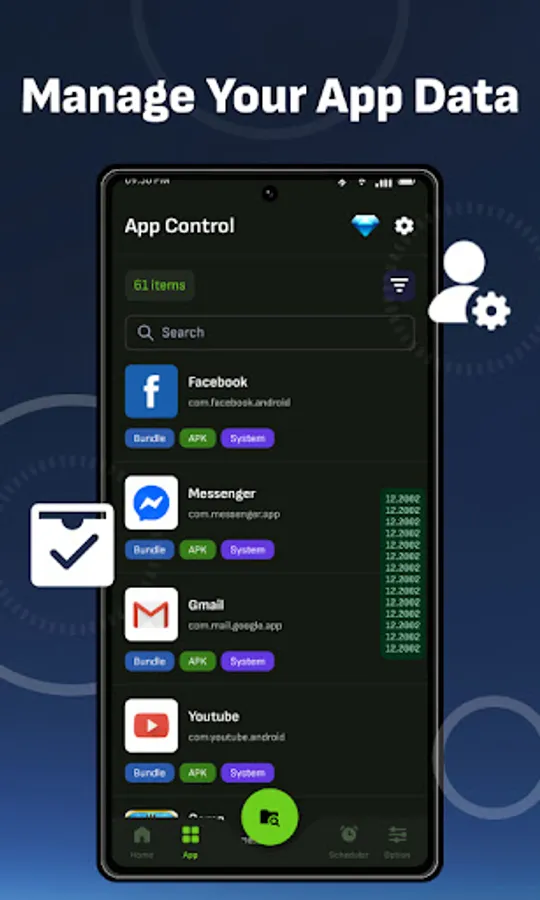
✅ App Manager – Control all installed apps (user, system, enabled, or disabled) with the AppControl tool for sorting, searching, and management.
Why Choose Turbo Clean: System Cleaner?
1️⃣ Frustrated by app leftovers? Junk Cleaner removes them safely.
2️⃣ Storage cluttered with duplicates? Duplicate Finder clears them out.
3️⃣ Need to manage apps? App Manager gives you full control.
4️⃣ Running out of space? Storage Analyzer simplifies storage management.
How to Use Turbo Clean - System Cleaner?
1️⃣ Install Turbo Clean: System Cleaner on your Android device.
2️⃣ Grant necessary permissions for scanning and cleaning.
3️⃣ Select tools like Junk Cleaner, Duplicate Finder, or Storage Analyzer.
4️⃣ Clean your device and enjoy a faster, clutter-free Android!
Perfect for Android users seeking a powerful system cleaner and file manager, Turbo Clean optimizes your device with no ads. Unlock advanced features with a one-time paid upgrade for even deeper cleaning.
⚠️ Before You Start
🌐 Ensure a stable internet connection for initial scans.
🔒 Turbo Clean respects your privacy, using AccessibilityService API only for automation, not data collection.
Note: Some features require a paid upgrade. For device-specific issues, contact your device manufacturer.
🔹 Download Turbo Clean: System Cleaner Now to boost your device with junk cleaner, duplicate finder, and storage analyzer! Keep your Android fast and clean today!
Is your Android device slowing down? Struggling with junk files, app leftovers, or duplicate photos? Turbo Clean: System Cleaner is your ultimate solution to reclaim storage, boost performance, and manage apps effortlessly. With powerful tools like app cleaner, duplicate finder, and storage analyzer, keep your device running smoothly without ads!
Wide Compatibility:
Works seamlessly on all Android devices, including phones, tablets, SD cards, and USB devices, supporting all Android versions for comprehensive system cleaning.
🚀 Key Features
✅ Junk Cleaner – Remove app leftovers, logs, crash reports, and hidden caches with the CorpseFinder tool to free up space.
✅ System Cleaner – Scan and delete temporary files, empty folders, and expendable data with customizable search filters.
✅ Duplicate Finder – Detect and remove duplicate photos, downloads, and similar files with the Deduplicator tool.
✅ Storage Analyzer – Visualize storage usage across apps, media, and system files to manage space efficiently.
✅ App Manager – Control all installed apps (user, system, enabled, or disabled) with the AppControl tool for sorting, searching, and management.
Why Choose Turbo Clean: System Cleaner?
1️⃣ Frustrated by app leftovers? Junk Cleaner removes them safely.
2️⃣ Storage cluttered with duplicates? Duplicate Finder clears them out.
3️⃣ Need to manage apps? App Manager gives you full control.
4️⃣ Running out of space? Storage Analyzer simplifies storage management.
How to Use Turbo Clean - System Cleaner?
1️⃣ Install Turbo Clean: System Cleaner on your Android device.
2️⃣ Grant necessary permissions for scanning and cleaning.
3️⃣ Select tools like Junk Cleaner, Duplicate Finder, or Storage Analyzer.
4️⃣ Clean your device and enjoy a faster, clutter-free Android!
Perfect for Android users seeking a powerful system cleaner and file manager, Turbo Clean optimizes your device with no ads. Unlock advanced features with a one-time paid upgrade for even deeper cleaning.
⚠️ Before You Start
🌐 Ensure a stable internet connection for initial scans.
🔒 Turbo Clean respects your privacy, using AccessibilityService API only for automation, not data collection.
Note: Some features require a paid upgrade. For device-specific issues, contact your device manufacturer.
🔹 Download Turbo Clean: System Cleaner Now to boost your device with junk cleaner, duplicate finder, and storage analyzer! Keep your Android fast and clean today!
Turbo Clean - Storage Cleaner Screenshots
Tap to Rate:
Reviews for Turbo Clean - Storage Cleaner
Glenn Muscat
10/8/2025
Wow I get to review before I tried the product
Tiripse Elbib
9/27/2025
good 👍