Viewer of Greencard Food and Greencard Meal card balances and extracts.
This application was developed to make the access to the balances and statements of your cards practical through a bridge between the official website of the company (https://www.grupogreencard.com.br/site/loginUsuario) and the cell phone. The whole process is automatic, just enter your email and the INTERNET password (which was defined at the time of the new registration on the site).
Features:
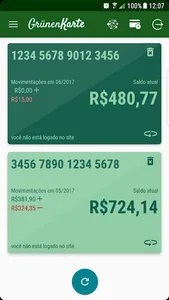
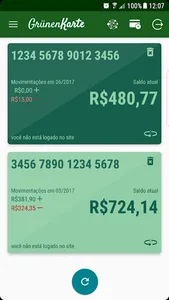
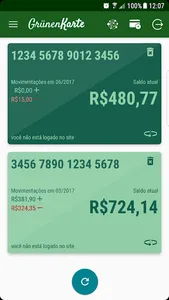
* Card screen: shows the current balance, the total benefits and expenses for the last month and the date and time of the last update check on the website;
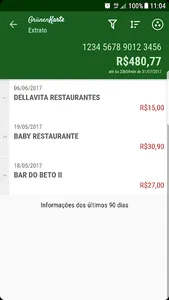
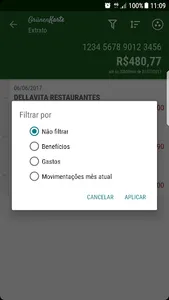
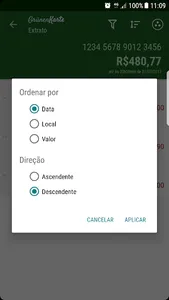
* Statement screen: shows the operations performed and allows data to be filtered (all, benefits, expenses, last month), ordered (date, location, amount) and grouped (location);
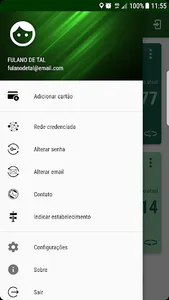
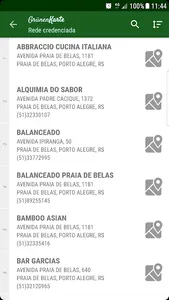
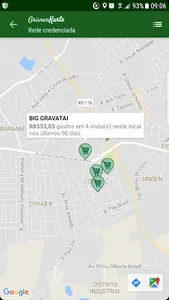
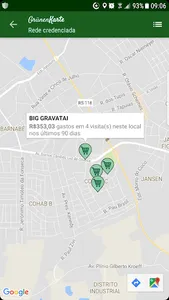
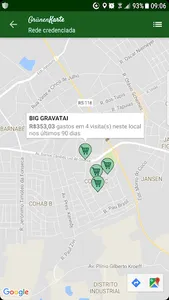
* Consult the accredited network (ordering by establishment, address, neighborhood).
* Change Password;
* Email exchange;
* Card registration on the website;
* Indication of establishment;
* Contact with the Green Card Group;
Attention:
The application and its developer have no relationship with the company responsible for the information provided.
In case of doubt, go directly to the official balance / statement consultation website.
Comments:
* The statement is updated daily and the balance for each use.
Thanks:
* To all who helped and still help to continue this project, with their feedbacks and suggestions
This application was developed to make the access to the balances and statements of your cards practical through a bridge between the official website of the company (https://www.grupogreencard.com.br/site/loginUsuario) and the cell phone. The whole process is automatic, just enter your email and the INTERNET password (which was defined at the time of the new registration on the site).
Features:
* Card screen: shows the current balance, the total benefits and expenses for the last month and the date and time of the last update check on the website;
* Statement screen: shows the operations performed and allows data to be filtered (all, benefits, expenses, last month), ordered (date, location, amount) and grouped (location);
* Consult the accredited network (ordering by establishment, address, neighborhood).
* Change Password;
* Email exchange;
* Card registration on the website;
* Indication of establishment;
* Contact with the Green Card Group;
Attention:
The application and its developer have no relationship with the company responsible for the information provided.
In case of doubt, go directly to the official balance / statement consultation website.
Comments:
* The statement is updated daily and the balance for each use.
Thanks:
* To all who helped and still help to continue this project, with their feedbacks and suggestions
Show More