Semper Loading Screen Add-On
Semper - UnlockYourBrain
4.1 ★
118 ratings
10,000+
downloads
Free
In this app, you can customize app launch screens to display microlearning puzzles and access quick education sessions. Includes features to select apps, display Semper icons, and load puzzles during app startup.
AppRecs review analysis
AppRecs rating 4.1. Trustworthiness 0 out of 100. Review manipulation risk 0 out of 100. Based on a review sample analyzed.
★★★★☆
4.1
AppRecs Rating
Ratings breakdown
5 star
61%
4 star
20%
3 star
0%
2 star
10%
1 star
10%
What to know
✓
High user satisfaction
81% of sampled ratings are 4+ stars (4.1★ average)
✓
Authentic reviews
Natural distribution, no red flags
About Semper Loading Screen Add-On
Get Semper microlearning puzzles whenever you open facebook, Clash of Clans, YouTube or any other app of your choice.
Note: For this app to work you need Semper installed. You can get Semper for free at
https://play.google.com/store/apps/details?id=co.unlockyourbrain
How does it work?
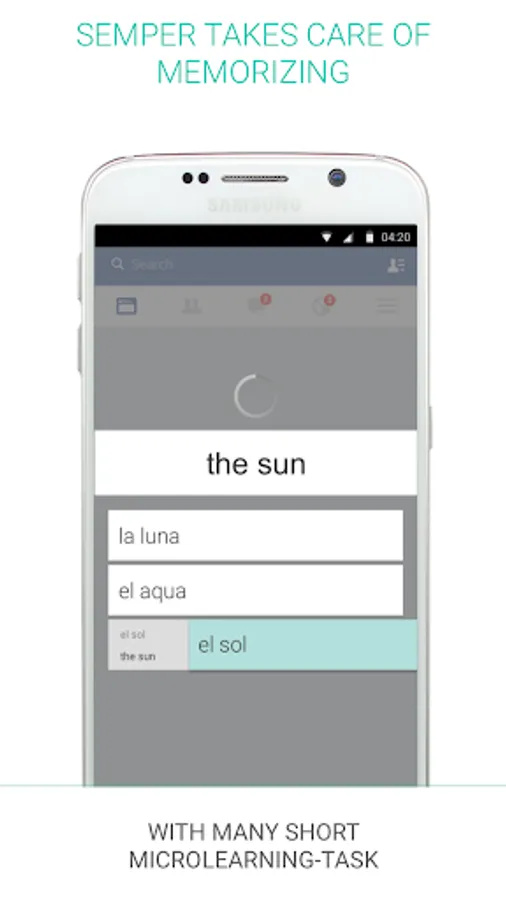
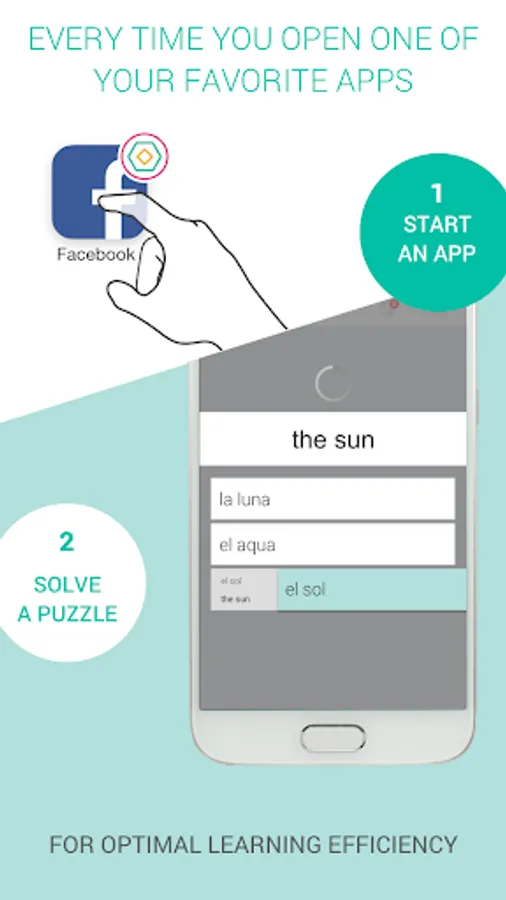
For each app you select, you get an new icon with a small Semper logo in the corner. You can tap the icon to start the app and get a microlearning puzzle while the app loads in the background. After solving the puzzle the other app is ready for you.
Why is the Semper Loading Screen Add-On an extra app?
First and foremost, making the Loading Screen Add-On a separate app addresses a number of issues with non-standard Android versions.
On some devices, Semper Loading Screen icons used to get replaced by the Semper app icon, periodically. Providing a dedicated app allows us to use another technique which prevents this from happening for most affected users. Where it does not, the icon replacement problem is most often linked to Semper updating. Separating the Loading Screen Add-On from Semper allows Semper to update independently of the Loading Screen Add-On.
Last but not least, users with limited disk space can move the Loading Screen Add-On onto an SD card (this means that the Loading Screen icons won’t work while the SD card is unmounted, though).
Note: For this app to work you need Semper installed. You can get Semper for free at
https://play.google.com/store/apps/details?id=co.unlockyourbrain
How does it work?
For each app you select, you get an new icon with a small Semper logo in the corner. You can tap the icon to start the app and get a microlearning puzzle while the app loads in the background. After solving the puzzle the other app is ready for you.
Why is the Semper Loading Screen Add-On an extra app?
First and foremost, making the Loading Screen Add-On a separate app addresses a number of issues with non-standard Android versions.
On some devices, Semper Loading Screen icons used to get replaced by the Semper app icon, periodically. Providing a dedicated app allows us to use another technique which prevents this from happening for most affected users. Where it does not, the icon replacement problem is most often linked to Semper updating. Separating the Loading Screen Add-On from Semper allows Semper to update independently of the Loading Screen Add-On.
Last but not least, users with limited disk space can move the Loading Screen Add-On onto an SD card (this means that the Loading Screen icons won’t work while the SD card is unmounted, though).
Semper Loading Screen Add-On Screenshots
Tap to Rate: