
Accessible Reader
Amway Opportunity Foundation
4.1 ★
145 ratings
10,000+
downloads
Free
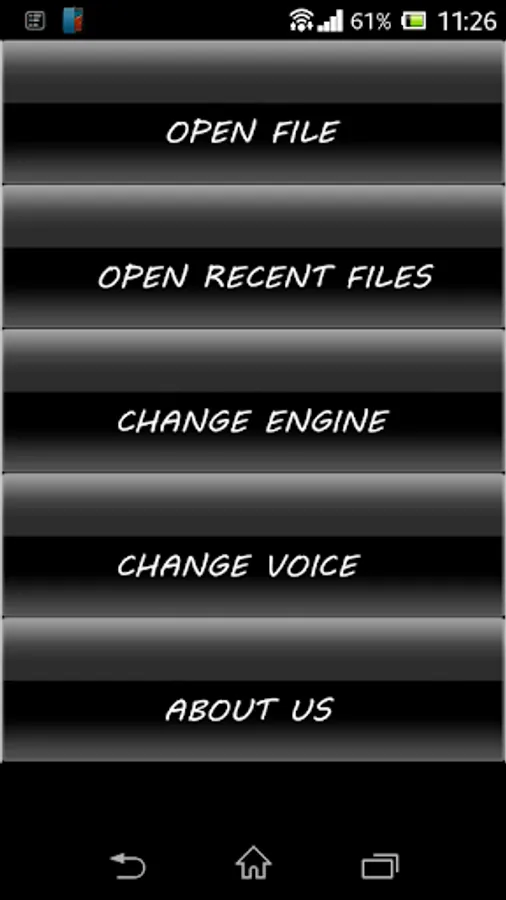
With this app, you can select text, control reading speed, and navigate through documents. Includes support for multiple languages, file history, and adjustable playback options.
AppRecs review analysis
AppRecs rating 4.1. Trustworthiness 0 out of 100. Review manipulation risk 0 out of 100. Based on a review sample analyzed.
★★★★☆
4.1
AppRecs Rating
Ratings breakdown
5 star
75%
4 star
0%
3 star
0%
2 star
13%
1 star
13%
What to know
✓
High user satisfaction
75% of sampled ratings are 4+ stars (4.1★ average)
✓
Authentic reviews
No red flags detected
About Accessible Reader
Accessible Reader by Amway Opportunity Foundation is a mobile application which leverages available text-to-speech engines and makes it convenient for the visually impaired to read digital documents. AOF has taken this initiative in sync with the Govt. of India’s Accessible India campaign, which focuses on increasing the availability of Information & technology for differently abled people.
Some of the significant features of the application include:
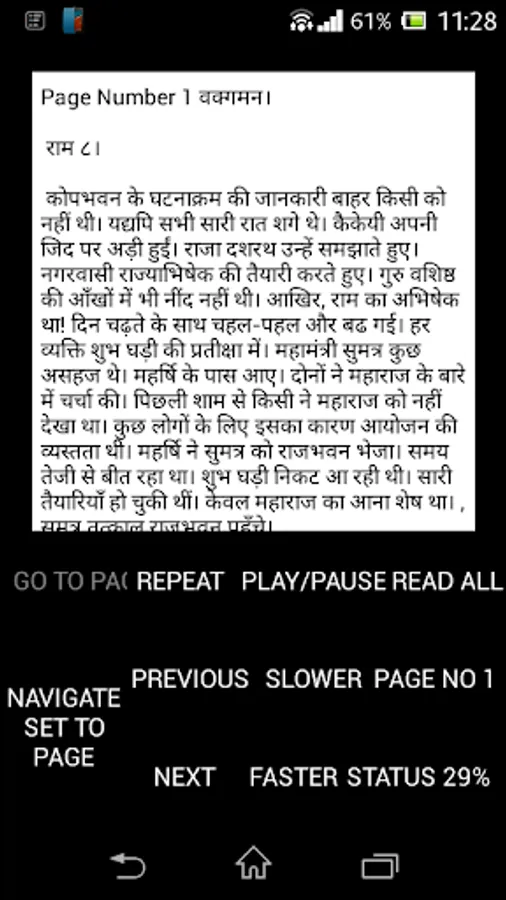
• Supports English, Hindi, Bengali, Kannada, Malayalam, Punjabi, Tamil, Telugu, Urdu languages, in the leading document formats - text, RTF, doc, docx and PDF files. (Install TTS engine to read the respective language files.)
• Increase or decrease the reading speed as per individuals comfort
• Play/Pause button.
• Navigation mode - to select and read word, sentence, paragraph and page.
• Read the desired page instantly with the help of "go to page" option.
• “Repeat” command repeats the word, line, paragraph or page at which the current navigation is set to.
• “Read All” button, to start the continuous reading of the document from the current location.
• It keeps the history of last 10 files opened and remembers the position on which the file was closed and would resume from the same place.
Some of the significant features of the application include:
• Supports English, Hindi, Bengali, Kannada, Malayalam, Punjabi, Tamil, Telugu, Urdu languages, in the leading document formats - text, RTF, doc, docx and PDF files. (Install TTS engine to read the respective language files.)
• Increase or decrease the reading speed as per individuals comfort
• Play/Pause button.
• Navigation mode - to select and read word, sentence, paragraph and page.
• Read the desired page instantly with the help of "go to page" option.
• “Repeat” command repeats the word, line, paragraph or page at which the current navigation is set to.
• “Read All” button, to start the continuous reading of the document from the current location.
• It keeps the history of last 10 files opened and remembers the position on which the file was closed and would resume from the same place.
Accessible Reader Screenshots
Tap to Rate: