
AppRecs review analysis
AppRecs rating . Trustworthiness 83 out of 100. Review manipulation risk 26 out of 100. Based on a review sample analyzed.
★
AppRecs Rating
Ratings breakdown
5 star
57%
4 star
0%
3 star
0%
2 star
7%
1 star
36%
What to know
✓
Low review manipulation risk
26% review manipulation risk
✓
Credible reviews
83% trustworthiness score from analyzed reviews
About Fluent Teleprompter widget
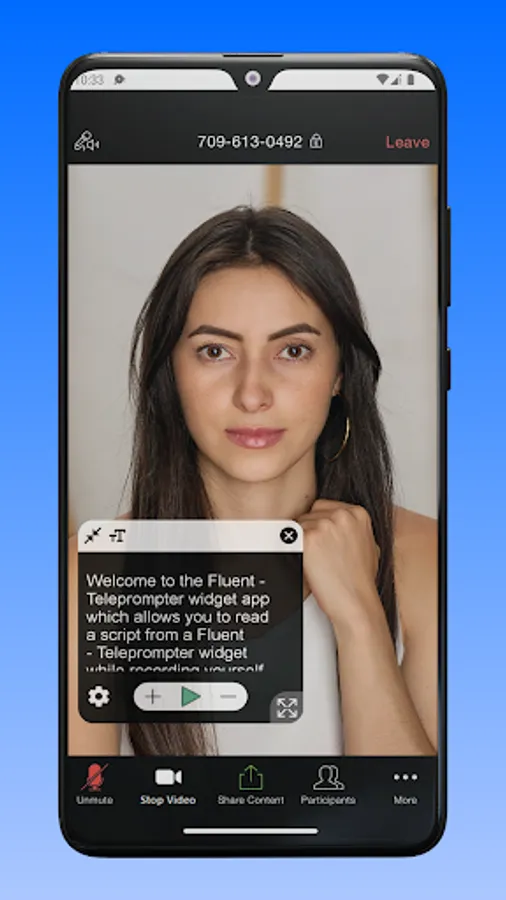
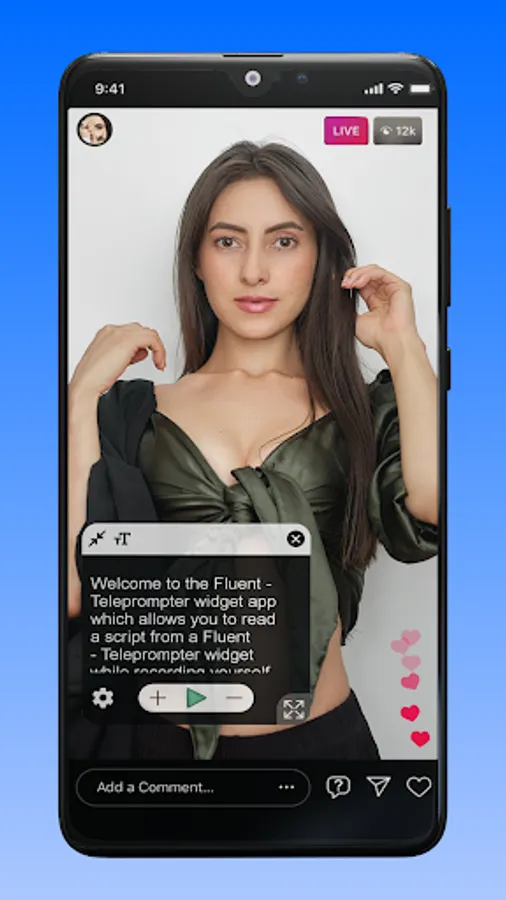
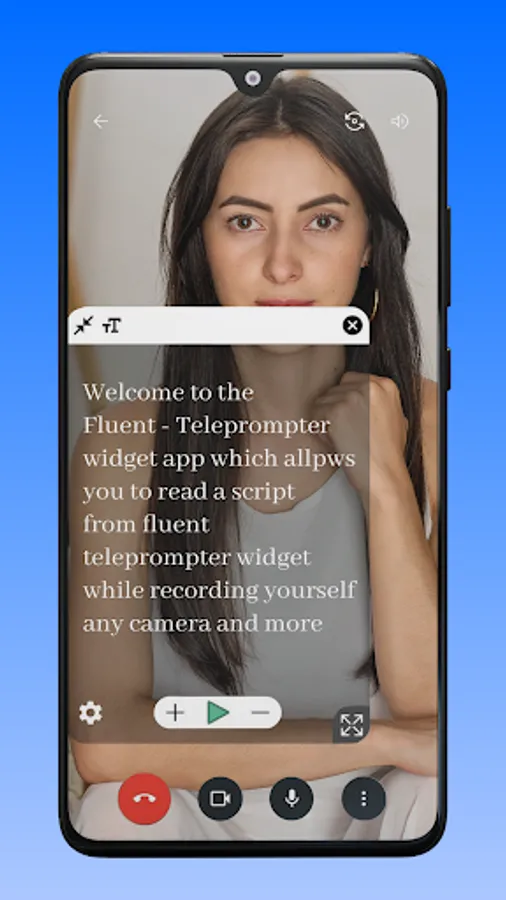
Fluent - Teleprompter widget help to read recently prepared text on your phone screen right during the recording video with any camera application.
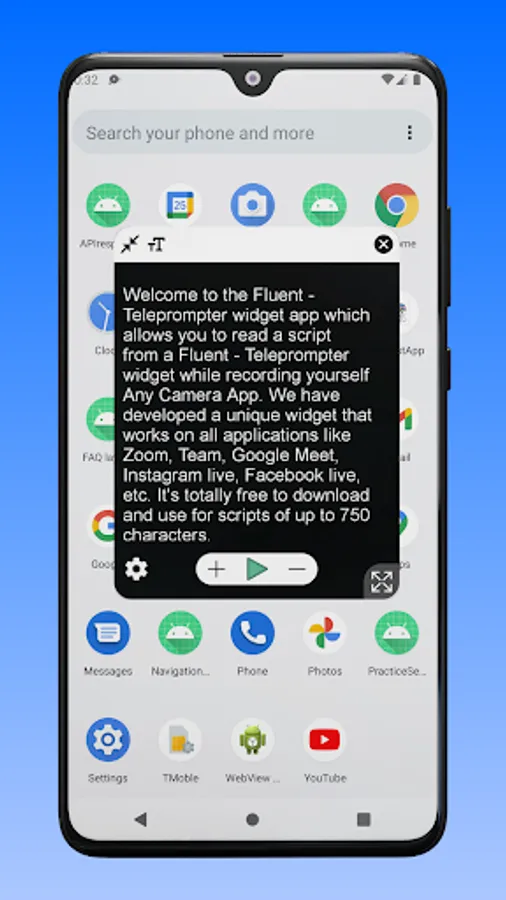
We have developed a unique widget that works on all applications like Zoom, Team, Google Meet, Instagram live, Facebook live,YouTube live, etc.
Which provides a simple and convenient functionality, will help you perform at the very best during a live broadcast.
With Fluent Teleprompter widget you can:
- Change the size and position of the widget on the screen.
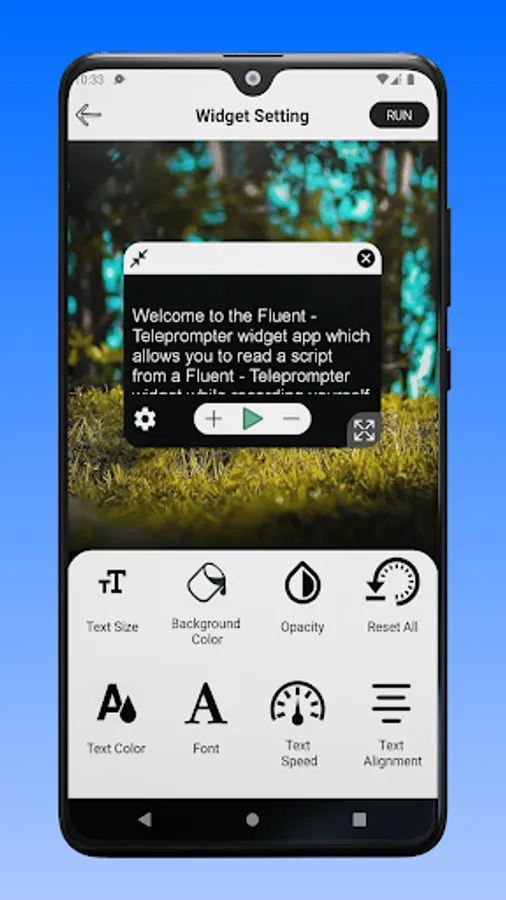
- Configure the script text size, colour and speed of its movement.
- You can change the size and position of the widget on the screen;
- At any time, play and pause the script scrolling and put it to the any position on then screen.
- Change the colour of the widget and adjust the opacity of its background.
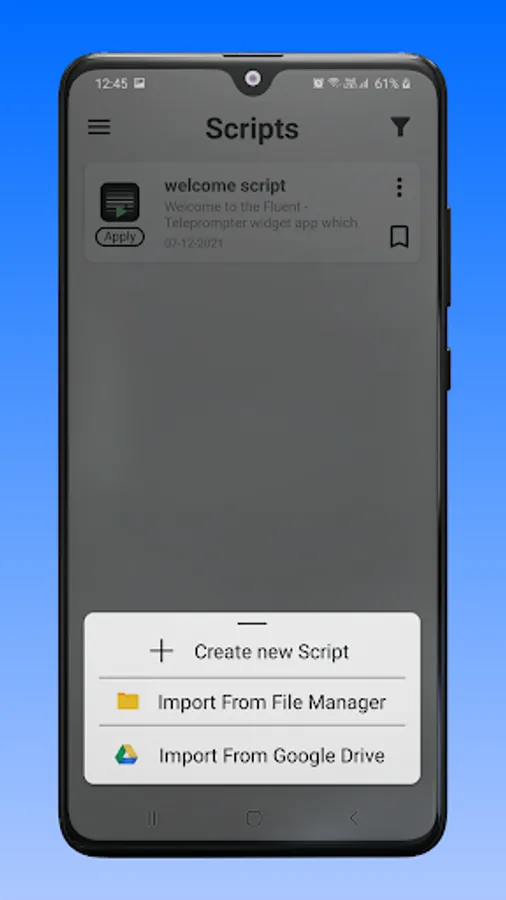
- You can take backup your all scripts on your device and also Import script from Device and Google Drive.
How to use.
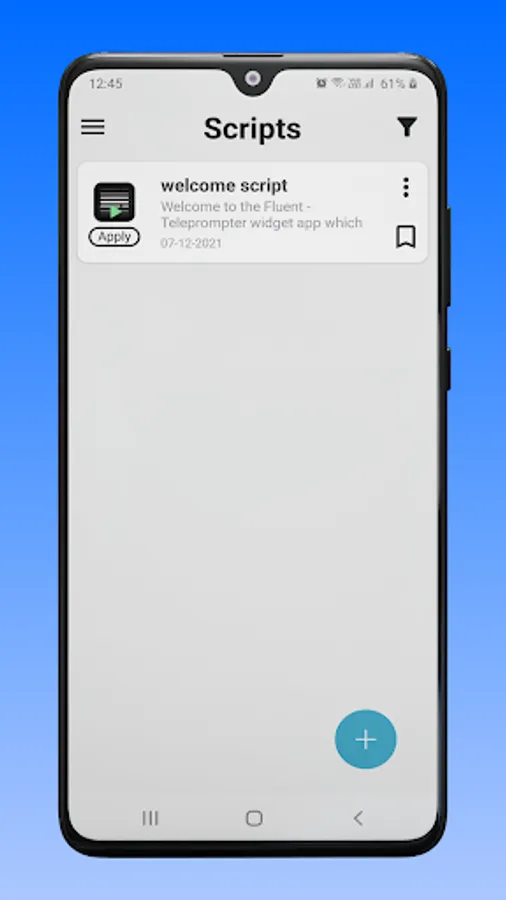
- Create script or import script.
- Change your desired settings on script like Text size, Background colour, Opacity, Text colour, Font style, Text scrolling speed and Text alignment.
- Press apply button for widget on script.
We have developed a unique widget that works on all applications like Zoom, Team, Google Meet, Instagram live, Facebook live,YouTube live, etc.
Which provides a simple and convenient functionality, will help you perform at the very best during a live broadcast.
With Fluent Teleprompter widget you can:
- Change the size and position of the widget on the screen.
- Configure the script text size, colour and speed of its movement.
- You can change the size and position of the widget on the screen;
- At any time, play and pause the script scrolling and put it to the any position on then screen.
- Change the colour of the widget and adjust the opacity of its background.
- You can take backup your all scripts on your device and also Import script from Device and Google Drive.
How to use.
- Create script or import script.
- Change your desired settings on script like Text size, Background colour, Opacity, Text colour, Font style, Text scrolling speed and Text alignment.
- Press apply button for widget on script.
Fluent Teleprompter widget Screenshots
Tap to Rate:
Reviews for Fluent Teleprompter widget
Aglow Konfections
11/30/2025
great app, easy to use.
Tahir Taous
11/29/2025
wonderful app, affordable just 1400 PKR for the lifetime plan.