
AppRecs review analysis
AppRecs rating 2.5. Trustworthiness 0 out of 100. Review manipulation risk 0 out of 100. Based on a review sample analyzed.
★★☆☆☆
2.5
AppRecs Rating
Ratings breakdown
5 star
16%
4 star
16%
3 star
16%
2 star
0%
1 star
53%
What to know
⚠
Mixed user feedback
Average 2.5★ rating suggests room for improvement
About POS inventory
Manage your inventory and sales. Track your yearly sales and profits by exporting data and combining it in your preferred reporting software - spreadsheets, database, etc. . .
Perfect for personal/small business, the bazaar, swap meet, flea market, etc. . .
Features:
* One permission - SD Card read/write
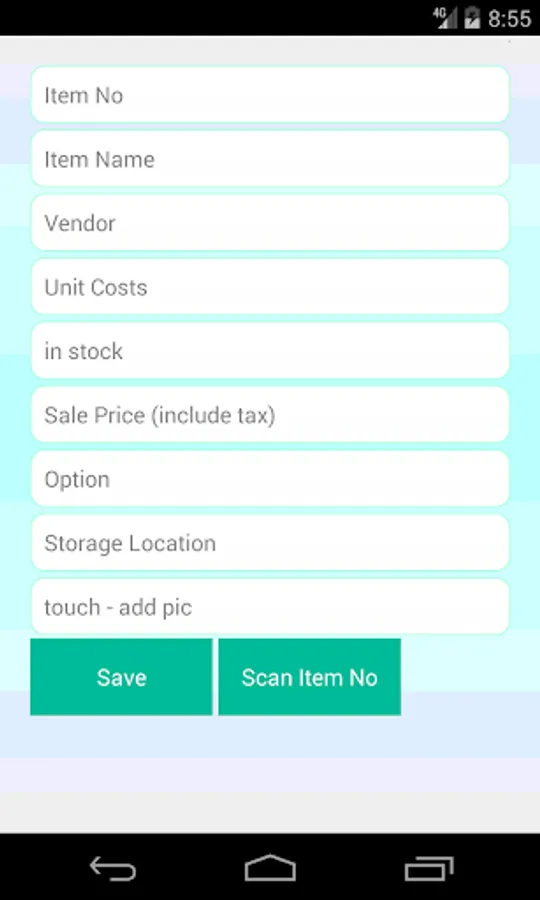
* Include item picture
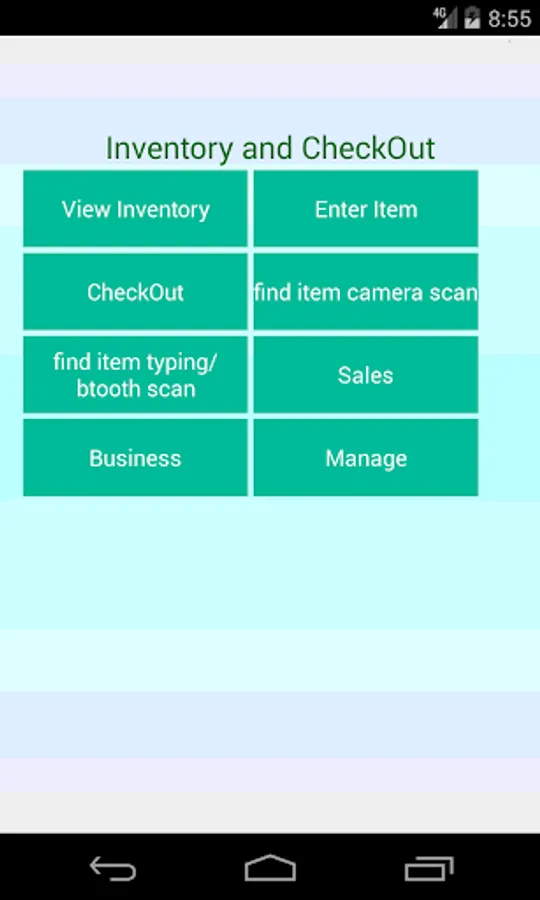
* View your entire inventory list with stock remaining
* Enter inventory items using camera or bluetooth scanner to get item number
* Lookup item by name or barcode
* (Recommended for barcodes)
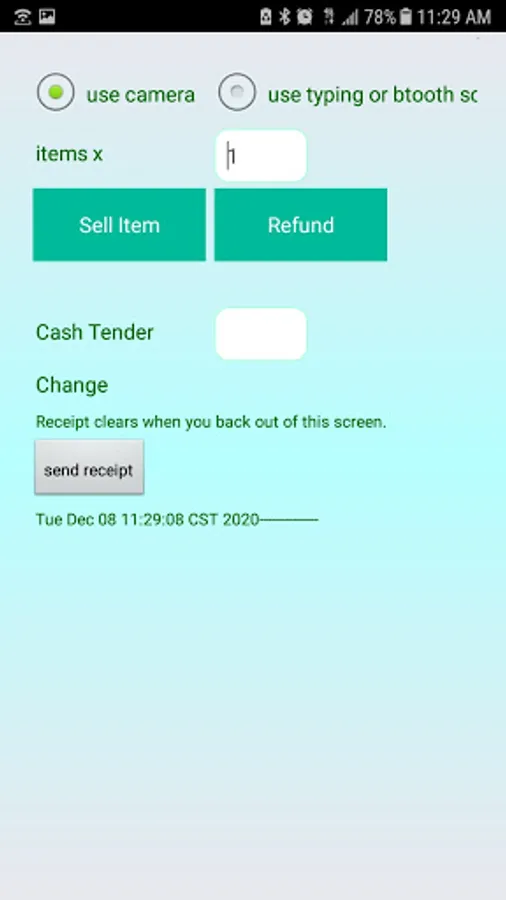
* Manual checkout for items without barcodes - use look up item by name
* Process returns (refunds)
* Lookup an item to view its details, e.g. stock remaining
* View running sales in a date range
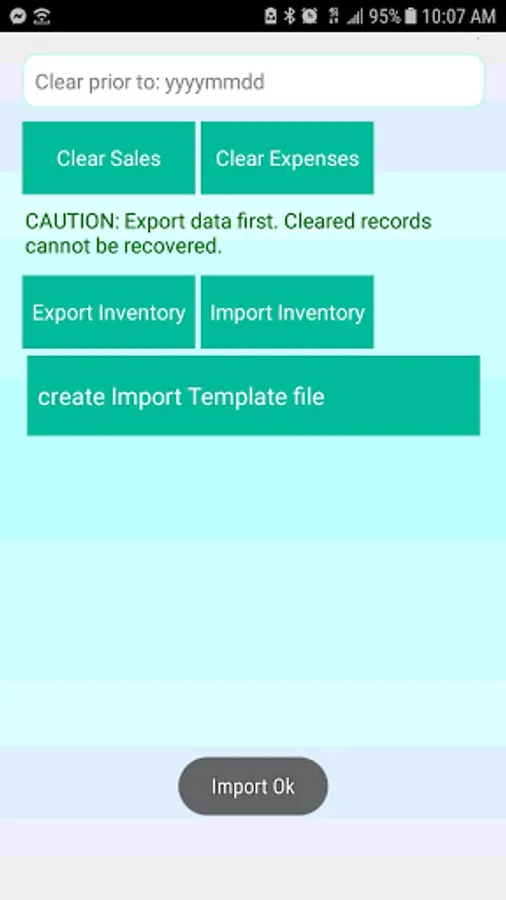
* Export data to csv (comma separated values)
* Clear sales data if desired
* Back Order tracking which updates your inventory count when marked as completed
* Export inventory
* Import inventory from a csv file
* send a receipt
* option to send your exported data
Fields include:
item name
vendor - where you can add vendor name + phone no
unit cost
sale price
stock
optional (or alternate field)
storage location - so you can specify where this item is at e.g. . . shelf 3B
date of sale and time of sale
All credit goes to Zxing for making barcode scanning possible.
Perfect for personal/small business, the bazaar, swap meet, flea market, etc. . .
Features:
* One permission - SD Card read/write
* Include item picture
* View your entire inventory list with stock remaining
* Enter inventory items using camera or bluetooth scanner to get item number
* Lookup item by name or barcode
* (Recommended for barcodes)
* Manual checkout for items without barcodes - use look up item by name
* Process returns (refunds)
* Lookup an item to view its details, e.g. stock remaining
* View running sales in a date range
* Export data to csv (comma separated values)
* Clear sales data if desired
* Back Order tracking which updates your inventory count when marked as completed
* Export inventory
* Import inventory from a csv file
* send a receipt
* option to send your exported data
Fields include:
item name
vendor - where you can add vendor name + phone no
unit cost
sale price
stock
optional (or alternate field)
storage location - so you can specify where this item is at e.g. . . shelf 3B
date of sale and time of sale
All credit goes to Zxing for making barcode scanning possible.
POS inventory Screenshots
Tap to Rate: