main function
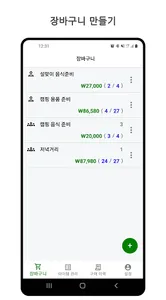
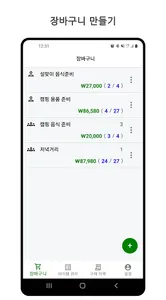
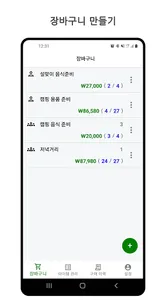
1) Shopping cart: Create/delete shopping cart, share, copy, purchase completed
-You can repeatedly use your own item list created in Item Management.
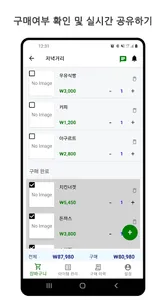
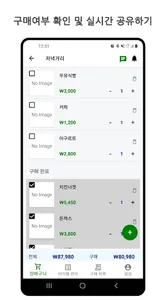
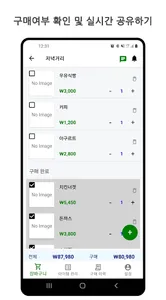
-You can register the price/number of purchases/pictures in the cart item list.
-You can choose whether or not to purchase a shopping cart item.
-You can share the list of items in your shopping cart in real time.
-You can share photos of items that you have registered in real time.
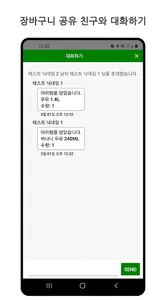
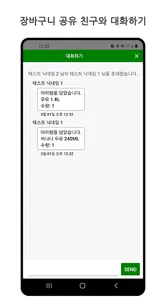
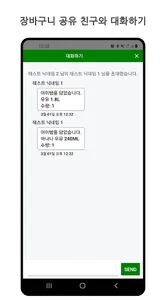
-You can chat with a friend who is sharing your shopping cart.
-You can turn the conversation notification ON/OFF.
-You can check new items by category/ popular item/ all items.
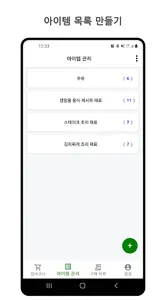
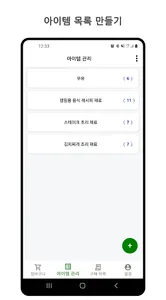
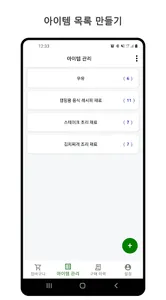
2) Item Management: Create a category, create an item, change the order, check the number of purchases, enter a price, check the purchase history for each item
-You can create your own categories and items for items you purchase repeatedly.
-You can check the number of purchases per item.
-You can check the latest purchase price of the item.
-You can register an item's photo.
-You can check the purchase history for each item.
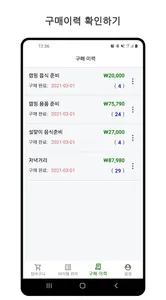
3) Purchase history
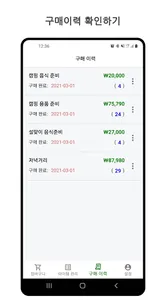
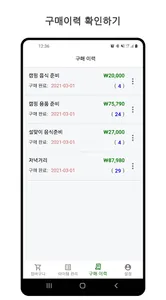
-You can check the purchase history of the shopping cart that has been purchased.
-You can reuse the shopping cart that has been purchased. (Go to the shopping cart tab)
4) setting
-You can check my account information.
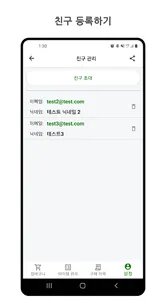
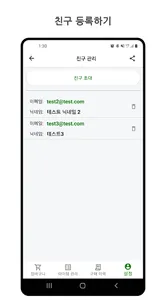
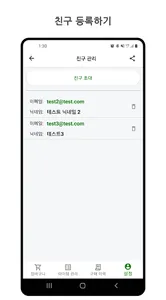
-You can register a friend to share the shopping cart.
-You can send the “Shop Together” app to your friends as a share message.
1) Shopping cart: Create/delete shopping cart, share, copy, purchase completed
-You can repeatedly use your own item list created in Item Management.
-You can register the price/number of purchases/pictures in the cart item list.
-You can choose whether or not to purchase a shopping cart item.
-You can share the list of items in your shopping cart in real time.
-You can share photos of items that you have registered in real time.
-You can chat with a friend who is sharing your shopping cart.
-You can turn the conversation notification ON/OFF.
-You can check new items by category/ popular item/ all items.
2) Item Management: Create a category, create an item, change the order, check the number of purchases, enter a price, check the purchase history for each item
-You can create your own categories and items for items you purchase repeatedly.
-You can check the number of purchases per item.
-You can check the latest purchase price of the item.
-You can register an item's photo.
-You can check the purchase history for each item.
3) Purchase history
-You can check the purchase history of the shopping cart that has been purchased.
-You can reuse the shopping cart that has been purchased. (Go to the shopping cart tab)
4) setting
-You can check my account information.
-You can register a friend to share the shopping cart.
-You can send the “Shop Together” app to your friends as a share message.
Show More