
Speech Text & Text Speech - wi
SoftWiz
3.8 ★
875 ratings
10,000+
downloads
Free
In this speech-to-text app, you can dictate notes that are automatically transcribed and saved for sharing or editing. Includes features like auto capitalization, punctuation editing, and multi-language support.
AppRecs review analysis
AppRecs rating 3.9. Trustworthiness 81 out of 100. Review manipulation risk 19 out of 100. Based on a review sample analyzed.
★★★☆☆
3.9
AppRecs Rating
Ratings breakdown
5 star
49%
4 star
23%
3 star
7%
2 star
3%
1 star
19%
What to know
✓
Low review manipulation risk
19% review manipulation risk
✓
Credible reviews
81% trustworthiness score from analyzed reviews
✓
Good user ratings
72% positive sampled reviews
About Speech Text & Text Speech - wi
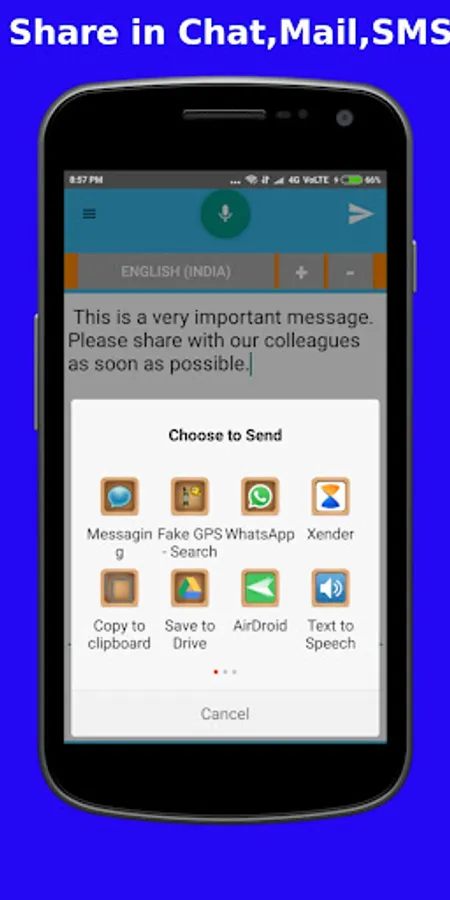
Speech to text & Text to Speech is a simple & easy to use app for dictating notes which can be saved in file, sent as an SMS, chat or Email or copied and pasted into another app.
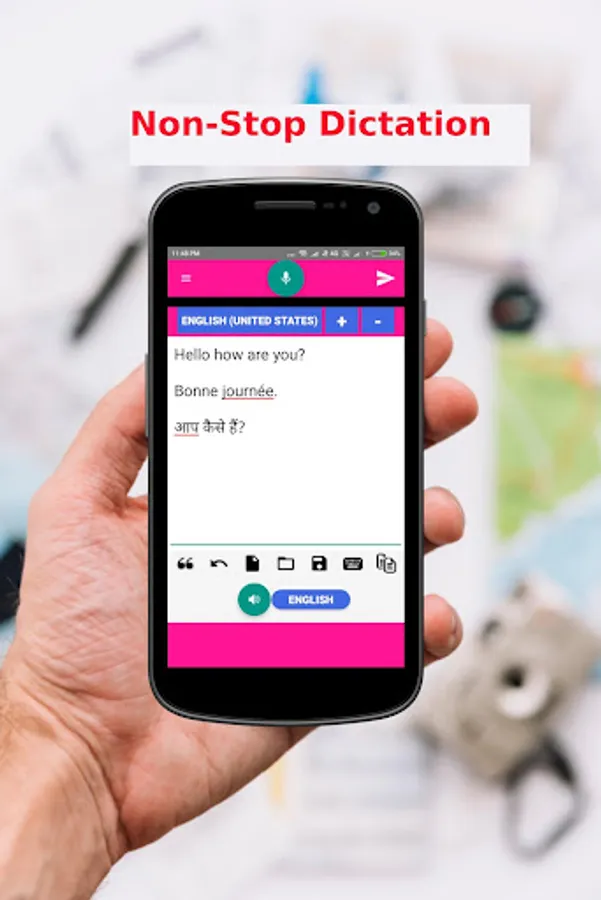
* Non-Stop Dictation.
* Covert written text to speech.
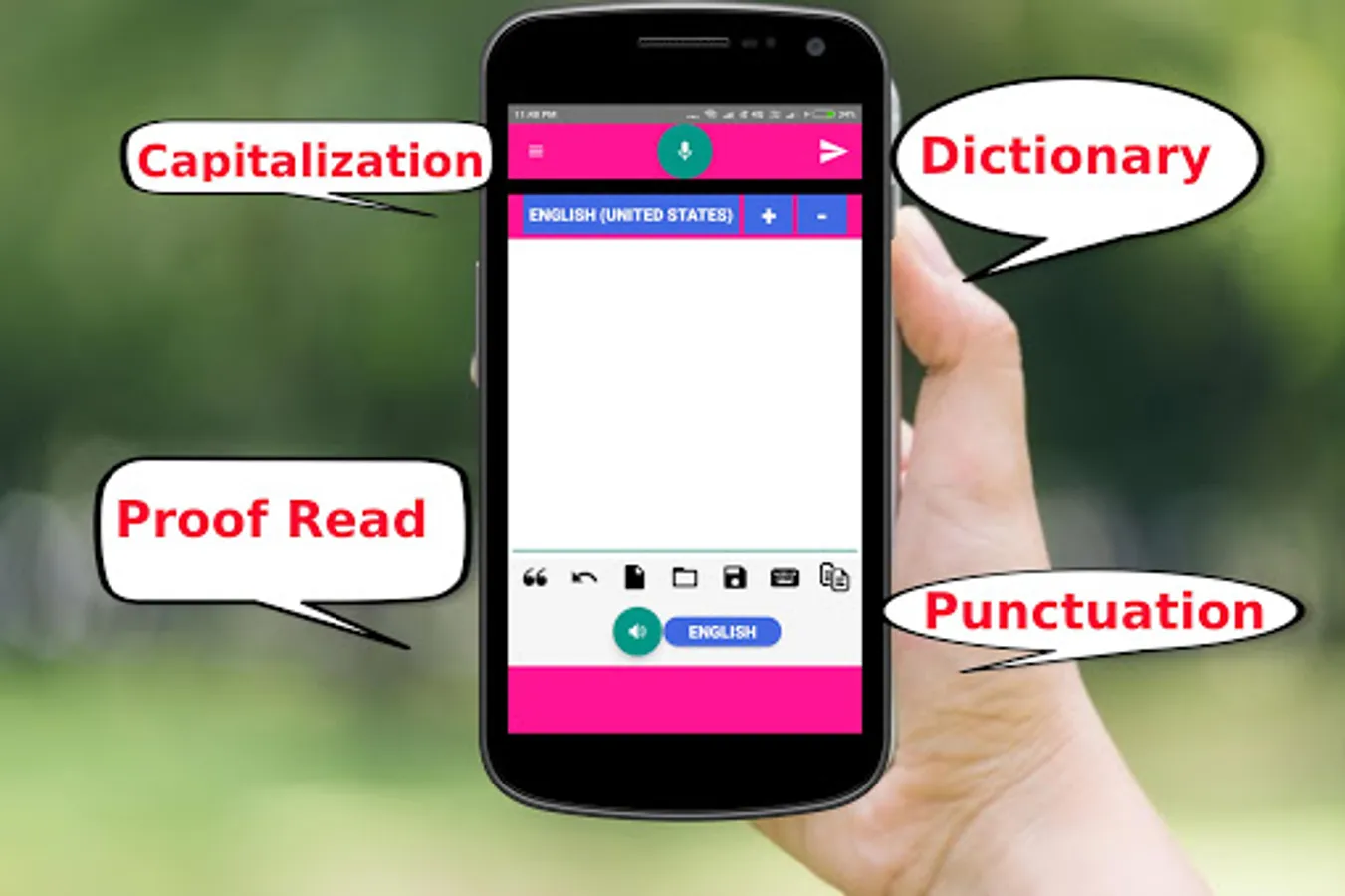
* Auto Capitalization
* Punctuation bar for easy editing
* verify the content using text to speech
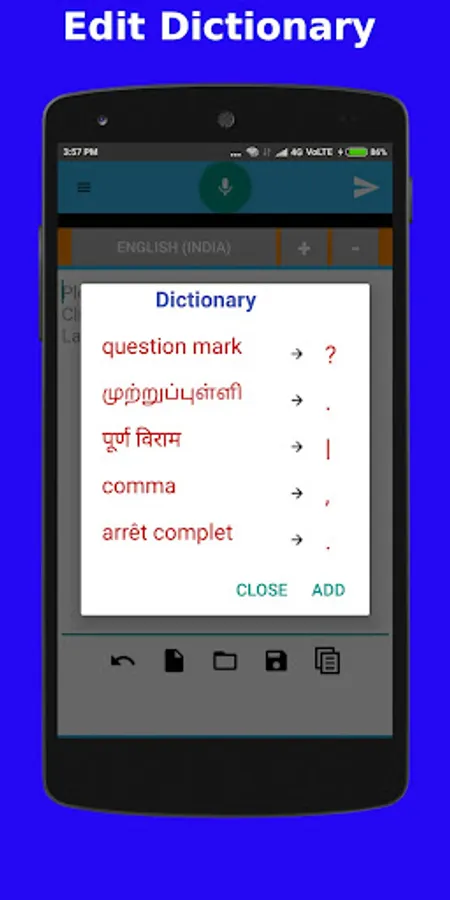
* Dictionary - Add/Edit your own words in dictionary.
For example, Say Comma and "," will print on screen. Say Question Mark and "?" will print.
* Add dictionary words in different languages.
* Speech to text is so efficient and easy. Simply click the microphone and start dictating.
* Speech to text will not stop even when you take longer breaks between sentences.
* Non-stop & continuous voice recognition. So you can relax and focus on your thoughts and content to dictate.
Features:
- Text to Speech to verify the dictation
- Edit & Add Dictionary in any language.
- Create Notes using speech/voice.
- Non-stop & continuous speech to text & text to speech.
- Save the Notes as files and share with SMS, whatsapp, email etc.
- Copy the text and use it anywhere you like.
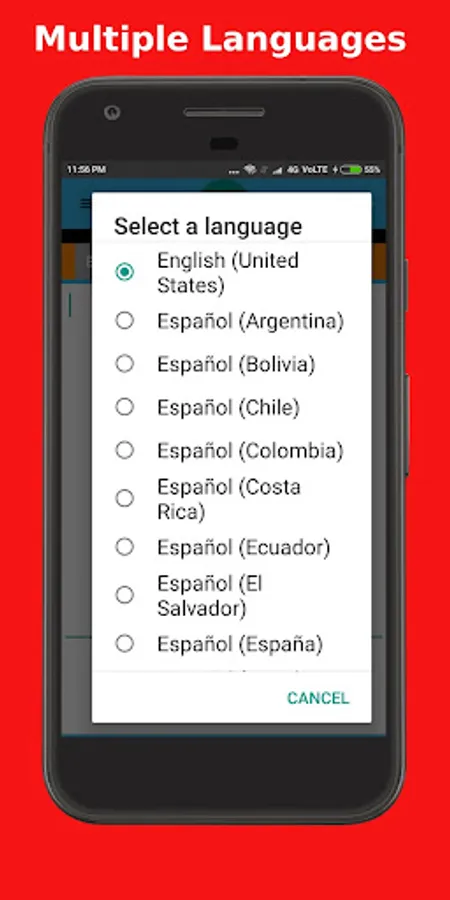
- Supports all languages for speech to text.
Some of the List of supported speech languages:
Afrikaans, Indonesian, Bengali, Catalan, Czech, Danish, German, English, Spanish, Filipino, French, Gujarati, Croatian, Zulu, Italian, Hindi, Kannada, Hungarian, Malayalam, Marathi, Dutch, Nepali, Polish, Portuguese, Romanian, Sinhala, Slovak, Sundanese, Finnish, Swedish, Tamil, Telugu, Vietnamese, Turkish, Urdu, Thai, Korean, Chinese, Japanese, Greek, Bulgarian, Russian, Ukrainian, Arabic, Persian
System requirements:
- Google app installed on your device (https://play.google.com/store/apps/details?id=com.google.android.googlequicksearchbox).
- Google speech recognition enabled as the default speech recognizer (Basic Google recognition).
- Internet connectivity
* Non-Stop Dictation.
* Covert written text to speech.
* Auto Capitalization
* Punctuation bar for easy editing
* verify the content using text to speech
* Dictionary - Add/Edit your own words in dictionary.
For example, Say Comma and "," will print on screen. Say Question Mark and "?" will print.
* Add dictionary words in different languages.
* Speech to text is so efficient and easy. Simply click the microphone and start dictating.
* Speech to text will not stop even when you take longer breaks between sentences.
* Non-stop & continuous voice recognition. So you can relax and focus on your thoughts and content to dictate.
Features:
- Text to Speech to verify the dictation
- Edit & Add Dictionary in any language.
- Create Notes using speech/voice.
- Non-stop & continuous speech to text & text to speech.
- Save the Notes as files and share with SMS, whatsapp, email etc.
- Copy the text and use it anywhere you like.
- Supports all languages for speech to text.
Some of the List of supported speech languages:
Afrikaans, Indonesian, Bengali, Catalan, Czech, Danish, German, English, Spanish, Filipino, French, Gujarati, Croatian, Zulu, Italian, Hindi, Kannada, Hungarian, Malayalam, Marathi, Dutch, Nepali, Polish, Portuguese, Romanian, Sinhala, Slovak, Sundanese, Finnish, Swedish, Tamil, Telugu, Vietnamese, Turkish, Urdu, Thai, Korean, Chinese, Japanese, Greek, Bulgarian, Russian, Ukrainian, Arabic, Persian
System requirements:
- Google app installed on your device (https://play.google.com/store/apps/details?id=com.google.android.googlequicksearchbox).
- Google speech recognition enabled as the default speech recognizer (Basic Google recognition).
- Internet connectivity
Speech Text & Text Speech - wi Screenshots
Tap to Rate:
Reviews for Speech Text & Text Speech - wi
Beryl Onose
12/21/2021
Very easy to use
Julie Yvoda
12/16/2021
I use it a lot.