Lower Screen Brightness Dimmer
Ak Web Designer
3.3 ★
184 ratings
10,000+
downloads
Free
In this app, users can adjust screen brightness levels and select overlay colors for eye protection. Includes auto-timer settings and color temperature options for customized display control.
AppRecs review analysis
AppRecs rating 2.8. Trustworthiness 76 out of 100. Review manipulation risk 36 out of 100. Based on a review sample analyzed.
★★☆☆☆
2.8
AppRecs Rating
Ratings breakdown
5 star
40%
4 star
20%
3 star
0%
2 star
13%
1 star
27%
What to know
✓
Credible reviews
76% trustworthiness score from analyzed reviews
⚠
Ad complaints
Many low ratings mention excessive ads
⚠
High negative review ratio
40% of sampled ratings are 1–2 stars
About Lower Screen Brightness Dimmer
Have you ever felt a need to adjust the screen brightness & think about to apply overlay with different colors?
Let's do this with our application, "Lower Screen Brightness Dimmer - Night Filter".
Lower Screen Brightness Dimmer - Night Filter r is a totally free android application. Your phone's system brightness isn't connected to this Lower Screen Brightness Dimmer - Night Filter App. It will remain the same & not change. First time at the start of the app you have to allow display over the permission. This app will also help you in protecting your eye.
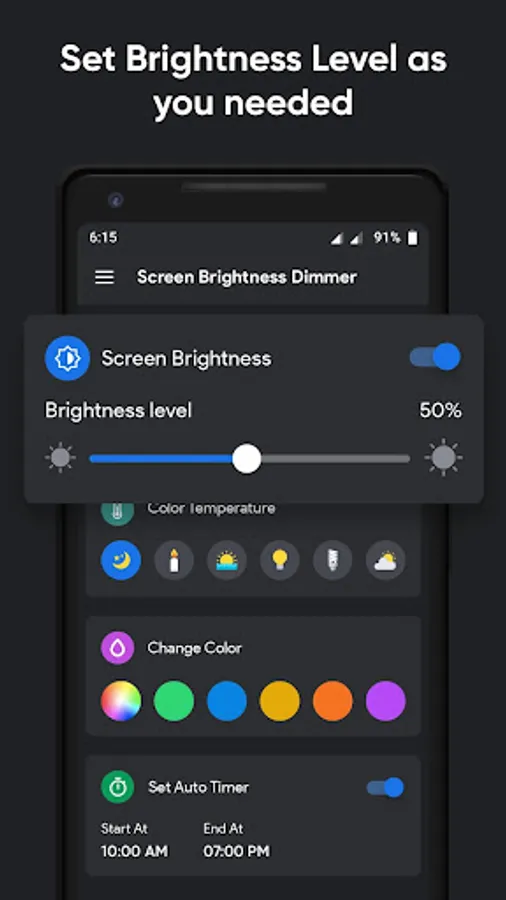
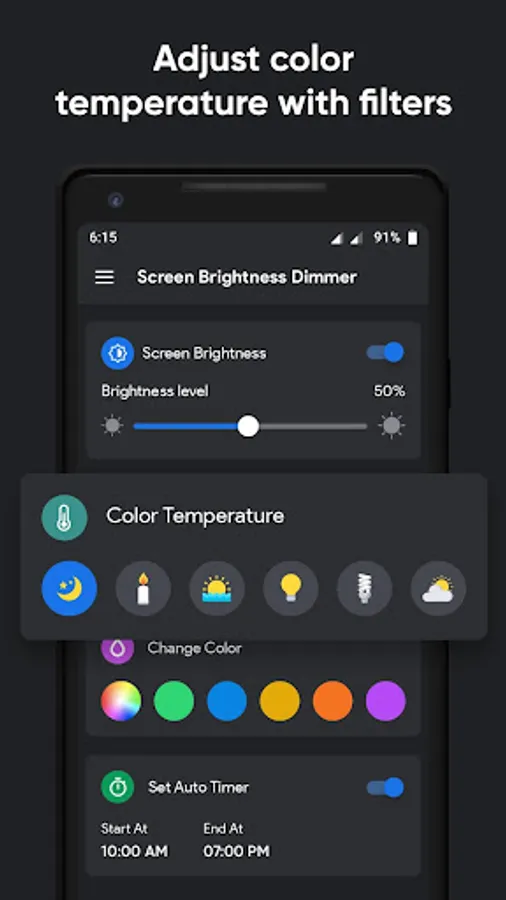
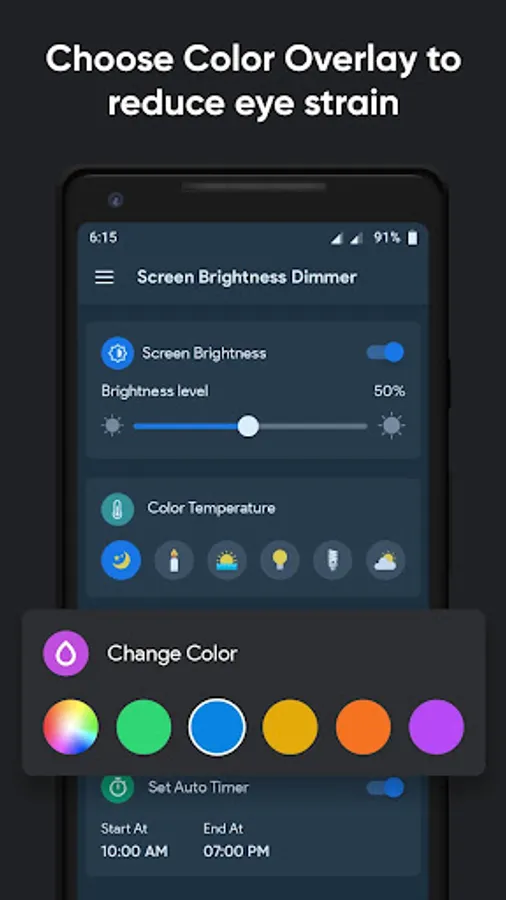
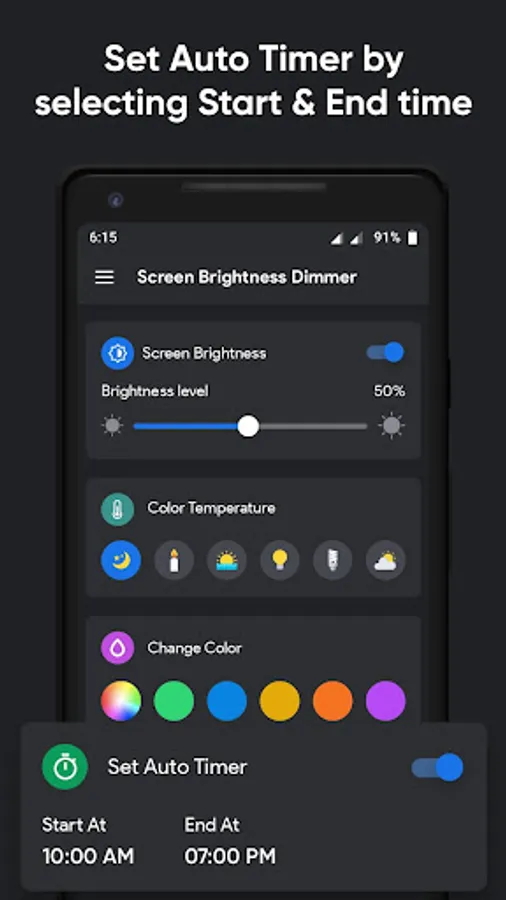
In this Lower Screen Brightness Dimmer - Night Filter App there 4 options are available. You can set the brightness level how much you needed. Select color temperature directly & brightness will auto set with related to that object light. You can choose a color for overlay by selecting or by picking 1 of them. At last, you can set the auto-timer by selecting the start & end time of the day.
By using the auto timer, the brightness level & the overlay color which are you selected will automatically apply between that time. You can also manually handle this by on/off both options.
Lower Screen Brightness Dimmer - Night Filter is very easy & simple to use by just selecting the options. You will enjoy by applying brightness level & overlay color.
Main Features of Lower Screen Brightness Dimmer - Night Filter :-
– Set Brightness Level how much you want
– Select 1 of the Color Temperature
– Choose a Color for Overlay which you like
– Set Auto Timer for auto manage
How to Use Lower Screen Brightness Dimmer - Night Filter :-
– Allow display over the permission (it's needed)
– Set any number of brightness level
– Select color temperature for auto-brightness
– Choose your favorite color for overlay
– Set Auto Timer for auto handling
Lower Screen Brightness Dimmer - Night Filter application may not require internet connectivity.
Send your Feedback or Suggestions, you can write to us on Ashishkachrola@gmail.com
Let's do this with our application, "Lower Screen Brightness Dimmer - Night Filter".
Lower Screen Brightness Dimmer - Night Filter r is a totally free android application. Your phone's system brightness isn't connected to this Lower Screen Brightness Dimmer - Night Filter App. It will remain the same & not change. First time at the start of the app you have to allow display over the permission. This app will also help you in protecting your eye.
In this Lower Screen Brightness Dimmer - Night Filter App there 4 options are available. You can set the brightness level how much you needed. Select color temperature directly & brightness will auto set with related to that object light. You can choose a color for overlay by selecting or by picking 1 of them. At last, you can set the auto-timer by selecting the start & end time of the day.
By using the auto timer, the brightness level & the overlay color which are you selected will automatically apply between that time. You can also manually handle this by on/off both options.
Lower Screen Brightness Dimmer - Night Filter is very easy & simple to use by just selecting the options. You will enjoy by applying brightness level & overlay color.
Main Features of Lower Screen Brightness Dimmer - Night Filter :-
– Set Brightness Level how much you want
– Select 1 of the Color Temperature
– Choose a Color for Overlay which you like
– Set Auto Timer for auto manage
How to Use Lower Screen Brightness Dimmer - Night Filter :-
– Allow display over the permission (it's needed)
– Set any number of brightness level
– Select color temperature for auto-brightness
– Choose your favorite color for overlay
– Set Auto Timer for auto handling
Lower Screen Brightness Dimmer - Night Filter application may not require internet connectivity.
Send your Feedback or Suggestions, you can write to us on Ashishkachrola@gmail.com
Lower Screen Brightness Dimmer Screenshots
Tap to Rate:
Reviews for Lower Screen Brightness Dimmer
Robin Khan
7/20/2025
good
Balasupramaniyam Manojan
3/2/2025
Thank you so much 🙂