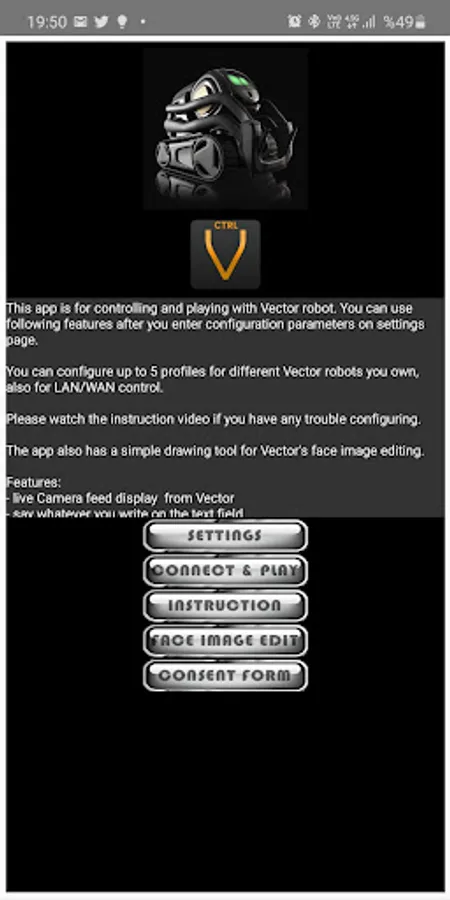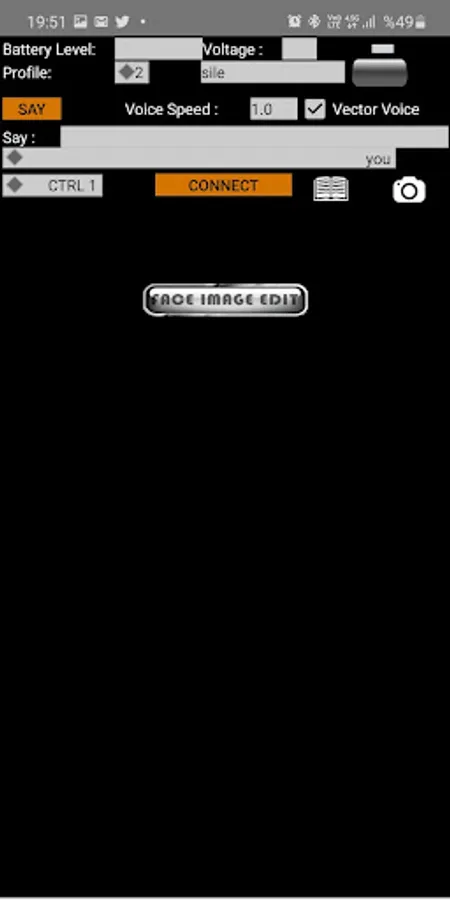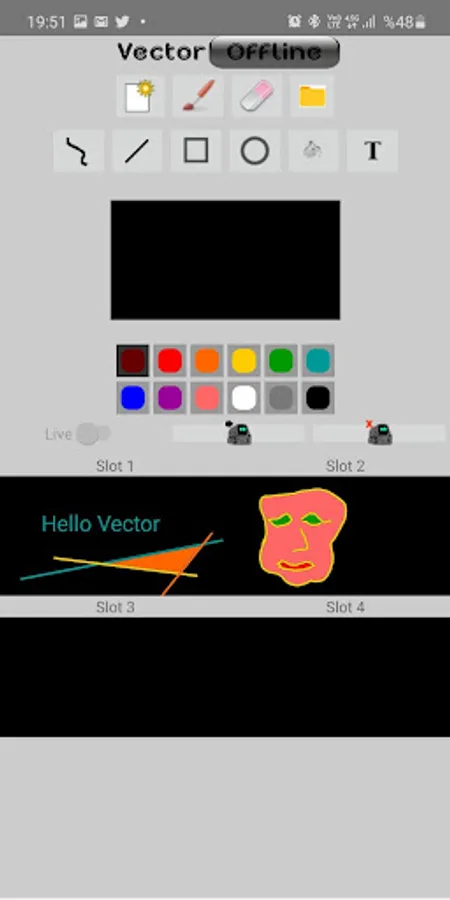
With this control app, you can operate Anki Vector’s movements, camera, and voice functions while adjusting settings like eye color and speed. Includes camera feed display, voice commands, movement controls, and photo or video capture options.
AppRecs review analysis
AppRecs rating 3.3. Trustworthiness 85 out of 100. Review manipulation risk 28 out of 100. Based on a review sample analyzed.
★★★☆☆
3.3
AppRecs Rating
Ratings breakdown
5 star
44%
4 star
15%
3 star
15%
2 star
4%
1 star
23%
What to know
✓
Low review manipulation risk
28% review manipulation risk
✓
Credible reviews
85% trustworthiness score from analyzed reviews
About Vector CTRL PRO
This is the paid , Ads Free Version of Vector CTRL, a control app for Anki Vector which also lets you use it as a moving security camera.
Ads supported version is at :
https://play.google.com/store/apps/details?id=com.aktuna.anki.vector
IMPORTANT
Please try free version before purchasing AdFree version.
It currently lets you control Vector;
- live Camera feed display from Vector
- say whatever you write on the text field
(in 2 different voice)
- move forward, backward
- turn left , turn right
- set speed for move
- move head up/down
- move lift up/down
- adjust move speed
- set Vector’s eye color , picking from a nice color picker
- see battery level and voltage of Vector
- take photo and save to phone memory
- record video file to phone memory
- gamepad support
- change eye color
- portrait & landscape support
- read text from any surface and say it aloud
*** IMPORTANT NOTICE ***
Please watch the instruction video:
https://www.youtube.com/watch?v=hmDmaKmAb_E
*** WIRE POD SUPPORT ***
Starting with release 14.0 , our app supports Wire Pod connected Vector robots.
Please clean data of your app when changing between wirepod/DDL
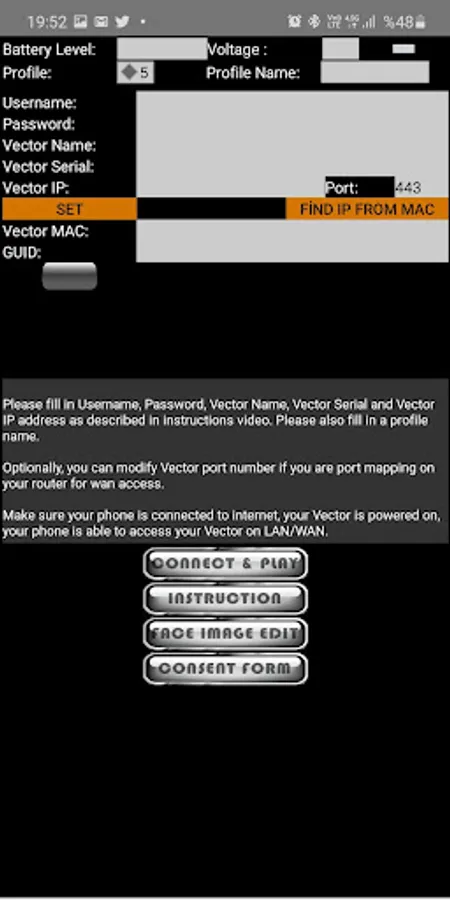
Click "Wirepod" checkbox in the settings. When it is selected, pod IP field will be visible. It will try to find pod IP using the "escapepod" local name. If that fails, you can try re-enabling the wirepod checkbox. You can also manually enter Wire Pod IP address.
Fill in any other required inputs and click "set" and move on to the connect page.
Ads supported version is at :
https://play.google.com/store/apps/details?id=com.aktuna.anki.vector
IMPORTANT
Please try free version before purchasing AdFree version.
It currently lets you control Vector;
- live Camera feed display from Vector
- say whatever you write on the text field
(in 2 different voice)
- move forward, backward
- turn left , turn right
- set speed for move
- move head up/down
- move lift up/down
- adjust move speed
- set Vector’s eye color , picking from a nice color picker
- see battery level and voltage of Vector
- take photo and save to phone memory
- record video file to phone memory
- gamepad support
- change eye color
- portrait & landscape support
- read text from any surface and say it aloud
*** IMPORTANT NOTICE ***
Please watch the instruction video:
https://www.youtube.com/watch?v=hmDmaKmAb_E
*** WIRE POD SUPPORT ***
Starting with release 14.0 , our app supports Wire Pod connected Vector robots.
Please clean data of your app when changing between wirepod/DDL
Click "Wirepod" checkbox in the settings. When it is selected, pod IP field will be visible. It will try to find pod IP using the "escapepod" local name. If that fails, you can try re-enabling the wirepod checkbox. You can also manually enter Wire Pod IP address.
Fill in any other required inputs and click "set" and move on to the connect page.