Audio Extractor - Video to Mp3
APPNEST SOFT
100+
downloads
Free
About Audio Extractor - Video to Mp3
Audio Extractor - Video to MP3: Convert Your Media with Ease
Welcome to Audio Extractor - Video to MP3, the ultimate solution for converting video files to high-quality MP3 audio. Whether you want to extract music, dialogue, or any other audio from videos, our app makes the process quick, easy, and efficient.
Why Use Audio Extractor - Video to MP3?
In today's digital age, having the flexibility to extract audio from video files can be incredibly useful. Whether you’re a content creator, a music lover, or someone who wants to keep their favorite speeches and dialogues, Audio Extractor - Video to MP3 is the perfect tool for you.
Key Features:
High-Quality Conversion: Convert videos to MP3 with the highest audio quality, ensuring you get the best listening experience.
User-Friendly Interface: Our intuitive design makes it simple for anyone to extract audio from video files with just a few taps.
Fast Processing: Experience lightning-fast conversion speeds, so you don't have to wait long to enjoy your audio files.
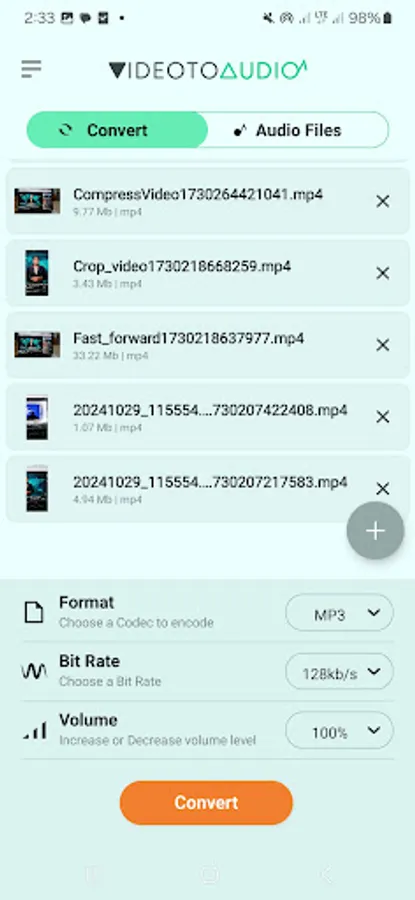
Batch Conversion: Save time by converting multiple videos to MP3 simultaneously.
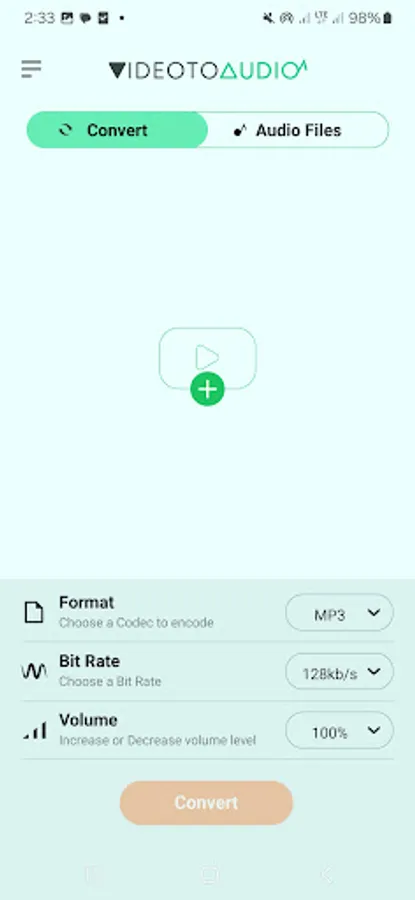
Customizable Output: Adjust audio settings such as bitrate, frequency, and channels to suit your preferences.
Supports Multiple Formats: Compatible with various video formats.
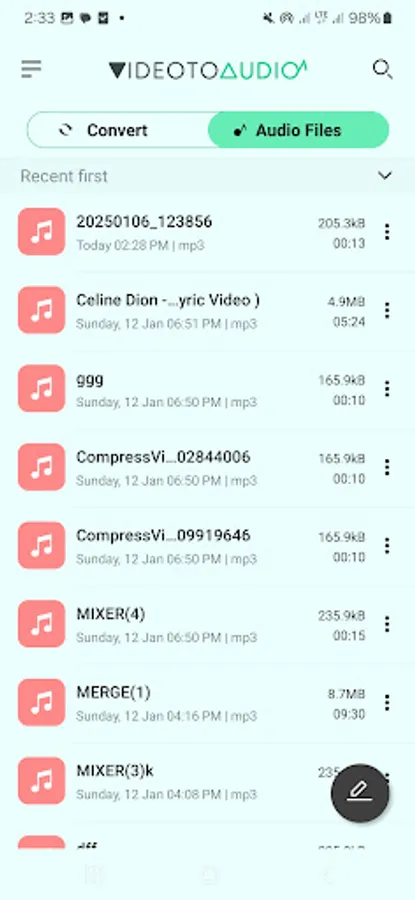
Built-In Audio Player: Preview your converted audio files directly within the app.
File Management: Organize and manage your audio files easily with built-in tools.
Share with Ease: Share your converted MP3 files with friends and family directly from the app.
Trim: Easily trim your audio files to keep only the parts you want.
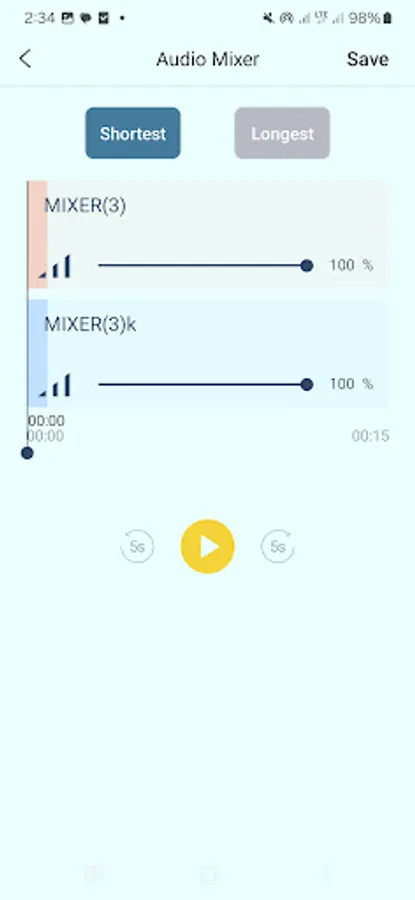
Mix: Combine multiple audio tracks to create a unique mix.
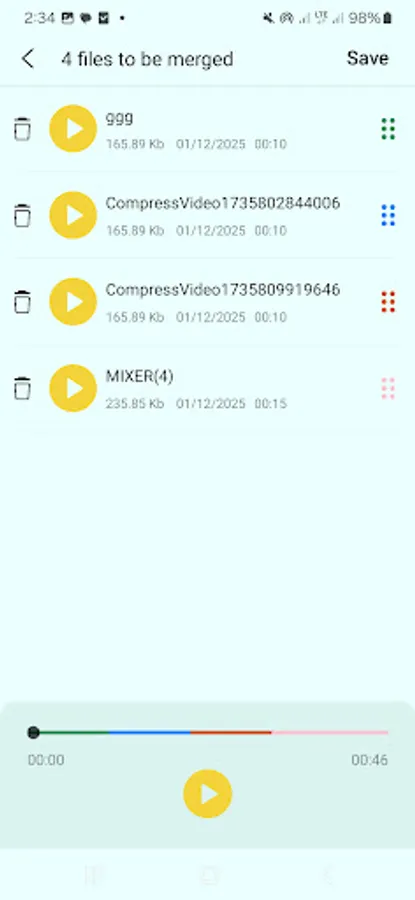
Merge: Merge several audio files into one seamless track.
Why Choose Audio Extractor - Video to MP3?
Reliability: Our app is designed to provide a seamless and reliable conversion experience.
Efficiency: Quickly convert your videos to MP3 without compromising on quality.
Versatility: Suitable for various use cases, from creating ringtones to extracting podcast episodes.
How to Use:
Select Video: Choose the video file you want to convert from your device.
Set Preferences: Adjust the audio settings to match your desired output quality.
Convert: Tap the "Convert" button and let the app handle the rest.
Enjoy: Access and enjoy your newly created MP3 files anytime, anywhere.
Welcome to Audio Extractor - Video to MP3, the ultimate solution for converting video files to high-quality MP3 audio. Whether you want to extract music, dialogue, or any other audio from videos, our app makes the process quick, easy, and efficient.
Why Use Audio Extractor - Video to MP3?
In today's digital age, having the flexibility to extract audio from video files can be incredibly useful. Whether you’re a content creator, a music lover, or someone who wants to keep their favorite speeches and dialogues, Audio Extractor - Video to MP3 is the perfect tool for you.
Key Features:
High-Quality Conversion: Convert videos to MP3 with the highest audio quality, ensuring you get the best listening experience.
User-Friendly Interface: Our intuitive design makes it simple for anyone to extract audio from video files with just a few taps.
Fast Processing: Experience lightning-fast conversion speeds, so you don't have to wait long to enjoy your audio files.
Batch Conversion: Save time by converting multiple videos to MP3 simultaneously.
Customizable Output: Adjust audio settings such as bitrate, frequency, and channels to suit your preferences.
Supports Multiple Formats: Compatible with various video formats.
Built-In Audio Player: Preview your converted audio files directly within the app.
File Management: Organize and manage your audio files easily with built-in tools.
Share with Ease: Share your converted MP3 files with friends and family directly from the app.
Trim: Easily trim your audio files to keep only the parts you want.
Mix: Combine multiple audio tracks to create a unique mix.
Merge: Merge several audio files into one seamless track.
Why Choose Audio Extractor - Video to MP3?
Reliability: Our app is designed to provide a seamless and reliable conversion experience.
Efficiency: Quickly convert your videos to MP3 without compromising on quality.
Versatility: Suitable for various use cases, from creating ringtones to extracting podcast episodes.
How to Use:
Select Video: Choose the video file you want to convert from your device.
Set Preferences: Adjust the audio settings to match your desired output quality.
Convert: Tap the "Convert" button and let the app handle the rest.
Enjoy: Access and enjoy your newly created MP3 files anytime, anywhere.