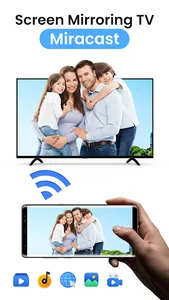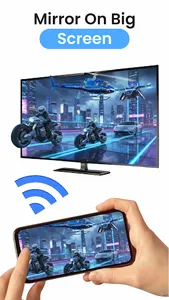
Screen Mirroring - Cast to TV is the ultimate tool to mirror your Android screen to any Smart TV, Fire TV, Chromecast, or other display devices in real-time.
Easily share your phone’s screen with friends, family, or colleagues for presentations, watching movies, gaming, or video calls. No cables, no lag – just smooth wireless streaming.
Top Features:
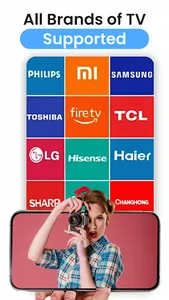
- Mirror Android screen to Smart TVs, Fire TV, Chromecast, Miracast etc.
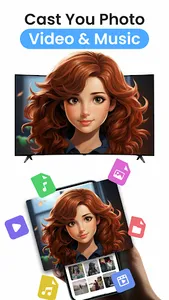
- Stream videos, movies, photos, games, and more
- Wireless & fast connection with auto scan
- Secure connection with no data leakage
- Compatible with most Android devices
- Easy to use UI – one-tap connect
- Enjoy Live TV using IPTV
- Supports DLNA, Miracast, AirPlay, and more
Why Choose Us?
- Real-time screen casting
- No additional hardware required
- Works with 4K Ultra HD TVs
- Smart mirroring with low latency
- Ideal for online meetings, Zoom/Skype calls, and video conferencing
How to Use:
- Make sure your phone and TV are on the same Wi-Fi
- Open the app and tap on "Start Mirroring"
- Select your device from the list
- Enjoy a seamless screen sharing experience!
Perfect For:
- Live video streaming
- Watching IPTV (via screen cast)
- Presentations in offices
- Photo slideshows on TV
- Online learning
Download Now and turn your phone into a smart casting tool!
Easily share your phone’s screen with friends, family, or colleagues for presentations, watching movies, gaming, or video calls. No cables, no lag – just smooth wireless streaming.
Top Features:
- Mirror Android screen to Smart TVs, Fire TV, Chromecast, Miracast etc.
- Stream videos, movies, photos, games, and more
- Wireless & fast connection with auto scan
- Secure connection with no data leakage
- Compatible with most Android devices
- Easy to use UI – one-tap connect
- Enjoy Live TV using IPTV
- Supports DLNA, Miracast, AirPlay, and more
Why Choose Us?
- Real-time screen casting
- No additional hardware required
- Works with 4K Ultra HD TVs
- Smart mirroring with low latency
- Ideal for online meetings, Zoom/Skype calls, and video conferencing
How to Use:
- Make sure your phone and TV are on the same Wi-Fi
- Open the app and tap on "Start Mirroring"
- Select your device from the list
- Enjoy a seamless screen sharing experience!
Perfect For:
- Live video streaming
- Watching IPTV (via screen cast)
- Presentations in offices
- Photo slideshows on TV
- Online learning
Download Now and turn your phone into a smart casting tool!
Show More