
SendAnyFile - No restrictions!
Balamurugan Marimuthu
2.8 ★
805 ratings
100,000+
downloads
Free
In this file-sharing app, users can send various file types via Messenger with ease. Includes features for uncompressed image transfer and easy file retrieval.
AppRecs review analysis
AppRecs rating 2.8. Trustworthiness 48 out of 100. Review manipulation risk 36 out of 100. Based on a review sample analyzed.
★★☆☆☆
2.8
AppRecs Rating
Ratings breakdown
5 star
39%
4 star
7%
3 star
0%
2 star
0%
1 star
54%
What to know
⚠
Mixed user feedback
Average 2.8★ rating suggests room for improvement
⚠
Review quality concerns
55% of sampled 5-star reviews are very short
⚠
High negative review ratio
54% of sampled ratings are 1–2 stars
About SendAnyFile - No restrictions!
Features:
--------------
* THE ONLY APP that allows you to send files via Messenger!
* Send uncompressed full quality images!
* Send .zip, .rar, .avi and all types of videos.
* Easy file retrieval.
How to use:
Sending:
---------------
Method 1:
For example:
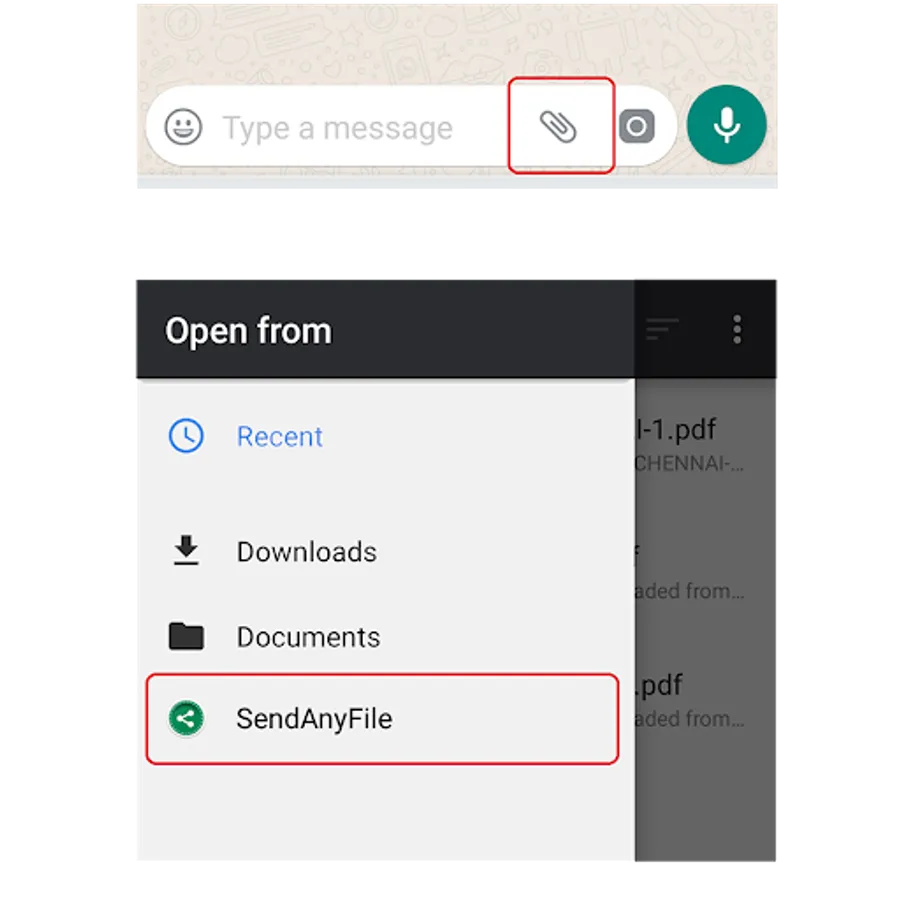
'Attach icon' -> 'Documents' -> 'Browse more docs' -> (side menu) Select 'SendAnyFile'
* Choose 'SendAnyFile' form the file chooser window (like how documents are generally chosen). (Drag from left)
* Choose your favourite file. Boom!
* That file will be listed as a .doc file.
* Choose it & send. That's it.
Method 2:
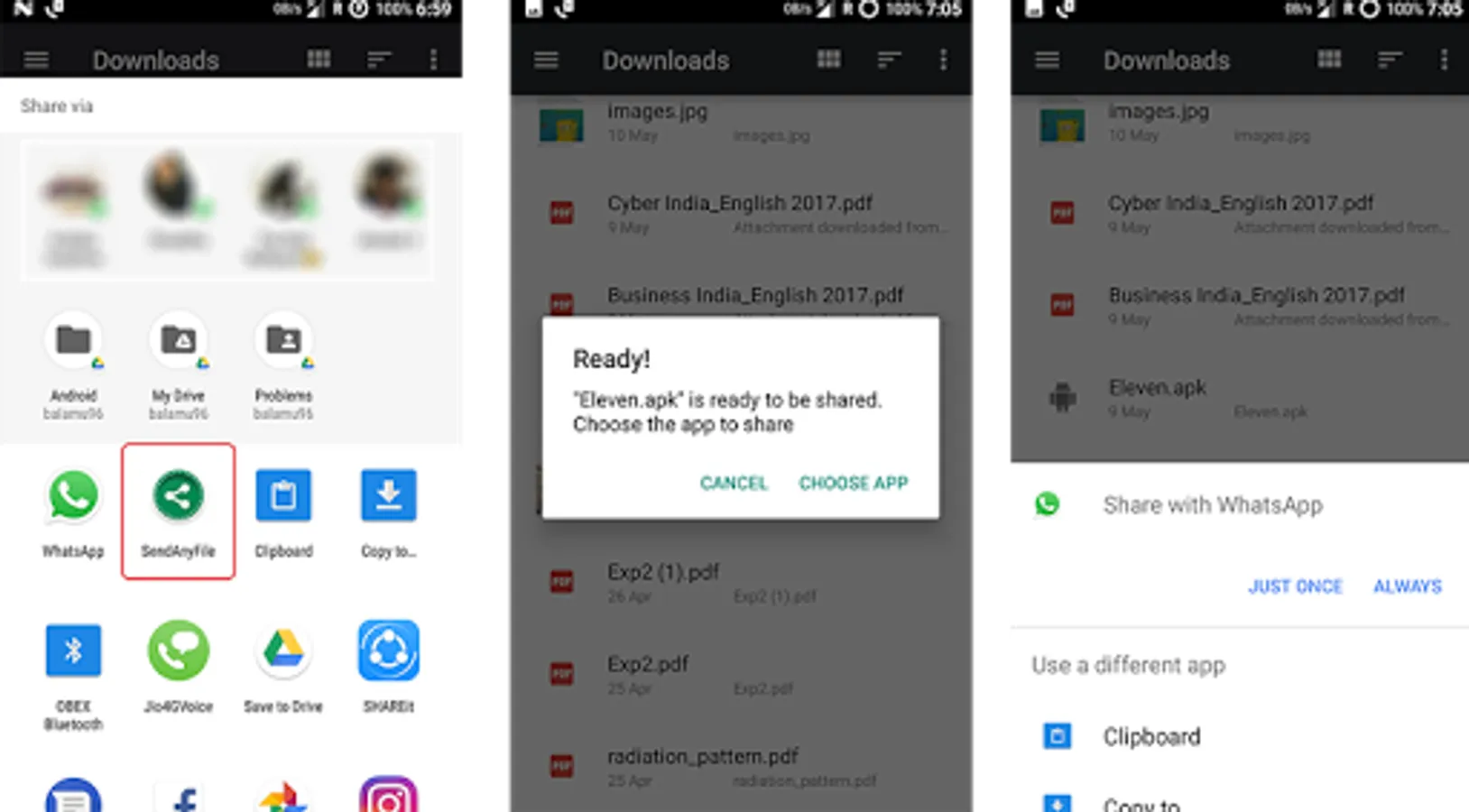
Example - Messenger: Select your file in any file manager → Share/Send → 'SendAnyFile' → Choose app → Messenger
* From your favourite file manager, 'Share' your file to 'SendAnyFile'.
* It'll process your file.
* Later, you can send the processed file to any app.
Receiving:
----------------
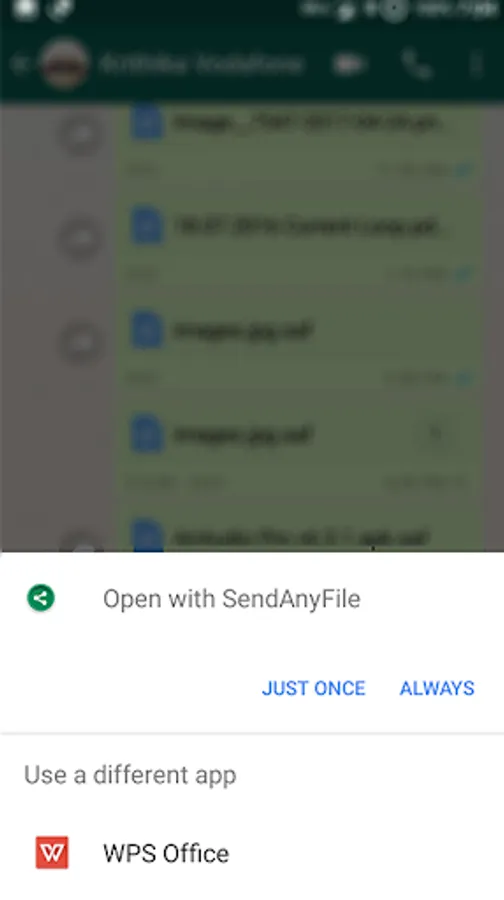
* Set 'SendAnyFile' as your default app for opening .doc files. (you can later choose your favourite office app to open actual .doc files!)
* Open the received file ( .saf ) with this app.
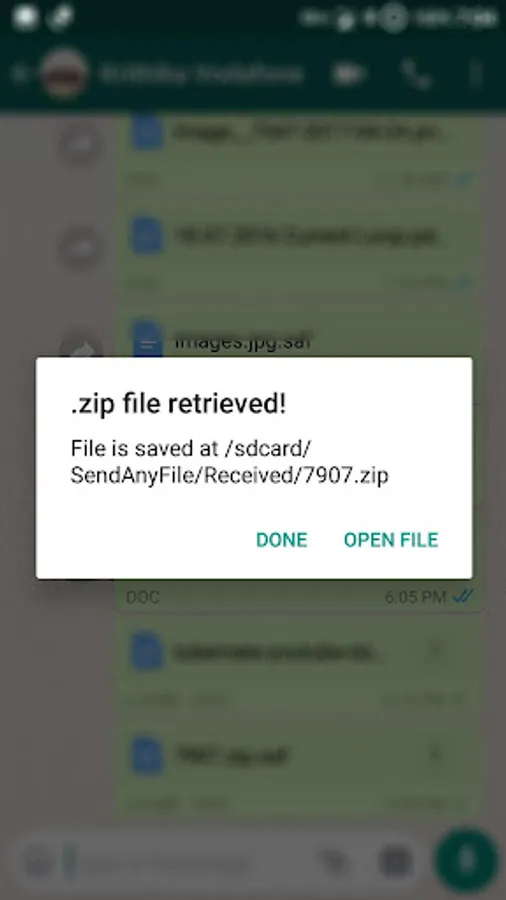
* That's it. The original file will be saved in /sdcard/SendAnyFile/Received/
For Messenger:
Download the .zip file → Extract it (using SendAnyFile or any app that can extract zip) → your file!
How does it work:
-----------------------------
* It renames the file to .doc and smartly retrieves the original file at the receiving end.
* It doesn't affect actual .doc files. You can later choose your favourite office app to open actual .doc files!
For messenger:
* Your file is zipped (actual zip, NOT RENAMED) and intelligently sent to Messenger! (Note: Messenger doesn't actually support file sharing at all! :P )
As seen on:
Android Authority: http://www.androidauthority.com/sendanyfile-app-776180
XDA-Developers.com: https://www.xda-developers.com/sendanyfile-allows-you-to-send-all-files-via-whatsapp-messenger-and-more/
Deccan Chronicle: http://www.deccanchronicle.com/technology/in-other-news/310517/whatsapp-users-can-now-send-any-file-format.html
Credits:
------------
* Icon : http://uiconstock.com/
* TangoAgency's 'material-intro-screen' library : https://github.com/TangoAgency/material-intro-screen
--------------
* THE ONLY APP that allows you to send files via Messenger!
* Send uncompressed full quality images!
* Send .zip, .rar, .avi and all types of videos.
* Easy file retrieval.
How to use:
Sending:
---------------
Method 1:
For example:
'Attach icon' -> 'Documents' -> 'Browse more docs' -> (side menu) Select 'SendAnyFile'
* Choose 'SendAnyFile' form the file chooser window (like how documents are generally chosen). (Drag from left)
* Choose your favourite file. Boom!
* That file will be listed as a .doc file.
* Choose it & send. That's it.
Method 2:
Example - Messenger: Select your file in any file manager → Share/Send → 'SendAnyFile' → Choose app → Messenger
* From your favourite file manager, 'Share' your file to 'SendAnyFile'.
* It'll process your file.
* Later, you can send the processed file to any app.
Receiving:
----------------
* Set 'SendAnyFile' as your default app for opening .doc files. (you can later choose your favourite office app to open actual .doc files!)
* Open the received file ( .saf ) with this app.
* That's it. The original file will be saved in /sdcard/SendAnyFile/Received/
For Messenger:
Download the .zip file → Extract it (using SendAnyFile or any app that can extract zip) → your file!
How does it work:
-----------------------------
* It renames the file to .doc and smartly retrieves the original file at the receiving end.
* It doesn't affect actual .doc files. You can later choose your favourite office app to open actual .doc files!
For messenger:
* Your file is zipped (actual zip, NOT RENAMED) and intelligently sent to Messenger! (Note: Messenger doesn't actually support file sharing at all! :P )
As seen on:
Android Authority: http://www.androidauthority.com/sendanyfile-app-776180
XDA-Developers.com: https://www.xda-developers.com/sendanyfile-allows-you-to-send-all-files-via-whatsapp-messenger-and-more/
Deccan Chronicle: http://www.deccanchronicle.com/technology/in-other-news/310517/whatsapp-users-can-now-send-any-file-format.html
Credits:
------------
* Icon : http://uiconstock.com/
* TangoAgency's 'material-intro-screen' library : https://github.com/TangoAgency/material-intro-screen
SendAnyFile - No restrictions! Screenshots
Tap to Rate:
Reviews for SendAnyFile - No restrictions!
Ishmael nelushi
11/17/2022
Useless. It does not work.
ABDUL AZEEZ ALAWODE
11/8/2022
Helpful app