Ultra Measure Master
Calculated Industries
4.9 ★
109 ratings
1,000+
downloads
$9.99
Sentence 1: With this calculator app, you can perform unit conversions and calculations for measurements and weights easily. Includes over 60 units and more than 400 conversion options.
AppRecs review analysis
AppRecs rating 4.5. Trustworthiness 53 out of 100. Review manipulation risk 38 out of 100. Based on a review sample analyzed.
★★★★☆
4.5
AppRecs Rating
Ratings breakdown
5 star
92%
4 star
5%
3 star
4%
2 star
0%
1 star
0%
What to know
✓
High user satisfaction
92% of sampled ratings are 5 stars
✓
Authentic reviews
No red flags detected
About Ultra Measure Master
The Ultra Measure Master calculator for your Android smartphone is built with the same features and functions, and the same core engine that powers the industry-standard advanced construction-math calculators from Calculated Industries.
And while perhaps obvious, if you change from an Android device to an iPhone or iPad, you WILL need to buy a new license as they are incompatible.
No learning curve -- just one powerful, easy-to-use calculator/converter app, giving you the power to solve U.S. and metric unit conversions.
Forget complex scientific calculators, memorizing conversion formulas or using tables—instantly calculate with more than 400 conversion combinations using 60 built-in standard and metric units. The Ultra Measure Master is especially helpful for those working in federal DOT environments where frequent metric to foot-inch conversions and “dual unit” reporting is required.
Ideal for Engineers, Architects, Designers, Contractors/Builders, Draftspersons, Excavation/Highway Contractors, Scientists, Pharmaceutical Lab Techs, Purchasing, Importers/Exporters, Students (or anyone who needs fast, easy, professional unit conversions).
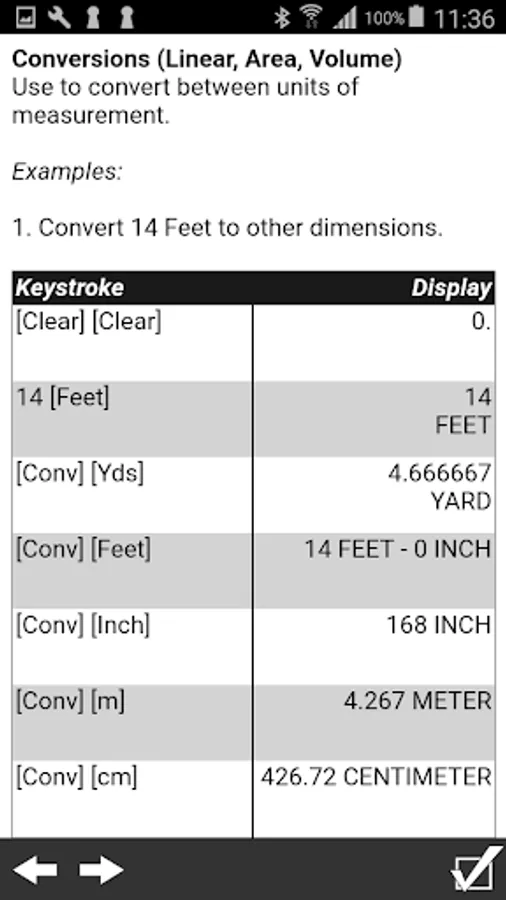
• Work in and convert between all building dimensional formats: feet-inch-fractions, inch fractions, yards, decimal feet (10ths, 100ths), decimal inches and metric (m, cm, mm)
• Easily calculate linear, area and volume measurements
• Calculate dry and liquid weight per volume measurements
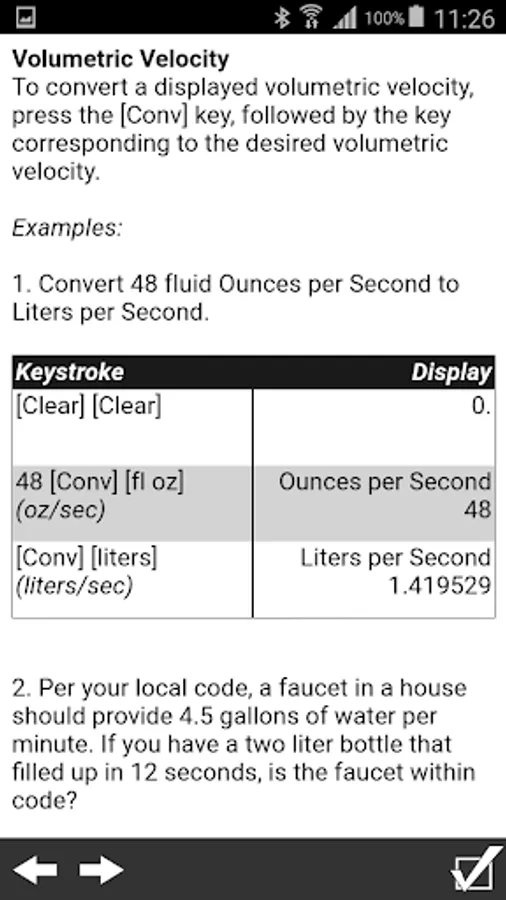
• Solve for velocity, flow rate, pressure, temperature measurements
FEATURES:
• Created by Calculated Industries, the originator of the award-winning Construction Master calculators
• Built-in help – just press and hold the desired key for full, clear definitions, explanations and examples of keystrokes
Dimensional Math and Conversions
• More than 60 Standard and Metric (SI) units built-in
• Over 400 conversion combinations
• Works in and converts between
• Feet-Inch-Fraction
• Inch Fraction
• Yards
• Decimal Feet (10ths, 100ths), Decimal Inches
• Full Metric (m, cm, mm)
Dedicated Functions Help You Measure and Calculate:
• Linear
• Feet-Inch-Fractions
• Yards, Miles
• Decimal Feet/Inch
• Millimeters, Centimeters, Meters and Kilometers
• Area Converter
• Feet, Inch, Yards, Acres, Miles
• Millimeters, Centimeters, Meters, Hectares and Kilometers
• Volume Converter
• Feet, Inch, Yards, Miles
• Millimeters, Centimeters, Meters, Kilometers
• Gallons, Liters, Fluid Ounces
• Acre-Feet and Board Feet
• Weight Measurements
• Pounds, Dry Ounces, Tons
• Metric Tons, Grams and Kilograms
• Weight per Volume
• Tons per Cubic Yard
• Pounds per Cubic Yard
• Kilograms per Cubic Meter
• Linear Velocity
• Inches per Second
• Feet per Second
• Feet per Minute
• Miles per Hour
• Millimeters per Second/Minute
• Meters per Second/Minute
• Kilometers per Hour
• Flow Rate
• Ounces per Second
• Gallons per Minute
• Milliliters per Second
• Liters per Second
• Pressure
• Pressure; Pounds per Square Inch (PSI)
• Pressure; Pounds per Square Foot (PSF)
• Kilopascal, Megapascal and Bars
• Bending Moment
• Inch-Pounds, Foot-Pounds and Newton-Meters
• Temperature Measurements
• Fahrenheit (°F) and Celsius (°C)
Special Functions
• Entry Editing Backspace Key – with a swipe of a finger
• Haptic Feedback (optional)
• Calculate Cost per Unit: Solve unit cost and pricing
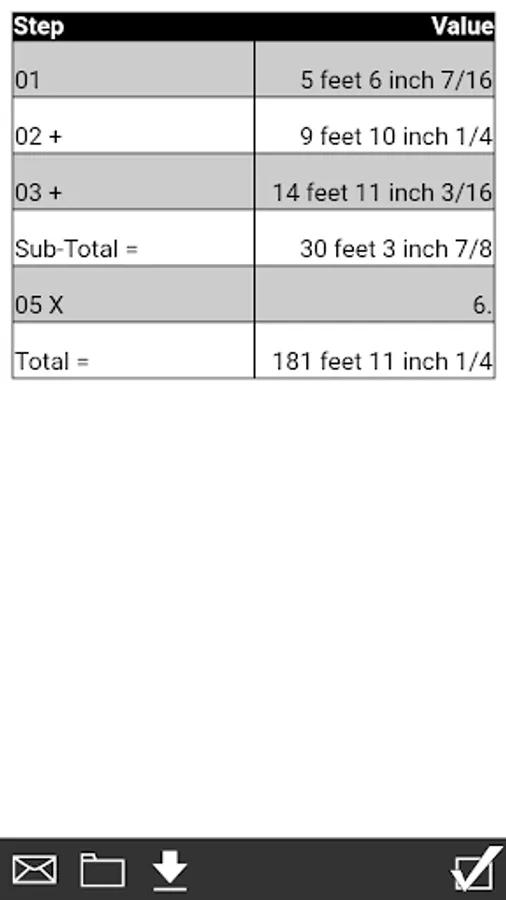
• Paperless Tape
• Board Feet
• Memory function
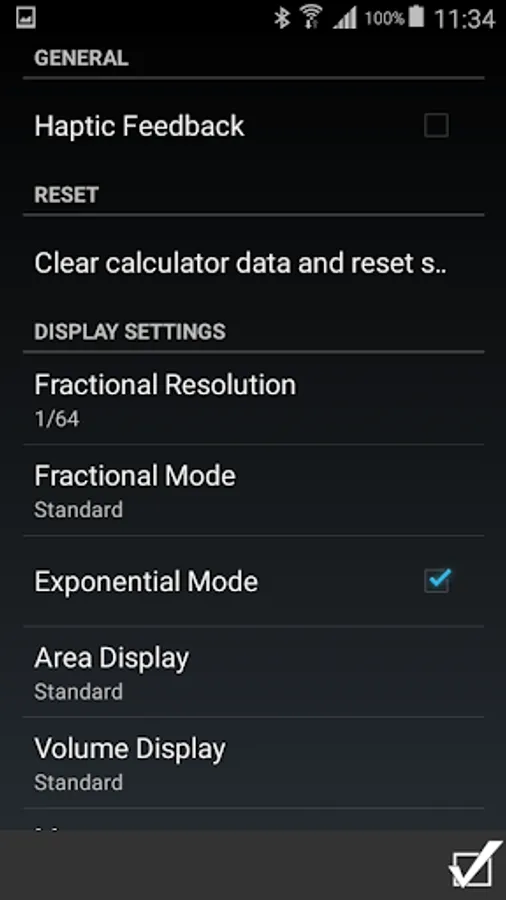
• User-Definable Preferences — set custom options: Fractions, Area, Volume.
And while perhaps obvious, if you change from an Android device to an iPhone or iPad, you WILL need to buy a new license as they are incompatible.
No learning curve -- just one powerful, easy-to-use calculator/converter app, giving you the power to solve U.S. and metric unit conversions.
Forget complex scientific calculators, memorizing conversion formulas or using tables—instantly calculate with more than 400 conversion combinations using 60 built-in standard and metric units. The Ultra Measure Master is especially helpful for those working in federal DOT environments where frequent metric to foot-inch conversions and “dual unit” reporting is required.
Ideal for Engineers, Architects, Designers, Contractors/Builders, Draftspersons, Excavation/Highway Contractors, Scientists, Pharmaceutical Lab Techs, Purchasing, Importers/Exporters, Students (or anyone who needs fast, easy, professional unit conversions).
• Work in and convert between all building dimensional formats: feet-inch-fractions, inch fractions, yards, decimal feet (10ths, 100ths), decimal inches and metric (m, cm, mm)
• Easily calculate linear, area and volume measurements
• Calculate dry and liquid weight per volume measurements
• Solve for velocity, flow rate, pressure, temperature measurements
FEATURES:
• Created by Calculated Industries, the originator of the award-winning Construction Master calculators
• Built-in help – just press and hold the desired key for full, clear definitions, explanations and examples of keystrokes
Dimensional Math and Conversions
• More than 60 Standard and Metric (SI) units built-in
• Over 400 conversion combinations
• Works in and converts between
• Feet-Inch-Fraction
• Inch Fraction
• Yards
• Decimal Feet (10ths, 100ths), Decimal Inches
• Full Metric (m, cm, mm)
Dedicated Functions Help You Measure and Calculate:
• Linear
• Feet-Inch-Fractions
• Yards, Miles
• Decimal Feet/Inch
• Millimeters, Centimeters, Meters and Kilometers
• Area Converter
• Feet, Inch, Yards, Acres, Miles
• Millimeters, Centimeters, Meters, Hectares and Kilometers
• Volume Converter
• Feet, Inch, Yards, Miles
• Millimeters, Centimeters, Meters, Kilometers
• Gallons, Liters, Fluid Ounces
• Acre-Feet and Board Feet
• Weight Measurements
• Pounds, Dry Ounces, Tons
• Metric Tons, Grams and Kilograms
• Weight per Volume
• Tons per Cubic Yard
• Pounds per Cubic Yard
• Kilograms per Cubic Meter
• Linear Velocity
• Inches per Second
• Feet per Second
• Feet per Minute
• Miles per Hour
• Millimeters per Second/Minute
• Meters per Second/Minute
• Kilometers per Hour
• Flow Rate
• Ounces per Second
• Gallons per Minute
• Milliliters per Second
• Liters per Second
• Pressure
• Pressure; Pounds per Square Inch (PSI)
• Pressure; Pounds per Square Foot (PSF)
• Kilopascal, Megapascal and Bars
• Bending Moment
• Inch-Pounds, Foot-Pounds and Newton-Meters
• Temperature Measurements
• Fahrenheit (°F) and Celsius (°C)
Special Functions
• Entry Editing Backspace Key – with a swipe of a finger
• Haptic Feedback (optional)
• Calculate Cost per Unit: Solve unit cost and pricing
• Paperless Tape
• Board Feet
• Memory function
• User-Definable Preferences — set custom options: Fractions, Area, Volume.
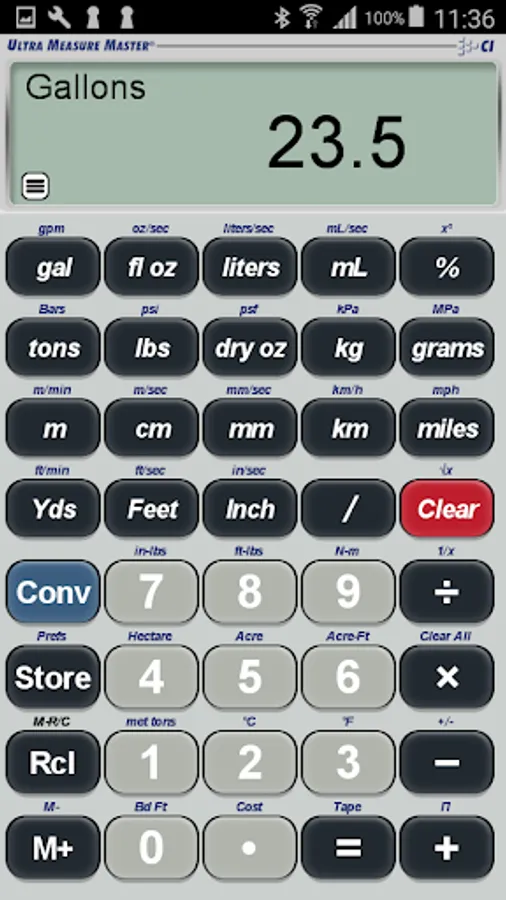
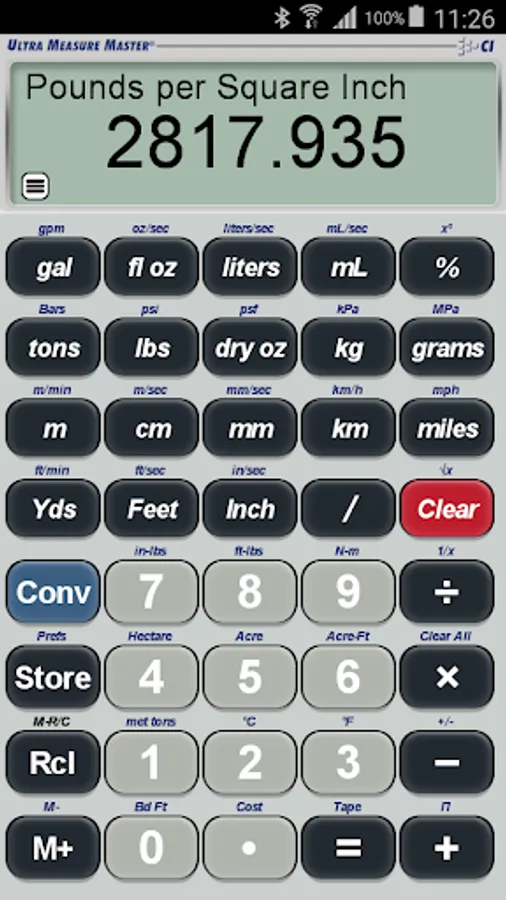
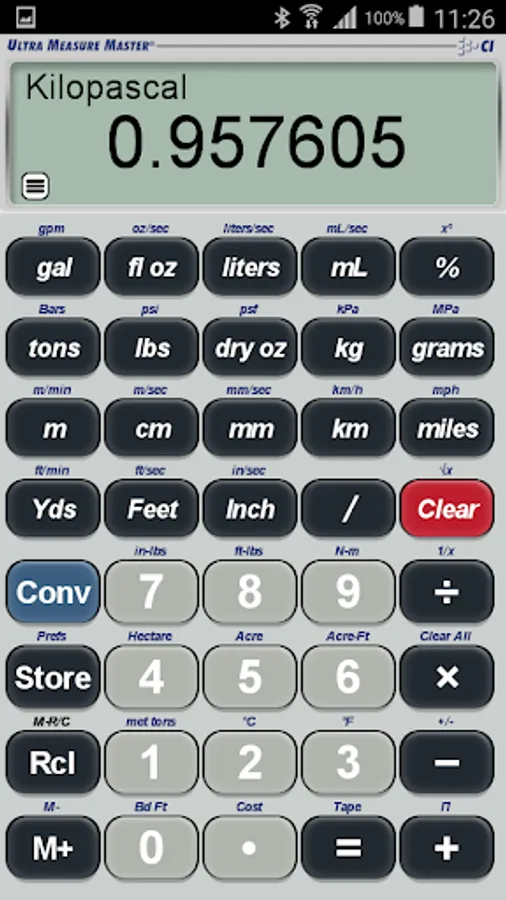
Ultra Measure Master Screenshots
Tap to Rate:
Reviews for Ultra Measure Master
David F
12/5/2025
the best
Fernando Viamonte
10/17/2025
It has all the functionality of a 40 bucks calculator. Works perfect for me.