In this streaming media app, you can monitor live footage, control recording functions, and adjust camera settings. Includes real-time video preview, file management, and download options.
AppRecs review analysis
AppRecs rating 1.3. Trustworthiness 0 out of 100. Review manipulation risk 0 out of 100. Based on a review sample analyzed.
★☆☆☆☆
1.3
AppRecs Rating
Ratings breakdown
5 star
6%
4 star
0%
3 star
0%
2 star
1%
1 star
93%
What to know
✓
Authentic reviews
No red flags detected
⚠
Mixed user feedback
Average 1.3★ rating suggests room for improvement
⚠
High negative review ratio
94% of sampled ratings are 1–2 stars
About CAMPARK GO
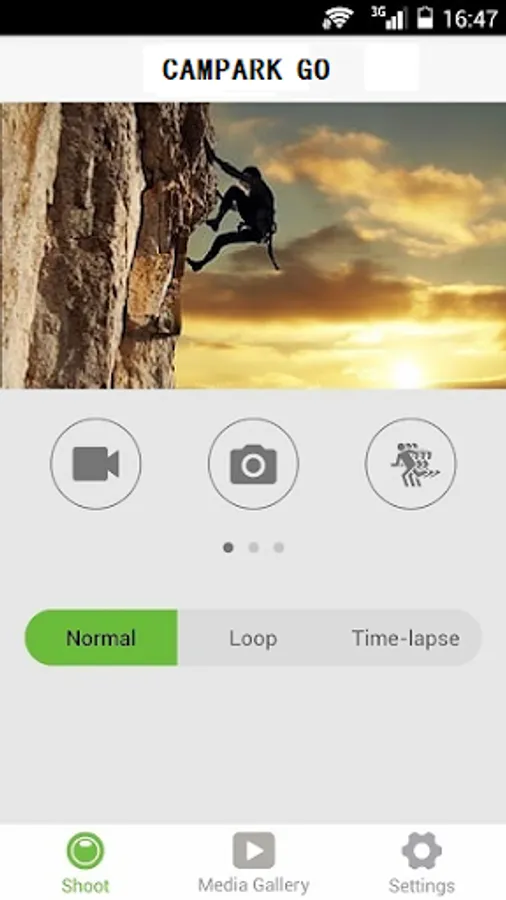
CAMPARK GO is a streaming media video surveillance software, through the mobile phone to connect the hot spot of the traveling recorder, to achieve real-time monitoring.
The live camera uses the most advanced streaming media solution to achieve low latency and high quality images.
Software function:
1. real-time preview the video footage of the traffic recorder.
2. can control the traffic recorder to take pictures and video operations.
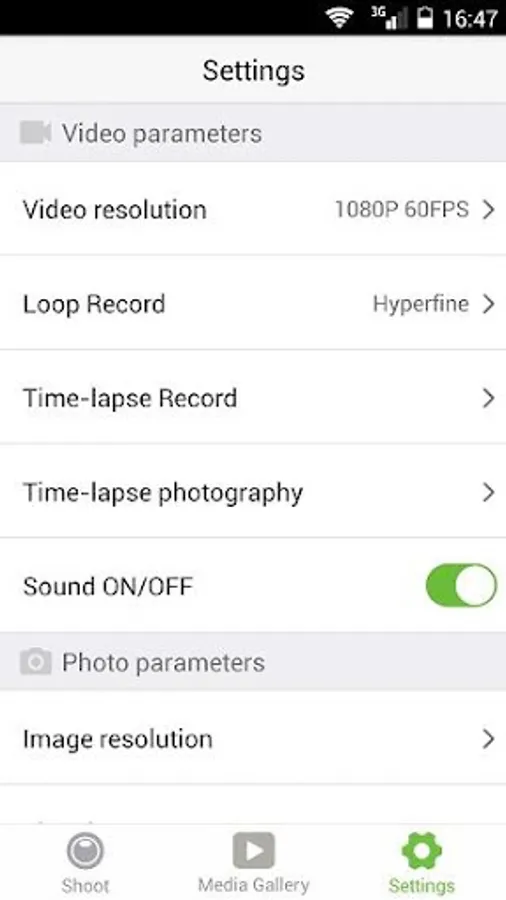
3., relevant settings such as exposure and white balance can be directly set up.
4. During the connection process, you can browse and manage the files of the driving recorder in real time, and you can download them to the mobile phone for backup.
Tip: If your phone is offline when you connect to the device, please delete the sportDV folder under the mobile file management and reconnect the device.
The live camera uses the most advanced streaming media solution to achieve low latency and high quality images.
Software function:
1. real-time preview the video footage of the traffic recorder.
2. can control the traffic recorder to take pictures and video operations.
3., relevant settings such as exposure and white balance can be directly set up.
4. During the connection process, you can browse and manage the files of the driving recorder in real time, and you can download them to the mobile phone for backup.
Tip: If your phone is offline when you connect to the device, please delete the sportDV folder under the mobile file management and reconnect the device.
CAMPARK GO Screenshots

Tap to Rate: