AppRecs review analysis
AppRecs rating 2.8. Trustworthiness 82 out of 100. Review manipulation risk 23 out of 100. Based on a review sample analyzed.
★★☆☆☆
2.8
AppRecs Rating
Ratings breakdown
5 star
40%
4 star
0%
3 star
0%
2 star
20%
1 star
40%
What to know
✓
Low review manipulation risk
23% review manipulation risk
✓
Credible reviews
82% trustworthiness score from analyzed reviews
⚠
Mixed user feedback
Average 2.8★ rating suggests room for improvement
About Keep Screen On - Timer Setting
* Why need Keep Awake?
Maybe you're looking at a recipe on your tablet in the kitchen, your hands are covered in food, and you need to get to the next step. Maybe you're reading a walkthrough for a video game and just want to glance over to see what to do next without pausing.
* What's the screen timeout?
The term 'screen timeout' refers to the time it takes for your smartphone or tablet to go to sleep (the screen turns off) after you've stopped interacting with it. The average screen timeout sits around 30 seconds to one minute, depending on your device. For many users, this is acceptable, but there are times that you might wish that your phone didn't go to sleep so quickly.
* What's the Keep Awake?
"Keep Awake" means that the app will keep your phone from going into so-called "deep sleep", and in some cases also keep the screen on. Apps that use this include things like download managers or music players, that usually should keep doing something even when the screen is off.
* What's the Keep Awake app?
If you've ever wished that the screen on your Android phone or tablet stayed on longer before going to sleep, you're not alone. Luckily, this can easily be adjusted in the settings with the app.
* How to use the Keep Awake app?
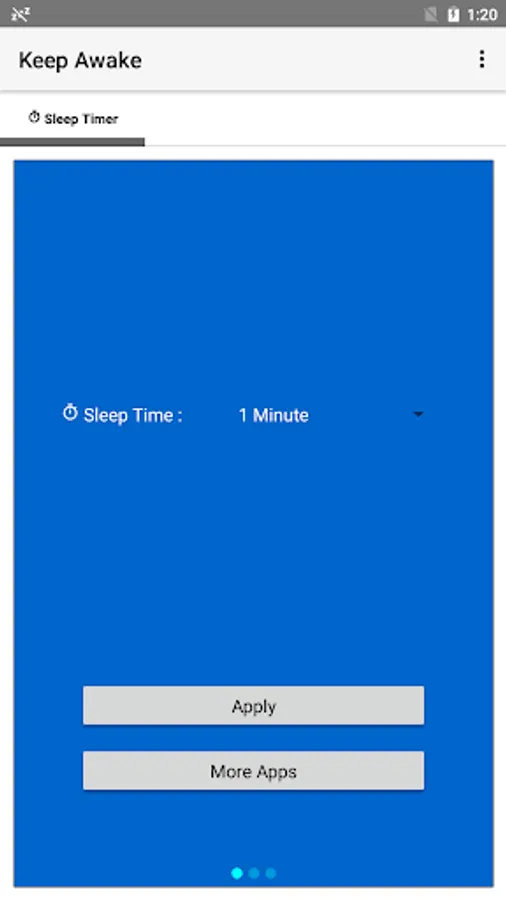
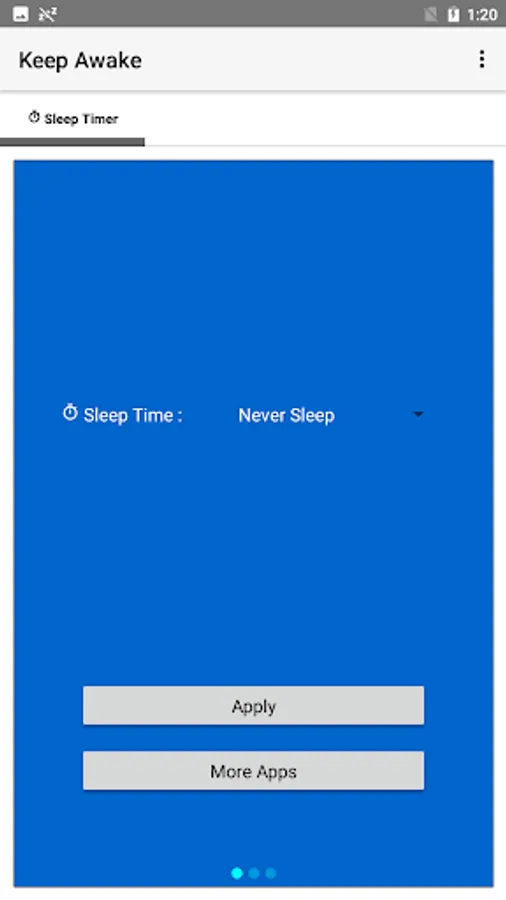
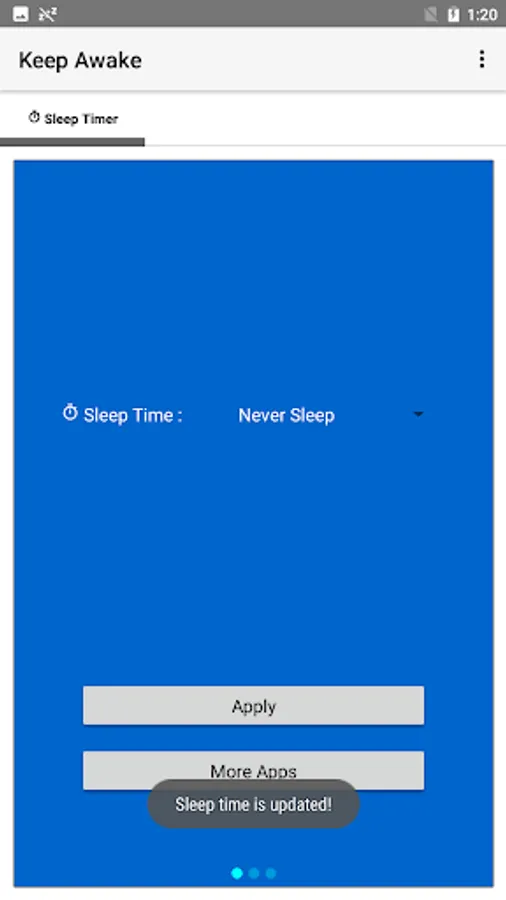
1. Select "Never Sleep" to keep screen always on.
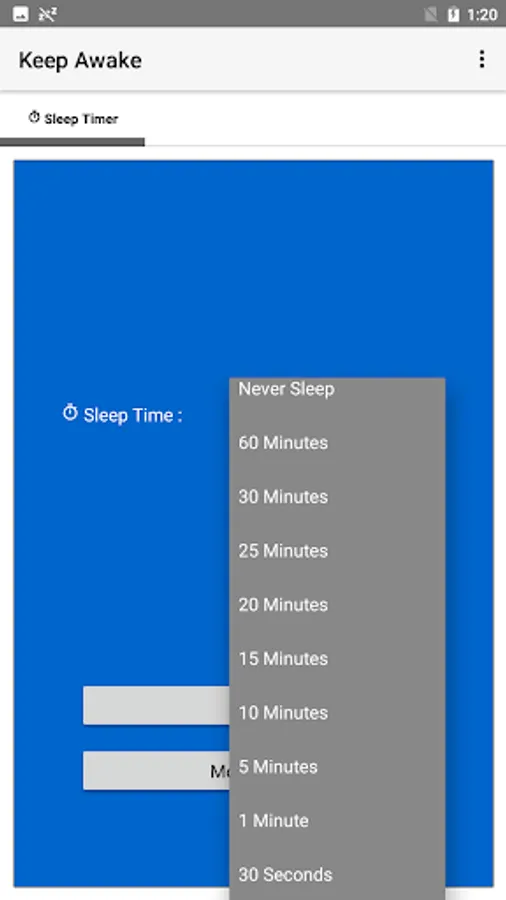
2. Or select sleep time - "60 Minutes", "30 Minutes", "25 Minutes", "20 Minutes", "15 Minutes", "10 Minutes", "5 Minutes", "1 Minute" or "30 Seconds".
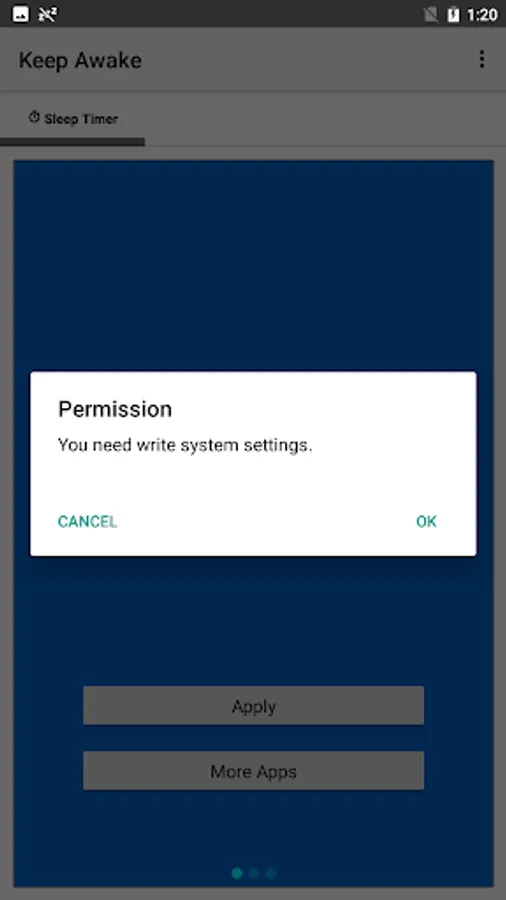
3. Tap "Apply" to enable.
Maybe you're looking at a recipe on your tablet in the kitchen, your hands are covered in food, and you need to get to the next step. Maybe you're reading a walkthrough for a video game and just want to glance over to see what to do next without pausing.
* What's the screen timeout?
The term 'screen timeout' refers to the time it takes for your smartphone or tablet to go to sleep (the screen turns off) after you've stopped interacting with it. The average screen timeout sits around 30 seconds to one minute, depending on your device. For many users, this is acceptable, but there are times that you might wish that your phone didn't go to sleep so quickly.
* What's the Keep Awake?
"Keep Awake" means that the app will keep your phone from going into so-called "deep sleep", and in some cases also keep the screen on. Apps that use this include things like download managers or music players, that usually should keep doing something even when the screen is off.
* What's the Keep Awake app?
If you've ever wished that the screen on your Android phone or tablet stayed on longer before going to sleep, you're not alone. Luckily, this can easily be adjusted in the settings with the app.
* How to use the Keep Awake app?
1. Select "Never Sleep" to keep screen always on.
2. Or select sleep time - "60 Minutes", "30 Minutes", "25 Minutes", "20 Minutes", "15 Minutes", "10 Minutes", "5 Minutes", "1 Minute" or "30 Seconds".
3. Tap "Apply" to enable.