Clone Yourself - Camera for Tw
Christmas Co
2.6 ★
247 ratings
10,000+
downloads
Free
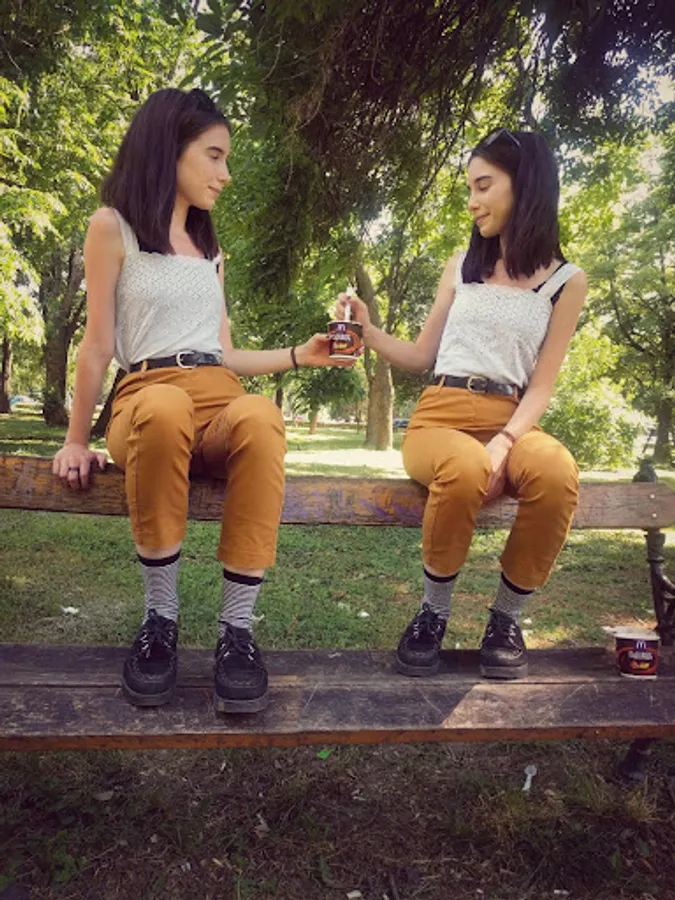
In this photo editing app, you can create multiple clones of yourself by capturing several images and combining them. Includes a timer, undo options, and a soft brush for blending edges smoothly.
AppRecs review analysis
AppRecs rating 2.6. Trustworthiness 0 out of 100. Review manipulation risk 0 out of 100. Based on a review sample analyzed.
★★☆☆☆
2.6
AppRecs Rating
Ratings breakdown
5 star
27%
4 star
7%
3 star
13%
2 star
7%
1 star
47%
What to know
✓
Authentic reviews
Natural distribution, no red flags
⚠
Mixed user feedback
Average 2.6★ rating suggests room for improvement
⚠
High negative review ratio
54% of sampled ratings are 1–2 stars
About Clone Yourself - Camera for Tw
Have fun using this camera app to quickly create a photo in which a person appears to have a clone / twin.
It’s fun and quick and it requires no knowledge about photo editing. Try it out yourself!
INSTRUCTIONS:
1. Set up the camera timer (bottom left)
2. Place your device on anything
3. Press camera capture button
4. Go and pose for your first "clone"
5. When you hear the *beep* it means a photo has been taken, move to your next position
6. Repeat last step as many times as you wish (up to six times!)
7. When done posing, press X to stop the timer and the check mark to continue!
8. Draw with a finger to reveal your clone / twin / effect
9. Use the soft brush to smooth out any rough edges
10. SAVE! :) You just got yourself a twin!
Main uses:
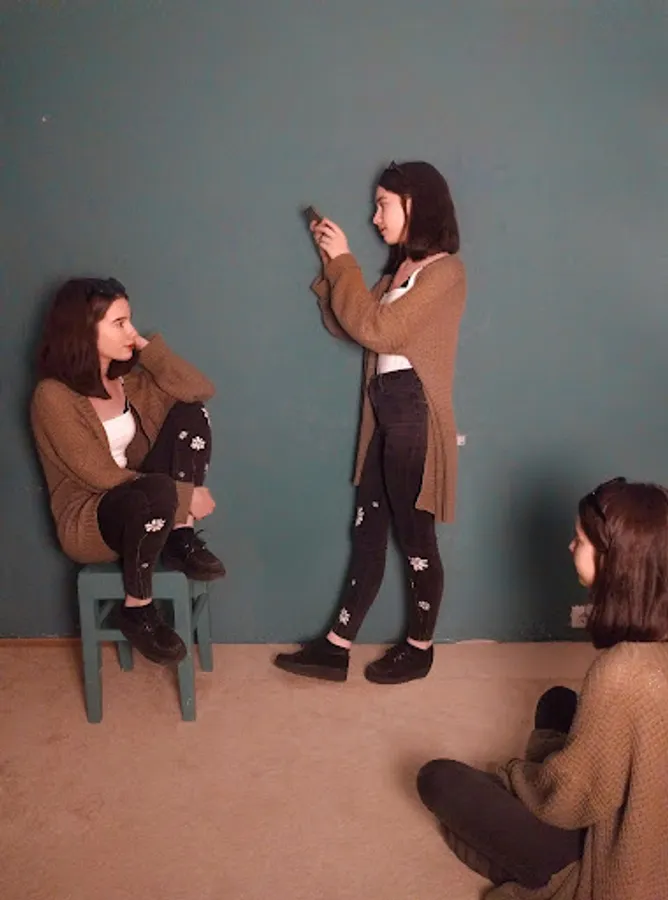
- Clone yourself, up to six twins per photo!
- Levitate objects
- Remove body parts in a picture
- Make stuff invisible
- Other creative combinations of the things above
New Feature:
- Soft brush: toggle to soft brush to smooth out any rough edges or shadows around your twin. It guarantees that the final picture will look highly realistic.
Tips and Tricks:
- Make sure the device sits on something stable, human hands tend to be shaky and that might ruin your end result picture. It’s better to place the camera on something and use the timer.
- You can also use switch to front camera when taking the photo s so that you can see what you are capturing and fit your clone s in the screen
- Change between brush sizes to make your job easier and quicker.
- In order to levitate yourself or make something invisible, take a picture of yourself siting on a chair, then a picture of the background without yourself or the chair. Now you can erase the chair and have yourself levitating.
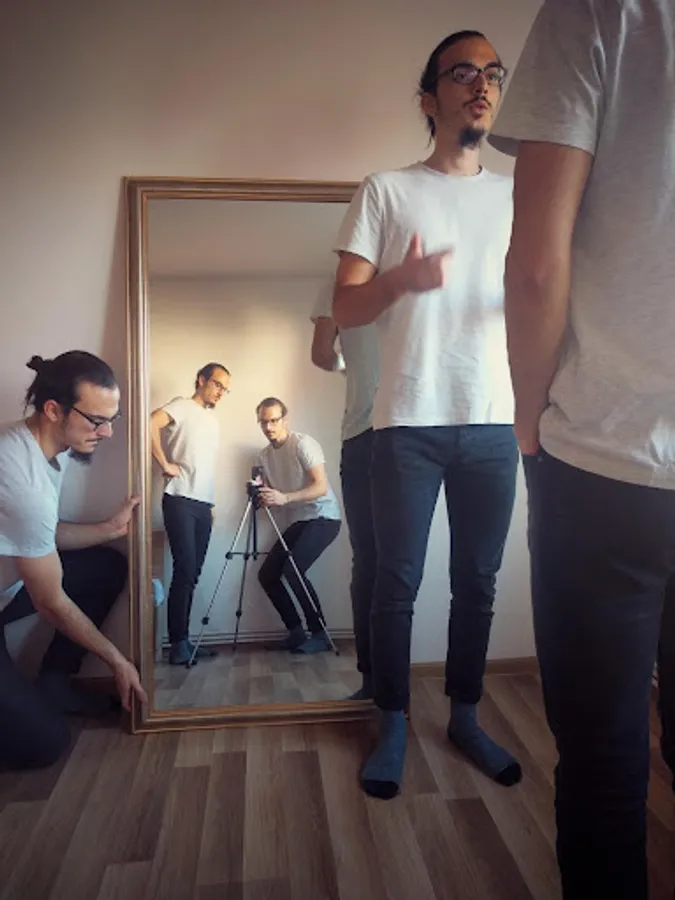
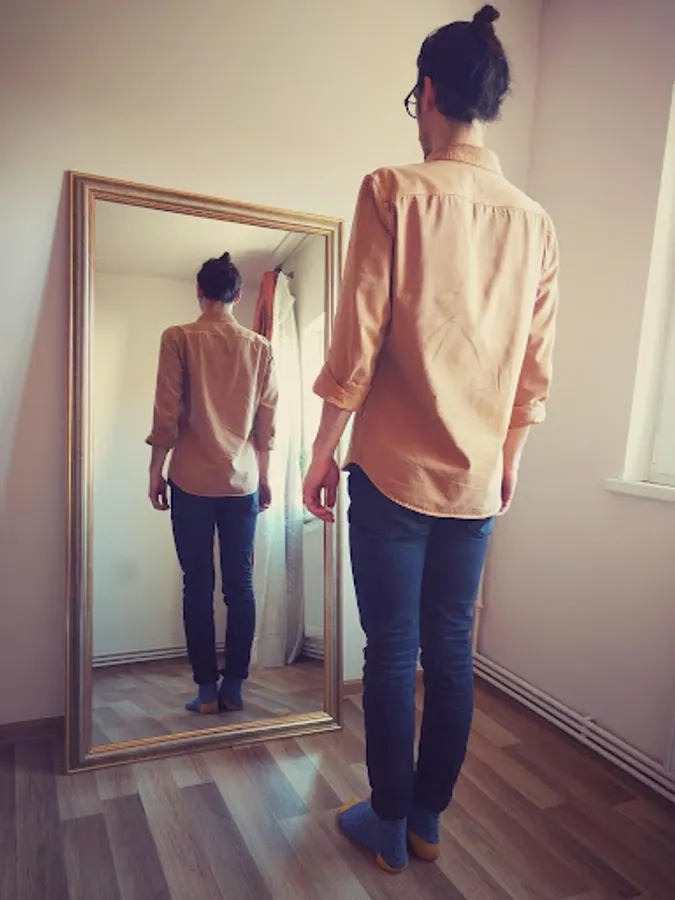
- Make it extra fun by adding a mirror in your image.
Share your creative clone pictures with your friends! Have fun! Have a twin! :)
It’s fun and quick and it requires no knowledge about photo editing. Try it out yourself!
INSTRUCTIONS:
1. Set up the camera timer (bottom left)
2. Place your device on anything
3. Press camera capture button
4. Go and pose for your first "clone"
5. When you hear the *beep* it means a photo has been taken, move to your next position
6. Repeat last step as many times as you wish (up to six times!)
7. When done posing, press X to stop the timer and the check mark to continue!
8. Draw with a finger to reveal your clone / twin / effect
9. Use the soft brush to smooth out any rough edges
10. SAVE! :) You just got yourself a twin!
Main uses:
- Clone yourself, up to six twins per photo!
- Levitate objects
- Remove body parts in a picture
- Make stuff invisible
- Other creative combinations of the things above
New Feature:
- Soft brush: toggle to soft brush to smooth out any rough edges or shadows around your twin. It guarantees that the final picture will look highly realistic.
Tips and Tricks:
- Make sure the device sits on something stable, human hands tend to be shaky and that might ruin your end result picture. It’s better to place the camera on something and use the timer.
- You can also use switch to front camera when taking the photo s so that you can see what you are capturing and fit your clone s in the screen
- Change between brush sizes to make your job easier and quicker.
- In order to levitate yourself or make something invisible, take a picture of yourself siting on a chair, then a picture of the background without yourself or the chair. Now you can erase the chair and have yourself levitating.
- Make it extra fun by adding a mirror in your image.
Share your creative clone pictures with your friends! Have fun! Have a twin! :)