オト単語帳
wyosik
10+
downloads
Free
About オト単語帳
It is a simple English wordbook.
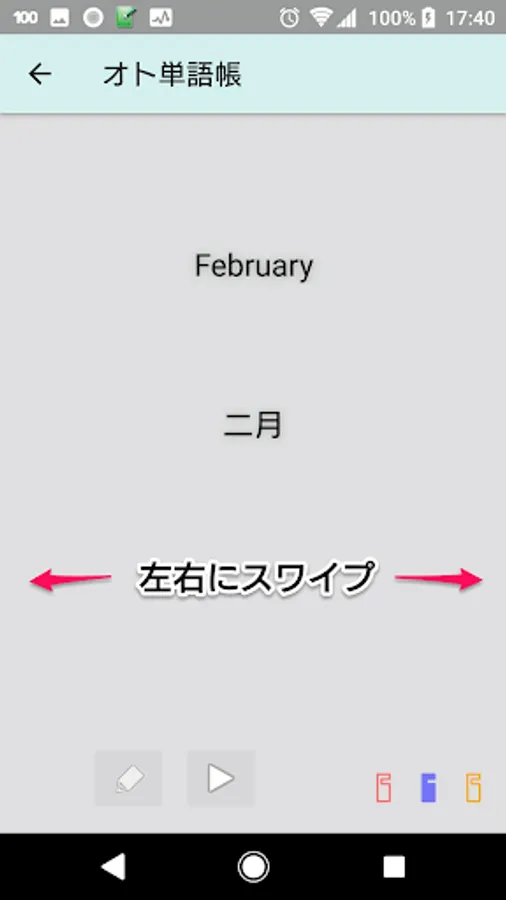
We will also read English words, but we do not guarantee the pronunciation. (Use Google's text-to-speech)
The basic operation is to input words by yourself.
Swipe left or right to move to the previous or next word for operation on one screen.
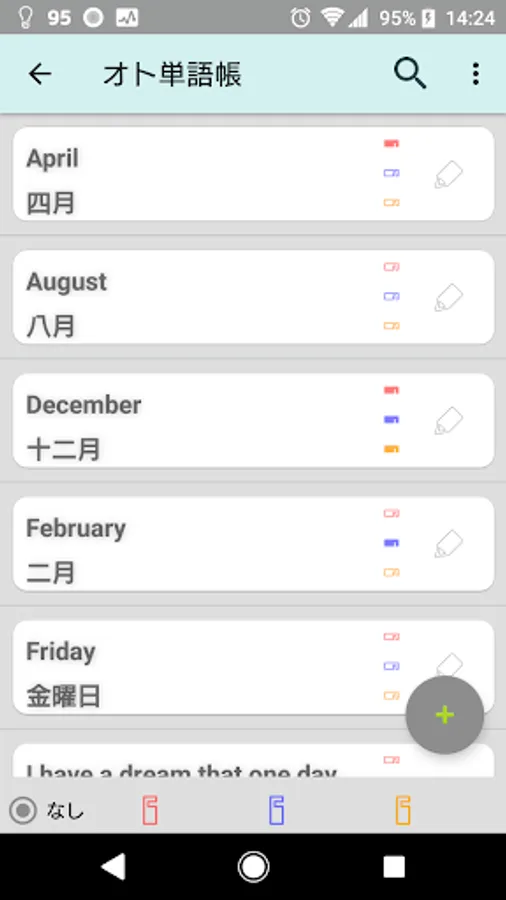
By pressing and holding in the list, you can select and move and delete more than one.
----------
How to Use
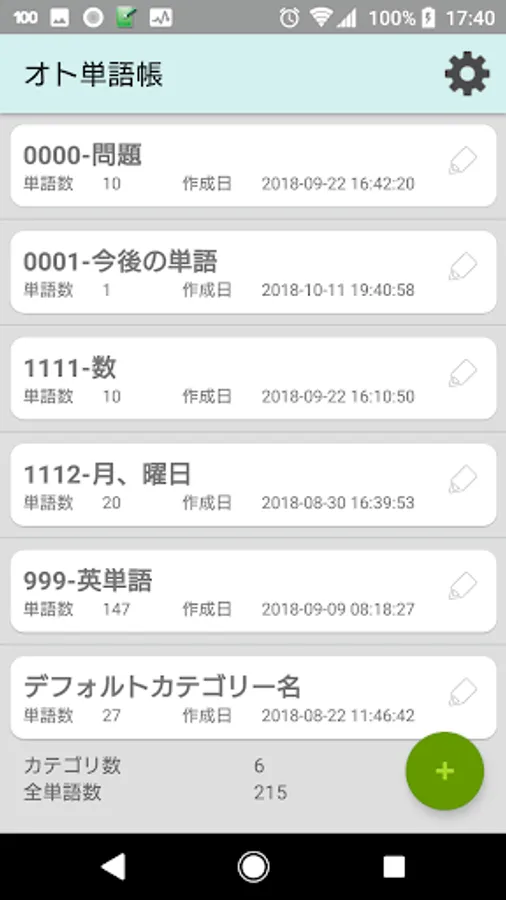
"Category" is displayed for the first time at startup.
Words can be created in categories.
1. Create an arbitrary category.
(Touch "+" in the lower right)
2. Touch the category you created
3. Touch the "+" in the lower right
Four. Since the word input screen is displayed, input as English, Japanese, remarks and then "Save" or "Save and New" is pushed.
The basics is over.
Three kinds of flags are red, blue and yellow, but please use it for your own operation.
You can select the flag with the function of "Question".
In "Import words with CSV" in the category menu,
* File location: Download folder of android main unit
* The format is UTF-8 "," delimiter
* English, Japanese, Remarks Format of [Line Feed]
The file format that is output by the function of backing up and returning words is json.
These files also become main body download folders.
----------
Even if the volume is increased with the AQUOS system, no speech sound will be heard If there is squeezing the volume of "Emopar", it may not appear.
We will also read English words, but we do not guarantee the pronunciation. (Use Google's text-to-speech)
The basic operation is to input words by yourself.
Swipe left or right to move to the previous or next word for operation on one screen.
By pressing and holding in the list, you can select and move and delete more than one.
----------
How to Use
"Category" is displayed for the first time at startup.
Words can be created in categories.
1. Create an arbitrary category.
(Touch "+" in the lower right)
2. Touch the category you created
3. Touch the "+" in the lower right
Four. Since the word input screen is displayed, input as English, Japanese, remarks and then "Save" or "Save and New" is pushed.
The basics is over.
Three kinds of flags are red, blue and yellow, but please use it for your own operation.
You can select the flag with the function of "Question".
In "Import words with CSV" in the category menu,
* File location: Download folder of android main unit
* The format is UTF-8 "," delimiter
* English, Japanese, Remarks Format of [Line Feed]
The file format that is output by the function of backing up and returning words is json.
These files also become main body download folders.
----------
Even if the volume is increased with the AQUOS system, no speech sound will be heard If there is squeezing the volume of "Emopar", it may not appear.