SD Card Manager For Android
Sociu
3.8 ★
28K ratings
5,000,000+
downloads
Free
With this file management app, you can browse, copy, move, and delete files on internal storage and SD cards. It also includes features for creating folders and files, viewing file details, and cleaning memory.
AppRecs review analysis
AppRecs rating 3.8. Trustworthiness 0 out of 100. Review manipulation risk 0 out of 100. Based on a review sample analyzed.
★★★☆☆
3.8
AppRecs Rating
Ratings breakdown
5 star
59%
4 star
9%
3 star
6%
2 star
4%
1 star
22%
What to know
✓
Good user ratings
68% positive sampled reviews
✓
Authentic reviews
Natural distribution, no red flags
About SD Card Manager For Android
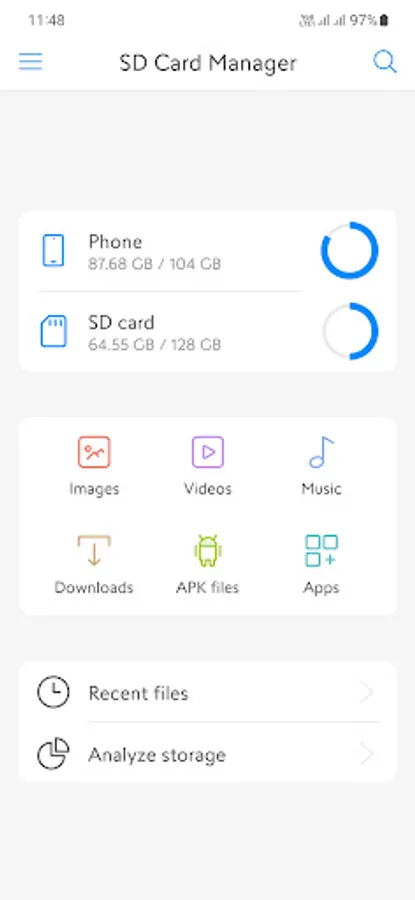
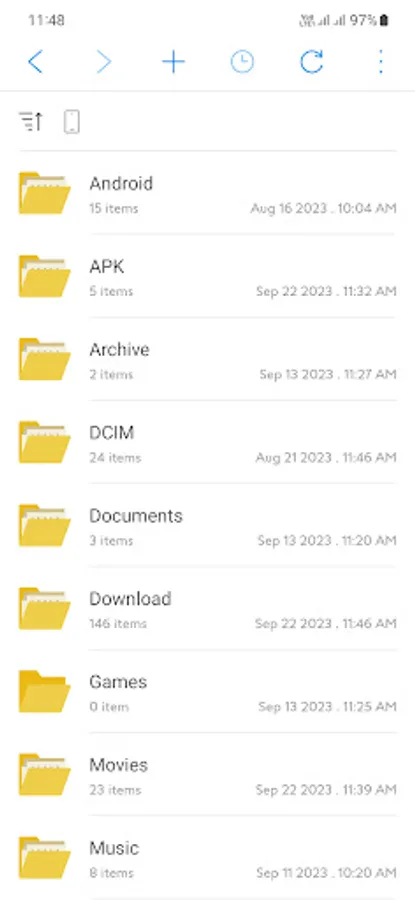
SD Card Manager is a complete tool to manage memory cards and device internal storage. It allows you to browse SD Card, read all files on device, search for files, create folders, create files, copy files, move files, rename files, view file info, share or delete files.
Besides, this application also supports advanced features including: photo manager and viewer, video manager, video player, music player and manager, download manager, manager APK files, application manager, browse recently added files and analyze storage.
In addition, you can also use this application to clean up memory, copy and move files from your phone to your SD Card, or copy and move files from your SD Card to your phone.
Main features:
- Browse all folders and files on your device or SD Card.
- Select memory: select internal memory or SD Card to manage.
- Manage all images, ringtones, video clips and applications.
- Manage downloaded files, manage APK files, documents, zipped.
- Manage the phone's internal storage with full read and write permissions.
- Manage all memory cards from smallest to largest capacity.
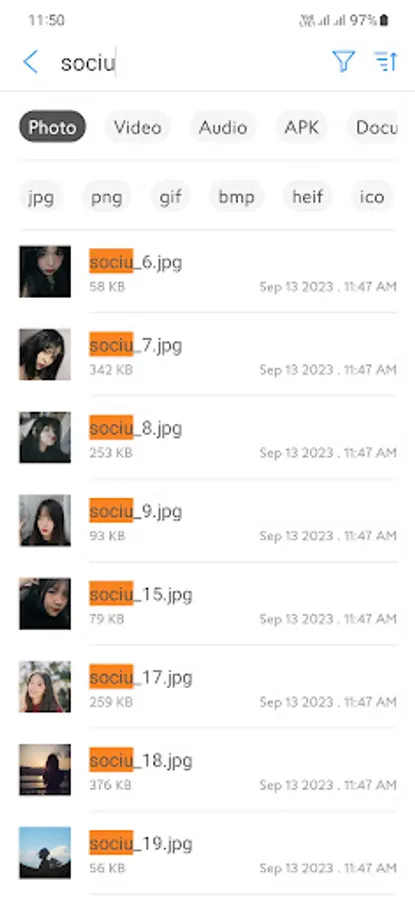
- Search files by format or match keywords.
- Filter image files, video, audio, documents, compressed files, etc.
- Sort files by name, date or size.
- Create new folders, create new files with many different formats.
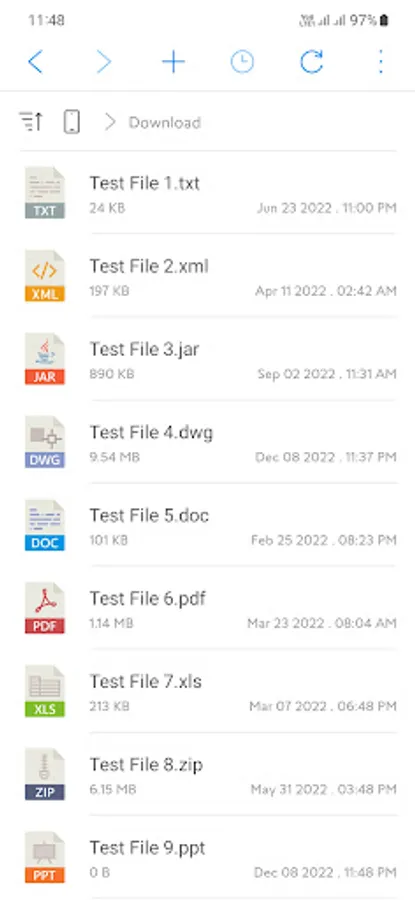
- Detect file format and display with corresponding icon.
- Display thumbnails of images, videos, audios.
- Open the file with the suitable program, select the program to open the file.
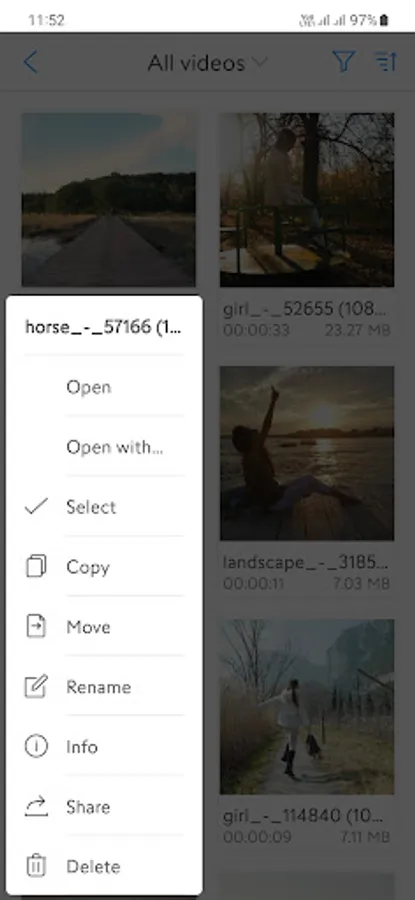
- Copy, move, rename, share, delete files and folders.
- View file details: format, size, location, last modified, etc.
- Access history: quick access to previously opened folders.
- Show hidden folders, files on phone and SD Card.
- Select multiple folders and files simultaneously for faster management.
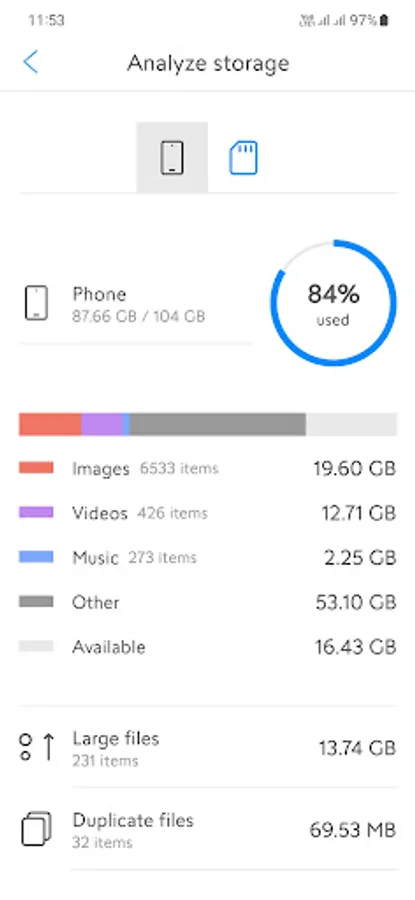
- Clean memory by removing duplicate files.
- Analyze memory, view memory information.
- Change view type: list or grid.
- Support many types of memory cards: 1GB, 2GB, 4GB, 16GB, 64GB, 128GB, 256GB, 512GB, 1TB, etc.
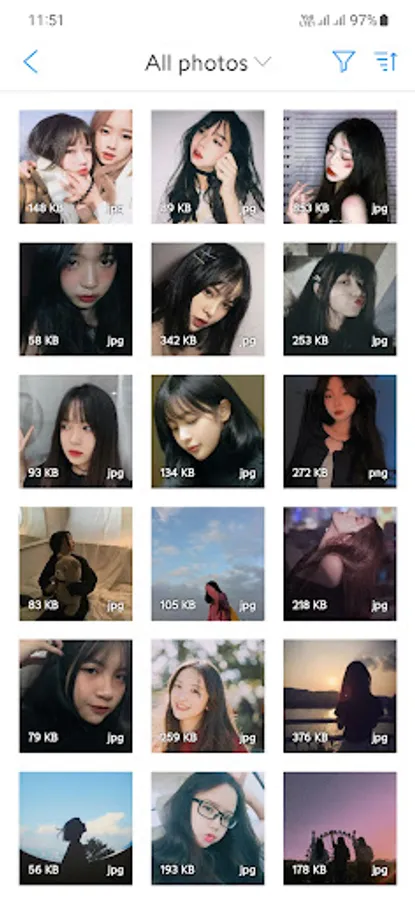
Image manager and viewer
Find and browse all images on your device or SD Card. View, manage and share images.
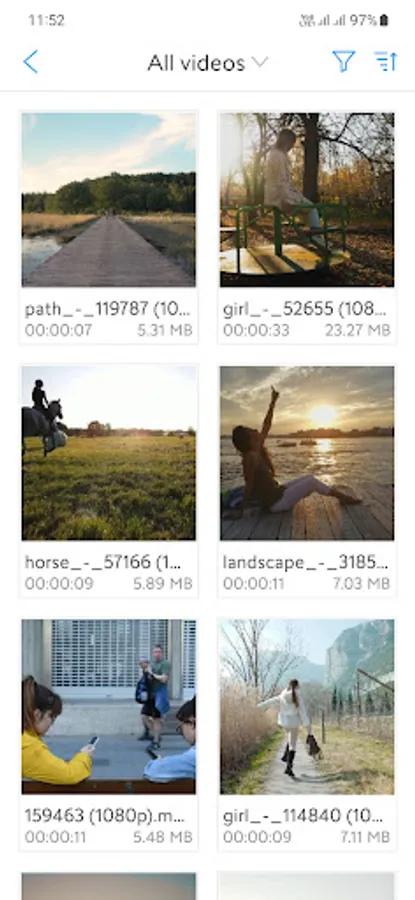
Video manager and viewer
Find and browse all videos on your device or SD Card. Watch videos, manage and share videos. Watch videos in high quality, full HD.
Audio manager and player
Find and browse all sounds on your device or SD Card. Listen to music in high quality in the background, adjust the speed and pitch of the music player.
Application manager
Find and browse all apps installed on your device. Launch applications, uninstall unnecessary applications.
Do you like this app? Please leave your reviews and suggestions, it will help us to improve this app in the next versions! Thank you!
Besides, this application also supports advanced features including: photo manager and viewer, video manager, video player, music player and manager, download manager, manager APK files, application manager, browse recently added files and analyze storage.
In addition, you can also use this application to clean up memory, copy and move files from your phone to your SD Card, or copy and move files from your SD Card to your phone.
Main features:
- Browse all folders and files on your device or SD Card.
- Select memory: select internal memory or SD Card to manage.
- Manage all images, ringtones, video clips and applications.
- Manage downloaded files, manage APK files, documents, zipped.
- Manage the phone's internal storage with full read and write permissions.
- Manage all memory cards from smallest to largest capacity.
- Search files by format or match keywords.
- Filter image files, video, audio, documents, compressed files, etc.
- Sort files by name, date or size.
- Create new folders, create new files with many different formats.
- Detect file format and display with corresponding icon.
- Display thumbnails of images, videos, audios.
- Open the file with the suitable program, select the program to open the file.
- Copy, move, rename, share, delete files and folders.
- View file details: format, size, location, last modified, etc.
- Access history: quick access to previously opened folders.
- Show hidden folders, files on phone and SD Card.
- Select multiple folders and files simultaneously for faster management.
- Clean memory by removing duplicate files.
- Analyze memory, view memory information.
- Change view type: list or grid.
- Support many types of memory cards: 1GB, 2GB, 4GB, 16GB, 64GB, 128GB, 256GB, 512GB, 1TB, etc.
Image manager and viewer
Find and browse all images on your device or SD Card. View, manage and share images.
Video manager and viewer
Find and browse all videos on your device or SD Card. Watch videos, manage and share videos. Watch videos in high quality, full HD.
Audio manager and player
Find and browse all sounds on your device or SD Card. Listen to music in high quality in the background, adjust the speed and pitch of the music player.
Application manager
Find and browse all apps installed on your device. Launch applications, uninstall unnecessary applications.
Do you like this app? Please leave your reviews and suggestions, it will help us to improve this app in the next versions! Thank you!