
With this app, you can connect to JetBrains Projector servers and access Swing applications via Android devices. Includes saved addresses, secure connections, and an immersive interface.
AppRecs review analysis
AppRecs rating 2.8. Trustworthiness 84 out of 100. Review manipulation risk 23 out of 100. Based on a review sample analyzed.
★★☆☆☆
2.8
AppRecs Rating
Ratings breakdown
5 star
27%
4 star
16%
3 star
10%
2 star
5%
1 star
43%
What to know
✓
Low review manipulation risk
23% review manipulation risk
⚠
Mixed user feedback
Average 2.8★ rating suggests room for improvement
⚠
High negative review ratio
48% of sampled ratings are 1–2 stars
About Projector
Projector
A JetBrains Projector client for Android devices!
JetBrains Projector
JetBrains has created a very neat program that allows Swing applications to be accessed using a web browser. You can find the project here.
Benefits
While one can access the JetBrains Projector server from any web browser, the Android Projector application serves various benefits:
Saved address and port
Immersive experience (no address bar, navigation bar, or status bar)
Free and open source
Extremely compact and universal
Usage
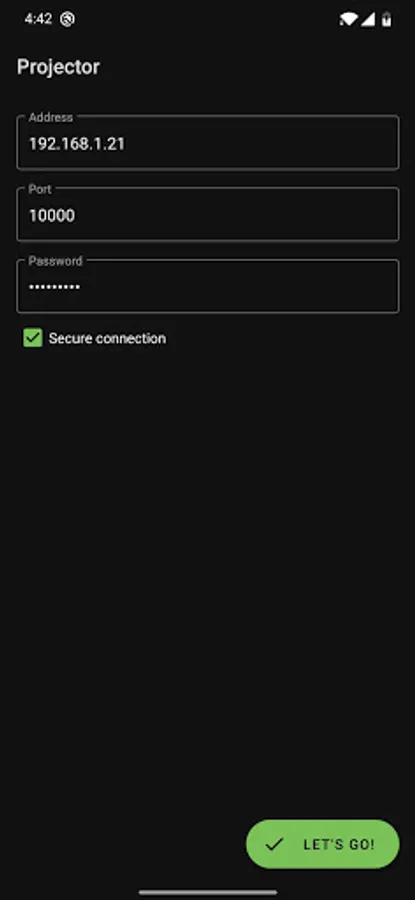
Under the Address field, put an IP address or a URL. For example, one could be hosted at 192.168.0.21. Under the Port field, put the port that the JetBrains Projector installer specified. For the Secure connection field, the server must be setup to use the https:// protocol.
A JetBrains Projector client for Android devices!
JetBrains Projector
JetBrains has created a very neat program that allows Swing applications to be accessed using a web browser. You can find the project here.
Benefits
While one can access the JetBrains Projector server from any web browser, the Android Projector application serves various benefits:
Saved address and port
Immersive experience (no address bar, navigation bar, or status bar)
Free and open source
Extremely compact and universal
Usage
Under the Address field, put an IP address or a URL. For example, one could be hosted at 192.168.0.21. Under the Port field, put the port that the JetBrains Projector installer specified. For the Secure connection field, the server must be setup to use the https:// protocol.
Projector Screenshots
Tap to Rate:
Reviews for Projector
Rana
12/18/2024
গগি
ARSLAN (ANDLISH)
10/28/2024
Its app do not open in my device