
Drag: All-in-one workspace
DRAGAPP.COM LIMITED
4.2 ★
25 ratings
1,000+
downloads
Free
With this workspace app, you can convert Gmail into a shared team environment for managing support, sales, and recruiting workflows. Includes shared inboxes, task assignments, team chat, email templates, and tracking features.
AppRecs review analysis
AppRecs rating 4.2. Trustworthiness 79 out of 100. Review manipulation risk 14 out of 100. Based on a review sample analyzed.
★★★★☆
4.2
AppRecs Rating
Ratings breakdown
5 star
80%
4 star
0%
3 star
0%
2 star
0%
1 star
20%
What to know
✓
Low review manipulation risk
14% review manipulation risk
✓
Credible reviews
79% trustworthiness score from analyzed reviews
✓
High user satisfaction
80% of sampled ratings are 4+ stars (4.2★ average)
About Drag: All-in-one workspace
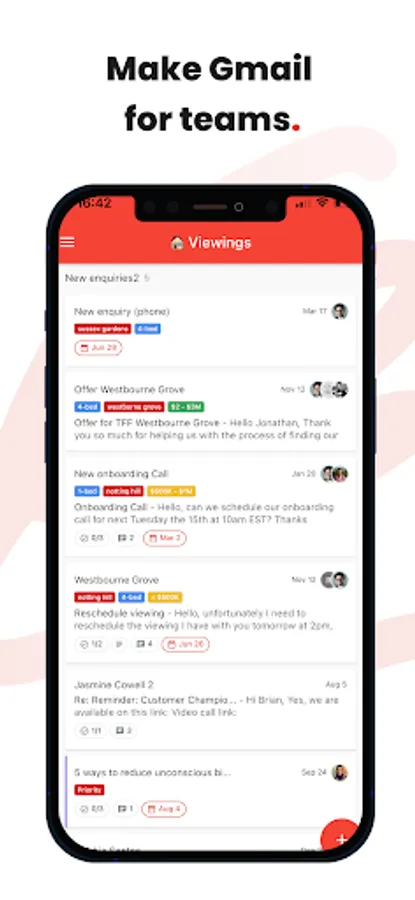
Turn Gmail into a Team Workspace to manage customer support, sales CRM, recruiting and other workflows from your inbox. Built for Google Workspace users.
------
🥇World’s top #20 collaboration products (by G2)
🥇Easiest set up (by G2)
🥇Best ROI (by G2)
🥇Fastest implementation (by G2)
🥇Momentum leader (by G2)
------
Watch our demo: https://www.dragapp.com/watch-demo/
Browse Help Center: https://help.dragapp.com/en/
Speak to a Customer Champion: https://www.dragapp.com/demo/
------
📬Shared inbox
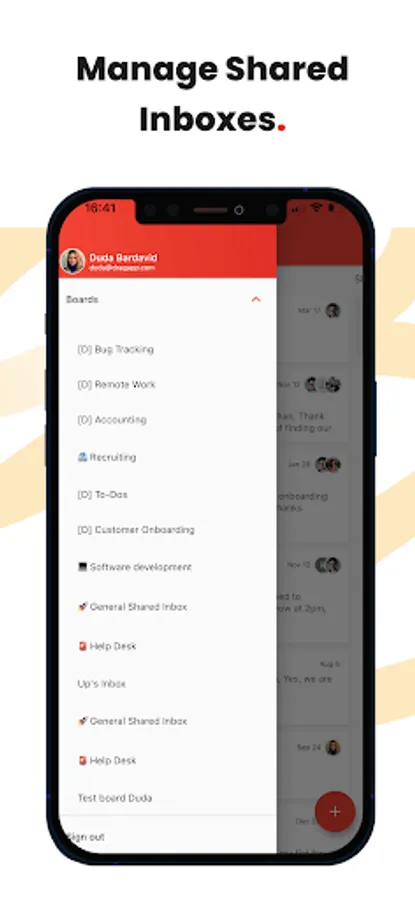
Drag turns Google Workspace and Gmail into an all-in-one workspace for teams. Share company emails such as support@ right inside Gmail
🧮Boards
Your team can use shared boards like they were their own – using them for anything from a simple Help Desk and CRM to a Marketing board
🧘Aliases
Reply or compose new emails as yourself, your team or as the shared inbox address such as sales@
🙋♂️Assignment
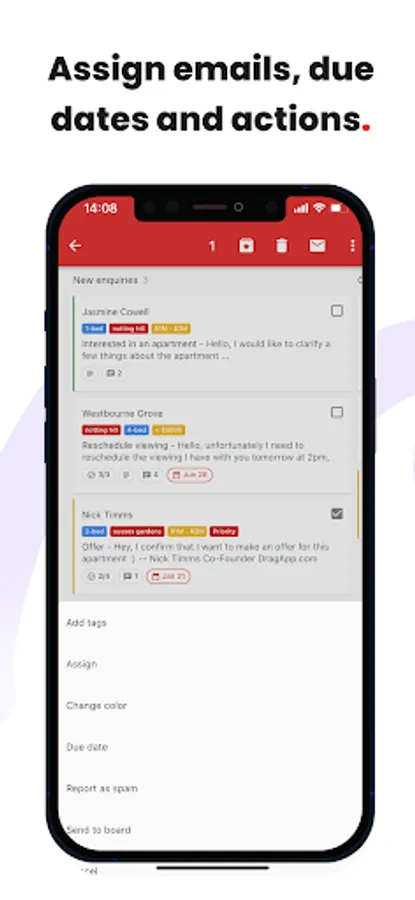
Get work done faster by assigning emails and tasks to the best-placed team members. See, at a glance, who’s working on what
🎤@mentions
@mention your team to start a real-time chat with someone to close a conversation faster
💬Team chat
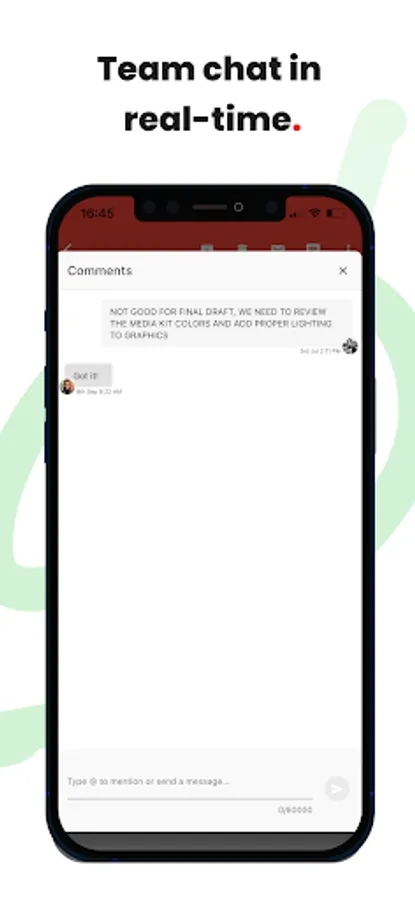
A private space for you and your team. Add context to any conversation by collaborating behind the scenes with your team
📨Shared drafts
Work together on replies. Collaborate using shared drafts. Write a reply and have your colleague check it before sending
🏷️Shared labels
Share labels and organize your boards across your team
🚧Collision detection
Sometimes your team tries to do the same thing at once. Drag detects this and notifies users when they’re both on the same thing
📤Email templates
Create templates, instead of having to write them from scratch over and over again. Access them fast from inside Gmail
🕵️Email tracking
Know who’s viewing your emails and when. Think WhatsApp’s double-tick technology
⛓️Email sequences
Never, ever send a manual email follow-up again. Send a personalized, scheduled sequence of emails
🕹️Automations
Easily automate repeatable workflows. Automatically send emails to boards, assign emails and create tasks for your team
📱Custom fields
Add fields to what your company needs. Custom fields have all different field types that you may need to organize your cards
📊Analytics
Understand what’s happening on boards. Get insights into how productive your team is
🧮Board views
Use pre-defined filters to find relevant information on each board faster - assigned to me, archived, unread, sent, drafts, snoozed
📅Today view and ‘Assigned to me’ view
Visualize all tasks due today or assigned to you, across all boards, in just 1 click
✅Tasks
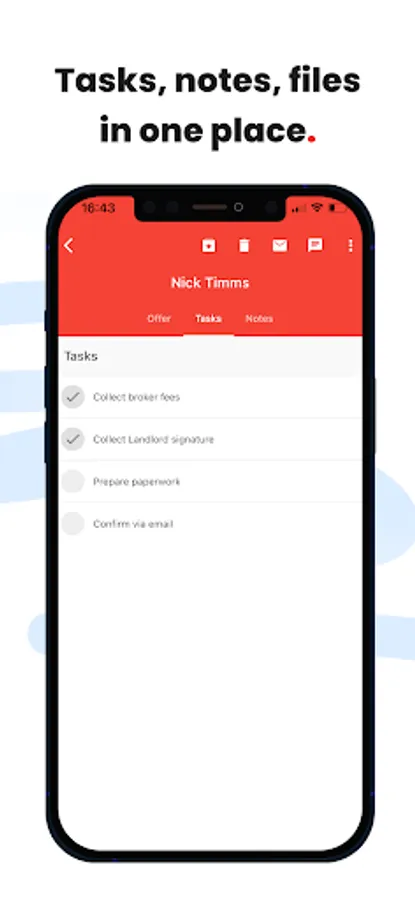
Not everything comes as an email, sometimes there’s a separate task. You can add tasks directly to your inbox
📕Email notes
Can’t remember some details? Add notes to any email so you always have information to hand
☑️Checklists
Most emails come with things to get done. Separate these out and add them as actionable tasks
📆Due dates
Is there a deadline – something you need to get done by a date? Keep things on track with due dates
🍭Color coding
Get a better overview of your boards by color-coding them based on time zones, urgency or anything that works best for you
🗄️Activity log
Get a full history of all actions on a board or on a specific card
📇Sort & filter
Sort and filter boards so that you can focus on the things that matter most. By person, status, colors, labels, you pick how to filter boards
🔗Card links
Generate card and board links and use the URLs anywhere
📦Drag to boards
Drag works across boards. Received an email directly to you? Drag it to a team board so your entire team can help solve faster
📁File upload
Share files with your team – upload all sorts of files to cards to close things faster
🗂️Merge cards
Merge cards into collections to save time and energy. Group different emails and tasks into one single card to better manage your work
🖇️Integrations
✓Gmail
✓Google Groups
✓Google Calendar
✓Zapier
------
🥇World’s top #20 collaboration products (by G2)
🥇Easiest set up (by G2)
🥇Best ROI (by G2)
🥇Fastest implementation (by G2)
🥇Momentum leader (by G2)
------
Watch our demo: https://www.dragapp.com/watch-demo/
Browse Help Center: https://help.dragapp.com/en/
Speak to a Customer Champion: https://www.dragapp.com/demo/
------
📬Shared inbox
Drag turns Google Workspace and Gmail into an all-in-one workspace for teams. Share company emails such as support@ right inside Gmail
🧮Boards
Your team can use shared boards like they were their own – using them for anything from a simple Help Desk and CRM to a Marketing board
🧘Aliases
Reply or compose new emails as yourself, your team or as the shared inbox address such as sales@
🙋♂️Assignment
Get work done faster by assigning emails and tasks to the best-placed team members. See, at a glance, who’s working on what
🎤@mentions
@mention your team to start a real-time chat with someone to close a conversation faster
💬Team chat
A private space for you and your team. Add context to any conversation by collaborating behind the scenes with your team
📨Shared drafts
Work together on replies. Collaborate using shared drafts. Write a reply and have your colleague check it before sending
🏷️Shared labels
Share labels and organize your boards across your team
🚧Collision detection
Sometimes your team tries to do the same thing at once. Drag detects this and notifies users when they’re both on the same thing
📤Email templates
Create templates, instead of having to write them from scratch over and over again. Access them fast from inside Gmail
🕵️Email tracking
Know who’s viewing your emails and when. Think WhatsApp’s double-tick technology
⛓️Email sequences
Never, ever send a manual email follow-up again. Send a personalized, scheduled sequence of emails
🕹️Automations
Easily automate repeatable workflows. Automatically send emails to boards, assign emails and create tasks for your team
📱Custom fields
Add fields to what your company needs. Custom fields have all different field types that you may need to organize your cards
📊Analytics
Understand what’s happening on boards. Get insights into how productive your team is
🧮Board views
Use pre-defined filters to find relevant information on each board faster - assigned to me, archived, unread, sent, drafts, snoozed
📅Today view and ‘Assigned to me’ view
Visualize all tasks due today or assigned to you, across all boards, in just 1 click
✅Tasks
Not everything comes as an email, sometimes there’s a separate task. You can add tasks directly to your inbox
📕Email notes
Can’t remember some details? Add notes to any email so you always have information to hand
☑️Checklists
Most emails come with things to get done. Separate these out and add them as actionable tasks
📆Due dates
Is there a deadline – something you need to get done by a date? Keep things on track with due dates
🍭Color coding
Get a better overview of your boards by color-coding them based on time zones, urgency or anything that works best for you
🗄️Activity log
Get a full history of all actions on a board or on a specific card
📇Sort & filter
Sort and filter boards so that you can focus on the things that matter most. By person, status, colors, labels, you pick how to filter boards
🔗Card links
Generate card and board links and use the URLs anywhere
📦Drag to boards
Drag works across boards. Received an email directly to you? Drag it to a team board so your entire team can help solve faster
📁File upload
Share files with your team – upload all sorts of files to cards to close things faster
🗂️Merge cards
Merge cards into collections to save time and energy. Group different emails and tasks into one single card to better manage your work
🖇️Integrations
✓Gmail
✓Google Groups
✓Google Calendar
✓Zapier
Drag: All-in-one workspace Screenshots
Tap to Rate:
Reviews for Drag: All-in-one workspace
Helen Holstead
3/17/2025
Sorry I thought it was something else
Francis Toth III
11/20/2024
Desktop integration into Gmail is great. The mobile app is absolute garbage. It constantly crashes and the UI interface is terrible.