AppRecs review analysis
AppRecs rating . Trustworthiness 85 out of 100. Review manipulation risk 28 out of 100. Based on a review sample analyzed.
★
AppRecs Rating
Ratings breakdown
5 star
67%
4 star
0%
3 star
0%
2 star
0%
1 star
33%
What to know
✓
Low review manipulation risk
28% review manipulation risk
✓
Credible reviews
85% trustworthiness score from analyzed reviews
✓
Good user ratings
67% positive sampled reviews
About E.DIS Netz
E.DIS Netz GmbH is providing a new and free service platform for all E.DIS Netz GmbH customers.
Note: Customer portal users can log in to the app using the same login details (email address and password).
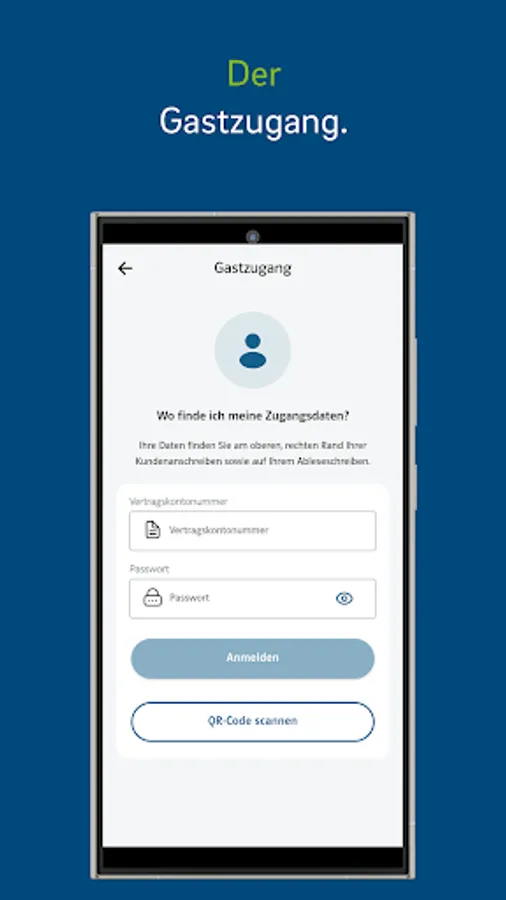
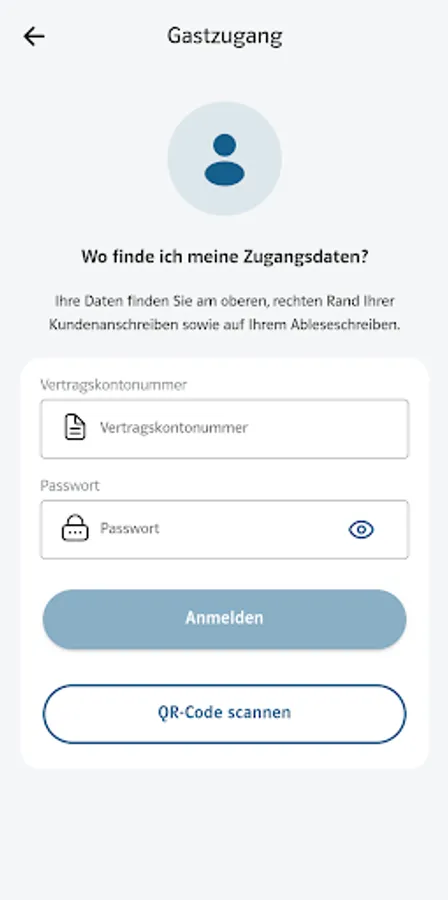
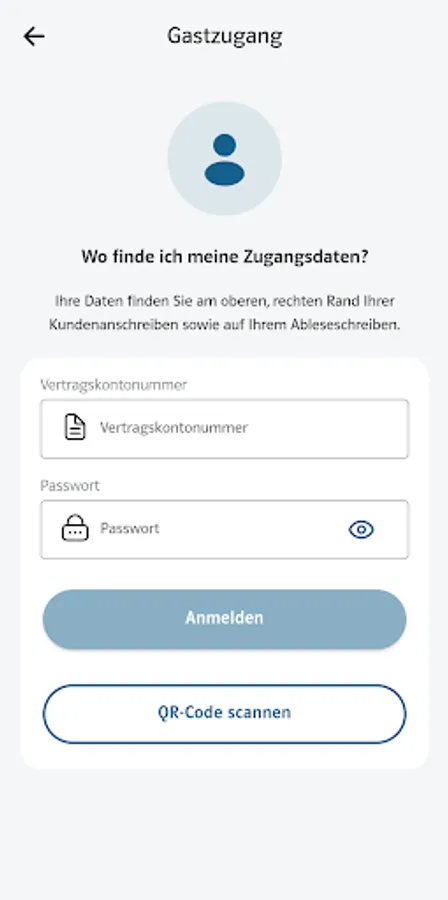
Not a registered customer yet? No problem, use the guest access in our app.
The app's features and benefits:
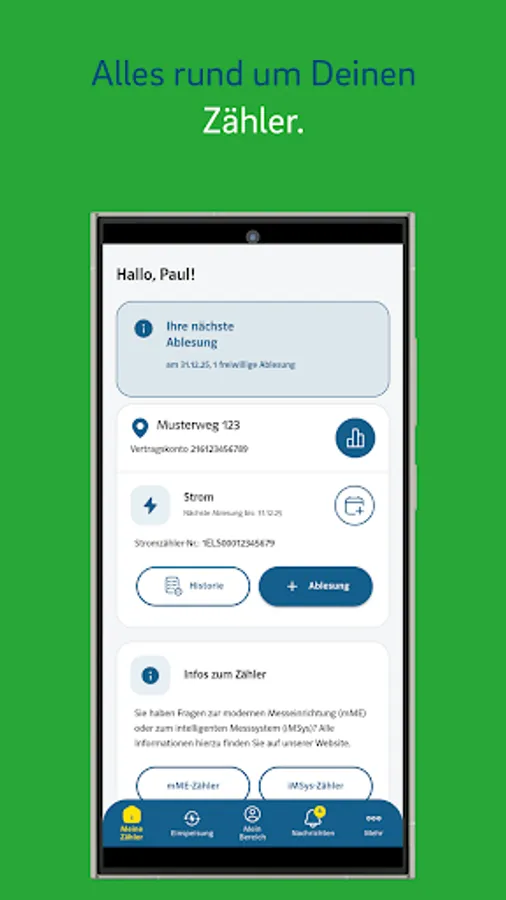
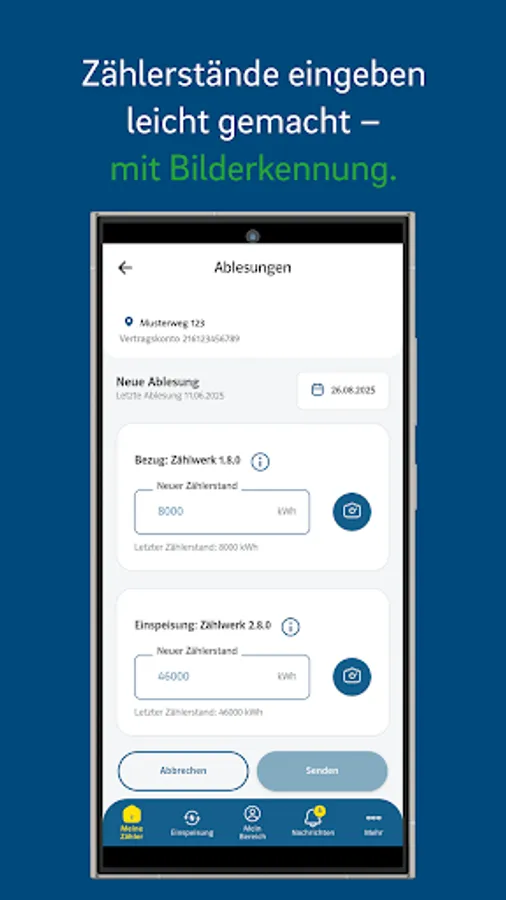
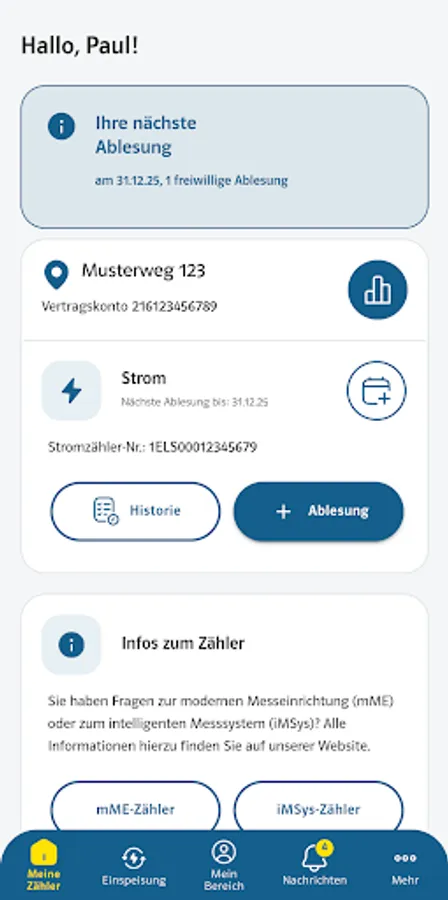
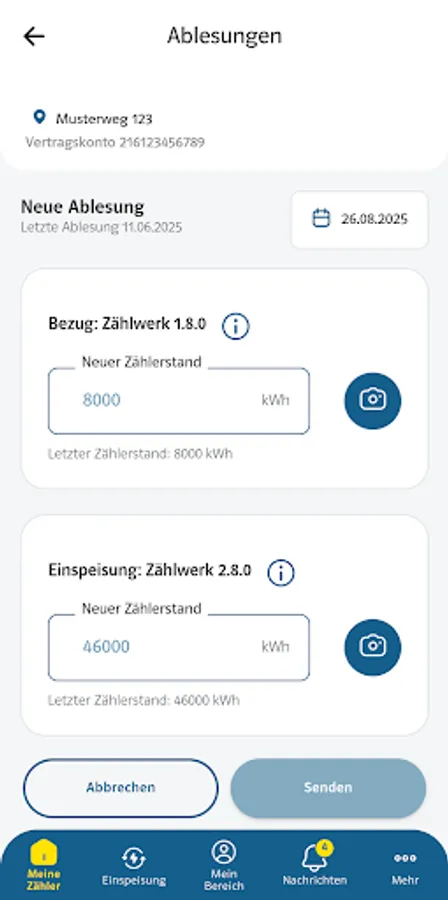
1) Meter reading
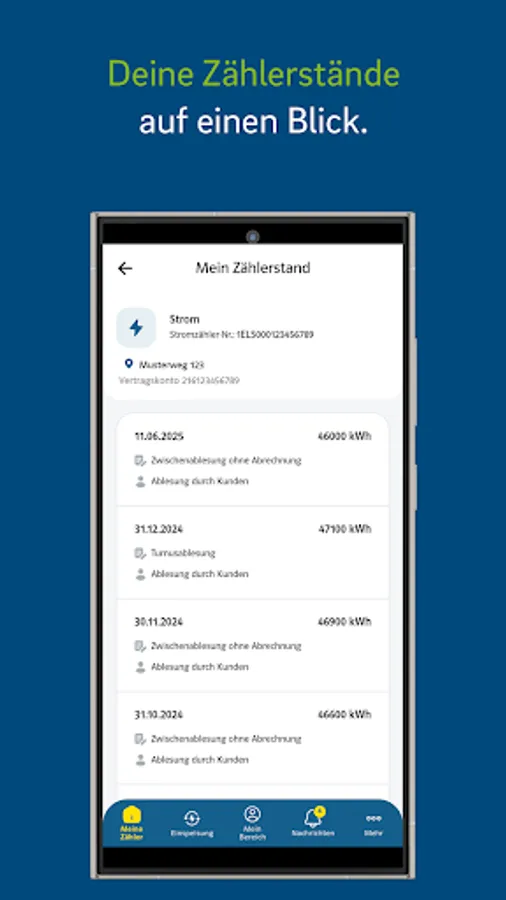
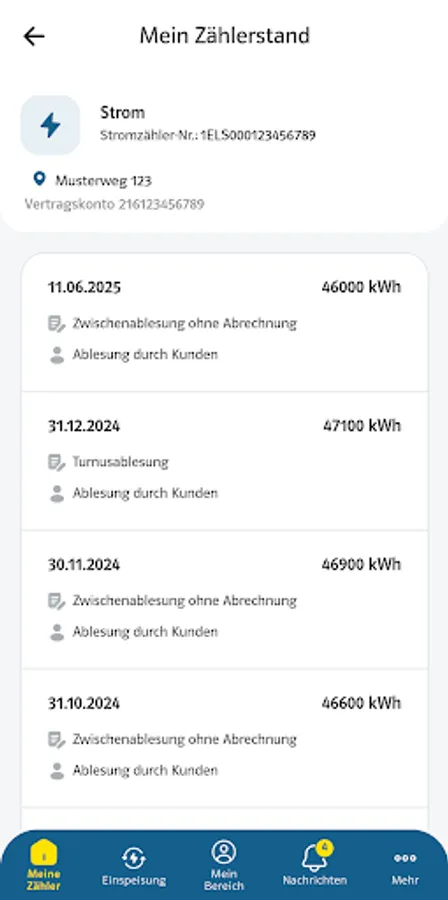
2) My meter readings
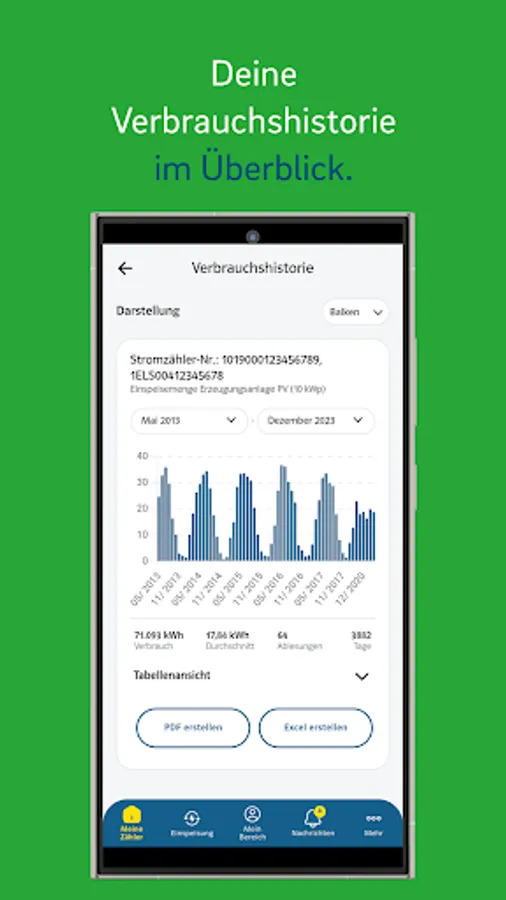
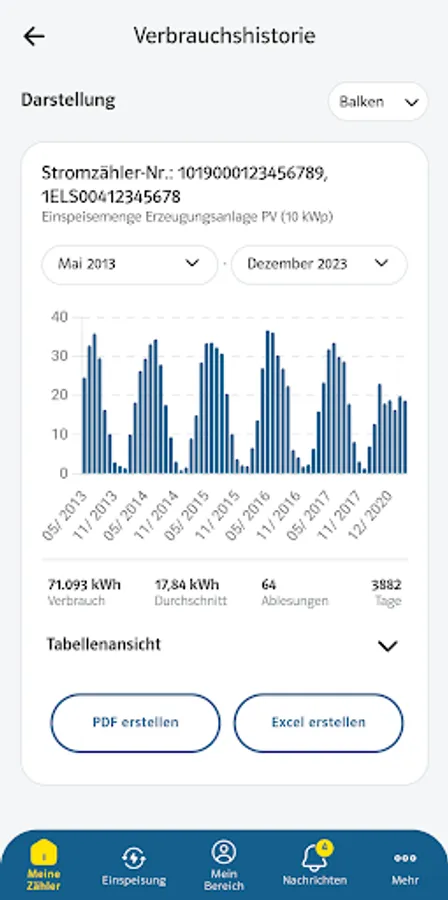
3) Consumption history
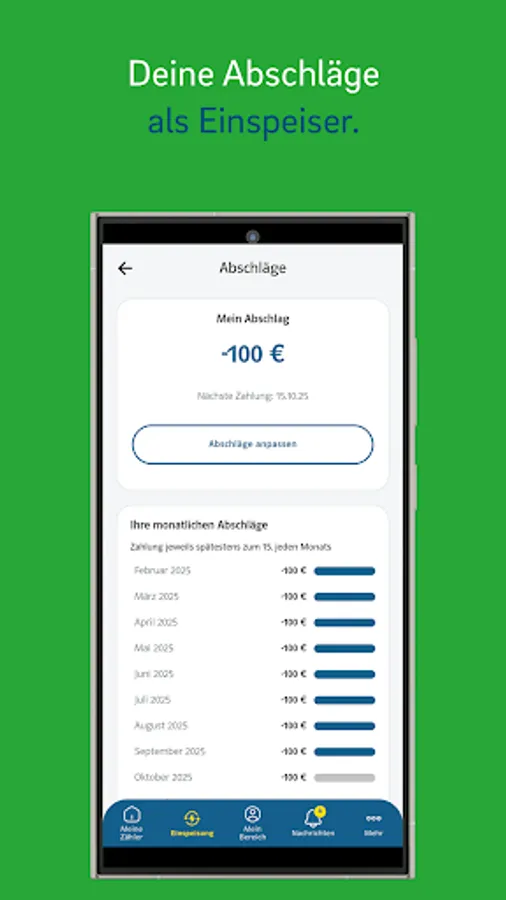
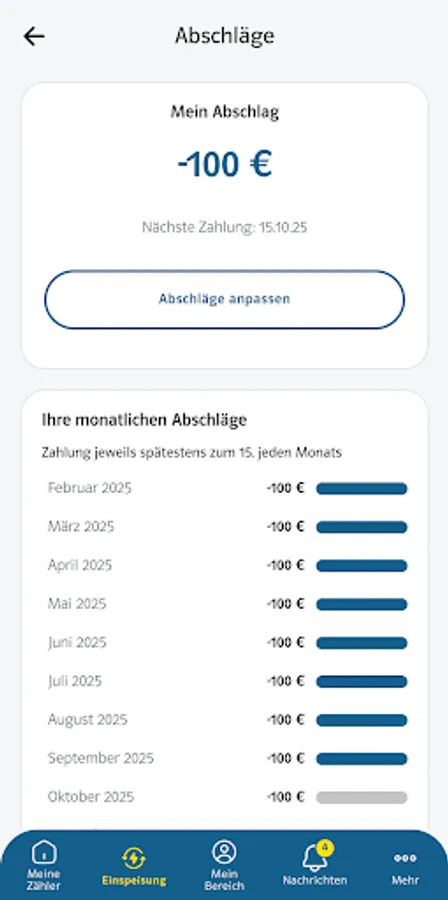
4) Feed-in
5) My area
6) Messages
7) More (fault information, help and contact, etc.)
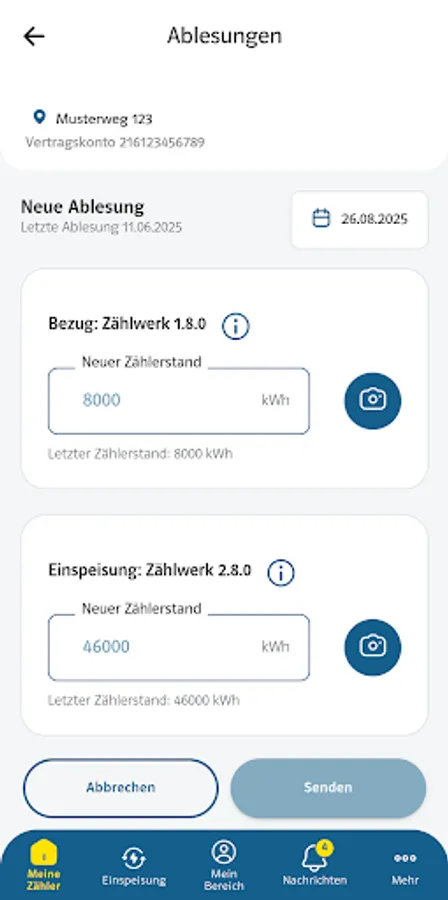
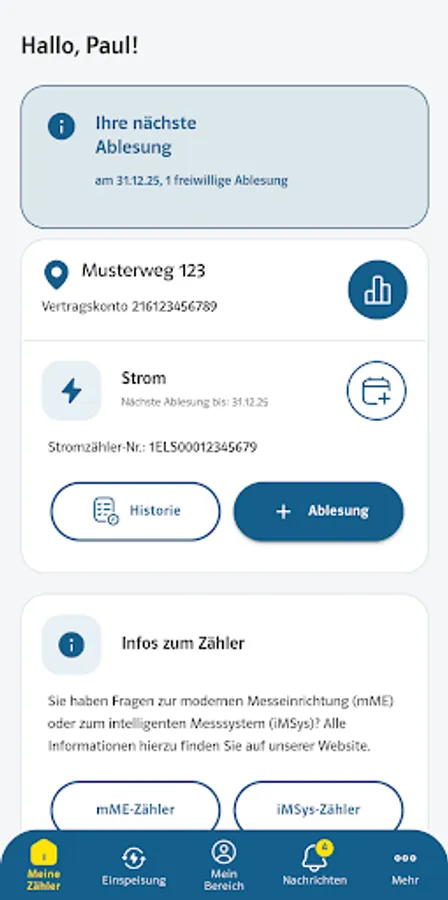
1) Meter reading
With the app, you can submit the required meter reading manually or via OCR recognition.
What is OCR?
OCR stands for "Optical Character Recognition." This means that the E.DIS Netz app uses OCR software and your phone's camera to read the meter reading in numeric format. All you need to do is hold your camera up to your meter, and your meter reading will be detected within a few seconds (no need to take a photo).
You can then submit the recorded meter reading and receive a confirmation email within a few minutes.
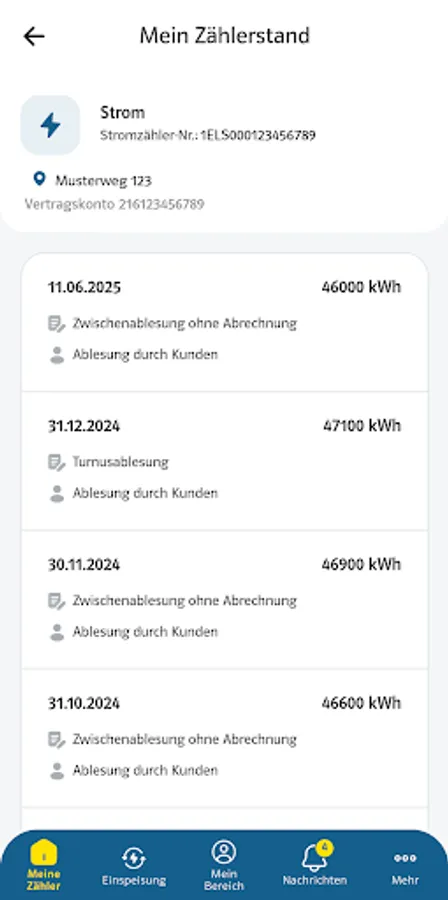
2) My Meter Readings
Here you can view all meter readings we have recorded in the billing system.
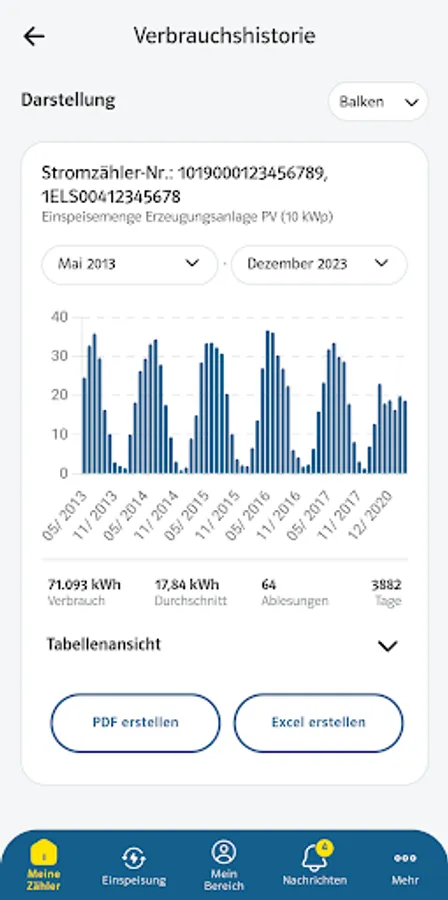
3) Consumption History
In your consumption history, you will find all your consumption, except for voluntary readings (interim readings), listed graphically and in tables.
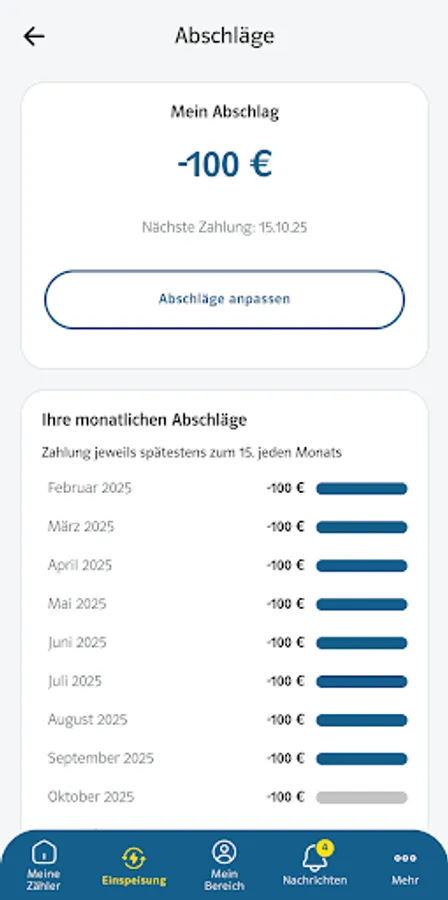
4) Feed-in
Here you will find information and all relevant data about your feed-in system, you can adjust your advance payment, and view and download your bills.
5) My Area
Here you can view your personal data.
6) Messages
You have opted for online communication! All messages are located under "Your Inbox." If you need assistance, you can also contact "Support."
7) More (fault information, help and contact, etc.)
All additional functions at a glance.
- Fault information
- Help and contact
- Energy saving tips
- Useful information
- Installer search
Usage:
You can use our E.DIS Netz app in just three steps:
Step 1 = Download the app
Download the app here from the Google Play Store.
Step 2 = Register in the app
Under the "Register" link, you can create a new customer account, which you can use for our customer portal and the E.DIS Netz app. You will need your contract account and business partner number for this. If you already have a customer portal account, you can proceed directly to step 3.
Step 3 = Login to the app
Log in to the app with your login details and get started. Already registered customer portal users can log in to our app with the same login details.
Feedback:
We're committed to continuously improving our service and providing you with new innovations. Therefore, we welcome your feedback on using the app at NetzkundenApp@eon.com.
We appreciate a positive review here in the Google Play Store.
Service provider:
E.DIS Netz GmbH
Note: Customer portal users can log in to the app using the same login details (email address and password).
Not a registered customer yet? No problem, use the guest access in our app.
The app's features and benefits:
1) Meter reading
2) My meter readings
3) Consumption history
4) Feed-in
5) My area
6) Messages
7) More (fault information, help and contact, etc.)
1) Meter reading
With the app, you can submit the required meter reading manually or via OCR recognition.
What is OCR?
OCR stands for "Optical Character Recognition." This means that the E.DIS Netz app uses OCR software and your phone's camera to read the meter reading in numeric format. All you need to do is hold your camera up to your meter, and your meter reading will be detected within a few seconds (no need to take a photo).
You can then submit the recorded meter reading and receive a confirmation email within a few minutes.
2) My Meter Readings
Here you can view all meter readings we have recorded in the billing system.
3) Consumption History
In your consumption history, you will find all your consumption, except for voluntary readings (interim readings), listed graphically and in tables.
4) Feed-in
Here you will find information and all relevant data about your feed-in system, you can adjust your advance payment, and view and download your bills.
5) My Area
Here you can view your personal data.
6) Messages
You have opted for online communication! All messages are located under "Your Inbox." If you need assistance, you can also contact "Support."
7) More (fault information, help and contact, etc.)
All additional functions at a glance.
- Fault information
- Help and contact
- Energy saving tips
- Useful information
- Installer search
Usage:
You can use our E.DIS Netz app in just three steps:
Step 1 = Download the app
Download the app here from the Google Play Store.
Step 2 = Register in the app
Under the "Register" link, you can create a new customer account, which you can use for our customer portal and the E.DIS Netz app. You will need your contract account and business partner number for this. If you already have a customer portal account, you can proceed directly to step 3.
Step 3 = Login to the app
Log in to the app with your login details and get started. Already registered customer portal users can log in to our app with the same login details.
Feedback:
We're committed to continuously improving our service and providing you with new innovations. Therefore, we welcome your feedback on using the app at NetzkundenApp@eon.com.
We appreciate a positive review here in the Google Play Store.
Service provider:
E.DIS Netz GmbH
E.DIS Netz Screenshots
Tap to Rate:
Reviews for E.DIS Netz
Ashley
3/27/2022
Makes everything very simple and time saving
Athanasios Tsitsakos
10/2/2021
My credentials are wrong. I can access my account from website but using the same credentials in the app are wrong.