FirstBank Ghana Mobile
FirstBank Nigeria
2.7 ★
store rating
50,000+
downloads
Free
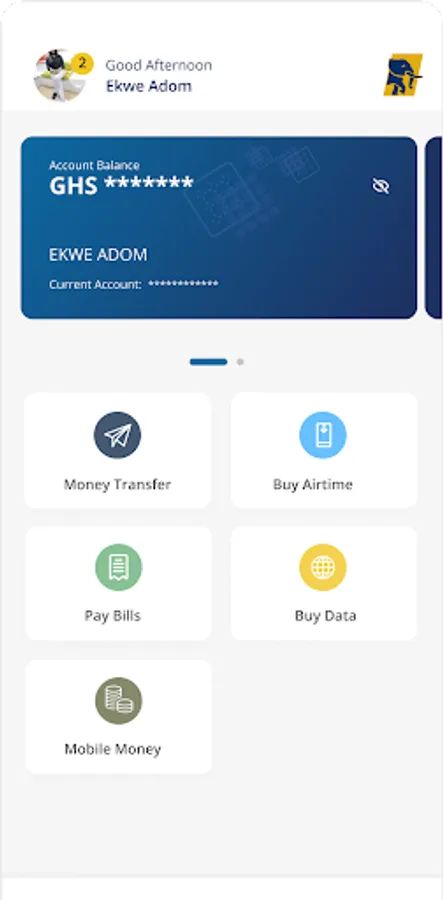
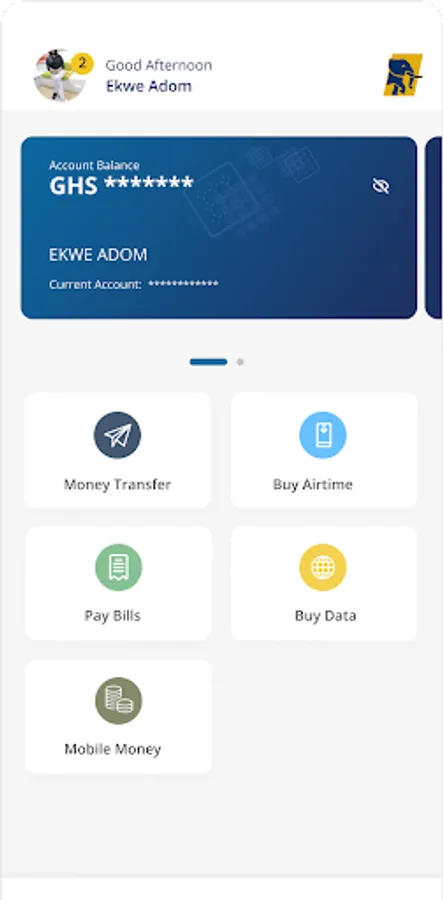
In this banking app, you can create and manage your account, view balances, and perform transactions. Includes account creation, balance viewing, transfer initiation, and transaction history tracking.
AppRecs review analysis
AppRecs rating 2.2. Trustworthiness 0 out of 100. Review manipulation risk 0 out of 100. Based on a review sample analyzed.
★★☆☆☆
2.2
AppRecs Rating
Ratings breakdown
5 star
17%
4 star
17%
3 star
17%
2 star
17%
1 star
33%
What to know
⚠
Mixed user feedback
Average 2.7★ rating suggests room for improvement
⚠
Review quality concerns
78% of sampled 5-star reviews are very short
⚠
High negative review ratio
50% of sampled ratings are 1–2 stars
About FirstBank Ghana Mobile
The FirstBank Ghana Mobile app is finally here!
FirstBank Ghana Mobile is the official mobile banking application for FirstBank Ghana. It provides convenient access by putting your bank in your pocket. You do not have to be a customer of FirstBank Bank to have access to the app as long as you have an internet ready device and a mobile number, you are good to go.
A unique feature of the app is that it gives you access to your account.
Creating an account is very seamless and a DIY enrolment process provides you with 24/7 access to financial services.
The App allows you perform transactions and manage your bank account(s). It is secure and simple to use.
The FirstBank Ghana Mobile App allows you to:
• Create an account all by yourself without visiting the bank
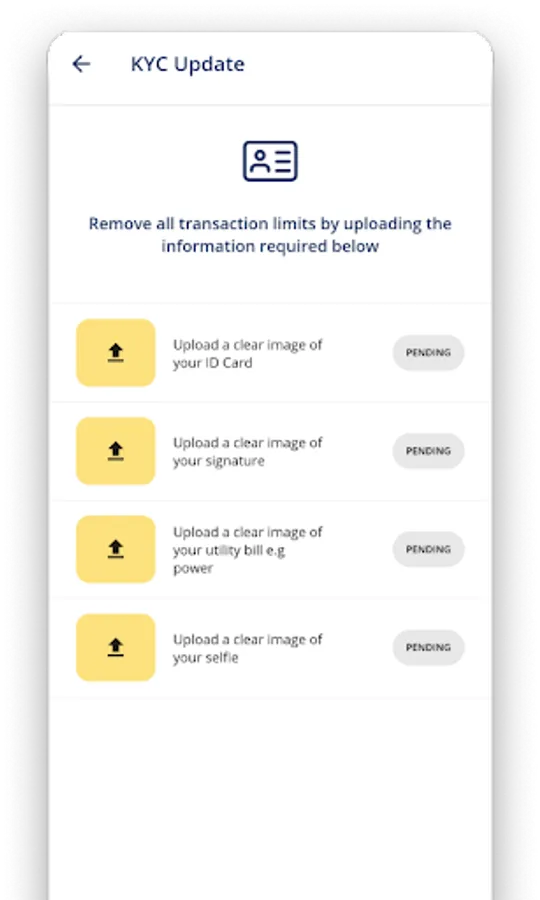
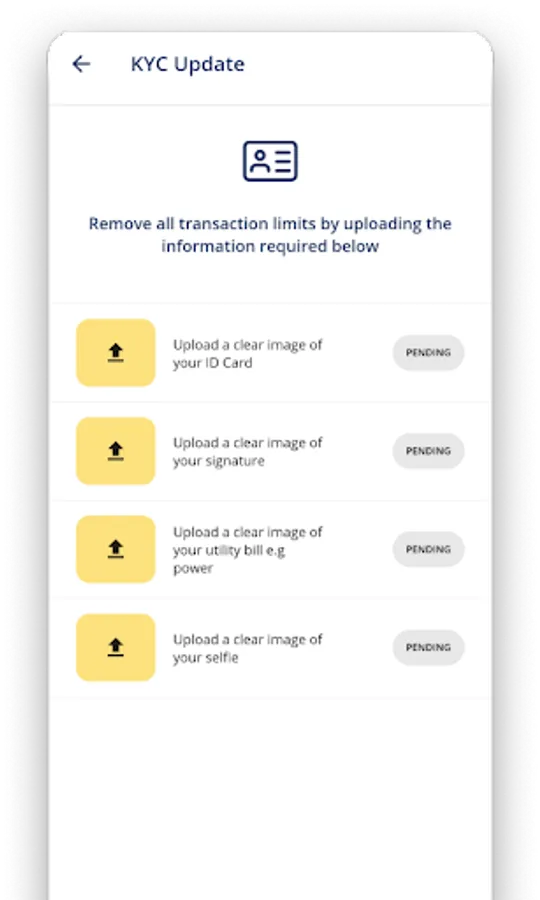
• Take a selfie and upload an identity card
• View the balances on your bank account(s)
• Manage your account and preview your transaction history.
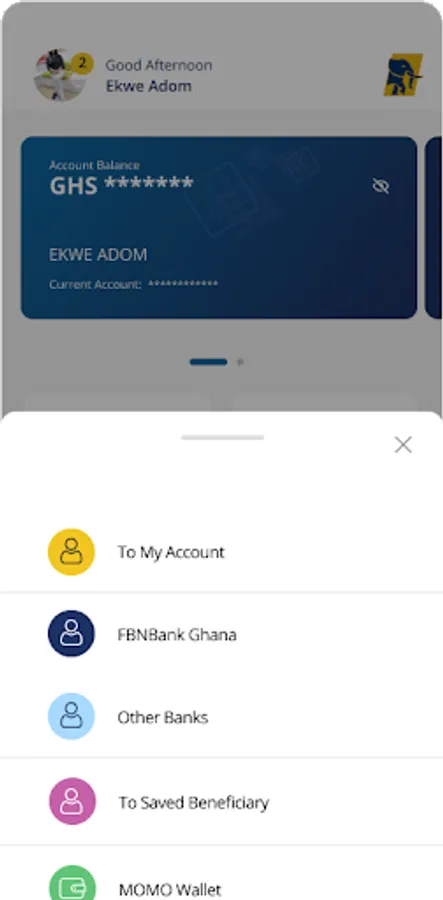
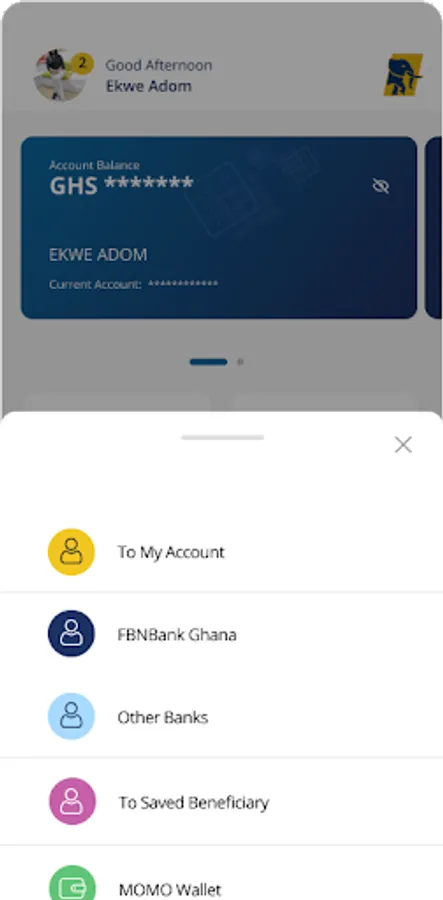
• Initiate transfers to own account(s), FirstBank accounts and other bank accounts.
• Verify your transaction securely by using a self-selected PIN
To get started:
• Visit your App store (Google play store or IOS App store), search for FirstBank Ghana Mobile, and click the install button.
• Launch the App, select the language of choice and click on open Account
• Accept the terms and conditions then input your title, gender, phone number, email, first name, last name and date of birth.
• To validate your identity, you will be prompted to provide your nationality, means of ID and ID card number.
• You will be required to take a selfie. Enter new password and confirm, set a 4 digit PIN and confirm, provide 2 security questions and answers and then a 5 digit to token is sent to verify your mobile number.
• Enter this code in the app and your account number will be successfully created. Your Account is created and you can fund and start transacting
• You can now login with your account number and enable your finger print as a login authenticator.
Get onboard the FirstBank Ghana Mobile and experience convenience at your fingertips.
FirstBank Ghana Mobile is the official mobile banking application for FirstBank Ghana. It provides convenient access by putting your bank in your pocket. You do not have to be a customer of FirstBank Bank to have access to the app as long as you have an internet ready device and a mobile number, you are good to go.
A unique feature of the app is that it gives you access to your account.
Creating an account is very seamless and a DIY enrolment process provides you with 24/7 access to financial services.
The App allows you perform transactions and manage your bank account(s). It is secure and simple to use.
The FirstBank Ghana Mobile App allows you to:
• Create an account all by yourself without visiting the bank
• Take a selfie and upload an identity card
• View the balances on your bank account(s)
• Manage your account and preview your transaction history.
• Initiate transfers to own account(s), FirstBank accounts and other bank accounts.
• Verify your transaction securely by using a self-selected PIN
To get started:
• Visit your App store (Google play store or IOS App store), search for FirstBank Ghana Mobile, and click the install button.
• Launch the App, select the language of choice and click on open Account
• Accept the terms and conditions then input your title, gender, phone number, email, first name, last name and date of birth.
• To validate your identity, you will be prompted to provide your nationality, means of ID and ID card number.
• You will be required to take a selfie. Enter new password and confirm, set a 4 digit PIN and confirm, provide 2 security questions and answers and then a 5 digit to token is sent to verify your mobile number.
• Enter this code in the app and your account number will be successfully created. Your Account is created and you can fund and start transacting
• You can now login with your account number and enable your finger print as a login authenticator.
Get onboard the FirstBank Ghana Mobile and experience convenience at your fingertips.