
FLIR Tools
FLIR Systems Aktiebolag
2.0 ★
345 ratings
100,000+
downloads
Free
With this app, users can view live thermal imaging streams and capture snapshots from FLIR cameras remotely. Includes image management, measurement tools, and report generation features.
AppRecs review analysis
AppRecs rating 1.9. Trustworthiness 79 out of 100. Review manipulation risk 18 out of 100. Based on a review sample analyzed.
★☆☆☆☆
1.9
AppRecs Rating
Ratings breakdown
5 star
18%
4 star
4%
3 star
3%
2 star
7%
1 star
68%
What to know
✓
Low review manipulation risk
18% review manipulation risk
⚠
Mixed user feedback
Average 2.0★ rating suggests room for improvement
⚠
High negative review ratio
75% of sampled ratings are 1–2 stars
About FLIR Tools
We’re back!
It’s been a while and we’ve been busy completely redesigning the Tools Mobile app with a new more modern look and feel, making it even easier to use. We didn’t stop there; the app is now compatible with a broader range of popular FLIR cameras.
FLIR Tools Mobile is an intuitive app for FLIR cameras, and professional thermographers can use an Android device to see live streaming video and capture snapshots from supported FLIR cameras.
With FLIR Tools Mobile the camera can be stationed in one area and operated wireless from another – highly useful for IR inspections of energized equipment or performing IR surveys in hard-to-reach locations and harsh working environments. Streaming video and remote access also gives decision makers and others on your team a valuable opportunity to observe and collaborate in the thermal imaging process.
Using FLIR Tools Mobile, you can do one or more of the following:
- Copy, move, delete and rename image files and folders.
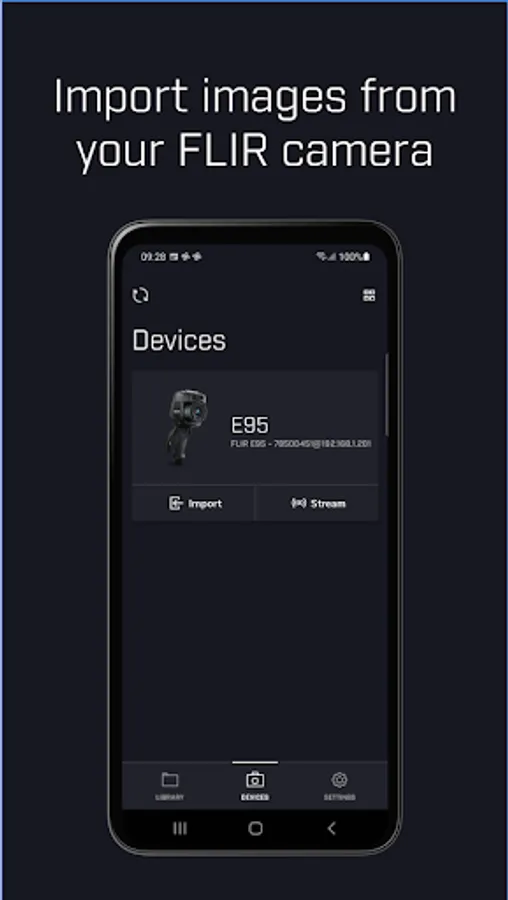
- Import images from your infrared camera.
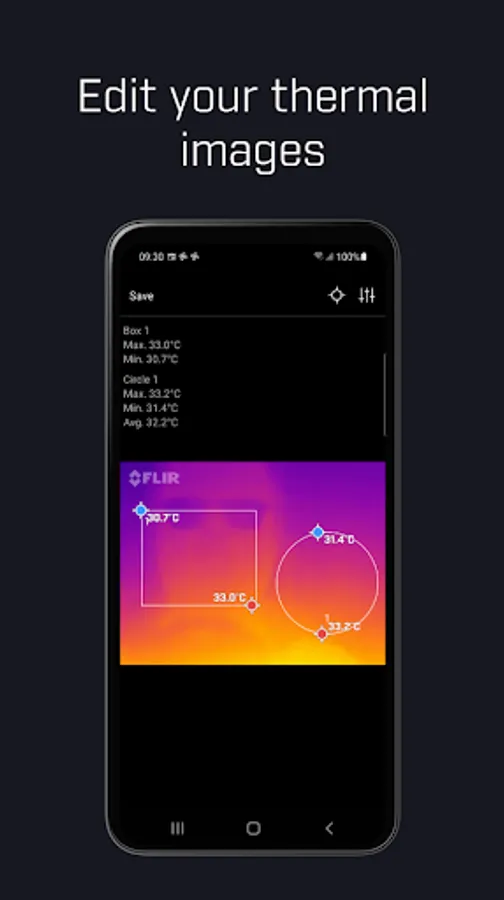
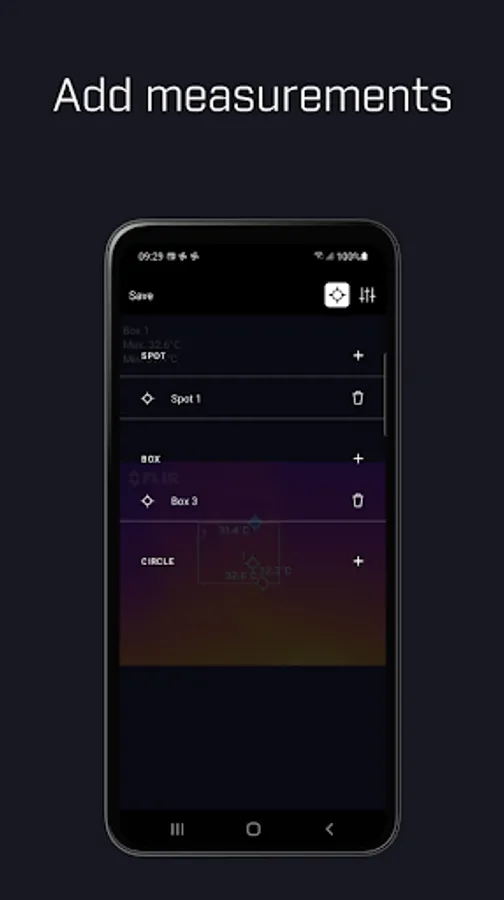
- Add, move and resize measurement tools on the image.
- Read out temperature measurements parameters.
- Remotely take snapshots while streaming from camera.
- Display an image’s GPS location on maps.
- Display image information, such as object parameters, text comments, file information, etc.
- Edit Notes for the IR images.
- Display and change level span.
- Change palette/color and image mode of the IR image.
- Change general settings (such as the temperature unit) in the app.
- Use Android share to send images to other applications.
- Generate a Quick Report PDF file based on the selected images.
- Send .jpg and .jpeg files from local storage to the app's Library.
- More functions will be added soon.
It’s been a while and we’ve been busy completely redesigning the Tools Mobile app with a new more modern look and feel, making it even easier to use. We didn’t stop there; the app is now compatible with a broader range of popular FLIR cameras.
FLIR Tools Mobile is an intuitive app for FLIR cameras, and professional thermographers can use an Android device to see live streaming video and capture snapshots from supported FLIR cameras.
With FLIR Tools Mobile the camera can be stationed in one area and operated wireless from another – highly useful for IR inspections of energized equipment or performing IR surveys in hard-to-reach locations and harsh working environments. Streaming video and remote access also gives decision makers and others on your team a valuable opportunity to observe and collaborate in the thermal imaging process.
Using FLIR Tools Mobile, you can do one or more of the following:
- Copy, move, delete and rename image files and folders.
- Import images from your infrared camera.
- Add, move and resize measurement tools on the image.
- Read out temperature measurements parameters.
- Remotely take snapshots while streaming from camera.
- Display an image’s GPS location on maps.
- Display image information, such as object parameters, text comments, file information, etc.
- Edit Notes for the IR images.
- Display and change level span.
- Change palette/color and image mode of the IR image.
- Change general settings (such as the temperature unit) in the app.
- Use Android share to send images to other applications.
- Generate a Quick Report PDF file based on the selected images.
- Send .jpg and .jpeg files from local storage to the app's Library.
- More functions will be added soon.
FLIR Tools Screenshots

Tap to Rate:
Reviews for FLIR Tools
Michael Irvin
12/25/2025
app is garbage. doesn't work.
Logan Whitsitt
12/4/2025
can't upload or connect - need help