
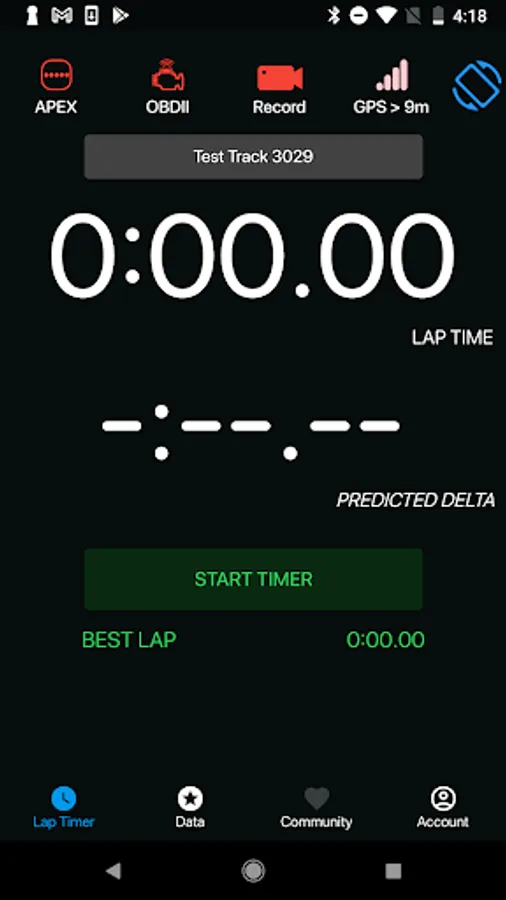
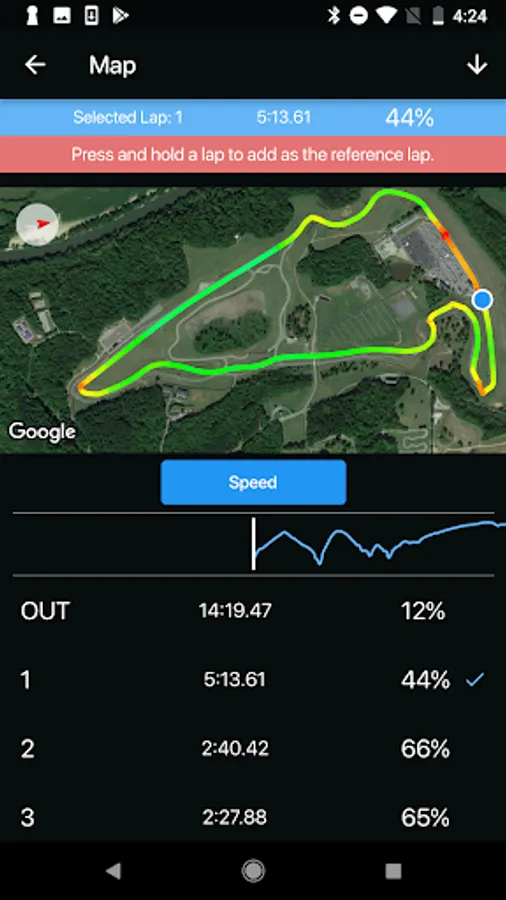
In this app, users can view real-time vehicle data and analyze driving sessions using GPS and sensor information. Includes lap timing, track overlays, and post-session analysis tools.
AppRecs review analysis
AppRecs rating 3.6. Trustworthiness 85 out of 100. Review manipulation risk 22 out of 100. Based on a review sample analyzed.
★★★☆☆
3.6
AppRecs Rating
Ratings breakdown
5 star
62%
4 star
0%
3 star
8%
2 star
0%
1 star
31%
What to know
✓
Low review manipulation risk
22% review manipulation risk
✓
Credible reviews
85% trustworthiness score from analyzed reviews
✓
Good user ratings
62% positive sampled reviews
About APEX Pro
The APEX Pro Hardware uses a 9 Axis IMU, a 10HZ GPS and machine learning to model the track and your vehicle's capabilities. APEX provides real-time feedback via LED's while in car and extensive information on the app post driving session.
Who is APEX Pro for? APEX helps drivers learn to drive the car at the limit of the tire's grip. Whether you are a racer, track day driver, or autocrosser, that is a valuable skill to have. It is a Grip Gauge that shows you where extra grip is being left on the table. APEX Pro customers participate in all types of four wheeled motorsports: Road Racing, Autocross, Rally, Track Days/ HPDE, Time Attack.
What does APEX offer with the APEX Pro Hardware? 10 x GPS accuracy and frequency of the smartphone GPS, APEX’s proprietary machine learning model (APEX Score) for real-time, in-car analysis, MPH/KPH selection, Extensive post-session analysis, Overlay APEX Score, Speed, Lat G, Long G, OBDII channels (with OBDII hardware), Yaw Rate on GPS image, histogram plots, X,Y chart, and Scatterplot, Lap Replay, Interactive Speedometer, Light Bar replay, AirDrop Data sharing, Overlay laps from different days or sessions at the same track. Gain/ Loss Time overlay on GPS Satellite image.
What does the App offer with APEX Pro OBDII?
For everyday use: Gage cluster for live engine data. Check engine light (MIL) diagnostic codes. Zero-to-sixty MPH timer.
For racing: High quality GPS Lap Timing with Phone GPS, GPS Satellite image overlay with heat maps showing Speed and Long. G, Speed trace and histogram plots for further analysis, OBDII data channels recorded, Lap replay function with interactive speedometer, AirDrop data sharing for data overlay with other drivers on the same track, Auto track selection at hundreds of official tracks around the world. Toggle “Enable Phone GPS Logging” to use the app with no APEX Pro Hardware.
Please visit www.apextrackcoach.com for detailed information, FAQ’s / documentation, videos and more.
Follow @officialapexpro on Facebook and Instagram!
APEX Pro Screenshots
Tap to Rate:
Reviews for APEX Pro
Jason Siebels
5/3/2025
buttons should look like buttons that intuitively describe what they do...example changing from speed to corner gs...doesn't look like a button...to calibrate once connected...you have to select the Bluetooth button....why isn't that a configure or setting button? also...there is no import function that i can find to bring in sessions from other users to compare runs
Lou W.
2/6/2024
Lap timer works, but cannot get samsung s20+ to connect to apex obd2 unit... not sure how to contact developer for a fix.