In this system monitoring app, you can view detailed device metrics, processes, and resource usage. Includes live wallpapers displaying system health, CPU load, network activity, and file system information.
AppRecs review analysis
AppRecs rating 2.7. Trustworthiness 0 out of 100. Review manipulation risk 0 out of 100. Based on a review sample analyzed.
★★☆☆☆
2.7
AppRecs Rating
Ratings breakdown
5 star
33%
4 star
0%
3 star
0%
2 star
33%
1 star
33%
What to know
⚠
Mixed user feedback
Average 2.7★ rating suggests room for improvement
About Walltop
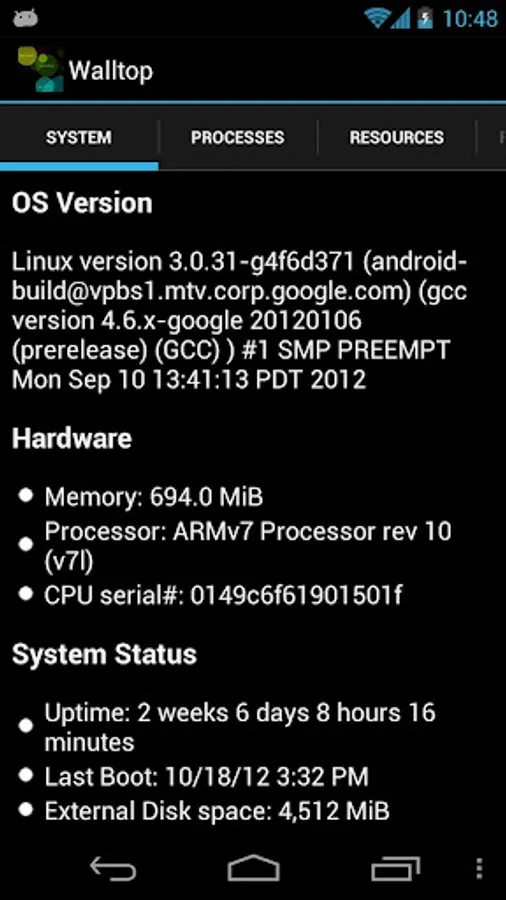
Explore your device. Walltop lets you view details about your device, like:
* Processor load (individual cores and aggregate)
* Total and used/free memory
* Processor type
* OS version
* Uptime
* Last boot
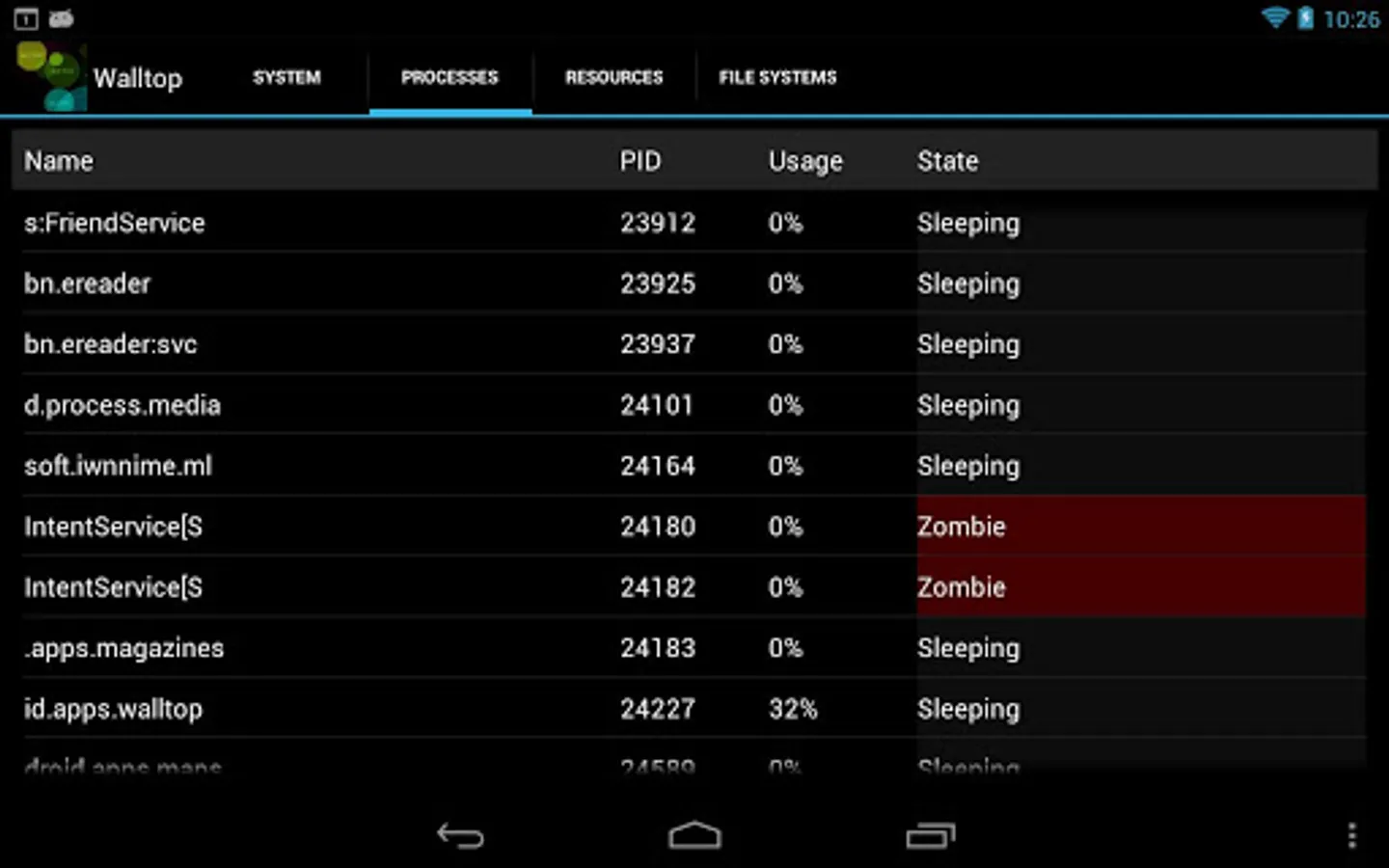
* Processes View shows a list of processes running on the device, including:
. Process Name
. PID
. Process CPU usage
. State (e.g. Running, Sleeping, Zombie)
* Click on a process and view details such as: Associated package names, importance, parent process ID, user ID, number of threads, allowed CPU cores, stack segment size, context switch count and so on.
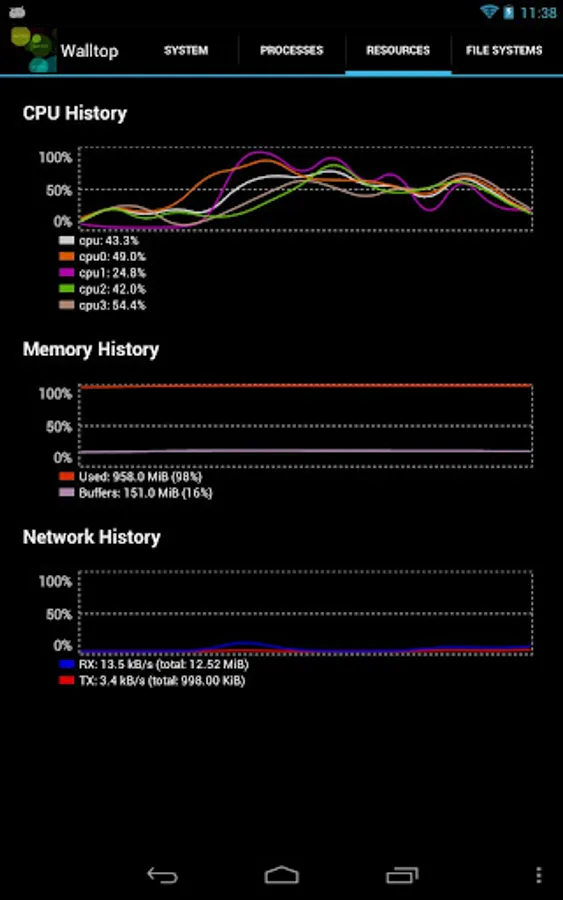
* Resources View displays historical graphs of CPU load (all cores, plus aggregate on multi-core devices), memory-use history (total memory usage, buffers), and Network history (upload/download totals and current upload/download speed).
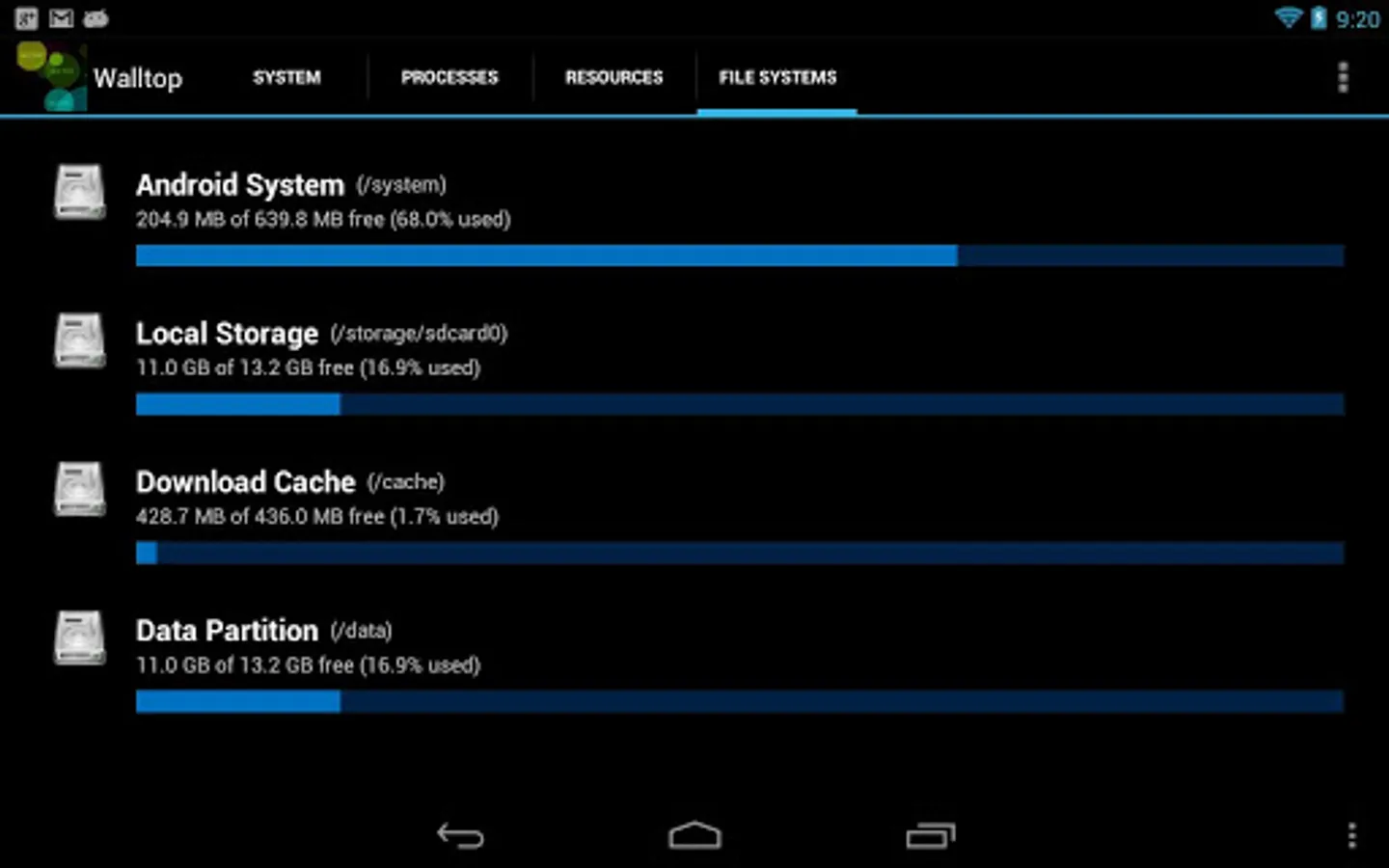
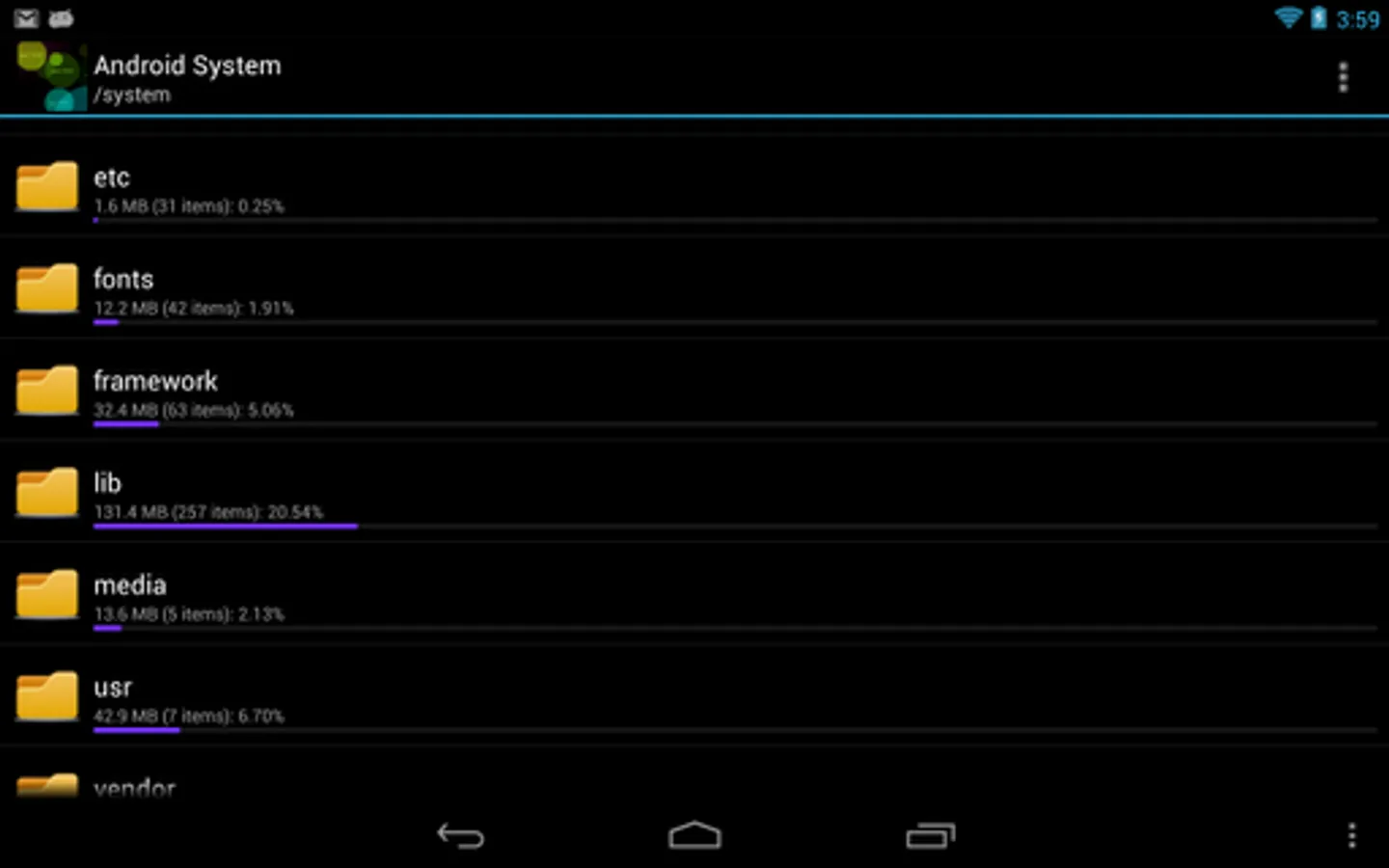
* File System View displays file system partitions, including free and used space for each. Click on a File System to see how much space each directory is using up. Drill down to file level and view files to see what's in them.
Yes, it's geeky. If that's your thing, give it a try. Let us know what you think.
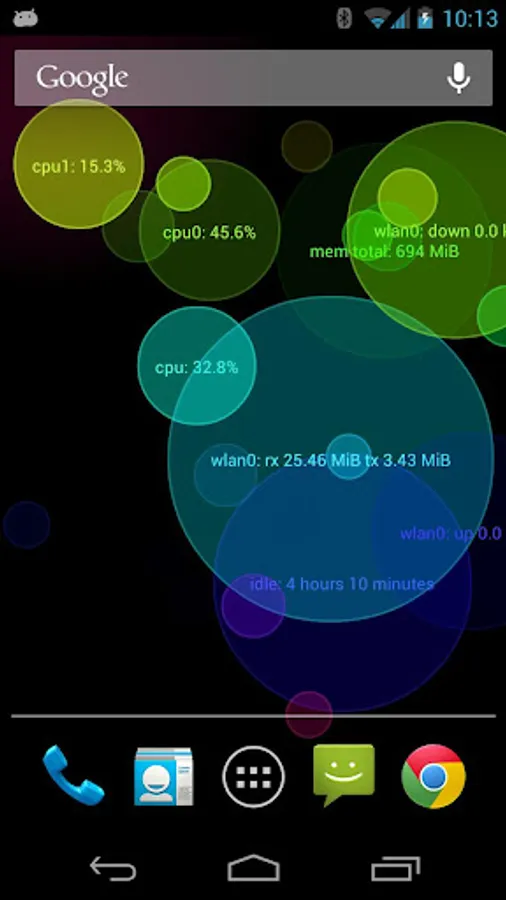
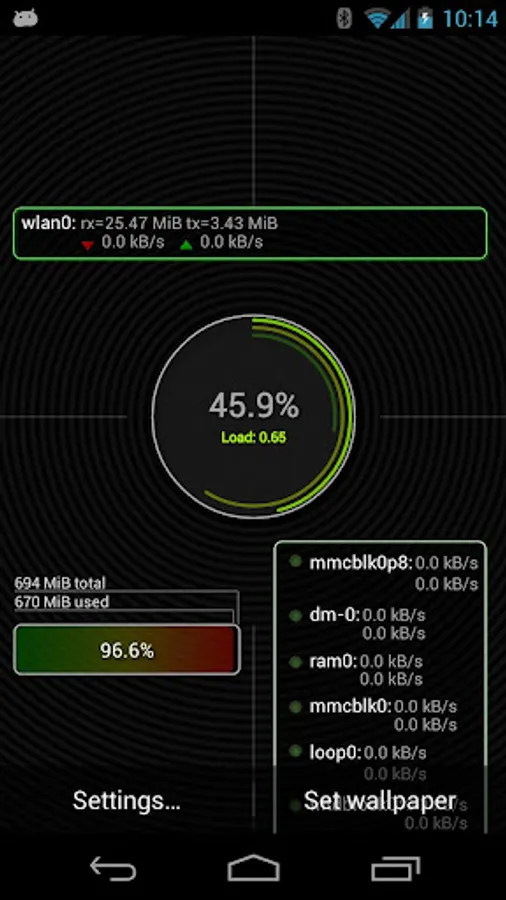
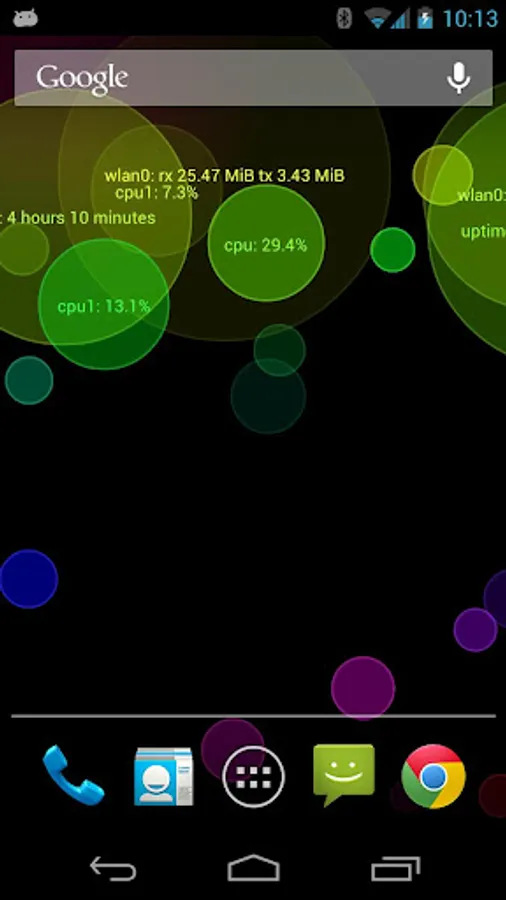
Walltop comes with two live wallpapers that let you see your device's health at a glance. High-level information about system load, network activity, file I/O, uptime and more are displayed in floating bokeh balls, or in basic control-panel style.
The Bokeh-style wallpaper also creates a reddish glow in the background that grows brighter the harder the CPU works.
FEATURES:
* Floating balls!
* Displays a lot of info, looks good doing it
* Hardware accelerated (on supporting devices): Almost no impact on battery life
* Shows load on whole CPU, individual cores
* Processor load (individual cores and aggregate)
* Total and used/free memory
* Processor type
* OS version
* Uptime
* Last boot
* Processes View shows a list of processes running on the device, including:
. Process Name
. PID
. Process CPU usage
. State (e.g. Running, Sleeping, Zombie)
* Click on a process and view details such as: Associated package names, importance, parent process ID, user ID, number of threads, allowed CPU cores, stack segment size, context switch count and so on.
* Resources View displays historical graphs of CPU load (all cores, plus aggregate on multi-core devices), memory-use history (total memory usage, buffers), and Network history (upload/download totals and current upload/download speed).
* File System View displays file system partitions, including free and used space for each. Click on a File System to see how much space each directory is using up. Drill down to file level and view files to see what's in them.
Yes, it's geeky. If that's your thing, give it a try. Let us know what you think.
Walltop comes with two live wallpapers that let you see your device's health at a glance. High-level information about system load, network activity, file I/O, uptime and more are displayed in floating bokeh balls, or in basic control-panel style.
The Bokeh-style wallpaper also creates a reddish glow in the background that grows brighter the harder the CPU works.
FEATURES:
* Floating balls!
* Displays a lot of info, looks good doing it
* Hardware accelerated (on supporting devices): Almost no impact on battery life
* Shows load on whole CPU, individual cores
Walltop Screenshots
Tap to Rate: