GalleryDroid: A File Manager m
EcuaMobi
4.4 ★
126 ratings
10,000+
downloads
Free
+ in-app
In this file manager app, you can organize and access various types of files including photos, videos, PDFs, and downloads. Includes customizable galleries, filtering options, and support for multiple file formats.
AppRecs review analysis
AppRecs rating 4.4. Trustworthiness 0 out of 100. Review manipulation risk 0 out of 100. Based on a review sample analyzed.
★★★★☆
4.4
AppRecs Rating
Ratings breakdown
5 star
64%
4 star
20%
3 star
8%
2 star
5%
1 star
2%
What to know
✓
High user satisfaction
85% of sampled ratings are 4+ stars (4.3★ average)
✓
Authentic reviews
Natural distribution, no red flags
About GalleryDroid: A File Manager m
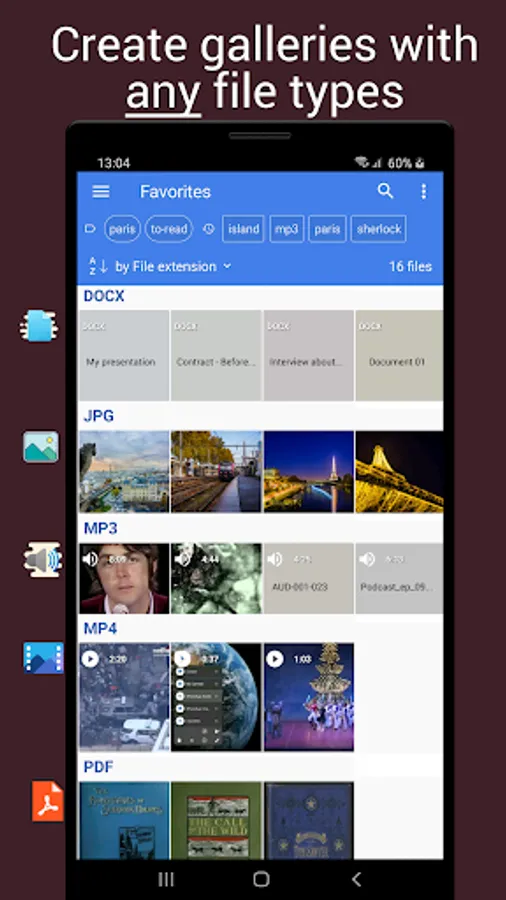
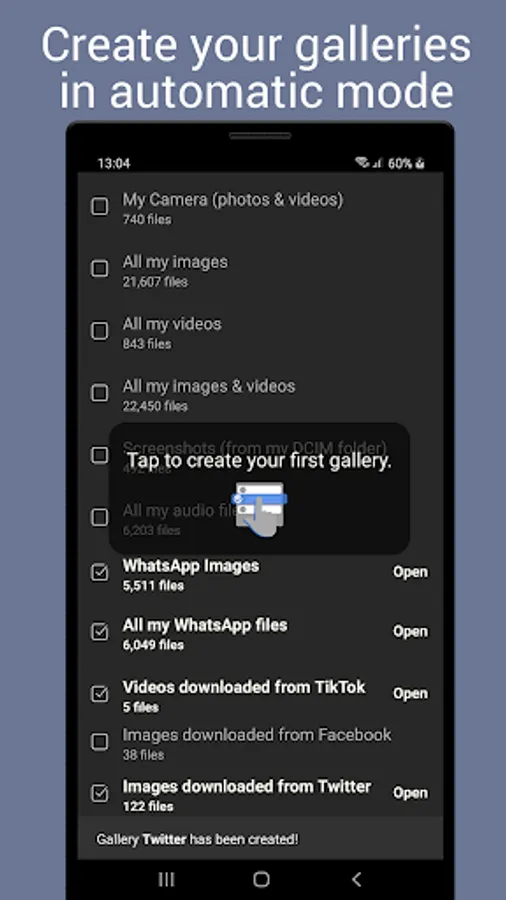
Get the functionality of a photo gallery. Include the files you want.
You set the rules, the app includes the files that match those rules, updating the list when required.
Common galleries can be created with a single tap:
• Photo and video gallery, including files taken with your device
• PDF gallery, including your PDF documents
• WhatsApp gallery: Images, videos or audio received via WhatsApp*
• Images or videos downloaded from Facebook*, Twitter*, TikTok* or Reddit*
(* GalleryDroid is not endorsed by or related in any way with these apps)
• GIF gallery, including images & animations
• Download folder
• Large files
• Files newer than one month
…and several others.
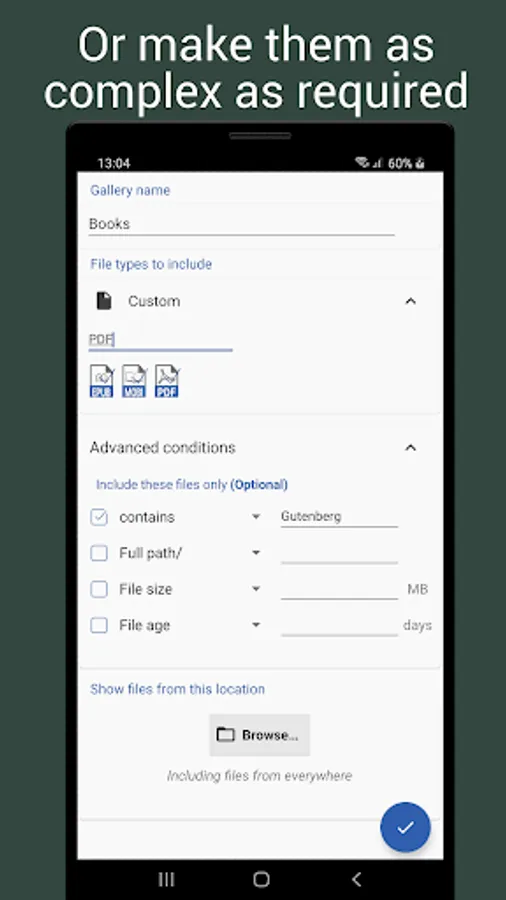
Switch to advanced mode and create a custom gallery including exactly the files you want. Example:
PDF or EPUB files smaller than 10MB, containing the word "classics", stored in /books/
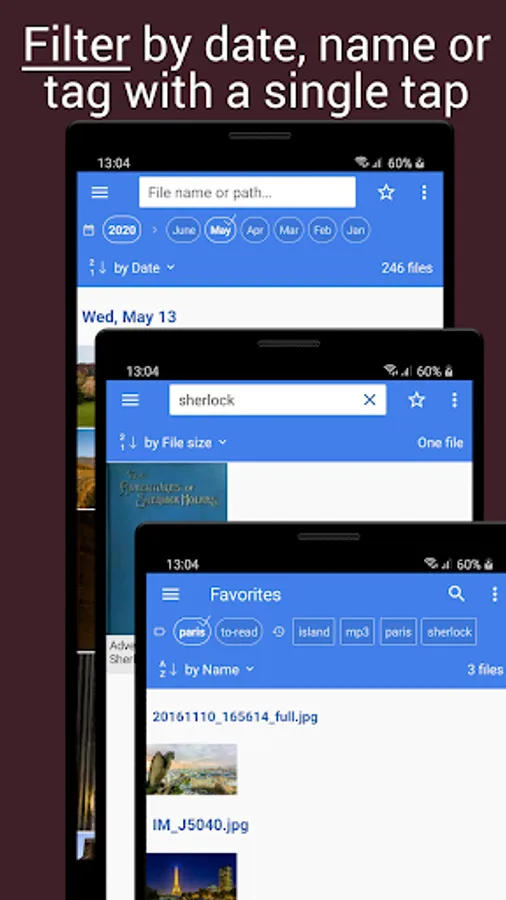
• Filter your files by favorite, name, path, tags or date
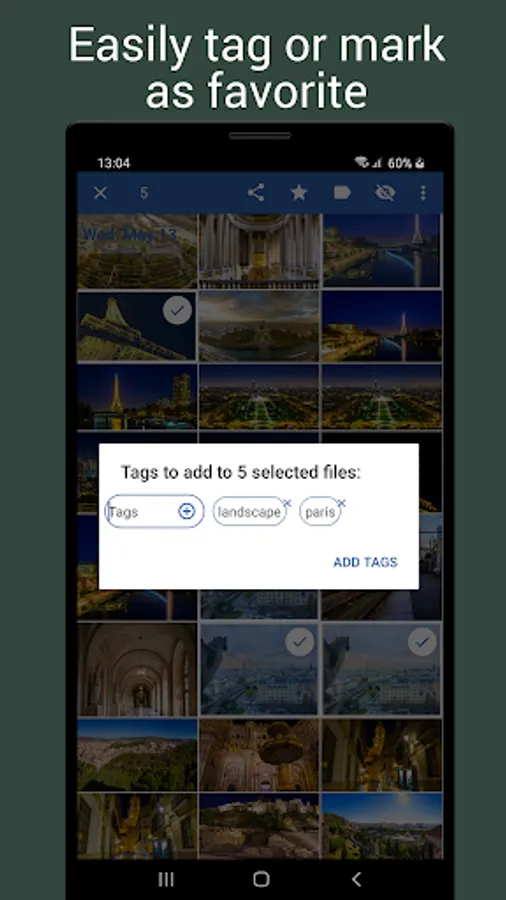
• Mark any file as favorite. Find them in the gallery 'Favorites'
• Ignore any file without deleting it. Restore it at any time
• Select multiple files to mark them as favorite, edit tags, ignore or delete forever
• Supports pinch-to-zoom to change the number of columns of your galleriesList layout shows more information about each file
• Customize how your galleries look: light and dark themes, regular and sticky headers, dynamic item sizes…
• Rename, edit or delete an existing gallery
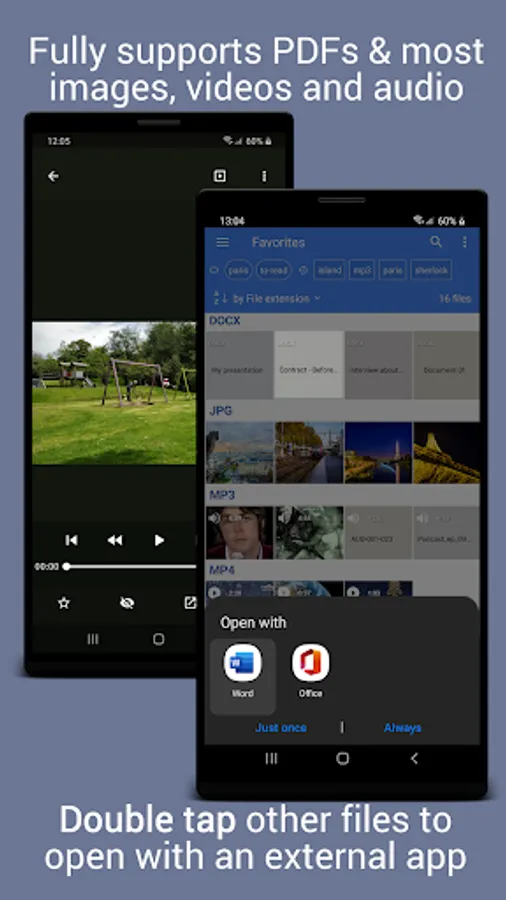
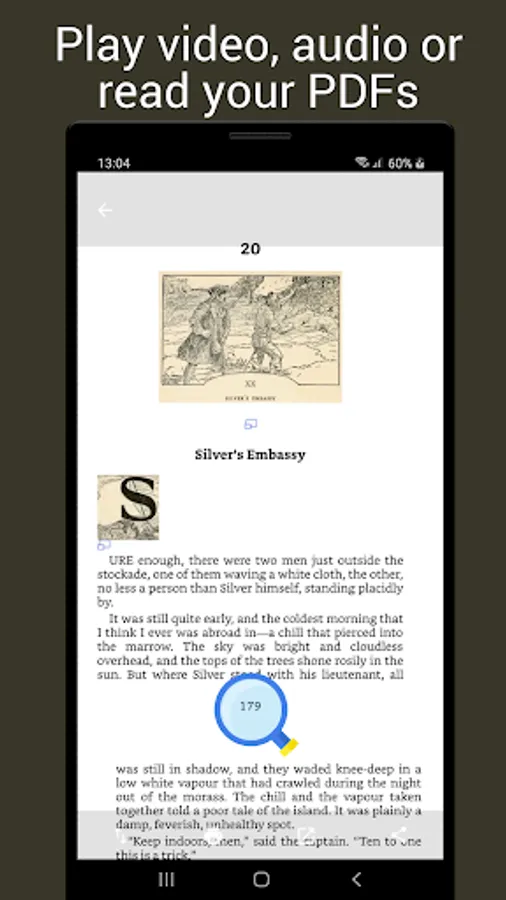
• Open images, zoom in/out, print, share, open with an external app, use your default editor to modify them
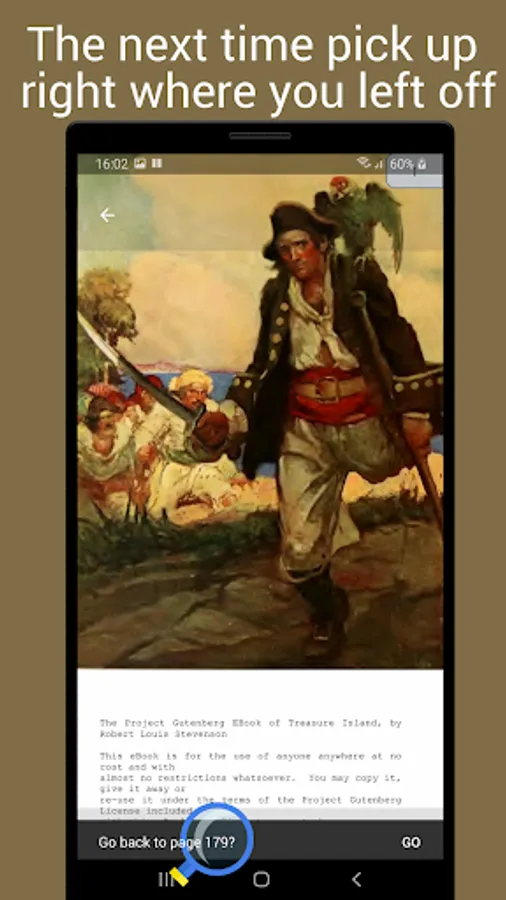
• Open videos and sounds. Pick up right where you left off
• Open PDF files. Go back to your latest read page
• Generates thumbnails for images, videos, PDF documents and compatible audio files. Tries to guess thumbnails of other formats, for example my book.jpg or /books/cover.jpg for the file /books/my book.epub
• GalleryDroid shows files of any type, including those it can't open. Double tap a file to open it with an external app
• Copy or move files to another folder
• Image editor: crop, rotate & scale; then apply filters, draw with a brush, and more
• New features are coming soon! Write to info@GalleryDroid.com to suggest your own
• It is ad-supported. Become a premium user with a one-time payment. Benefit from no ads forever and receive early or exclusive access to upcoming features.
• GalleryDroid uses these services for distribution, to show ads & to collect anonymous data in order to improve the app and make it more intuitive:
Google Play Services
AdMob
Google Analytics for Firebase
Firebase Crashlytics
• Please read and accept
https://GalleryDroid.com/privacy.html and https://GalleryDroid.com/terms.html
• File Searching by sumeshks: https://lottiefiles.com/sumeshks
• Select option by MR.GHOSTOOLS: https://lottiefiles.com/user/274176
• Choose photo by ram: https://lottiefiles.com/ram
• Chart by ward de muynck: https://lottiefiles.com/user/3900
• Audio wave micro interaction by Sharath SP: https://lottiefiles.com/user/83980
• Progress Circle by Jean Augusto Costa: https://lottiefiles.com/user/129995
• Other icons by Icons8: https://icons8.com/
• GalleryDroid's image editor uses the PhotoEditor library under MIT license (https://github.com/burhanrashid52/PhotoEditor) and uCrop (https://github.com/Yalantis/uCrop)
You set the rules, the app includes the files that match those rules, updating the list when required.
Common galleries can be created with a single tap:
• Photo and video gallery, including files taken with your device
• PDF gallery, including your PDF documents
• WhatsApp gallery: Images, videos or audio received via WhatsApp*
• Images or videos downloaded from Facebook*, Twitter*, TikTok* or Reddit*
(* GalleryDroid is not endorsed by or related in any way with these apps)
• GIF gallery, including images & animations
• Download folder
• Large files
• Files newer than one month
…and several others.
Switch to advanced mode and create a custom gallery including exactly the files you want. Example:
PDF or EPUB files smaller than 10MB, containing the word "classics", stored in /books/
Main features
• Create as many galleries as you need. If compatible, create shortcuts to access any of them with a single tap• Filter your files by favorite, name, path, tags or date
• Mark any file as favorite. Find them in the gallery 'Favorites'
• Ignore any file without deleting it. Restore it at any time
• Select multiple files to mark them as favorite, edit tags, ignore or delete forever
• Supports pinch-to-zoom to change the number of columns of your galleriesList layout shows more information about each file
• Customize how your galleries look: light and dark themes, regular and sticky headers, dynamic item sizes…
• Rename, edit or delete an existing gallery
• Open images, zoom in/out, print, share, open with an external app, use your default editor to modify them
• Open videos and sounds. Pick up right where you left off
• Open PDF files. Go back to your latest read page
• Generates thumbnails for images, videos, PDF documents and compatible audio files. Tries to guess thumbnails of other formats, for example my book.jpg or /books/cover.jpg for the file /books/my book.epub
• GalleryDroid shows files of any type, including those it can't open. Double tap a file to open it with an external app
• Copy or move files to another folder
• Image editor: crop, rotate & scale; then apply filters, draw with a brush, and more
• New features are coming soon! Write to info@GalleryDroid.com to suggest your own
Privacy
• GalleryDroid needs permission to read and filter your files. We will never collect them or their information. We are not in the data-collection business and never will be.• It is ad-supported. Become a premium user with a one-time payment. Benefit from no ads forever and receive early or exclusive access to upcoming features.
• GalleryDroid uses these services for distribution, to show ads & to collect anonymous data in order to improve the app and make it more intuitive:
Google Play Services
AdMob
Google Analytics for Firebase
Firebase Crashlytics
• Please read and accept
https://GalleryDroid.com/privacy.html and https://GalleryDroid.com/terms.html
Credits
• File format icons by Freepik: https://www.flaticon.com/authors/freepik• File Searching by sumeshks: https://lottiefiles.com/sumeshks
• Select option by MR.GHOSTOOLS: https://lottiefiles.com/user/274176
• Choose photo by ram: https://lottiefiles.com/ram
• Chart by ward de muynck: https://lottiefiles.com/user/3900
• Audio wave micro interaction by Sharath SP: https://lottiefiles.com/user/83980
• Progress Circle by Jean Augusto Costa: https://lottiefiles.com/user/129995
• Other icons by Icons8: https://icons8.com/
• GalleryDroid's image editor uses the PhotoEditor library under MIT license (https://github.com/burhanrashid52/PhotoEditor) and uCrop (https://github.com/Yalantis/uCrop)