Restaurant Order-Taking App
GlobalFood - an Oracle company
3.8 ★
store rating
100,000+
downloads
Free
AppRecs review analysis
AppRecs rating 3.3. Trustworthiness 85 out of 100. Review manipulation risk 19 out of 100. Based on a review sample analyzed.
★★★☆☆
3.3
AppRecs Rating
Ratings breakdown
5 star
60%
4 star
8%
3 star
6%
2 star
1%
1 star
26%
What to know
✓
Low review manipulation risk
19% review manipulation risk
✓
Credible reviews
85% trustworthiness score from analyzed reviews
⚠
Review quality concerns
44% of sampled 5-star reviews are very short
About Restaurant Order-Taking App
Take online orders from your website, Facebook page or branded app, directly on your smartphone or tablet. Each order placed is instantly pushed to your device, so you can easily review and confirm it.
**Your restaurant account**
To be able to use this app you need to login with your given restaurant’s username and password. Use the credentials obtained from your local partner or get them yourself from the admin area of your restaurant account.
If you don’t have an account yet, please contact your local partner or use the developer contact details below to get connected with the nearest relevant partner.
**How it works**
After setting up your restaurant profile and online menu, place the “See Menu & Order” button on your website. This way your clients can start ordering. Each order placed is directly pushed to this app. Your device rings, notifying you that there’s a new order.
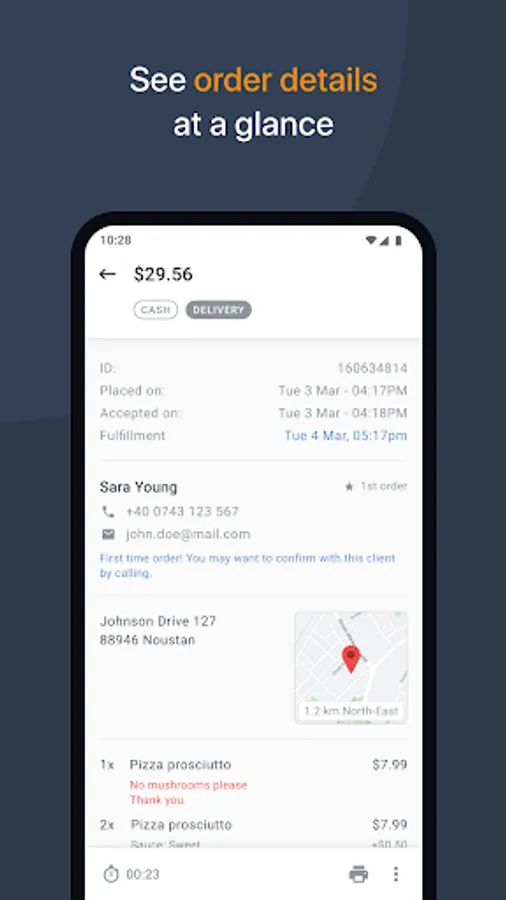
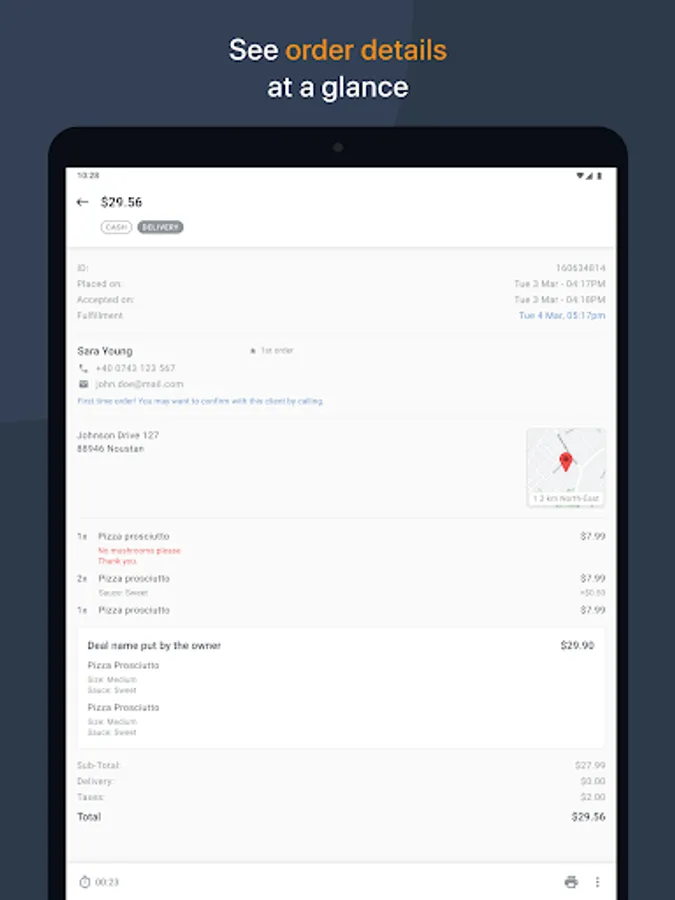
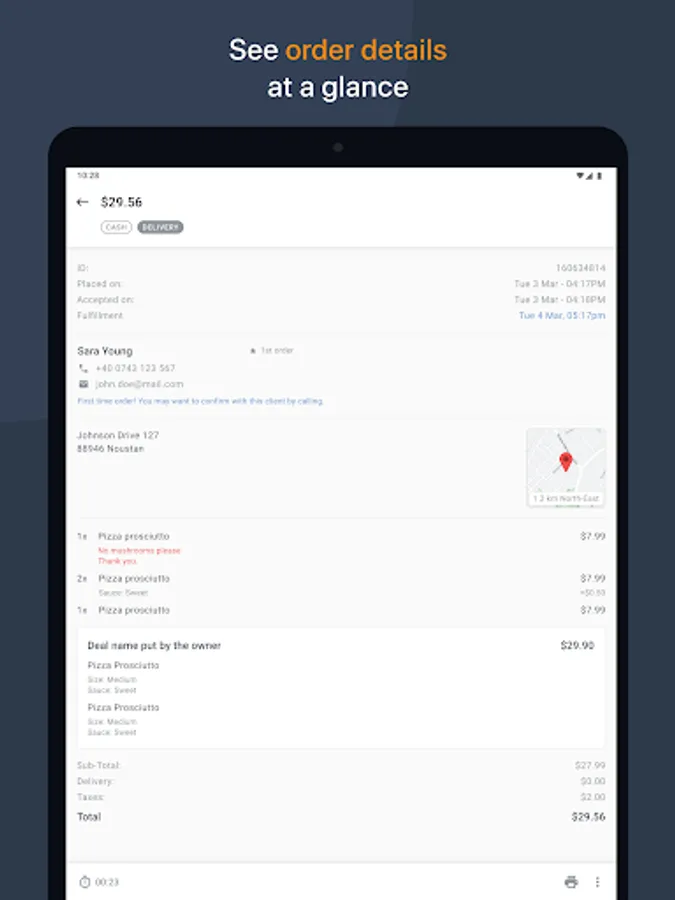
Tap on the order and you can see all its details, from client’s contact information to payment method, ordered items and special instructions.
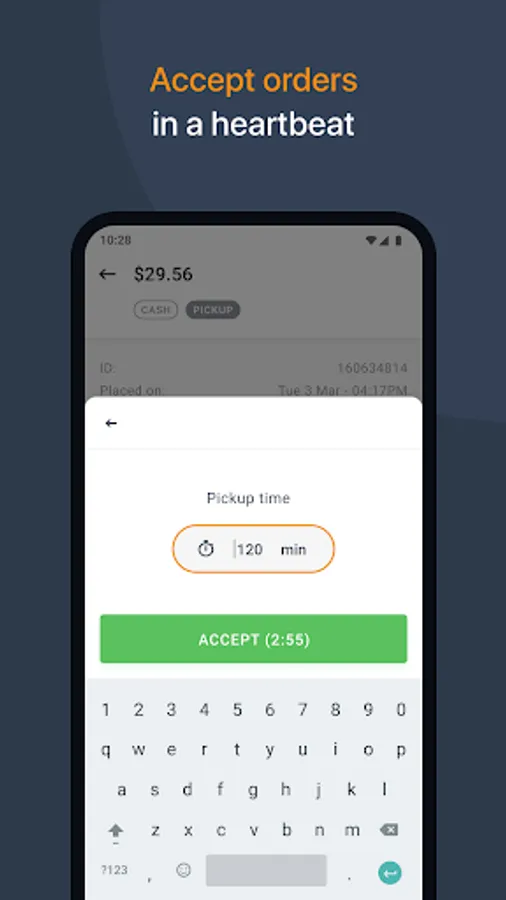
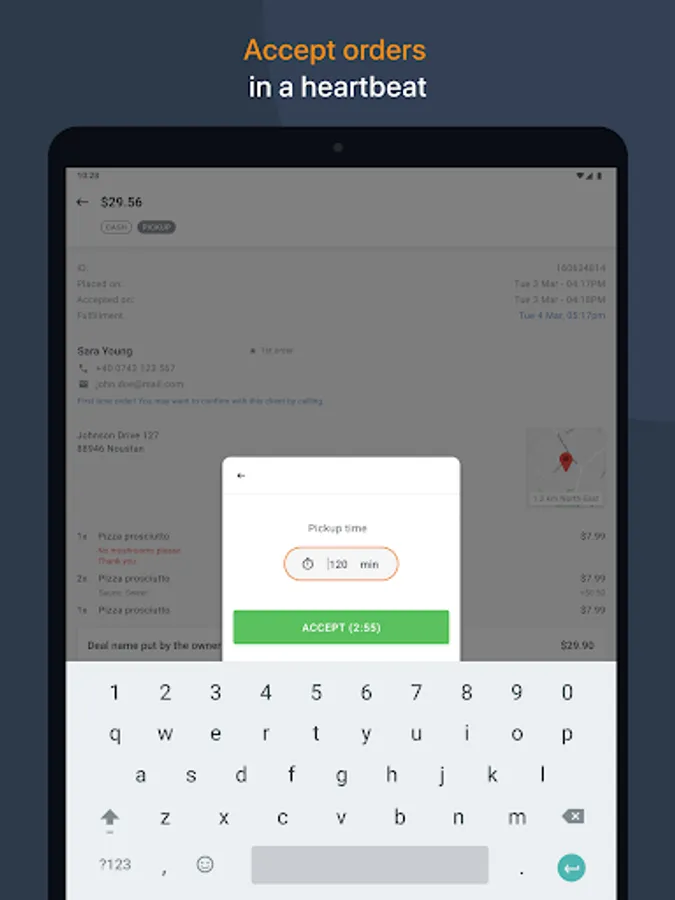
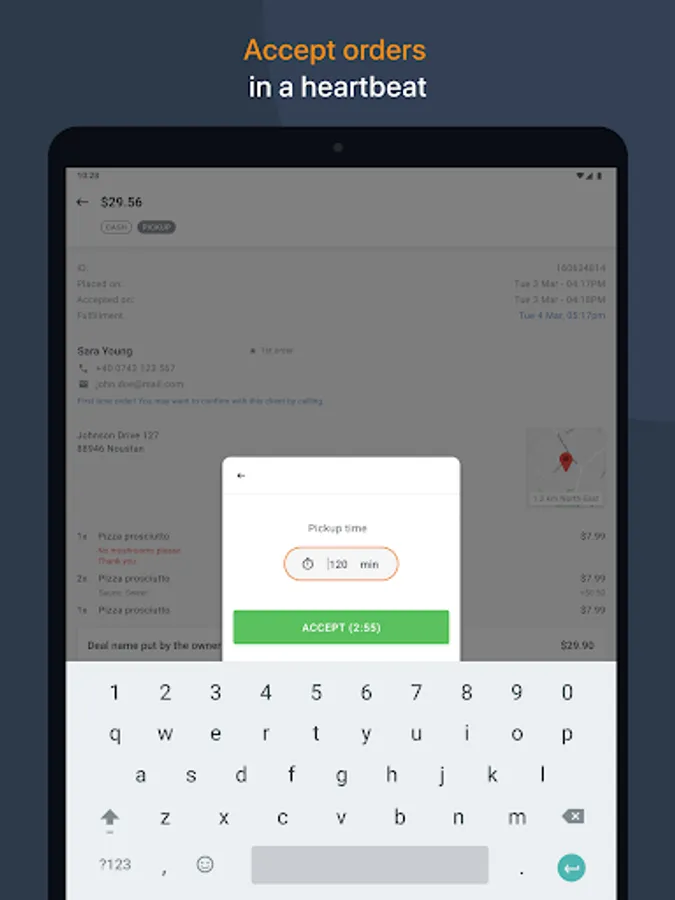
When you accept an asap order you are required to enter how long it will take to fulfill it. Your client will be notified immediately that the order has been accepted, together with the estimated time for pickup/delivery.
**With this app you can:**
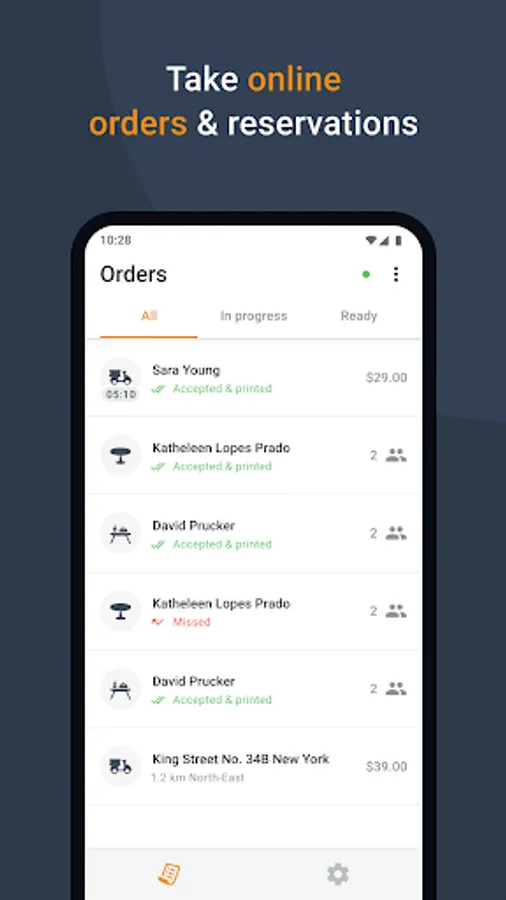
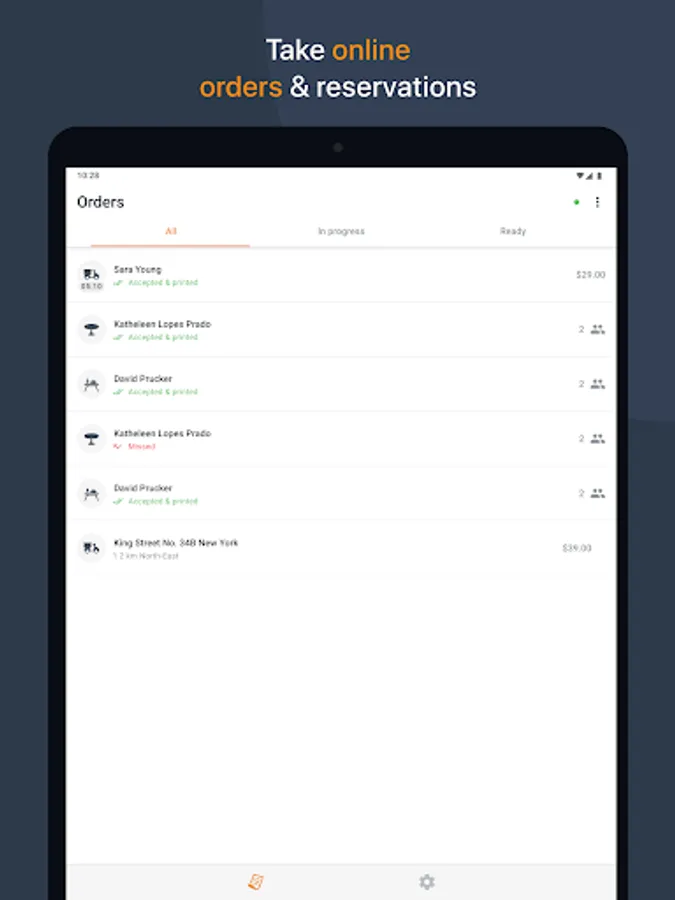
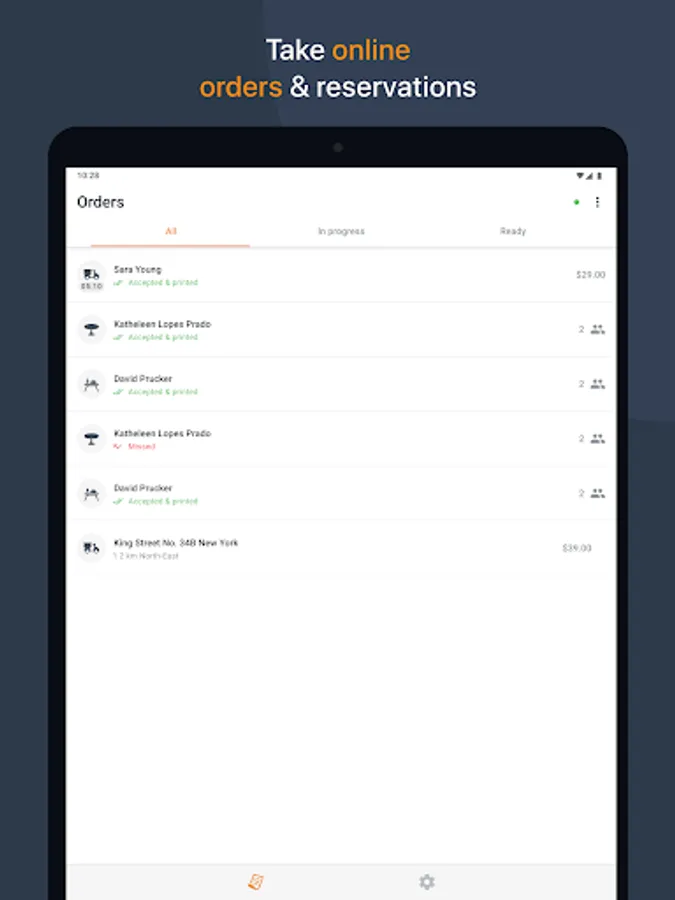
*Receive orders (pickup/delivery/dine-in) and table reservations on your smartphone or tablet;
*View client details: name, phone, email, delivery address;
*View order details: items, quantity, price, payment method, special instructions;
*Accept/Reject new orders (confirmation is then sent to your client in an email);
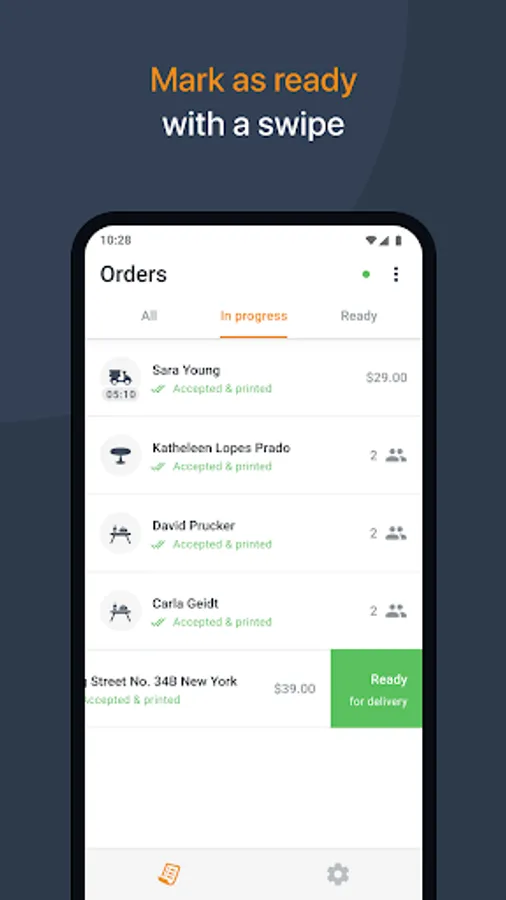
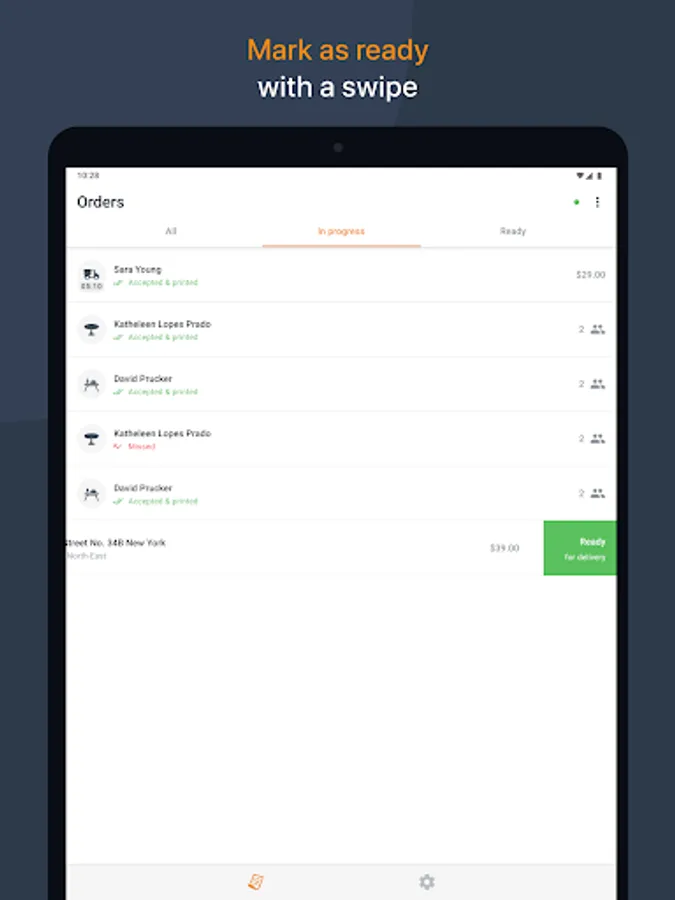
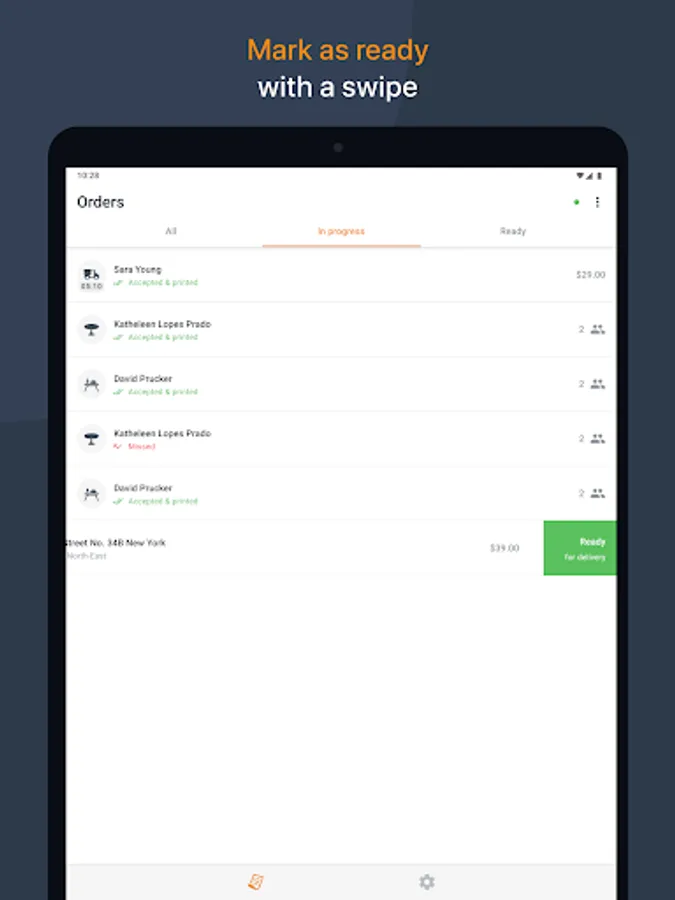
*Manage your orders with 3 views: all, in progress, ready;
*Mark an order as ready with a simple swipe;
*Print orders automatically or on demand, on supported thermal printers.
**Your restaurant account**
To be able to use this app you need to login with your given restaurant’s username and password. Use the credentials obtained from your local partner or get them yourself from the admin area of your restaurant account.
If you don’t have an account yet, please contact your local partner or use the developer contact details below to get connected with the nearest relevant partner.
**How it works**
After setting up your restaurant profile and online menu, place the “See Menu & Order” button on your website. This way your clients can start ordering. Each order placed is directly pushed to this app. Your device rings, notifying you that there’s a new order.
Tap on the order and you can see all its details, from client’s contact information to payment method, ordered items and special instructions.
When you accept an asap order you are required to enter how long it will take to fulfill it. Your client will be notified immediately that the order has been accepted, together with the estimated time for pickup/delivery.
**With this app you can:**
*Receive orders (pickup/delivery/dine-in) and table reservations on your smartphone or tablet;
*View client details: name, phone, email, delivery address;
*View order details: items, quantity, price, payment method, special instructions;
*Accept/Reject new orders (confirmation is then sent to your client in an email);
*Manage your orders with 3 views: all, in progress, ready;
*Mark an order as ready with a simple swipe;
*Print orders automatically or on demand, on supported thermal printers.