Rainbow Smoke Theme GO SMS
Workshop Theme
4.3 ★
275 ratings
10,000+
downloads
Free
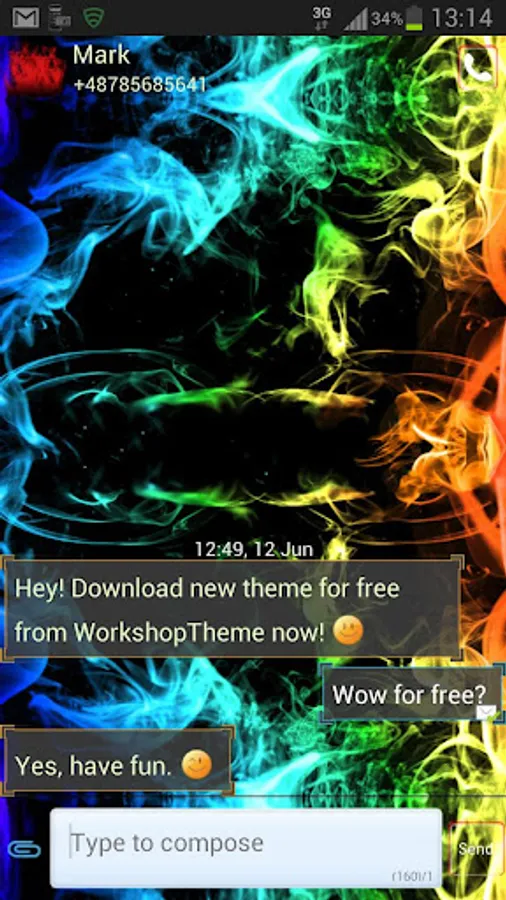
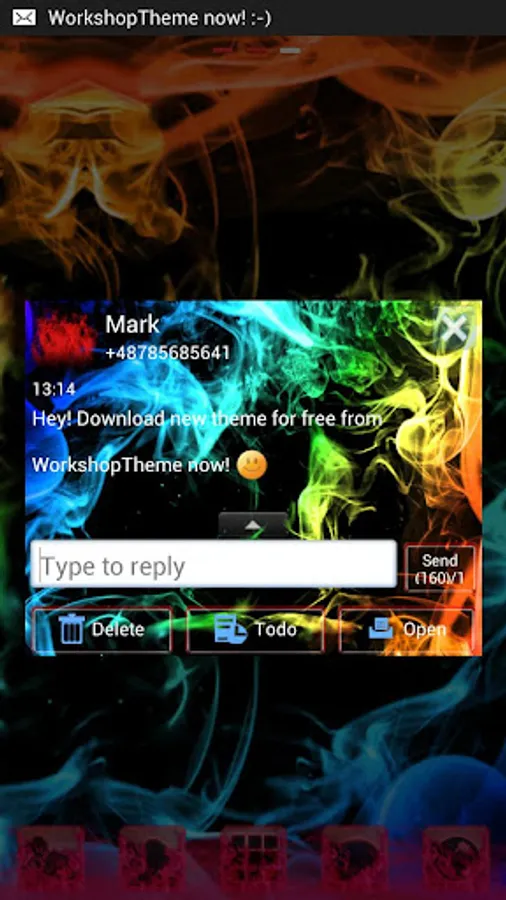
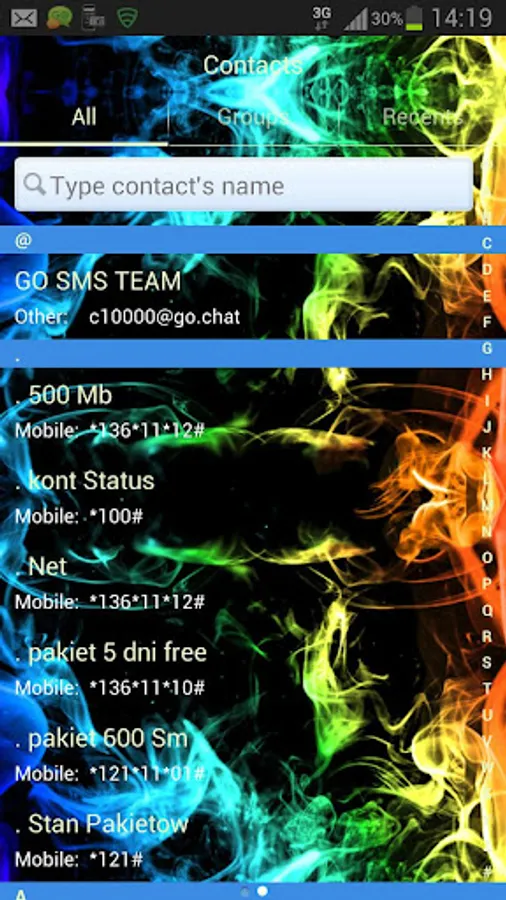
With this SMS theme app, you can personalize your GO SMS Pro interface with colorful smoke-inspired wallpapers and icons. Includes customizable conversation backgrounds, contact fonts, and style options for message display.
AppRecs review analysis
AppRecs rating 4.1. Trustworthiness 34 out of 100. Review manipulation risk 55 out of 100. Based on a review sample analyzed.
★★★★☆
4.1
AppRecs Rating
Ratings breakdown
5 star
83%
4 star
0%
3 star
0%
2 star
0%
1 star
17%
What to know
⚠
Questionable review patterns
55% review manipulation risk - some review patterns appear unusual
⚠
Questionable review trustworthiness
34% trustworthiness - reviews show concerning patterns
⚠
Review quality concerns
80% of sampled 5-star reviews are very short
About Rainbow Smoke Theme GO SMS
Theme rainbow smoke works only with GO SMS Pro application if you don't have it, download for free from Google Play.
This a new skin for GO SMS Pro Theme = is designed especially for people who like the colors blue, green, and red
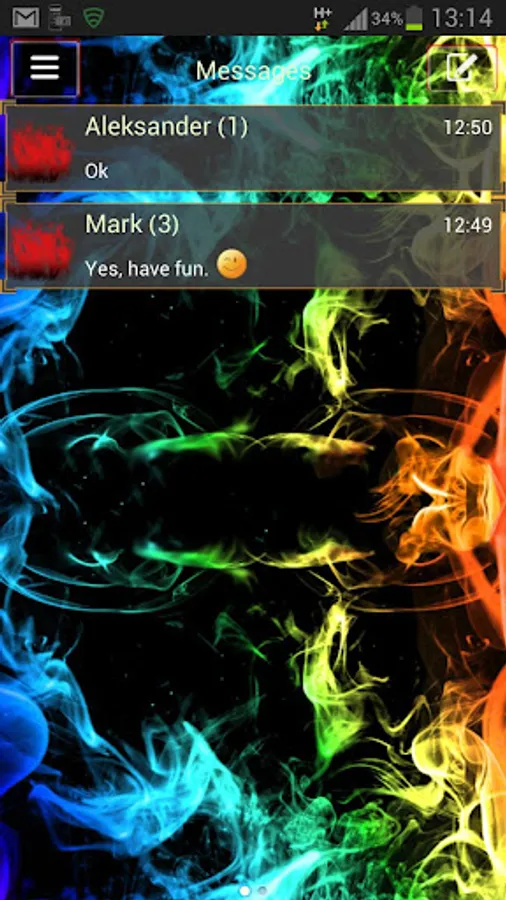
There is also orange or yellow glimmer and also purple haze. If you love lots of colors like pink or violet it is an application for you! And it's for free! Background is black and dark to view of smoke This Theme has wallpapers for main background and nice colorful and white icons
Our vision is based also on the fire and flames the warmth rising from the burning process. While some see this as a fume or steam from water vapor created by flame light
Style helps You to customization and personalization your GO SMS Pro with great style - all for FREE!
To apply the motive and enjoy the beautiful wallpaper (also for GO Chat):
1. Download this motif from Google Play for free
2. Download GO SMS Pro for free
3. Install and launch GO SMS app
4. Press right to see options and press "theme"
5. Click "Local" tab
6. Tap the GO SMS Pro Theme rainbow smoke
This design will change your phone
To personalize appearance settings about conversation list
1. Go to messages Menu
2. Press message Advanced options
3. Click Appearance Settings.
4. Press Conversation List Customization
And now You can adjust for each other, you can customize:
- Background in messages.
- Displayed contact pictures.
- Contact font.
- Contacts font color.
- Time and message fonts.
- Or reset this setting as to default.
To change appearance settings about conversation style
1. Press Menu
2. Go to Advanced
3. Click Appearance Settings.
4. Press Conversation customization
And now You can adjust for each other, you can change:
Conversation style ( bubble setting or list style)
- Background
- Incoming font
- Outgoing font
- Hyperlink color in text
If you want to use avatar icon for any contact simply change it and the new image fuchsia for each contacts are visible on conversation list and messages SMS list.
Disclaimer: this application uses interstitial ads and banners.
Check other our GOSMSPro Themes, GO Locker Themes, and GO Launcher EX, free themes.
Themes are published all the time, so remember to check our developer account regularly.
The style was created by WorkshopTheme.
This a new skin for GO SMS Pro Theme = is designed especially for people who like the colors blue, green, and red
There is also orange or yellow glimmer and also purple haze. If you love lots of colors like pink or violet it is an application for you! And it's for free! Background is black and dark to view of smoke This Theme has wallpapers for main background and nice colorful and white icons
Our vision is based also on the fire and flames the warmth rising from the burning process. While some see this as a fume or steam from water vapor created by flame light
Style helps You to customization and personalization your GO SMS Pro with great style - all for FREE!
To apply the motive and enjoy the beautiful wallpaper (also for GO Chat):
1. Download this motif from Google Play for free
2. Download GO SMS Pro for free
3. Install and launch GO SMS app
4. Press right to see options and press "theme"
5. Click "Local" tab
6. Tap the GO SMS Pro Theme rainbow smoke
This design will change your phone
To personalize appearance settings about conversation list
1. Go to messages Menu
2. Press message Advanced options
3. Click Appearance Settings.
4. Press Conversation List Customization
And now You can adjust for each other, you can customize:
- Background in messages.
- Displayed contact pictures.
- Contact font.
- Contacts font color.
- Time and message fonts.
- Or reset this setting as to default.
To change appearance settings about conversation style
1. Press Menu
2. Go to Advanced
3. Click Appearance Settings.
4. Press Conversation customization
And now You can adjust for each other, you can change:
Conversation style ( bubble setting or list style)
- Background
- Incoming font
- Outgoing font
- Hyperlink color in text
If you want to use avatar icon for any contact simply change it and the new image fuchsia for each contacts are visible on conversation list and messages SMS list.
Disclaimer: this application uses interstitial ads and banners.
Check other our GOSMSPro Themes, GO Locker Themes, and GO Launcher EX, free themes.
Themes are published all the time, so remember to check our developer account regularly.
The style was created by WorkshopTheme.
Rainbow Smoke Theme GO SMS Screenshots
Tap to Rate:
Reviews for Rainbow Smoke Theme GO SMS
Divine Light
11/9/2020
Once one
A Google user
1/12/2017
i like it, this is awesome