
West Virginia Mobile ID
IDEMIA Civil Identity NA LLC
4.4 ★
161 ratings
5,000+
downloads
Free
With this mobile ID app, you can verify your identity securely using facial recognition or PIN and access various services. Includes identity verification, secure login, and privacy protection features.
AppRecs review analysis
AppRecs rating 4.5. Trustworthiness 77 out of 100. Review manipulation risk 25 out of 100. Based on a review sample analyzed.
★★★★☆
4.5
AppRecs Rating
Ratings breakdown
5 star
68%
4 star
20%
3 star
4%
2 star
1%
1 star
8%
What to know
✓
Low review manipulation risk
25% review manipulation risk
✓
Credible reviews
77% trustworthiness score from analyzed reviews
✓
High user satisfaction
87% of sampled ratings are 4+ stars (4.4★ average)
About West Virginia Mobile ID
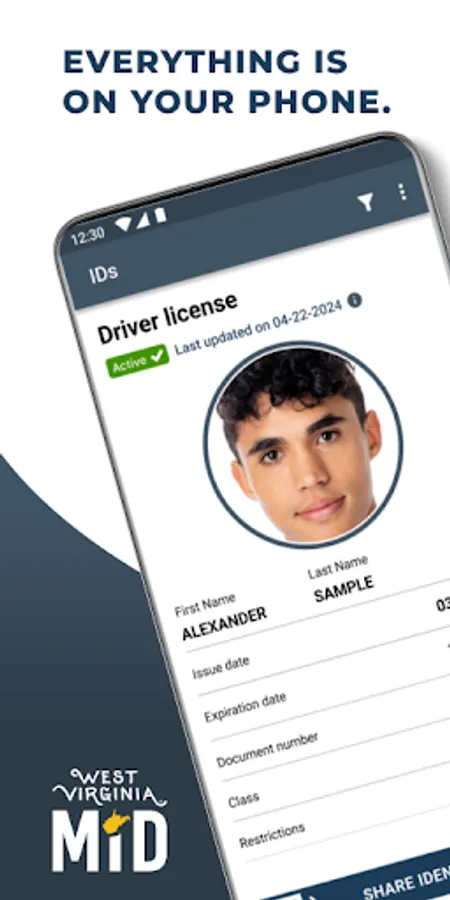
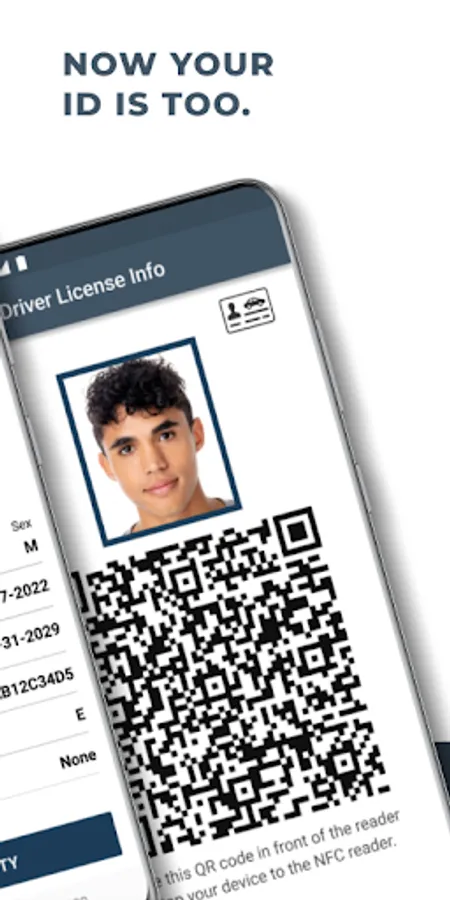
In today's connected world, Mobile ID offers a private, secure, contactless way to verify identity, either at home or on-the-go. Everything is on your phone – now your ID is, too!
Intuitive, easy-to-use and highly convenient, West Virginia Mobile ID can be used anywhere it’s accepted, in any context a physical ID would be used – with enhanced privacy features. Only your Face ID, TouchID or six-digit pin will unlock the app and access your Mobile ID.
In five simple steps, you can create your West Virginia MiD:
1. Download the app and set permissions
2. Verify access to your phone number
3. Use your device camera to scan the front and back of your driver license or ID card
4. Follow the steps to capture a selfie
5. Set up app security and you’re good to go!
Please note: West Virginia Mobile ID is an official state-issued ID, serving as a companion to your physical ID. As not all entities are able to verify a Mobile ID, you should continue to carry your physical ID.
For more information, please visit: https://transportation.wv.gov/DMV/MiD/Pages/default.aspx
Intuitive, easy-to-use and highly convenient, West Virginia Mobile ID can be used anywhere it’s accepted, in any context a physical ID would be used – with enhanced privacy features. Only your Face ID, TouchID or six-digit pin will unlock the app and access your Mobile ID.
In five simple steps, you can create your West Virginia MiD:
1. Download the app and set permissions
2. Verify access to your phone number
3. Use your device camera to scan the front and back of your driver license or ID card
4. Follow the steps to capture a selfie
5. Set up app security and you’re good to go!
Please note: West Virginia Mobile ID is an official state-issued ID, serving as a companion to your physical ID. As not all entities are able to verify a Mobile ID, you should continue to carry your physical ID.
For more information, please visit: https://transportation.wv.gov/DMV/MiD/Pages/default.aspx
West Virginia Mobile ID Screenshots
Tap to Rate:
Reviews for West Virginia Mobile ID
Donald Hall
12/13/2025
This is so much easier to use than having to dig it out of my wallet.
Karen Marks
11/9/2025
My only problem is that I can't find a way to add this to my Google Wallet.