
Bluetooth management tool
IS automation
4.0 ★
602 ratings
100,000+
downloads
Free
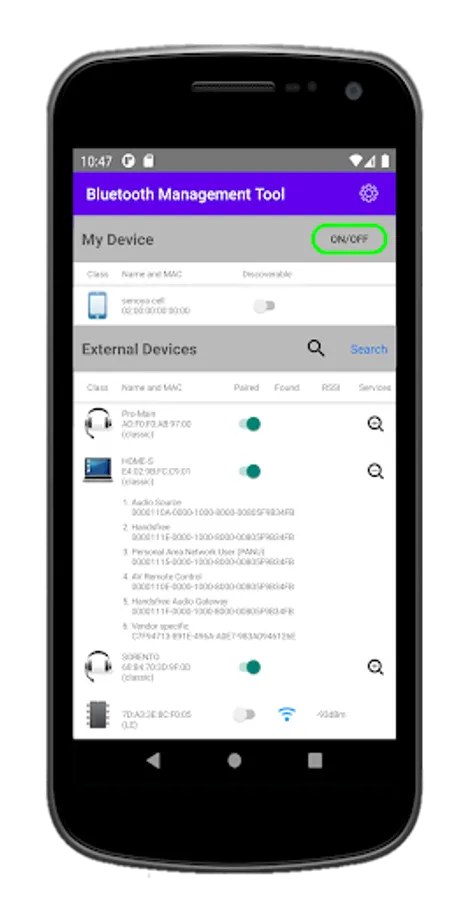
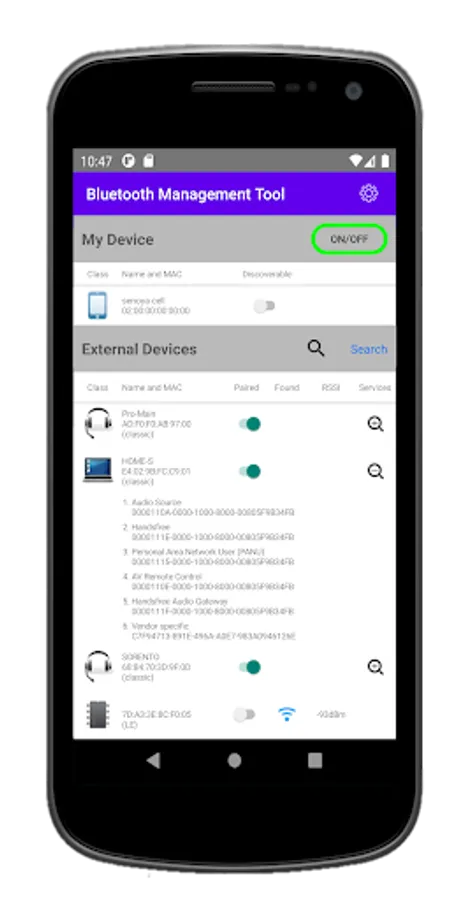
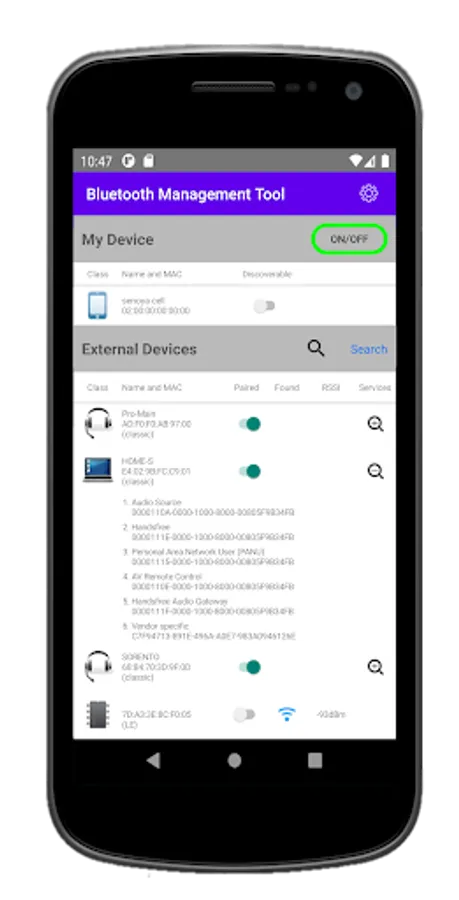
With this Bluetooth management tool, you can view device details, monitor signal strength, and manage connection status. Includes MAC addresses, device services, and discoverability settings.
AppRecs review analysis
AppRecs rating 4.0. Trustworthiness 0 out of 100. Review manipulation risk 0 out of 100. Based on a review sample analyzed.
★★★★☆
4.0
AppRecs Rating
Ratings breakdown
5 star
66%
4 star
12%
3 star
0%
2 star
4%
1 star
19%
What to know
✓
High user satisfaction
77% of sampled ratings are 4+ stars (4.0★ average)
✓
Authentic reviews
Natural distribution, no red flags
About Bluetooth management tool
All features are available at Android 4.4 (API level 19) and higher
[Features]
- MAC address
- Classic and LE separately
- The strength of the received signals (RSSI)
- Displaying the change of connection status
- List of services in detail
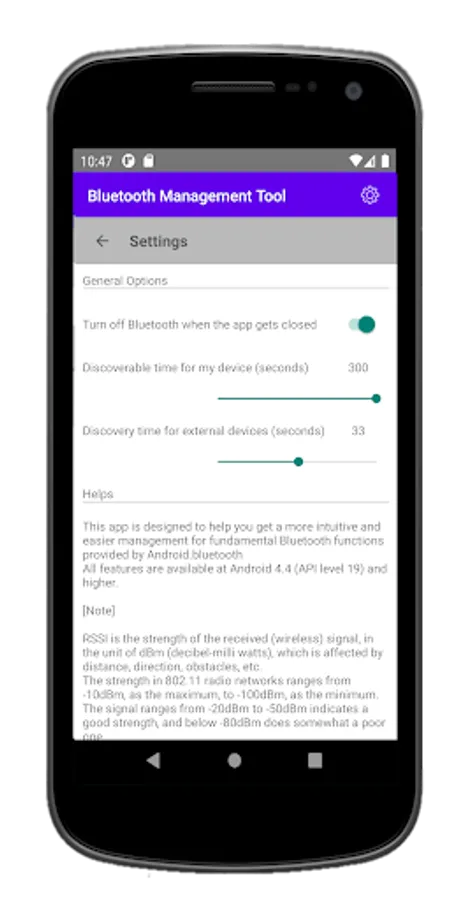
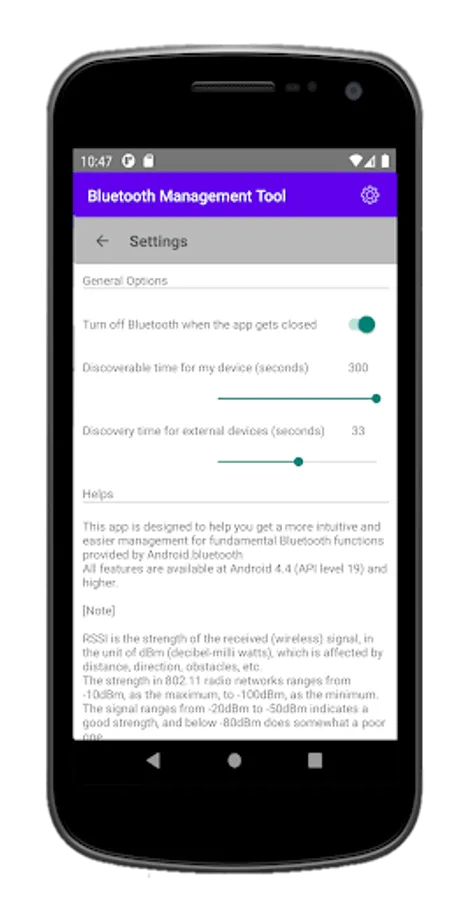
- Settable discoverable and discovery time
[Note]
RSSI is the strength of the received (wireless) signal, in the unit of dBm (decibel-milliwatts), which is affected by distance, direction, obstacles, etc. The strength in 802.11 radio networks ranges from -10 as the maximum, to -100 as the minimum. The ranges from -20 to -50 indicates a good strength, and below -80 does somewhat a poor one.
[Features]
- MAC address
- Classic and LE separately
- The strength of the received signals (RSSI)
- Displaying the change of connection status
- List of services in detail
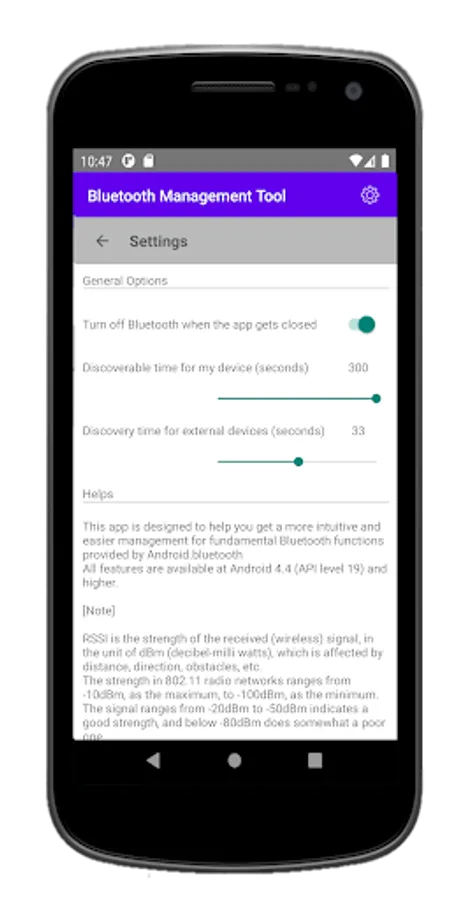
- Settable discoverable and discovery time
[Note]
RSSI is the strength of the received (wireless) signal, in the unit of dBm (decibel-milliwatts), which is affected by distance, direction, obstacles, etc. The strength in 802.11 radio networks ranges from -10 as the maximum, to -100 as the minimum. The ranges from -20 to -50 indicates a good strength, and below -80 does somewhat a poor one.
Bluetooth management tool Screenshots
Tap to Rate: