Picture Saturation
Isomer Programming LLC
1.6 ★
82 ratings
10,000+
downloads
Free
With this photo editing app, you can adjust the vibrancy of images and apply color filters. Includes options for saving, sharing, and selecting images from Camera or Gallery.
AppRecs review analysis
AppRecs rating 1.6. Trustworthiness 0 out of 100. Review manipulation risk 0 out of 100. Based on a review sample analyzed.
★☆☆☆☆
1.6
AppRecs Rating
Ratings breakdown
5 star
8%
4 star
8%
3 star
0%
2 star
0%
1 star
85%
What to know
✓
Authentic reviews
No red flags detected
⚠
Mixed user feedback
Average 1.6★ rating suggests room for improvement
⚠
High negative review ratio
85% of sampled ratings are 1–2 stars
About Picture Saturation
Change the colorfullness of your pictures!
Ideas:
-make a perfect picture of nature even more beautiful
-make a bland picture look more vibrant
Instructions:
Step 1. Select a picture directly from your Camera or your Gallery
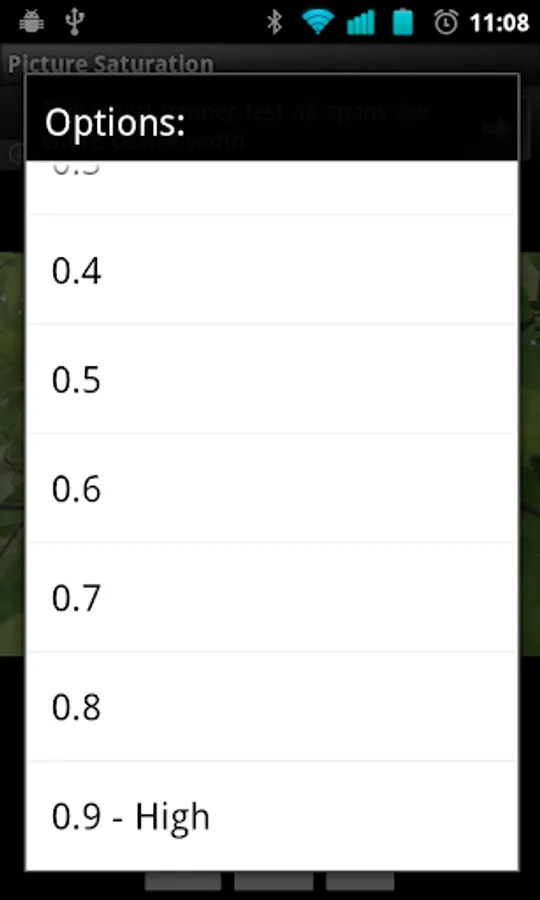
Step 2. Filter your picture with Picture Saturation, selecting an option for how much
Step 3. Save a copy of the new picture back to your Gallery
Step 4. Send your new picture directly to an email or another application
Ideas:
-make a perfect picture of nature even more beautiful
-make a bland picture look more vibrant
Instructions:
Step 1. Select a picture directly from your Camera or your Gallery
Step 2. Filter your picture with Picture Saturation, selecting an option for how much
Step 3. Save a copy of the new picture back to your Gallery
Step 4. Send your new picture directly to an email or another application
Picture Saturation Screenshots


Tap to Rate: