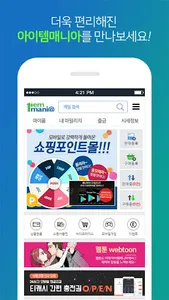
▶▶▶ An app that leads the secure mobile item trading market! Item Mania! ◀◀◀
Safe item trading, pre-booking games such as Bulso 2, and free game coupon services at Item Mania!!!
[main function]
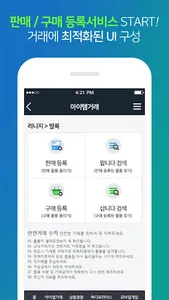
1.Item transaction
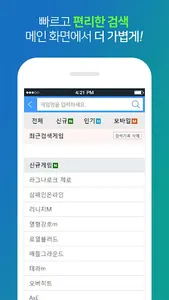
-Search all transaction items such as Blade & Soul 2 registered in Item Mania
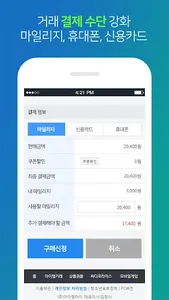
-Immediate purchase request for the searched item is possible
-Support for transaction details such as Bulso 2 and takeover/transfer functions
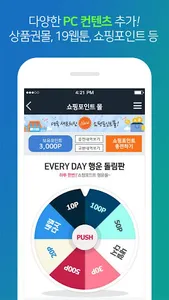
-Gift voucher mall purchase available
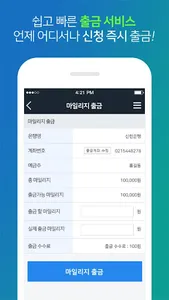
-Withdrawal of mileage is possible
-Real-time game quotes provided
-Provision of various service usage information
2. Mobile Mania (from advance reservation to game coupon)
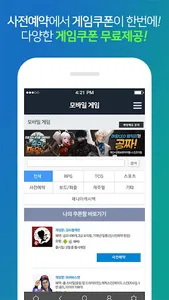
-Pre-registration for games such as Blade & Soul 2 (pre-registration)
-Free game coupon (100% free game coupon payment)
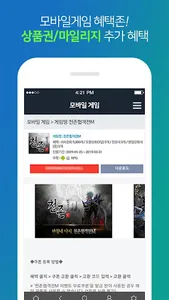
-Receive a game coupon and receive additional event benefits
■ App access permission information
We will guide you about the access rights used by the app as follows.
Access rights are divided into essential access rights and optional access rights, and in the case of optional access rights, you can use the app even if you do not allow it.
[Required access rights]
none
[Optional access rights]
Camera: for taking screenshots
Storage space: To prevent unauthorized use and attach photo files
For devices with Android 6.0 or higher, you must agree to the essential permission when starting the app for the first time to use the app, and for optional permission, you must obtain consent before obtaining permission from the operating system guide when accessing the function for the first time. To cancel access to the permission you have already agreed to, please check the ‘Settings> Application Manager> App Permissions’ screen.
On devices under Android 6.0, it may not be possible to deny selective permission depending on the environment. Therefore, please update the operating system version, and if you want to revoke permission if the update is not possible, please delete the app.
Also, even if the operating system is updated, the access rights agreed to in the previous version do not change, so in order to reset the access rights, please delete and reinstall the app you have already installed.
Safe item trading, pre-booking games such as Bulso 2, and free game coupon services at Item Mania!!!
[main function]
1.Item transaction
-Search all transaction items such as Blade & Soul 2 registered in Item Mania
-Immediate purchase request for the searched item is possible
-Support for transaction details such as Bulso 2 and takeover/transfer functions
-Gift voucher mall purchase available
-Withdrawal of mileage is possible
-Real-time game quotes provided
-Provision of various service usage information
2. Mobile Mania (from advance reservation to game coupon)
-Pre-registration for games such as Blade & Soul 2 (pre-registration)
-Free game coupon (100% free game coupon payment)
-Receive a game coupon and receive additional event benefits
■ App access permission information
We will guide you about the access rights used by the app as follows.
Access rights are divided into essential access rights and optional access rights, and in the case of optional access rights, you can use the app even if you do not allow it.
[Required access rights]
none
[Optional access rights]
Camera: for taking screenshots
Storage space: To prevent unauthorized use and attach photo files
For devices with Android 6.0 or higher, you must agree to the essential permission when starting the app for the first time to use the app, and for optional permission, you must obtain consent before obtaining permission from the operating system guide when accessing the function for the first time. To cancel access to the permission you have already agreed to, please check the ‘Settings> Application Manager> App Permissions’ screen.
On devices under Android 6.0, it may not be possible to deny selective permission depending on the environment. Therefore, please update the operating system version, and if you want to revoke permission if the update is not possible, please delete the app.
Also, even if the operating system is updated, the access rights agreed to in the previous version do not change, so in order to reset the access rights, please delete and reinstall the app you have already installed.
Show More