Polar Sensor Logger
Jukka Happonen
3.9 ★
264 ratings
50,000+
downloads
Free
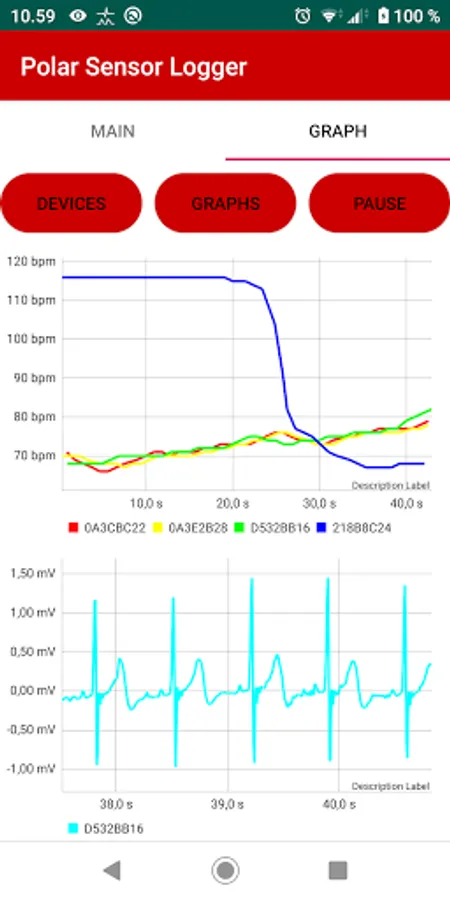
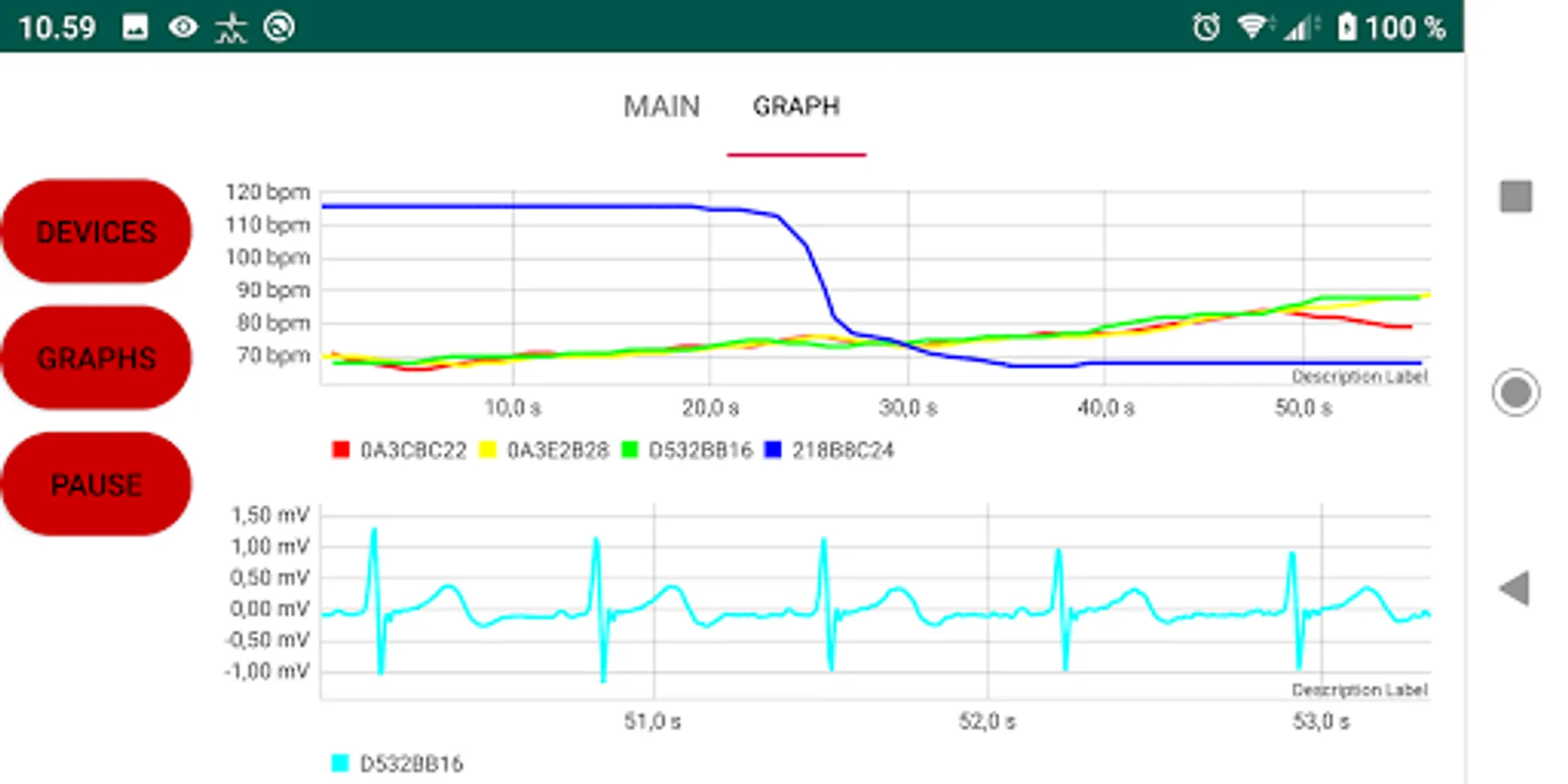
In this sensor logging app, users can connect to Polar H10, OH1, and Verity Sense sensors to record biosignal data and save it to device files. Includes Bluetooth connection, file sharing options, and data forwarding through MQTT protocol.
AppRecs review analysis
AppRecs rating 4.0. Trustworthiness 85 out of 100. Review manipulation risk 18 out of 100. Based on a review sample analyzed.
★★★★☆
4.0
AppRecs Rating
Ratings breakdown
5 star
58%
4 star
13%
3 star
10%
2 star
0%
1 star
19%
What to know
✓
Low review manipulation risk
18% review manipulation risk
✓
Credible reviews
85% trustworthiness score from analyzed reviews
✓
Good user ratings
71% positive sampled reviews
About Polar Sensor Logger
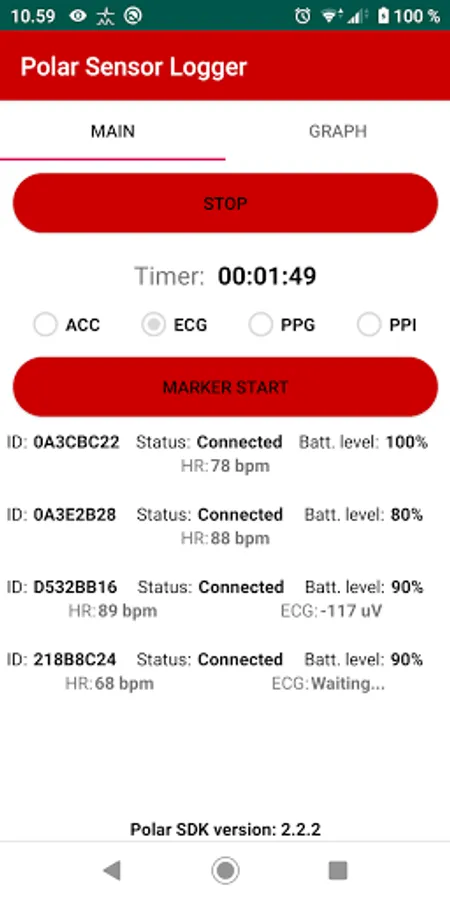
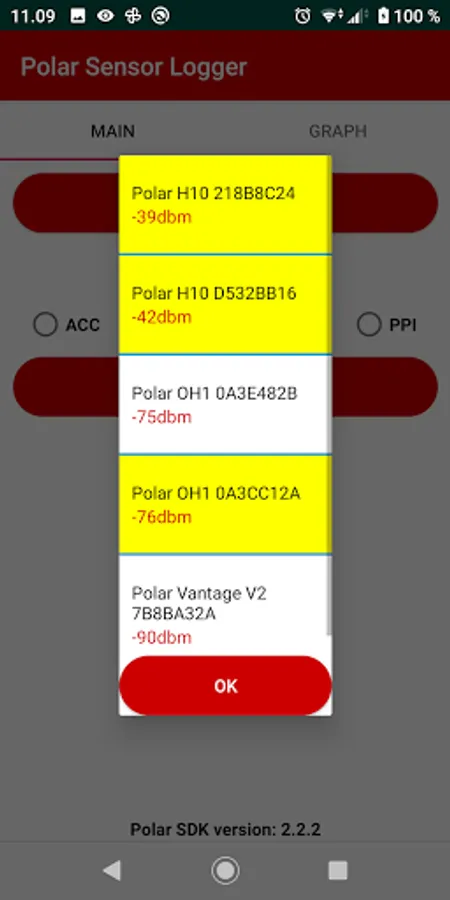
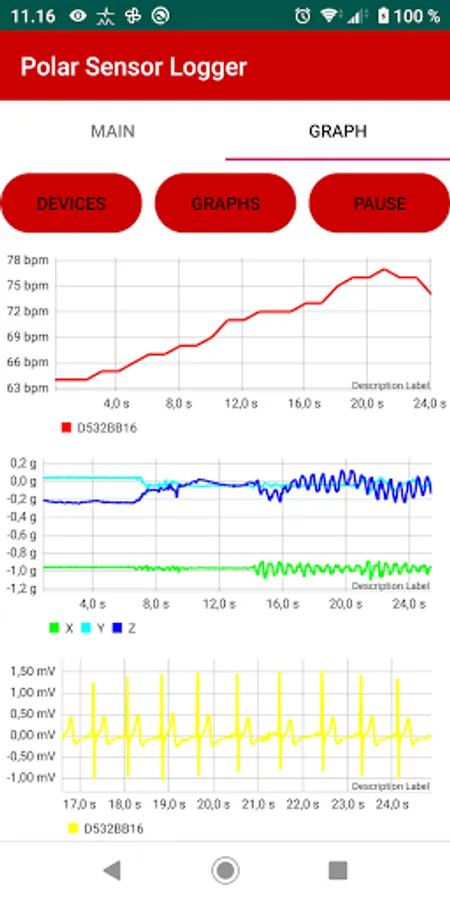
This application can be used to log HR and other raw biosignals from the Polar H10, OH1 and Verity Sense -sensors. It uses Polar SDK (https://www.polar.com/en/developers/sdk) to connect sensors.
One of the application's core feature is to save received sensor data to files on device, that can be then later accessed eg. via PC. User can also share saved files to eg. Google Drive or email them.
Verity Sense:
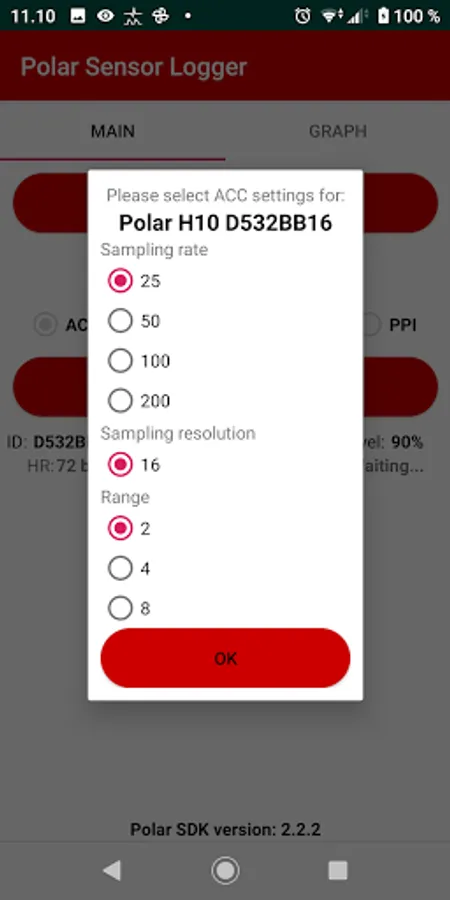
- HR, PPi, Accelerometer, Gyro, Magnetometer and PPG
OH1:
- HR, PPi, Accelerometer and PPG
H10:
- HR, RR, ECG and Accelerometer
H7/H9:
- HR and RR
Application also supports sensor data forwarding using MQTT-protocol.
Sensor firmware requirements:
- H10 firmware 3.0.35 or later
- OH1 firmware 2.0.8 or later
Permissions:
- Device location and background location: In order to scan bluetooth devices, device location is required by the Android system. Background location is required in order to seek devices if application is not in the foreground.
- All Files Access Permission: Data from the sensor is saved to files on the device and then they can be emailed, saved to Google drive, access via PC, etc...
- Internet: Data sending to MQTT-broker
Privacy Policy:
This app does not collect user data (location/etc...)
This application was made for my own purposes and it is not an official Polar app nor supported by Polar.
Tested with Sony Xperia II Compact (Android 10), Nokia N1 Plus (Android 9), Samsung Galaxy S7 (Android 8), Sony Xperia Z5 Compact (Android 7.1.1)
Here are the most frequently asked questions about the application:
Q: What is the timestamp format?
A: Timestamp format is nanoseconds and the epoch is 1.1.2000.
Q: Why nanoseconds?
A: Ask from Polar :)
Q: What are the extra columns in HR data?
A: They are RR-intervals in milliseconds.
Q: Why there are sometimes 0-4 RR-intervals?
A: Bluetooth exchanges data around 1 s intervals and if your heart rate is around 60 bpm, then almost every RR-interval hits between data transmission. If you have heartrate eg. 40, then your RR-interval is over 1s => not every BLE packet contain RR-interval. Then if your heartrate is eg. 180, then there is at least two RR-intervals in BLE packet.
Q: What is the ECG sampling frequency?
A: It is around 130 Hz.
Q: What does ECG, ACC, PPG, PPI mean?
A: ECG = Electrocardiography (https://en.wikipedia.org/wiki/Electrocardiography), Acc = Accelerometer, PPG = Photoplethysmogram (https://en.wikipedia.org/wiki/Photoplethysmograph), PPI = Pulse-to-Pulse Interval
Q: What does "Marker"-button do?
A: Marker button will generate a marker file. Marker file will hold timestamps when the marker is started and stopped. You can use the marker to mark some events during the measurement.
If you have more questions, please drop me an email!
Privacy policy: https://j-ware.com/polarsensorlogger/privacy_policy.html
Thanks to Good Ware for few images!
Marker icons created by Good Ware - Flaticon
One of the application's core feature is to save received sensor data to files on device, that can be then later accessed eg. via PC. User can also share saved files to eg. Google Drive or email them.
Verity Sense:
- HR, PPi, Accelerometer, Gyro, Magnetometer and PPG
OH1:
- HR, PPi, Accelerometer and PPG
H10:
- HR, RR, ECG and Accelerometer
H7/H9:
- HR and RR
Application also supports sensor data forwarding using MQTT-protocol.
Sensor firmware requirements:
- H10 firmware 3.0.35 or later
- OH1 firmware 2.0.8 or later
Permissions:
- Device location and background location: In order to scan bluetooth devices, device location is required by the Android system. Background location is required in order to seek devices if application is not in the foreground.
- All Files Access Permission: Data from the sensor is saved to files on the device and then they can be emailed, saved to Google drive, access via PC, etc...
- Internet: Data sending to MQTT-broker
Privacy Policy:
This app does not collect user data (location/etc...)
This application was made for my own purposes and it is not an official Polar app nor supported by Polar.
Tested with Sony Xperia II Compact (Android 10), Nokia N1 Plus (Android 9), Samsung Galaxy S7 (Android 8), Sony Xperia Z5 Compact (Android 7.1.1)
Here are the most frequently asked questions about the application:
Q: What is the timestamp format?
A: Timestamp format is nanoseconds and the epoch is 1.1.2000.
Q: Why nanoseconds?
A: Ask from Polar :)
Q: What are the extra columns in HR data?
A: They are RR-intervals in milliseconds.
Q: Why there are sometimes 0-4 RR-intervals?
A: Bluetooth exchanges data around 1 s intervals and if your heart rate is around 60 bpm, then almost every RR-interval hits between data transmission. If you have heartrate eg. 40, then your RR-interval is over 1s => not every BLE packet contain RR-interval. Then if your heartrate is eg. 180, then there is at least two RR-intervals in BLE packet.
Q: What is the ECG sampling frequency?
A: It is around 130 Hz.
Q: What does ECG, ACC, PPG, PPI mean?
A: ECG = Electrocardiography (https://en.wikipedia.org/wiki/Electrocardiography), Acc = Accelerometer, PPG = Photoplethysmogram (https://en.wikipedia.org/wiki/Photoplethysmograph), PPI = Pulse-to-Pulse Interval
Q: What does "Marker"-button do?
A: Marker button will generate a marker file. Marker file will hold timestamps when the marker is started and stopped. You can use the marker to mark some events during the measurement.
If you have more questions, please drop me an email!
Privacy policy: https://j-ware.com/polarsensorlogger/privacy_policy.html
Thanks to Good Ware for few images!
Marker icons created by Good Ware - Flaticon