In this app, you can view and edit Google Sheets data within Tasker, using actions like add, delete, or format cells and sheets. Includes support for creating spreadsheets, inserting rows, and retrieving multiple data sets.
AppRecs review analysis
AppRecs rating 4.4. Trustworthiness 81 out of 100. Review manipulation risk 25 out of 100. Based on a review sample analyzed.
★★★★☆
4.4
AppRecs Rating
Ratings breakdown
5 star
86%
4 star
3%
3 star
6%
2 star
6%
1 star
0%
What to know
✓
Low review manipulation risk
25% review manipulation risk
✓
Credible reviews
81% trustworthiness score from analyzed reviews
✓
High user satisfaction
86% of sampled ratings are 5 stars
About AutoSheets
AutoSheets allows you to view/edit your Google Sheets data in/from Tasker!
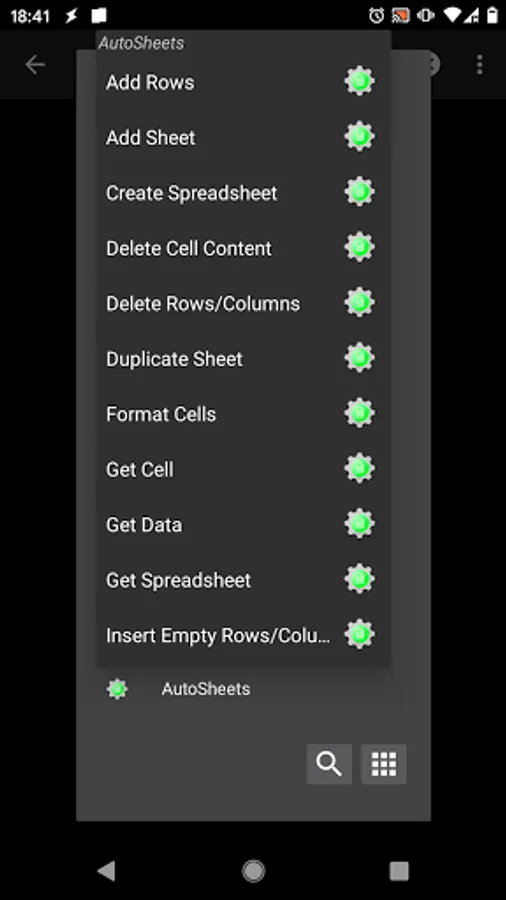
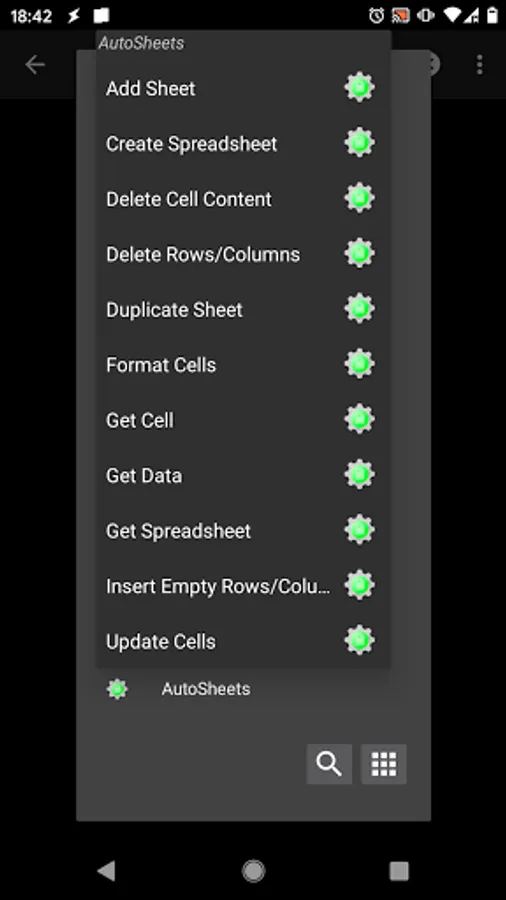
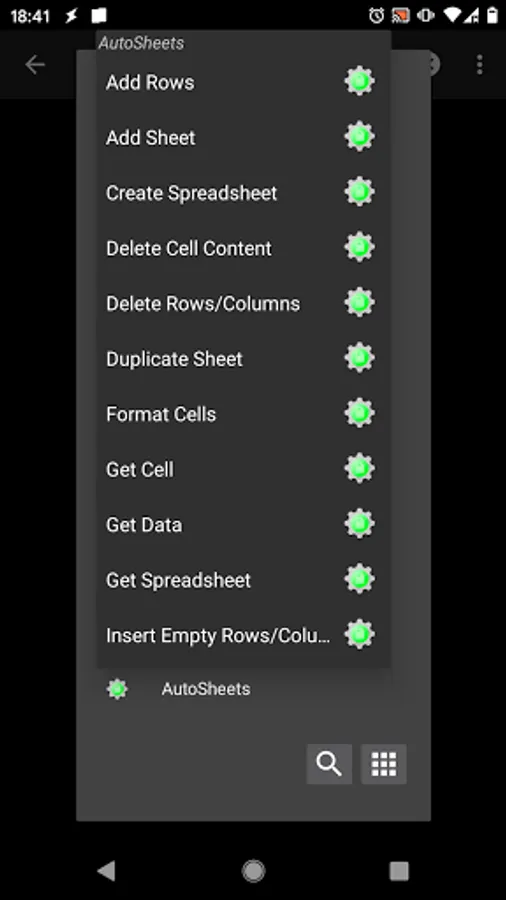
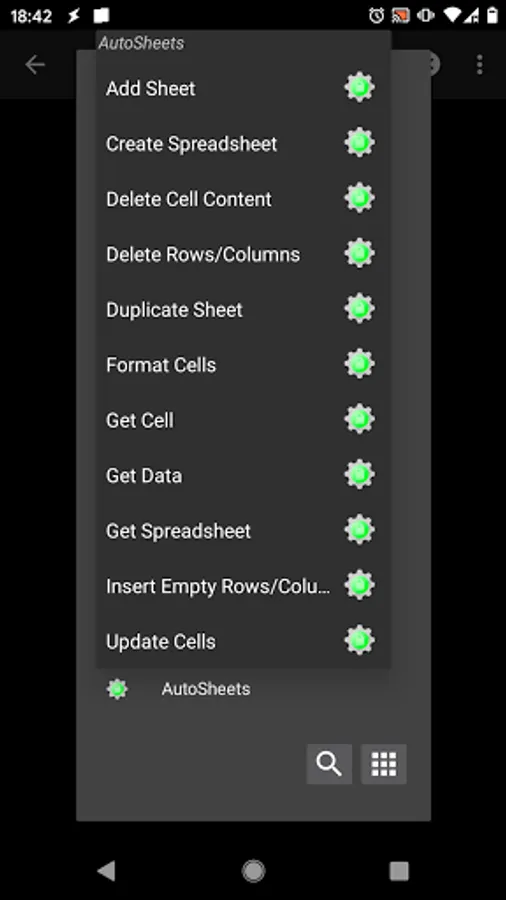
It currently supports the following actions:
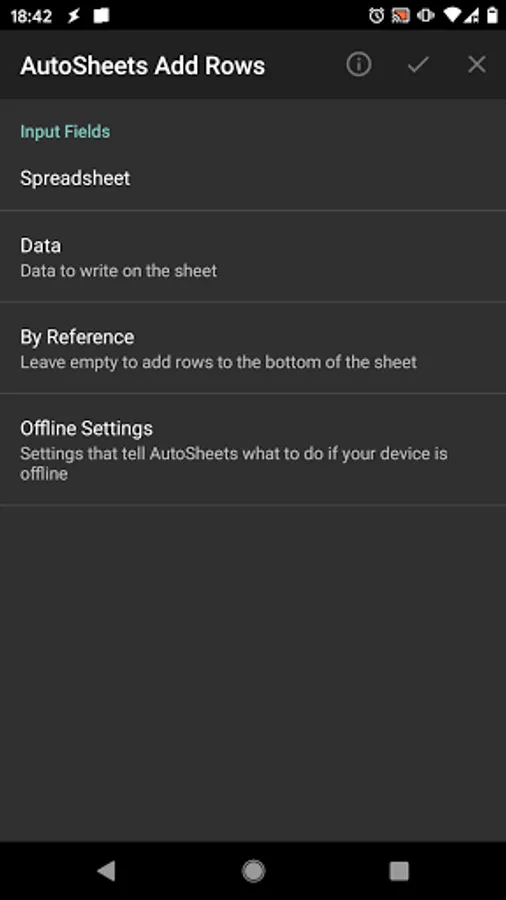
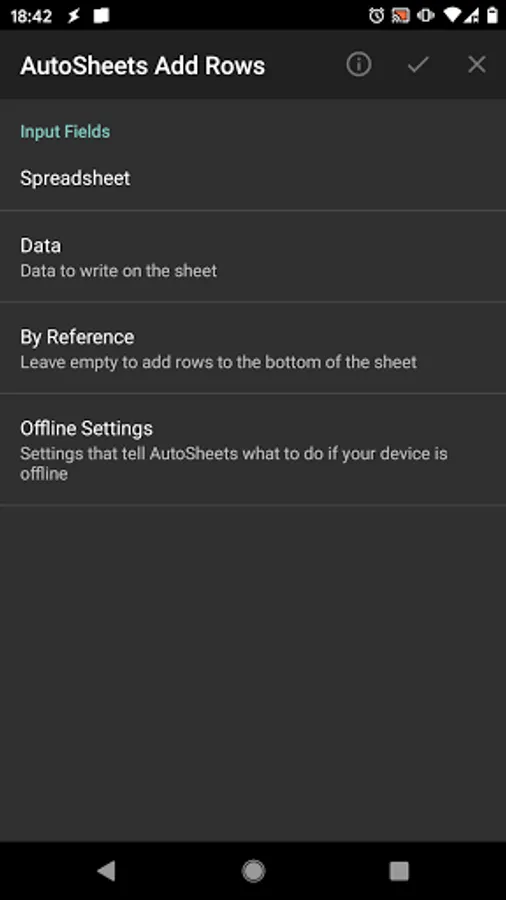
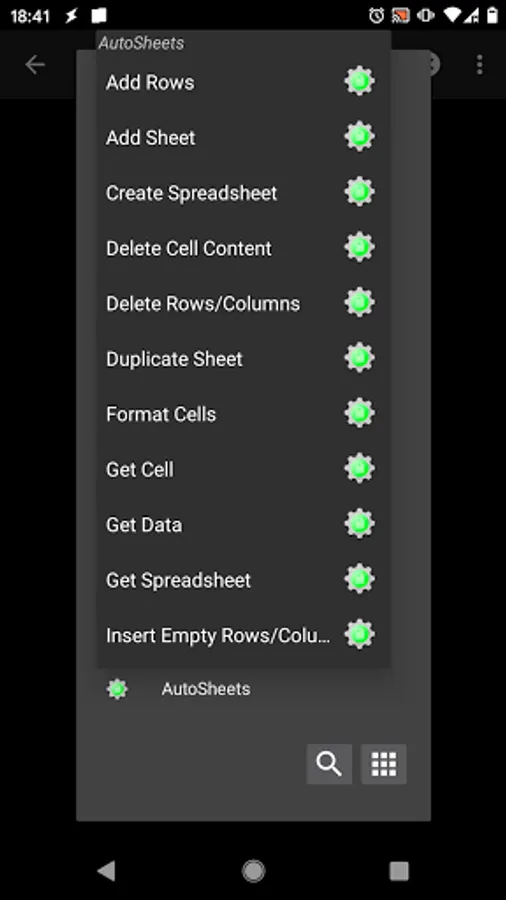
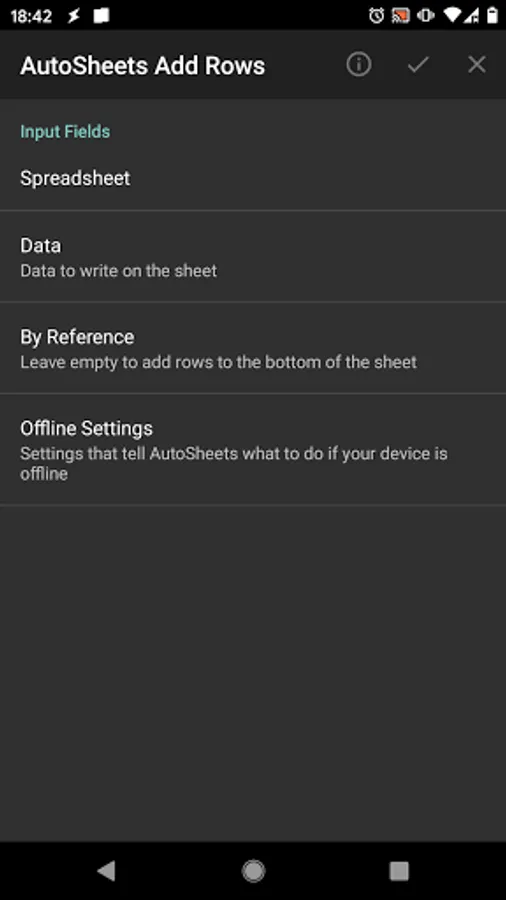
- Add Rows: append rows of data to the end of a sheet or insert them somewhere in the middle of the sheet
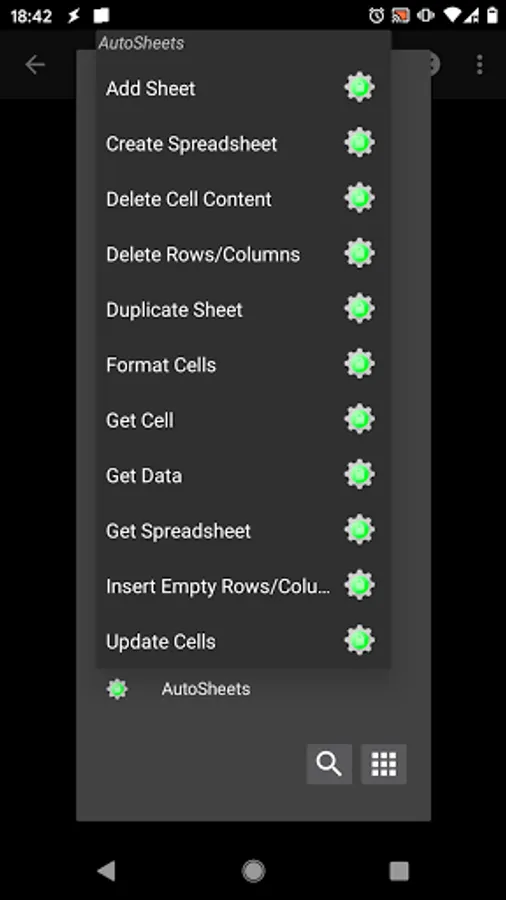
- Add Sheet: add a new Sheet (tab) at the bottom of your spreadsheet
- Create Spreadsheet: create a whole new spreadsheet
- Delete Cell Content: clear the contents of cells without actually removing lines of columns from the sheet
- Delete Rows/Columns: actually remove rows and columns from sheets along with their content
- Duplicate Sheet: Create a new sheet inside a spreadsheet which is a copy of an existing sheet
- Format Cells: change the appearance of cells on your sheets like background or text color
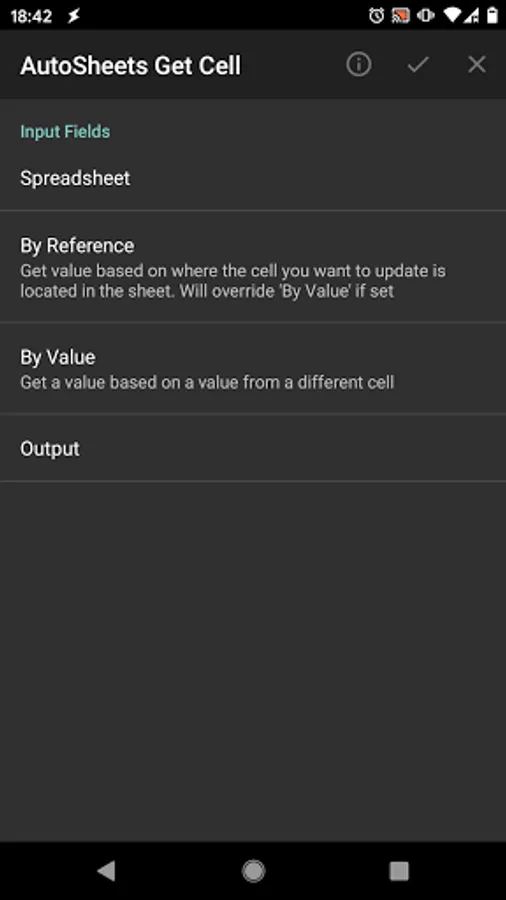
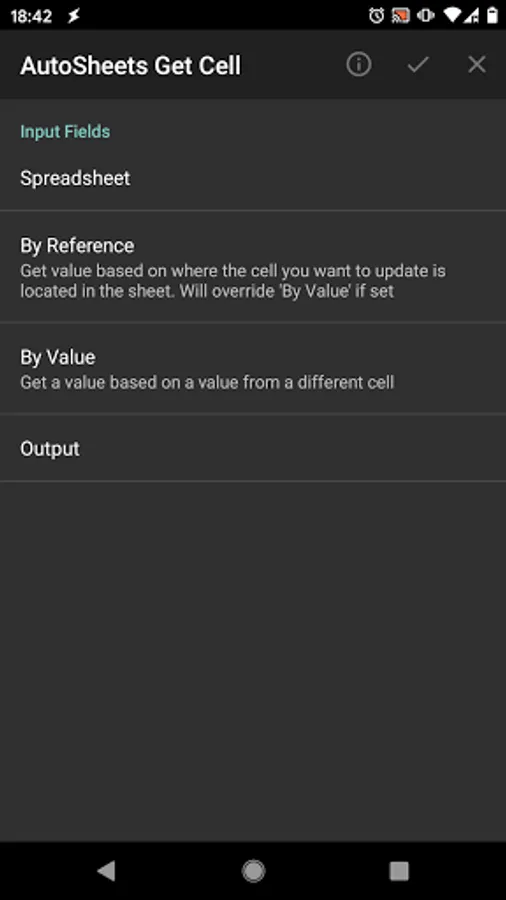
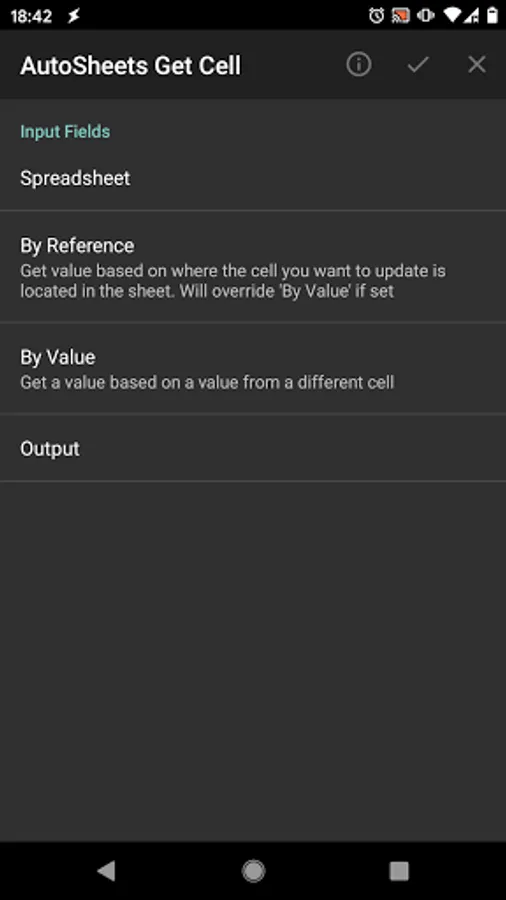
- Get Cell: simple way to get the value of a single cell on your sheet based on its location or the value of a cell on a different column (great for Cloud Variables)
- Get Data: get multiple rows/columns of data at the same time. Optionally name the output data as multiple arrays for easier data parsing
- Get Spreadsheet: get info on a spreadsheet itself like its ID, sheet names, etc
- Insert Empty Rows/Columns: Simply insert new rows/columns with no content
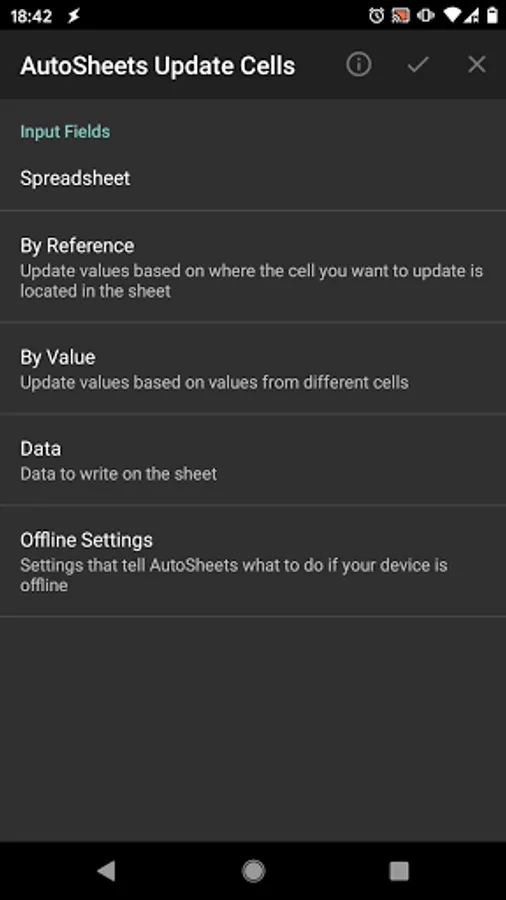
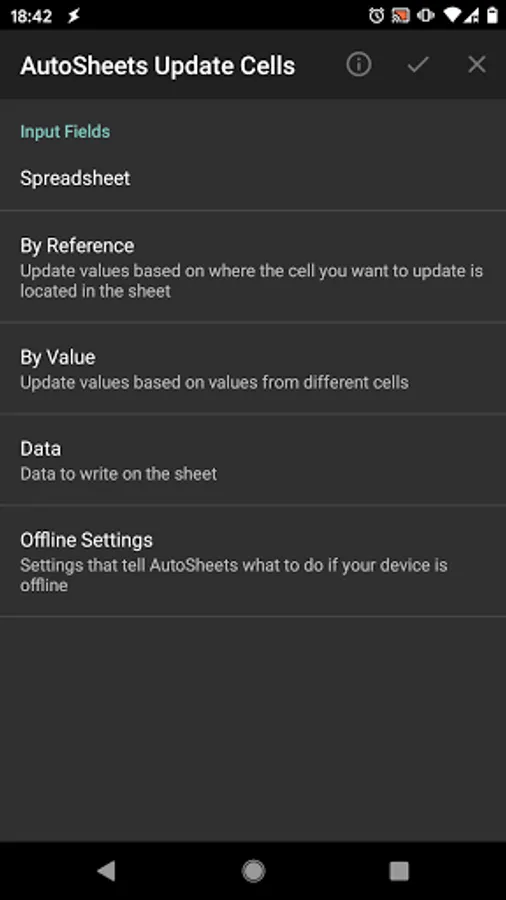
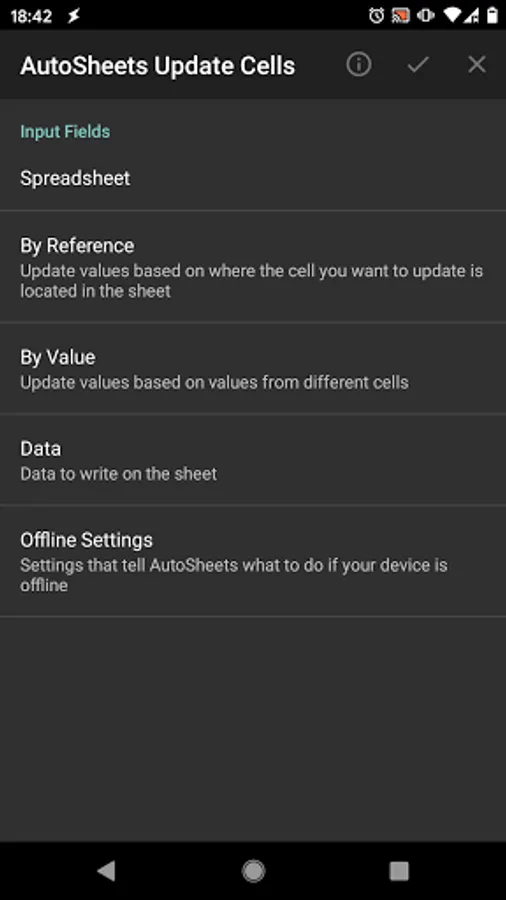
- Update Cells: update the content of cells without inserting any new rows/columns
As an example you could use AutoSheets to add Cloud Variables to Tasker. Check here: https://forum.joaoapps.com/index.php?resources/cloud-variables.522/
Check out more AutoSheets examples here: https://forum.joaoapps.com/index.php?resources/categories/autosheets.38/
╭⋞⍟⍟⍟⍟⍟⍟⍟⍟⍟⍟⍟⍟⍟⍟⍟IMPORTANT NOTE⍟⍟⍟⍟⍟⍟⍟⍟⍟⍟⍟⍟⍟⍟⍟⋟
(WARNING: YOU MUST HAVE TASKER INSTALLED FOR THIS APP TO BE OF ANY USE: AutoSheets is only usable as a plugin in Tasker. Please don't rate it negatively because of this.)
Please contact me if anything is wrong and I'll respond to you promptly and try to fix it as soon as I can. Thank you.
╰⋞⍟⍟⍟⍟⍟⍟⍟⍟⍟⍟⍟⍟⍟⍟⍟⍟⍟⍟⍟⍟⍟⍟⍟⍟⍟⍟⍟⍟⍟⍟⍟⍟⍟⍟⍟⍟⍟⍟⍟⍟⍟⍟⍟⍟⍟⋟
It currently supports the following actions:
- Add Rows: append rows of data to the end of a sheet or insert them somewhere in the middle of the sheet
- Add Sheet: add a new Sheet (tab) at the bottom of your spreadsheet
- Create Spreadsheet: create a whole new spreadsheet
- Delete Cell Content: clear the contents of cells without actually removing lines of columns from the sheet
- Delete Rows/Columns: actually remove rows and columns from sheets along with their content
- Duplicate Sheet: Create a new sheet inside a spreadsheet which is a copy of an existing sheet
- Format Cells: change the appearance of cells on your sheets like background or text color
- Get Cell: simple way to get the value of a single cell on your sheet based on its location or the value of a cell on a different column (great for Cloud Variables)
- Get Data: get multiple rows/columns of data at the same time. Optionally name the output data as multiple arrays for easier data parsing
- Get Spreadsheet: get info on a spreadsheet itself like its ID, sheet names, etc
- Insert Empty Rows/Columns: Simply insert new rows/columns with no content
- Update Cells: update the content of cells without inserting any new rows/columns
As an example you could use AutoSheets to add Cloud Variables to Tasker. Check here: https://forum.joaoapps.com/index.php?resources/cloud-variables.522/
Check out more AutoSheets examples here: https://forum.joaoapps.com/index.php?resources/categories/autosheets.38/
╭⋞⍟⍟⍟⍟⍟⍟⍟⍟⍟⍟⍟⍟⍟⍟⍟IMPORTANT NOTE⍟⍟⍟⍟⍟⍟⍟⍟⍟⍟⍟⍟⍟⍟⍟⋟
(WARNING: YOU MUST HAVE TASKER INSTALLED FOR THIS APP TO BE OF ANY USE: AutoSheets is only usable as a plugin in Tasker. Please don't rate it negatively because of this.)
Please contact me if anything is wrong and I'll respond to you promptly and try to fix it as soon as I can. Thank you.
╰⋞⍟⍟⍟⍟⍟⍟⍟⍟⍟⍟⍟⍟⍟⍟⍟⍟⍟⍟⍟⍟⍟⍟⍟⍟⍟⍟⍟⍟⍟⍟⍟⍟⍟⍟⍟⍟⍟⍟⍟⍟⍟⍟⍟⍟⍟⋟
AutoSheets Screenshots
Tap to Rate:
Reviews for AutoSheets
Trinity B
3/1/2026
I love it, but it can be a bit difficult to actually figure out how to make it work as the guides are either updated or not very detailed
Dominic Lopez
10/7/2025
works perfectly for tracking my work hours.