My Work Time App
ricardoac.com
4.3 ★
store rating
500,000+
downloads
Free
AppRecs review analysis
AppRecs rating 4.4. Trustworthiness 0 out of 100. Review manipulation risk 0 out of 100. Based on a review sample analyzed.
★★★★☆
4.4
AppRecs Rating
Ratings breakdown
5 star
61%
4 star
21%
3 star
14%
2 star
2%
1 star
1%
What to know
✓
High user satisfaction
82% of sampled ratings are 4+ stars (4.3★ average)
✓
Authentic reviews
Natural distribution, no red flags
About My Work Time App
My Work Time is perfect for you, who is looking for a greater control of hours worked, regardless of your type of job. My Work Time has easy usability and essential features to adapt to your timetable, with it you can register several companies and configure precisely your bank of hours. Its latest version has the backup option, it has a modern layout, a new report and the registration of the work time with just ‘One Click’.
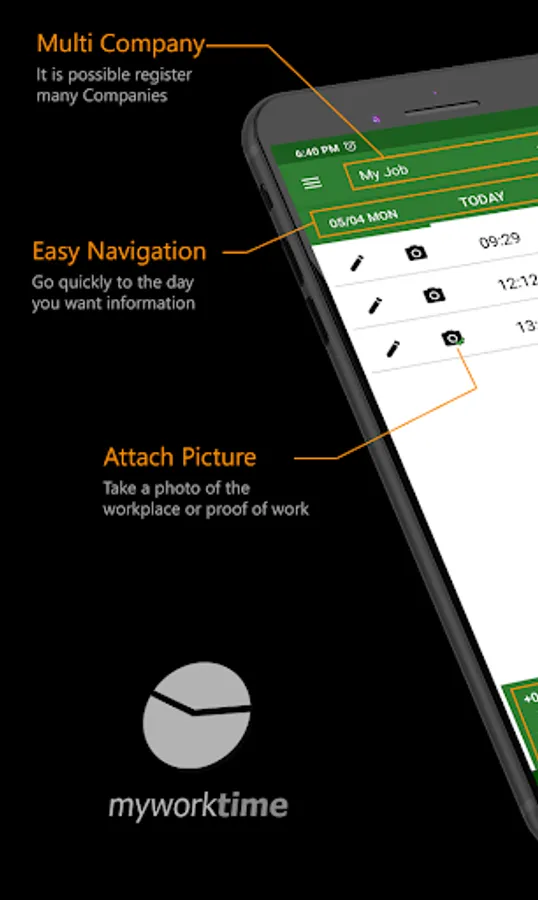
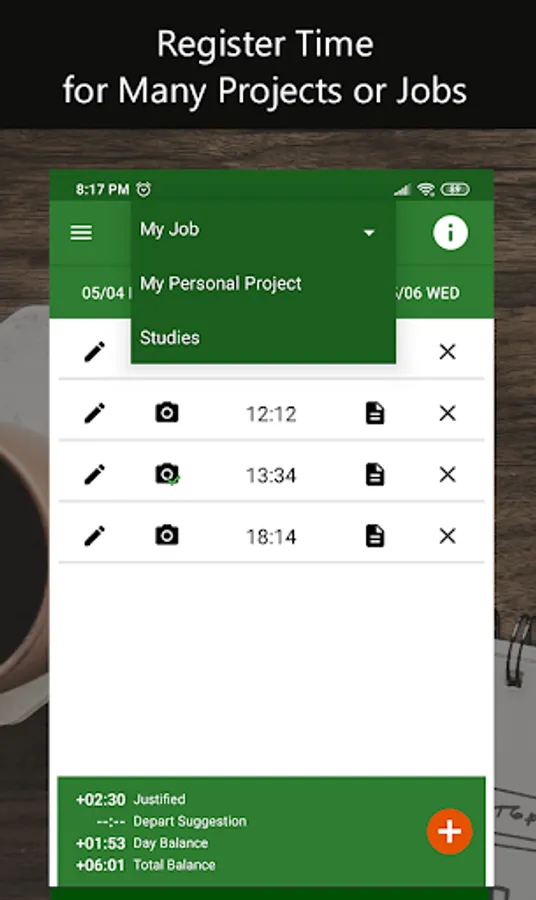
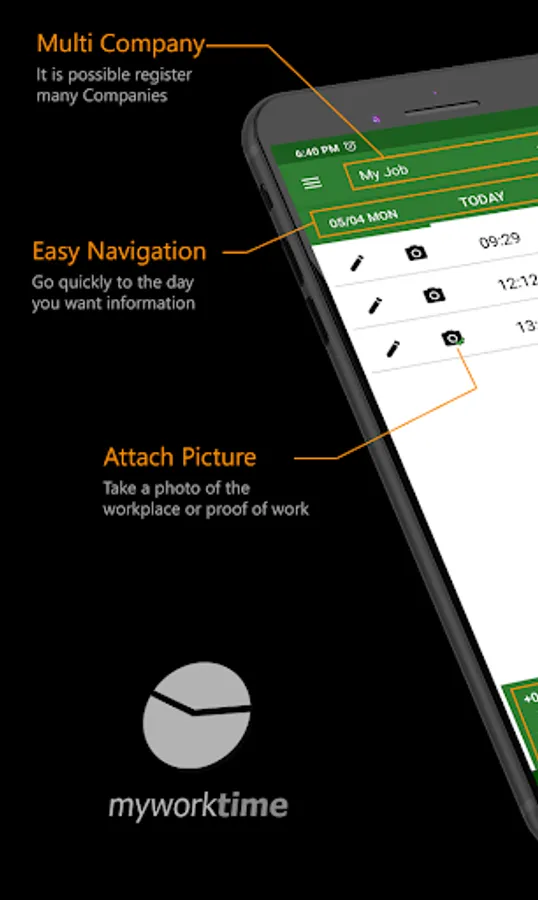
It is possible to register more than one company, adapting to the reality and individuality of each one. That way you can manage the working time of yours differents jobs distinctly, being possible to count your working hours as a freelancer, as a personal job or study, for example.
Now, the application also has backup and the ease of use to register the work time with the One Click option, registering it directly, without the need to confirm the hour. For the application being even more adjusted to your situation, you can also register justified absences, holidays and vacation periods. You can easily view all records in the report, clearly and objectively.
Main features available:
⭐ Control: you will have the autonomy to manage your bank of hour balance and view your hours worked at any time.
⭐ Multi-Company: you can add several companies and keep track of your hours worked according to each one.
⭐ Register your Work Time using One Click: you can register your work time without having to enter the hour, just one click and the work time will be registered.
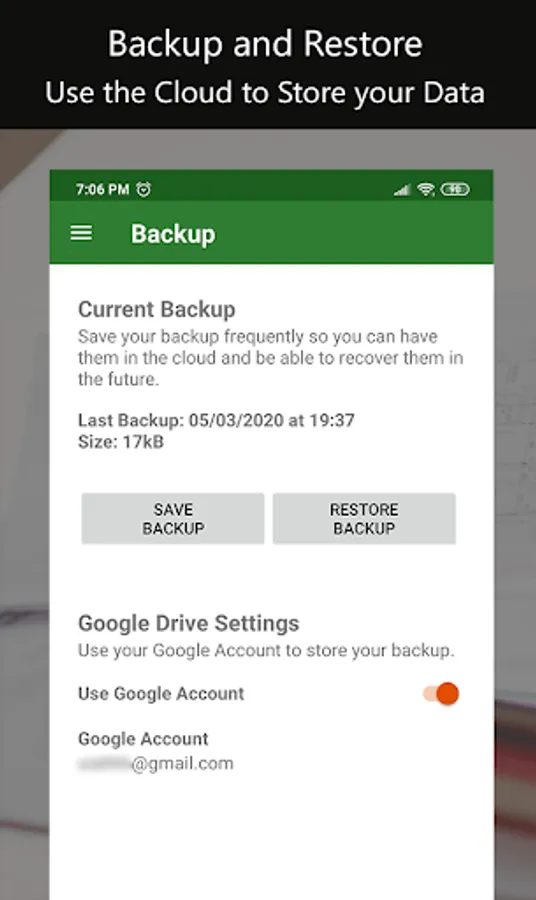
⭐ Backup: you can have your data backed up in your Google Drive account whenever you need it.
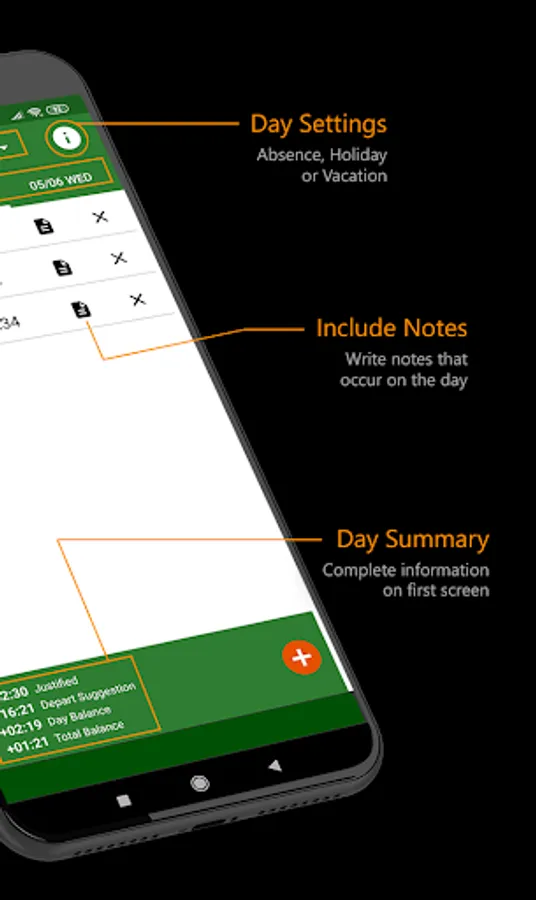
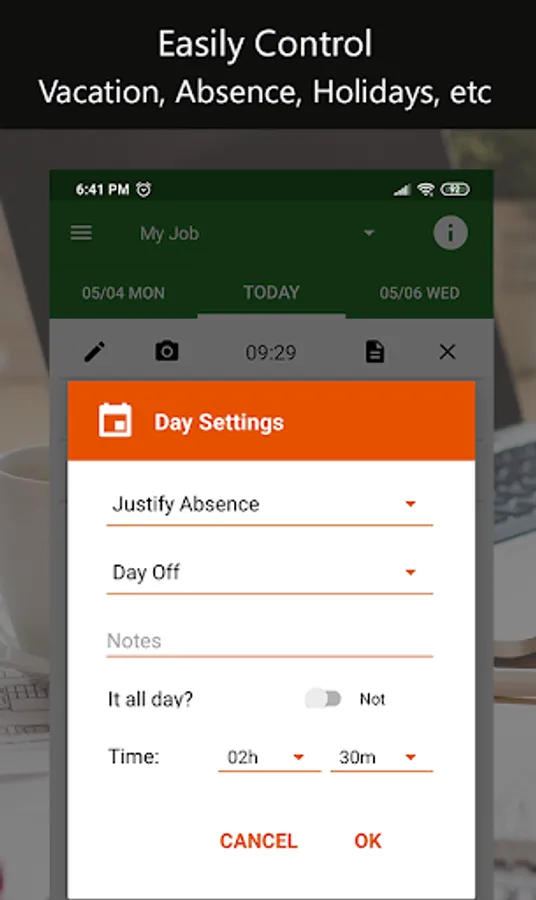
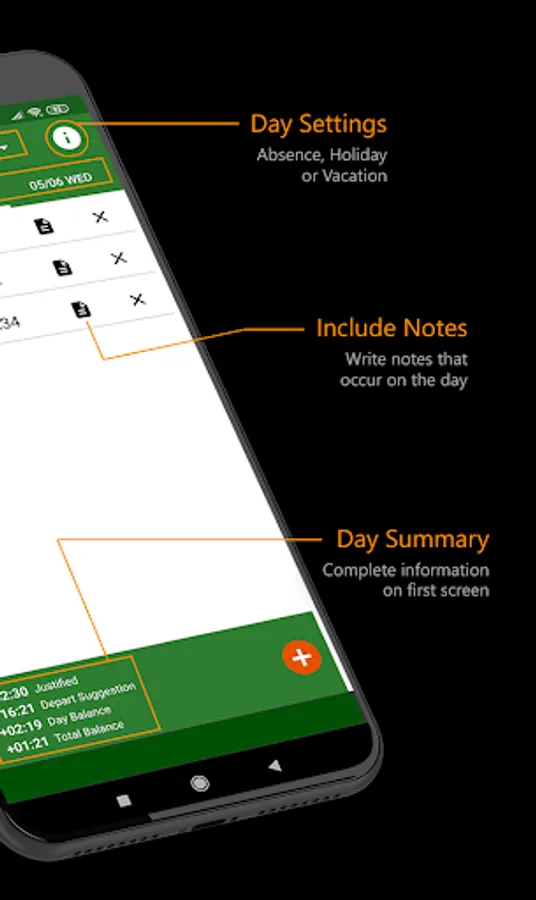
⭐ Day Settings: you also can report holidays, vacations and justified absences. You must record the number of hours to be credited on the days that you needed to be absent for medical consultation, marriage, blood donation, etc.
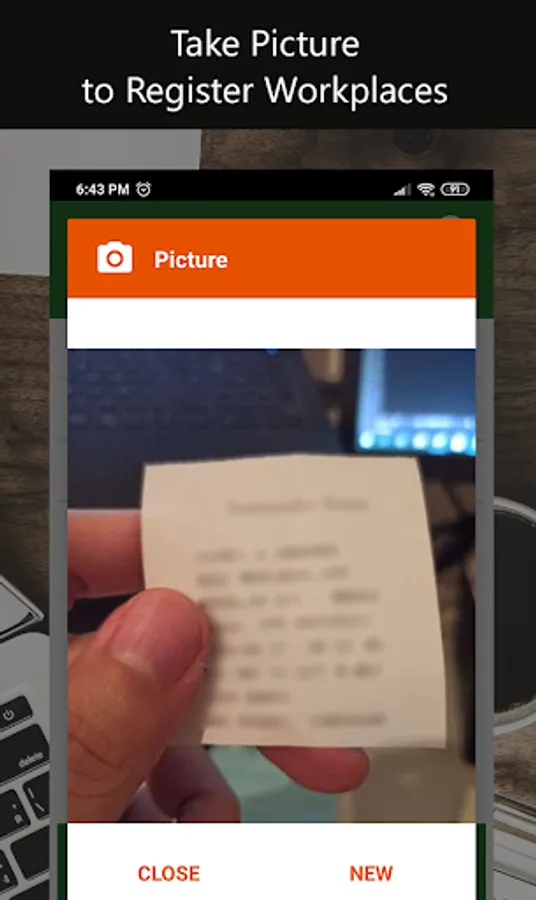
⭐ Proof of Work: you can attach a photo of your time work receipt with the registration.
⭐ Work Time Notes: you can report justifications for delay or any eventuality with your work time.
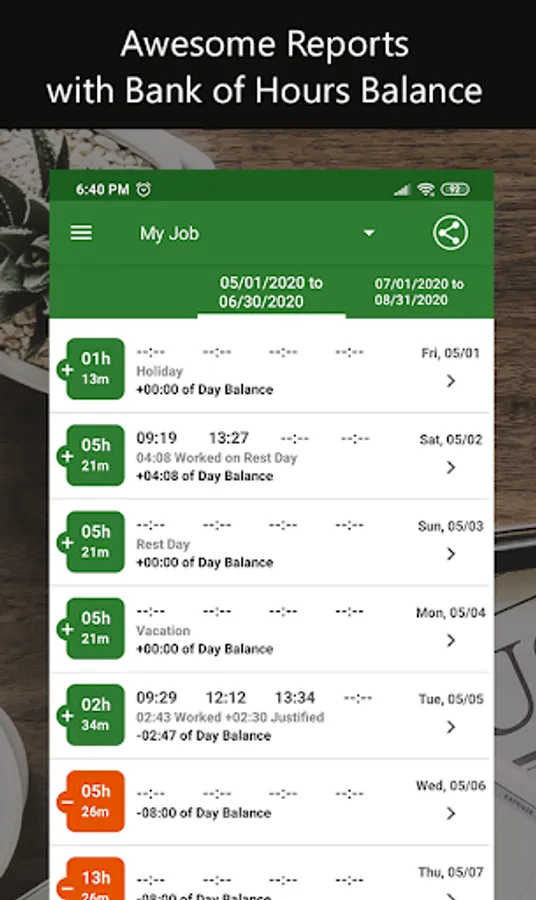
⭐ Reports: you can have at any time a complete report containing the balance time, justifications for absences and recorded work times. Export it to Excel and receive it by email.
⭐ Time Settings: you can register the working hours according to your needs. For freelancers, we suggest that you leave this setting without pre-scheduled times.
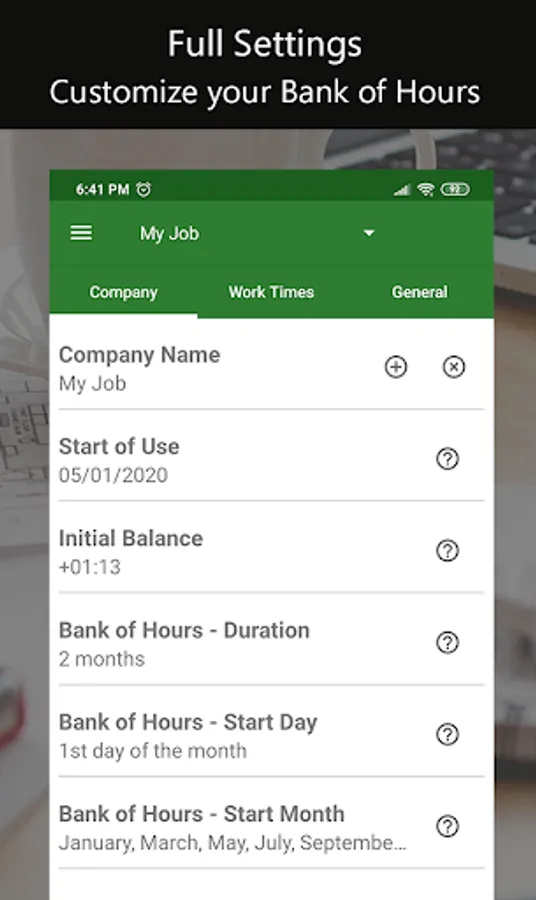
⭐ Report with Bank of Hours Customized: you must enter the duration and start date of your bank of hour, so that it is counted and recorded in the report.
⭐ Balance: you always will have your bank balance of your updated on the timetable screen and in the report. When starting to use My Work Time, you must register the initial balance of hours worked.
It is possible to register more than one company, adapting to the reality and individuality of each one. That way you can manage the working time of yours differents jobs distinctly, being possible to count your working hours as a freelancer, as a personal job or study, for example.
Now, the application also has backup and the ease of use to register the work time with the One Click option, registering it directly, without the need to confirm the hour. For the application being even more adjusted to your situation, you can also register justified absences, holidays and vacation periods. You can easily view all records in the report, clearly and objectively.
Main features available:
⭐ Control: you will have the autonomy to manage your bank of hour balance and view your hours worked at any time.
⭐ Multi-Company: you can add several companies and keep track of your hours worked according to each one.
⭐ Register your Work Time using One Click: you can register your work time without having to enter the hour, just one click and the work time will be registered.
⭐ Backup: you can have your data backed up in your Google Drive account whenever you need it.
⭐ Day Settings: you also can report holidays, vacations and justified absences. You must record the number of hours to be credited on the days that you needed to be absent for medical consultation, marriage, blood donation, etc.
⭐ Proof of Work: you can attach a photo of your time work receipt with the registration.
⭐ Work Time Notes: you can report justifications for delay or any eventuality with your work time.
⭐ Reports: you can have at any time a complete report containing the balance time, justifications for absences and recorded work times. Export it to Excel and receive it by email.
⭐ Time Settings: you can register the working hours according to your needs. For freelancers, we suggest that you leave this setting without pre-scheduled times.
⭐ Report with Bank of Hours Customized: you must enter the duration and start date of your bank of hour, so that it is counted and recorded in the report.
⭐ Balance: you always will have your bank balance of your updated on the timetable screen and in the report. When starting to use My Work Time, you must register the initial balance of hours worked.