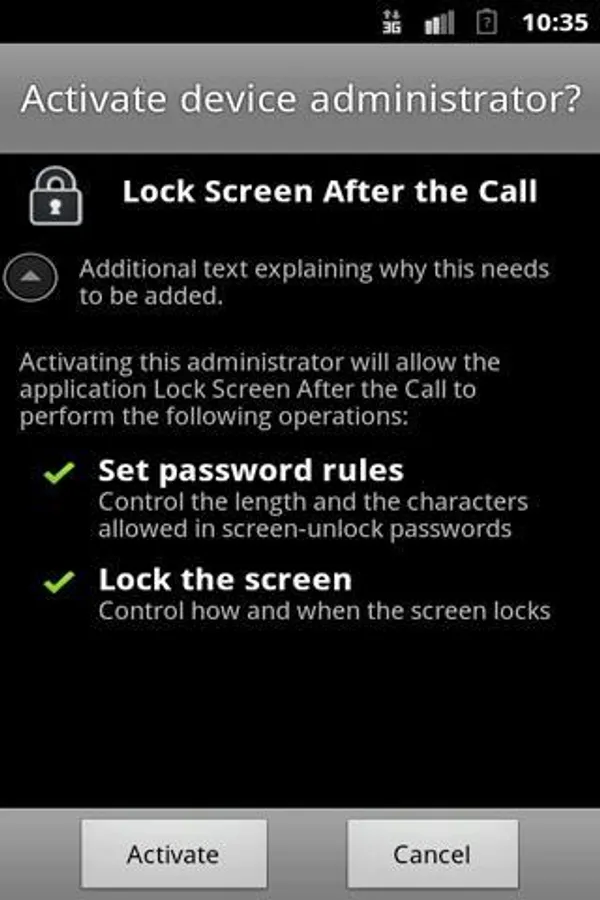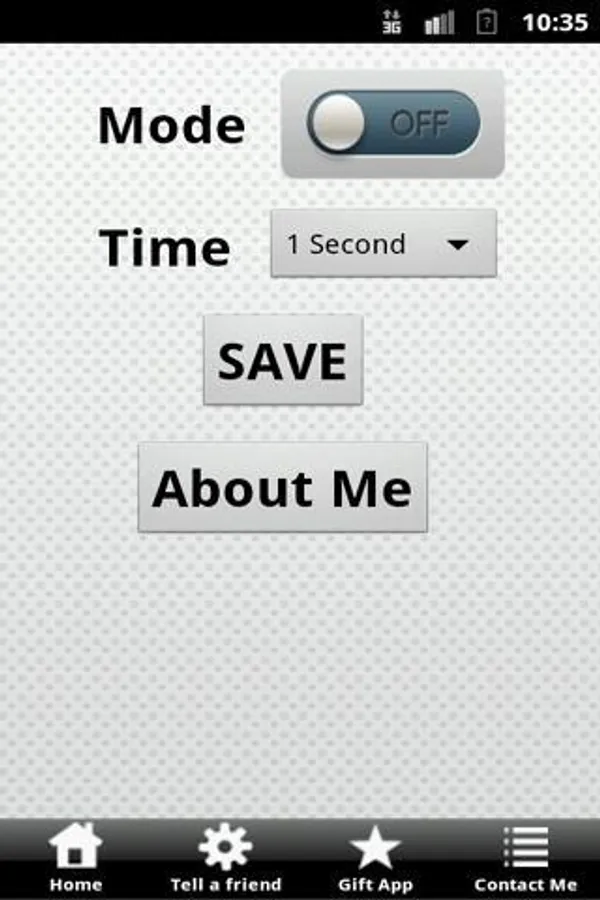
With this app, you can set automatic screen locks after outgoing calls to prevent accidental phone calls. Includes options for different delay intervals and admin permission management.
AppRecs review analysis
AppRecs rating 2.7. Trustworthiness 0 out of 100. Review manipulation risk 0 out of 100. Based on a review sample analyzed.
★★☆☆☆
2.7
AppRecs Rating
Ratings breakdown
5 star
37%
4 star
0%
3 star
0%
2 star
10%
1 star
54%
What to know
✓
Authentic reviews
No red flags detected
⚠
Mixed user feedback
Average 2.7★ rating suggests room for improvement
⚠
High negative review ratio
63% of sampled ratings are 1–2 stars
About Prevent mistake call
&&&&& please don't install if you have android 2.1 and below &&&&&&
Are you calling people as a mistake by pressing a touch screen?
Do you have broken/hard pressing power button ? tired pressing on the power button after you have finished talking ?
Do you call people by mistake after you have finished talking on Bluetooth headset when the device stays in the pocket/bag?
Most unwanted calls are made by mistake after we hung up outgoing calls, Because there is no lock screen at the end of outgoing calls, by default !
This application will help you deal with at least one of the problems.
Before uninstalling app make sure to disable admin permissions in Location
and security > Select device admin > Lock after called
Details:
you can set the screen lock after 1 second/ 5 seconds/ 10 seconds / 30 seconds / 1 minute /2 minutes / 5 minutes
Are you calling people as a mistake by pressing a touch screen?
Do you have broken/hard pressing power button ? tired pressing on the power button after you have finished talking ?
Do you call people by mistake after you have finished talking on Bluetooth headset when the device stays in the pocket/bag?
Most unwanted calls are made by mistake after we hung up outgoing calls, Because there is no lock screen at the end of outgoing calls, by default !
This application will help you deal with at least one of the problems.
Before uninstalling app make sure to disable admin permissions in Location
and security > Select device admin > Lock after called
Details:
you can set the screen lock after 1 second/ 5 seconds/ 10 seconds / 30 seconds / 1 minute /2 minutes / 5 minutes