Best Buy Remote Management App
Domotz Inc
4.6 ★
store rating
5,000+
downloads
Free
In this app, users can request support, troubleshoot devices, and reboot smart home components easily. Includes support chat, device reboot, alerts, device management, and network diagnostics features.
AppRecs review analysis
AppRecs rating 4.6. Trustworthiness 55 out of 100. Review manipulation risk 15 out of 100. Based on a review sample analyzed.
★★★★☆
4.6
AppRecs Rating
Ratings breakdown
5 star
89%
4 star
0%
3 star
0%
2 star
11%
1 star
0%
What to know
✓
High user satisfaction
89% of sampled ratings are 5 stars
About Best Buy Remote Management App
Welcome to the Best Buy Remote Management App!
The app designed specifically for My Best Buy Total with Remote Management customers – streamlining "smart home" support and troubleshooting of audio/video/control/automation and networking systems.
The Remote Management app makes requesting support from your Remote Management Support Team easier than ever. The homeowner can request support and troubleshooting on a one-to-one basis to solve "smart home" issues faster than ever.
The app lets you request support with one tap, but in homes with "smart" power
devices on select components, the app allows the homeowner to solve simple issues themselves with a device "reboot" feature.
PLEASE NOTE: The Remote Management App requires a special Log-in and
password that can only be obtained from your Best Buy Custom Installer.
Best Buy Remote Management App features include:
· One-tap Support Request: Chat with your Remote Management Support Team in one tap via the app. Get help for an issue faster than ever!
· Device Reboot: Troubleshooting Guide that enables certain devices to reboot in one click to make a locked-up device work again
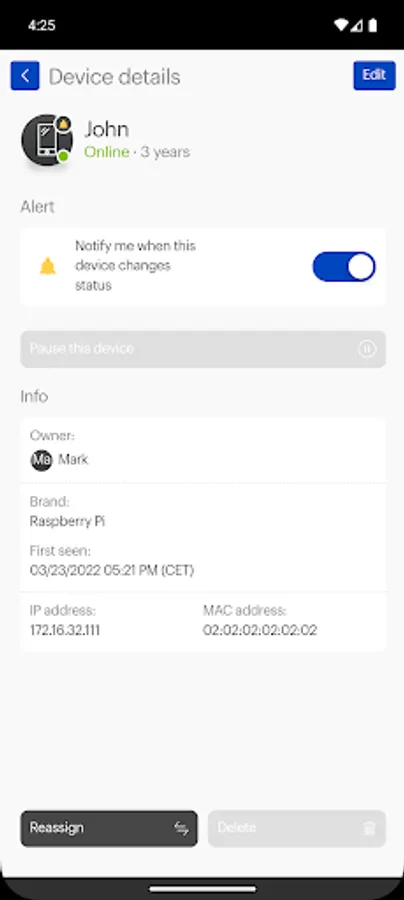
· Alerts: Receive alerts when new devices join your network – to detect new people or intruders on your network
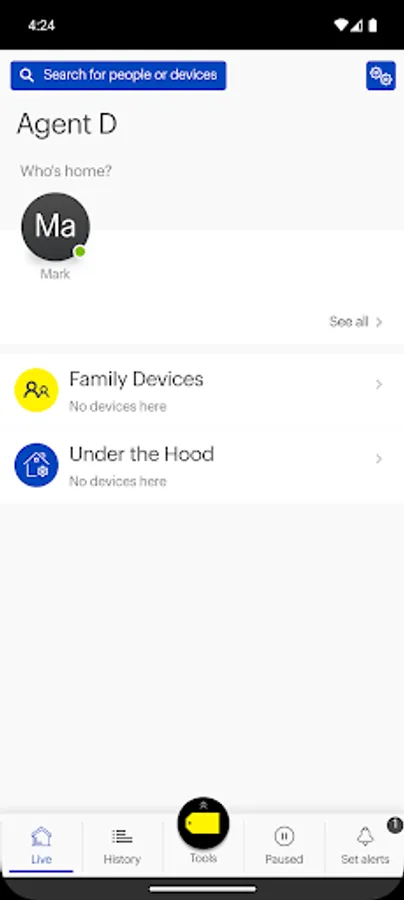
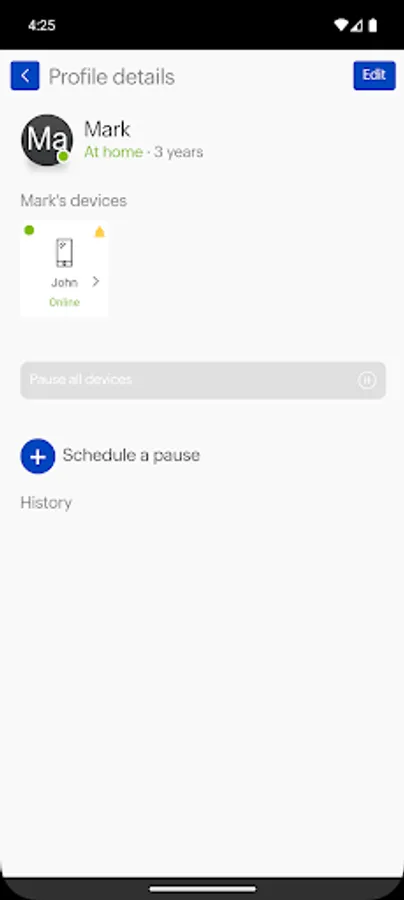
· Who is Home: Visualize who is at home based on their devices – family, guests or unrecognized devices
· Home Tech Inventory: See the devices on your network – and which are on-line or off-line, including what’s supported by Best Buy
· Network Diagnostics: Run a speed test or latency test to measure the speed of your Internet connection and get your network performance report
Help with Remote Management
The Remote Management App requires a log-in and password which can be
provided to you by your Best Buy Custom Installer. Contact Best Buy support today to find out more about My Best Buy Total with Remote Management getting access to the Remote Management App.
The app designed specifically for My Best Buy Total with Remote Management customers – streamlining "smart home" support and troubleshooting of audio/video/control/automation and networking systems.
The Remote Management app makes requesting support from your Remote Management Support Team easier than ever. The homeowner can request support and troubleshooting on a one-to-one basis to solve "smart home" issues faster than ever.
The app lets you request support with one tap, but in homes with "smart" power
devices on select components, the app allows the homeowner to solve simple issues themselves with a device "reboot" feature.
PLEASE NOTE: The Remote Management App requires a special Log-in and
password that can only be obtained from your Best Buy Custom Installer.
Best Buy Remote Management App features include:
· One-tap Support Request: Chat with your Remote Management Support Team in one tap via the app. Get help for an issue faster than ever!
· Device Reboot: Troubleshooting Guide that enables certain devices to reboot in one click to make a locked-up device work again
· Alerts: Receive alerts when new devices join your network – to detect new people or intruders on your network
· Who is Home: Visualize who is at home based on their devices – family, guests or unrecognized devices
· Home Tech Inventory: See the devices on your network – and which are on-line or off-line, including what’s supported by Best Buy
· Network Diagnostics: Run a speed test or latency test to measure the speed of your Internet connection and get your network performance report
Help with Remote Management
The Remote Management App requires a log-in and password which can be
provided to you by your Best Buy Custom Installer. Contact Best Buy support today to find out more about My Best Buy Total with Remote Management getting access to the Remote Management App.