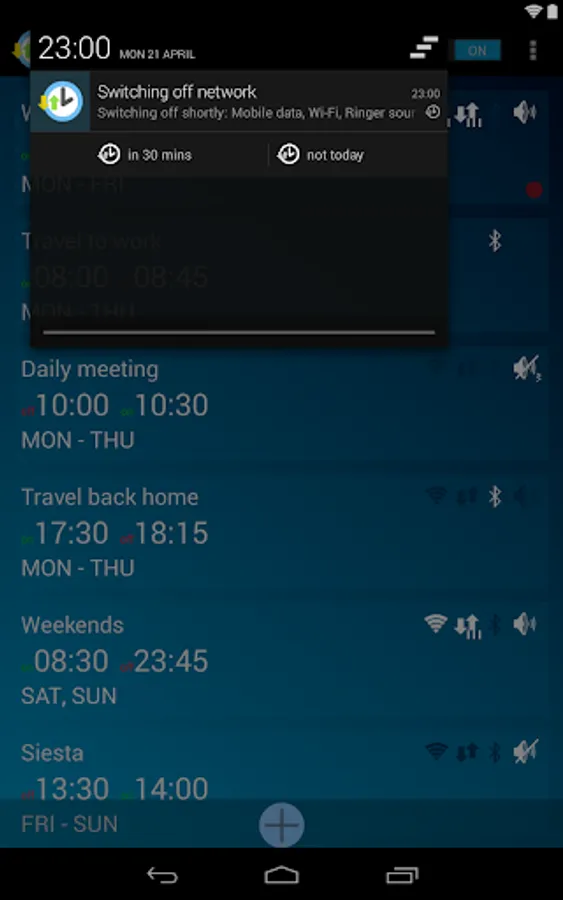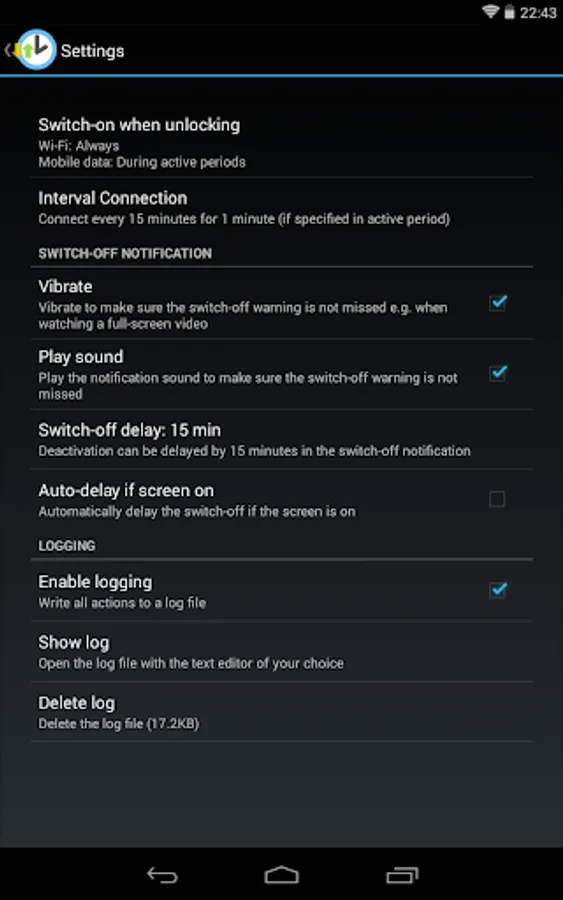
In this app, you can schedule Wi-Fi, mobile data, Bluetooth, and ringer sound to activate or deactivate at specific times. Includes options for delay, notifications, and interval connection to optimize battery and data usage.
AppRecs review analysis
AppRecs rating 4.2. Trustworthiness 0 out of 100. Review manipulation risk 0 out of 100. Based on a review sample analyzed.
★★★★☆
4.2
AppRecs Rating
Ratings breakdown
5 star
70%
4 star
13%
3 star
0%
2 star
0%
1 star
17%
What to know
✓
High user satisfaction
83% of sampled ratings are 4+ stars (4.2★ average)
✓
Authentic reviews
No red flags detected
About Network Scheduler
Important Note regarding Android 5 and higher:
Only rooted devices can enable/disable mobile data using apps. Non-rooted devices can only schedule Wi-Fi, Bluetooth and the ringer sound/vibration. If you don't know what rooting is you don't have root and won't be able to schedule mobile data.
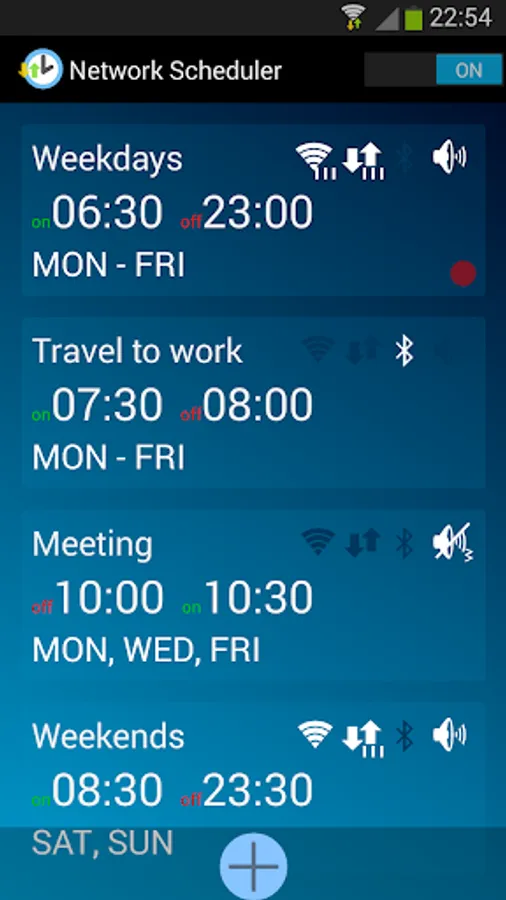
Network Scheduler enables or disables Wi-Fi, mobile data (2G/3G/4G) or bluetooth during specific time periods to increase battery life and reduce mobile data consumption. Additionally, it allows switching the ringer sound on or off during any scheduled period (with or without vibration when silent).
Network Scheduler is free (no ads). It lets you
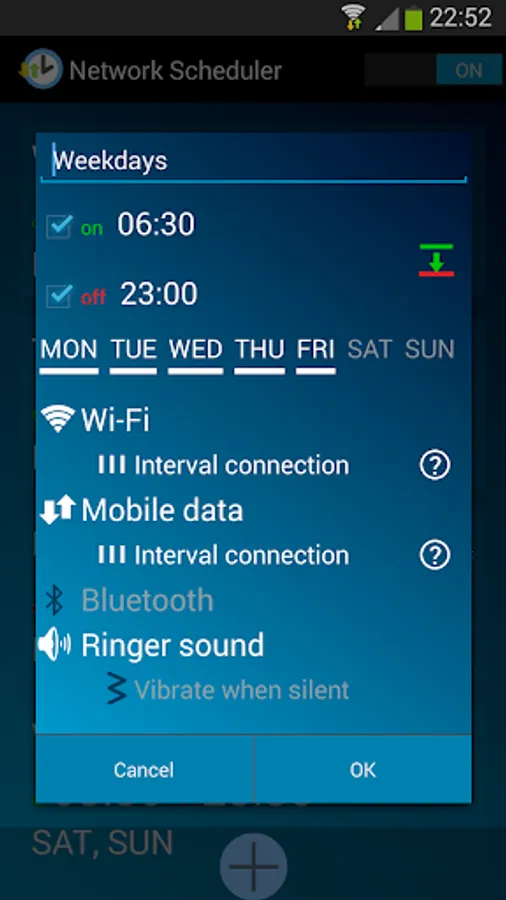
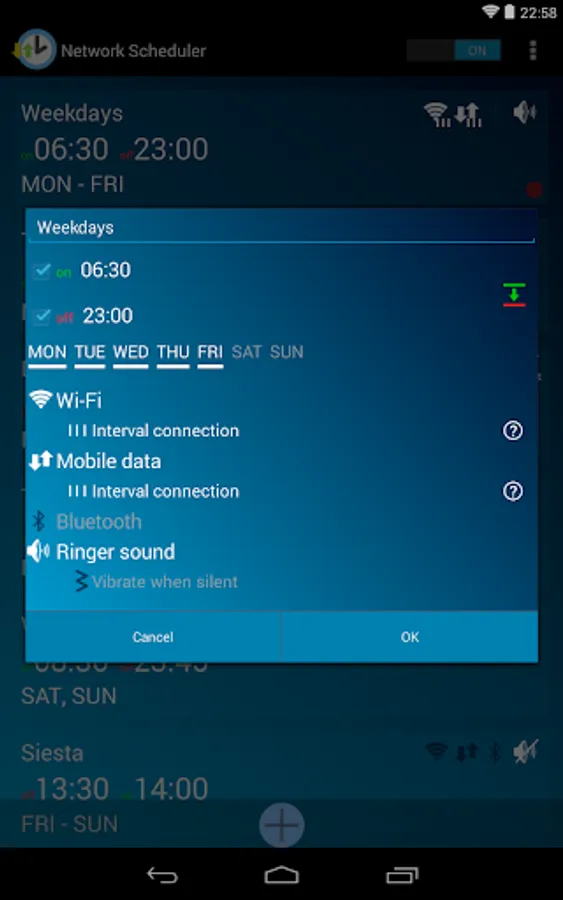
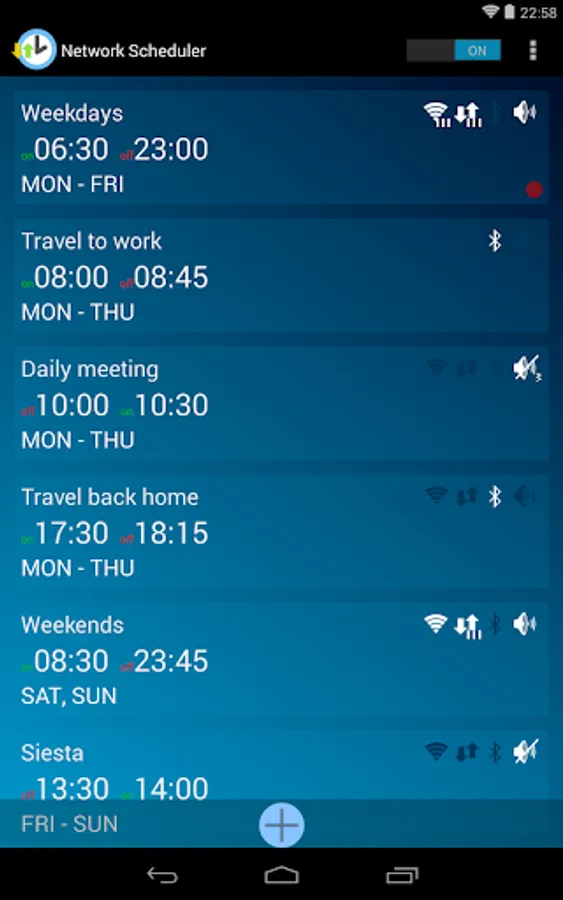
* Schedule daily / weekly recurring time periods with enabled or disabled network radios (Wi-Fi, mobile data, Bluetooth) or ringer sound. Optionally keep vibration on during silent periods.
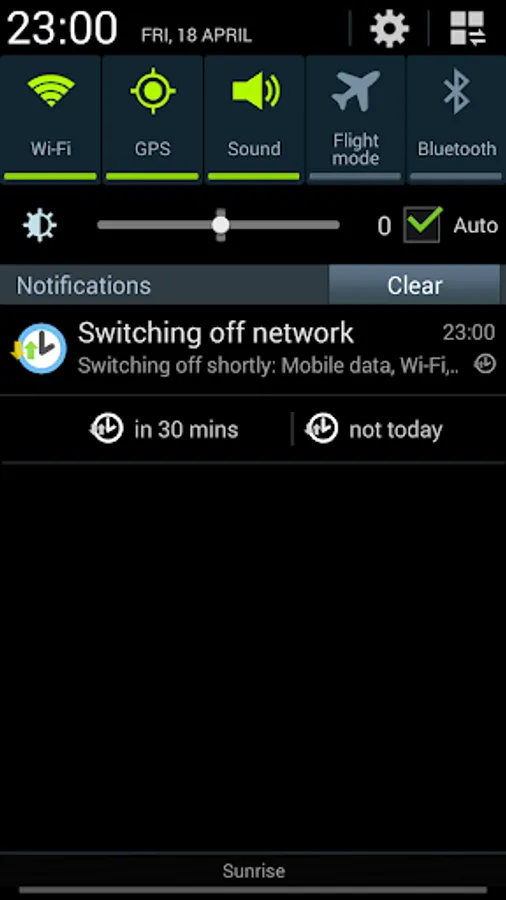
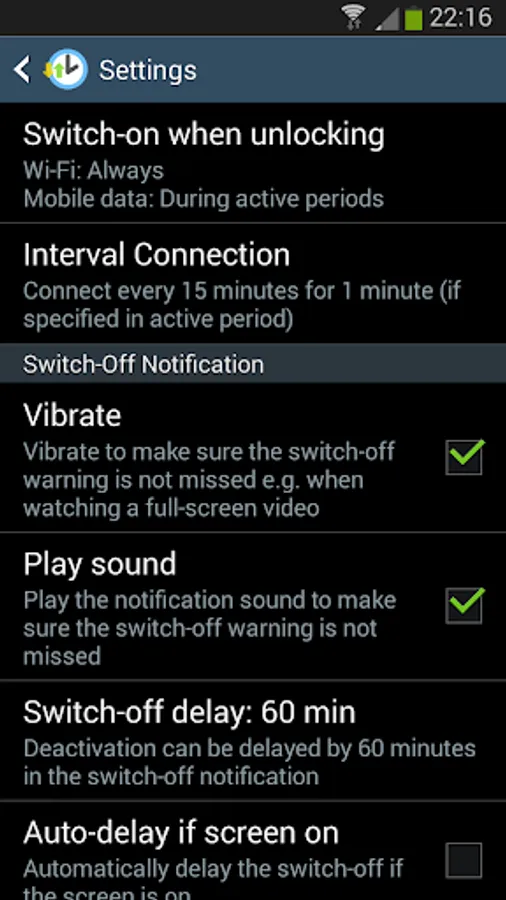
* Avoid being surprised thanks to the switch-off warning: If the device is in use (screen is on) a notification appears shortly before Wi-Fi, mobile data or bluetooth is switched off by a schedule. In android 3.0 and higher you can directly delay the switch-off, for example if you are watching a video, or you can skip the switch-off completely. Alternatively you can set 'auto-delay' and never get disturbed by a scheduled switch-off while using the device.
* Save battery life and reduce mobile data usage with Interval Connection. This option can be chosen for time periods that enable Wi-Fi and / or mobile data. Instead of keeping the Wi-Fi and mobile data radio always on, 'Interval Connection' turns these radios off when the device is not used (screen is off). They are enabled again at regular intervals (by default every 15 min, can be changed in settings) for a short while (by default for 15 seconds) to fetch new messages. Additionally, Wi-Fi / mobile data can be automatically turned on when the device is unlocked. Note that newer devices are better optimized regarding battery life and 'Interval Connection' might not be needed from a battery optimization point of view.
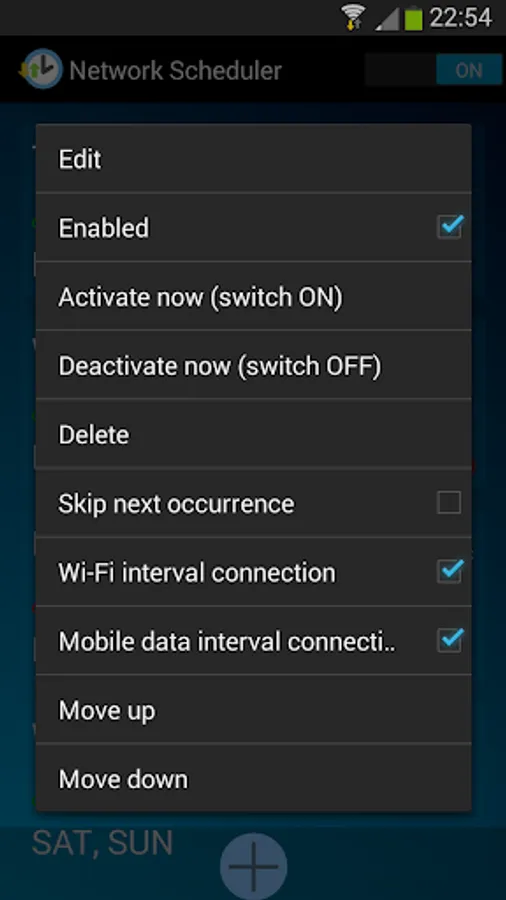
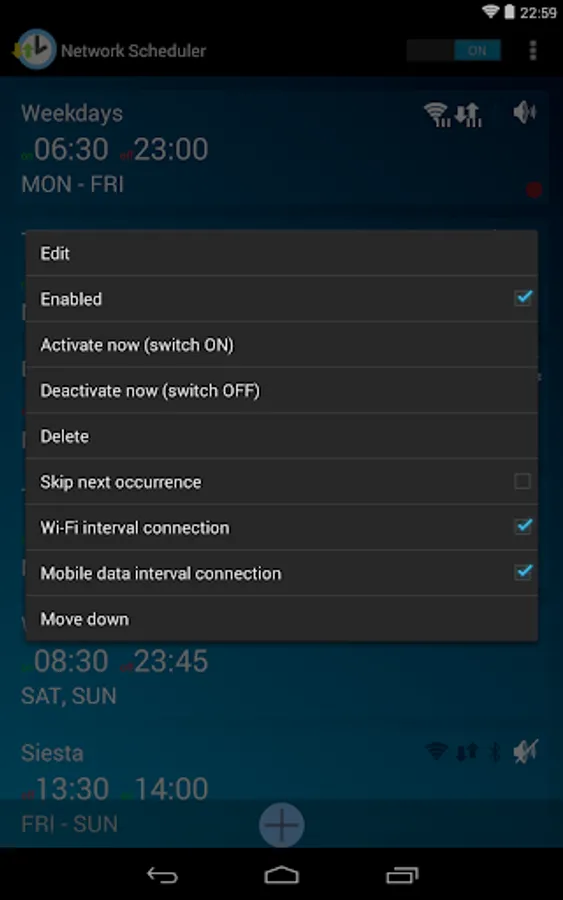
* Maintain full control by using the context menu to manually activate or deactivate a scheduled period. Additional options include skipping the next occurrence of a schedule if plans have changed, disabling 'Interval Connection' for the currently active time period and disabling a schedule completely.
For bug reports and questions or if you want to help translate Network Scheduler into your language please get in touch via e-mail.
Source Code: https://github.com/manimahler/NetworkScheduler
Only rooted devices can enable/disable mobile data using apps. Non-rooted devices can only schedule Wi-Fi, Bluetooth and the ringer sound/vibration. If you don't know what rooting is you don't have root and won't be able to schedule mobile data.
Network Scheduler enables or disables Wi-Fi, mobile data (2G/3G/4G) or bluetooth during specific time periods to increase battery life and reduce mobile data consumption. Additionally, it allows switching the ringer sound on or off during any scheduled period (with or without vibration when silent).
Network Scheduler is free (no ads). It lets you
* Schedule daily / weekly recurring time periods with enabled or disabled network radios (Wi-Fi, mobile data, Bluetooth) or ringer sound. Optionally keep vibration on during silent periods.
* Avoid being surprised thanks to the switch-off warning: If the device is in use (screen is on) a notification appears shortly before Wi-Fi, mobile data or bluetooth is switched off by a schedule. In android 3.0 and higher you can directly delay the switch-off, for example if you are watching a video, or you can skip the switch-off completely. Alternatively you can set 'auto-delay' and never get disturbed by a scheduled switch-off while using the device.
* Save battery life and reduce mobile data usage with Interval Connection. This option can be chosen for time periods that enable Wi-Fi and / or mobile data. Instead of keeping the Wi-Fi and mobile data radio always on, 'Interval Connection' turns these radios off when the device is not used (screen is off). They are enabled again at regular intervals (by default every 15 min, can be changed in settings) for a short while (by default for 15 seconds) to fetch new messages. Additionally, Wi-Fi / mobile data can be automatically turned on when the device is unlocked. Note that newer devices are better optimized regarding battery life and 'Interval Connection' might not be needed from a battery optimization point of view.
* Maintain full control by using the context menu to manually activate or deactivate a scheduled period. Additional options include skipping the next occurrence of a schedule if plans have changed, disabling 'Interval Connection' for the currently active time period and disabling a schedule completely.
For bug reports and questions or if you want to help translate Network Scheduler into your language please get in touch via e-mail.
Source Code: https://github.com/manimahler/NetworkScheduler