Fora Dictionary
Ismail Alper Yilmaz
3.0 ★
3K ratings
100,000+
downloads
Free
+ in-app
AppRecs review analysis
AppRecs rating 2.9. Trustworthiness 83 out of 100. Review manipulation risk 20 out of 100. Based on a review sample analyzed.
★★☆☆☆
2.9
AppRecs Rating
Ratings breakdown
5 star
39%
4 star
7%
3 star
7%
2 star
4%
1 star
43%
What to know
✓
Low review manipulation risk
20% review manipulation risk
⚠
Mixed user feedback
Average 3.0★ rating suggests room for improvement
⚠
High negative review ratio
47% of sampled ratings are 1–2 stars
About Fora Dictionary
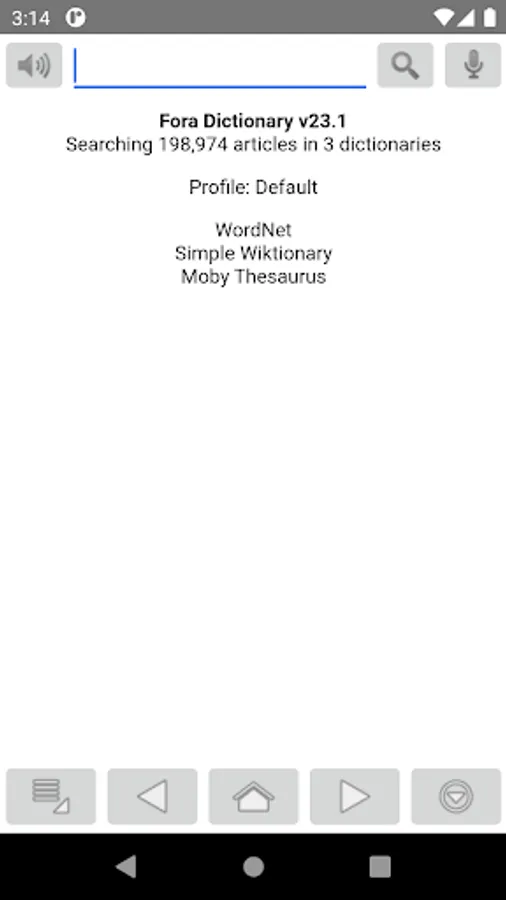
Fora Dictionary is a versatile dictionary viewer.
FEATURES
• Fast and fully offline operation
• Compatibility with StarDict, DSL, XDXF, Dictd, and TSV/Plain dictionaries
• Typing-friendly search with tolerance for case, diacritics, and punctuation
• Fuzzy search
• Full-text search
• In-page popup translator
• History and word list
• Customization options
COMPATIBILITY
Fora Dictionary supports the following dictionary and file types (with the main index file extension in parentheses):
• StarDict dictionaries (*.idx)
• DSL dictionaries (*.dsl)
• XDXF dictionaries (*.xdxf)
• Dictd dictionaries (*.index)
• TSV/Plain dictionaries (*.txt, *.dic)
• Hunspell dictionaries (*.aff)
The application also supports connections to DICT protocol servers.
SETTING UP DICTIONARIES
• Copy the dictionary files into the app’s documents folder on your device. For help connecting your device to a computer, see: https://support.google.com/android/answer/9064445
• Select the dictionary index file, as listed in the compatibility section above (or an archive of it), using the 'Import' option from the Dictionary Manager menu.
• (Optional) Attach resource ZIP files (if available) using the 'Attach ZIP' option in the dictionary menu.
• (Optional) Edit properties of the dictionary, such as its visible name, using the 'Edit Properties' option in the dictionary menu.
• (Optional) Create a full-text search index for the dictionary using the 'Upgrade' option in the dictionary menu.
• (Optional) Create profiles to group and organize dictionaries.
RESOURCE FILES
Resource files of a dictionary can be packed in multiple ZIP files with arbitrary sizes and file names. Use the "Attach ZIP" option in the dictionary menu to copy and attach ZIP files to a dictionary.
FULL-TEXT SEARCH
The app supports full-text searches of all dictionaries for exact matches. This feature requires a one-time upgrade of each dictionary, which may take a considerable amount of time to complete, as every word in the dictionary is indexed for searchability.
SYNCHRONIZING BETWEEN DEVICES
Copying or moving dictionaries between devices can be accomplished using one of the following methods:
• Export the dictionary to a *.zip file on the first device and then import that *.zip file on the second device.
• Copy or move the entire ".fora" folder or individual dictionary folders using a file manager. (After transferring, you may need to add dictionaries to a profile using the "Add to Profile" option in the Dictionary Manager menu.)
SEARCH TYPES
There are five types of searches you can perform on dictionaries:
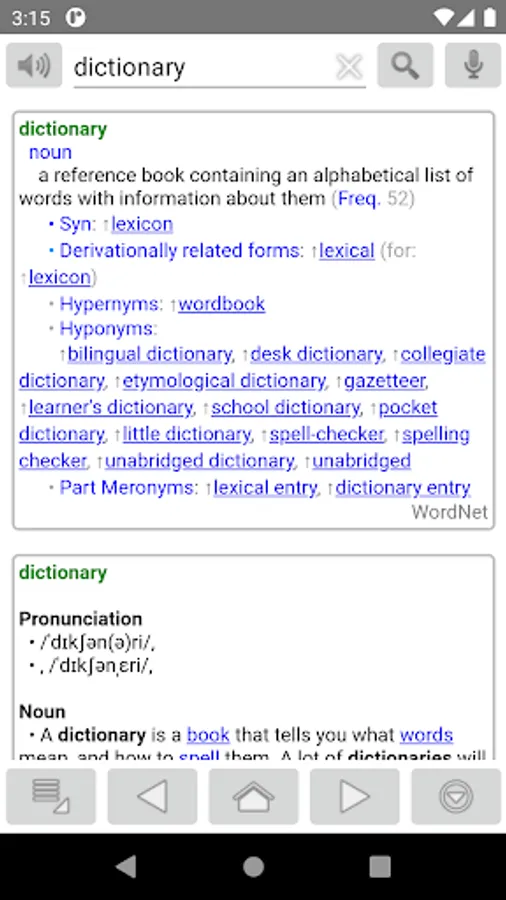
• Regular search: Displays results that exactly match the query.
• Extended matching search: Displays results that match the query with case, diacritics, and punctuation ignored. Suggestions include in-phrase and phonetic matches.
• Full-text search: Provides a list of articles containing exact matches of the query. The search scope includes all text in articles, not limited to headwords, but also definitions, synonyms, examples, etc.
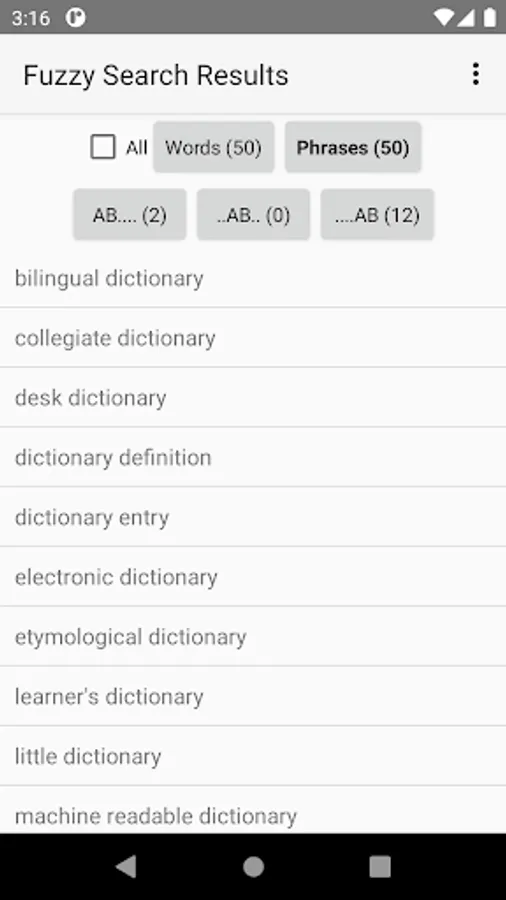
• Fuzzy search: Displays a list of articles most similar to the query. This search acts like a spell checker for words you're uncertain about spelling.
• Wildcard search: Displays a list of articles that match the criteria set by a wildcard query.
ANDROID 10 OR LATER
If you upgrade from an earlier Android version to Android 10 or later, you may need to move the ".fora" folder manually. Copy it from shared storage to Android/data/com.ngc.fora/files/ using a computer or file manager, because newer Android versions restrict access to shared and external storage.
HELP AND SUPPORT
• https://fora-dictionary.com
Copyright © 2010-2025 NG-Computing. All rights reserved.
FEATURES
• Fast and fully offline operation
• Compatibility with StarDict, DSL, XDXF, Dictd, and TSV/Plain dictionaries
• Typing-friendly search with tolerance for case, diacritics, and punctuation
• Fuzzy search
• Full-text search
• In-page popup translator
• History and word list
• Customization options
COMPATIBILITY
Fora Dictionary supports the following dictionary and file types (with the main index file extension in parentheses):
• StarDict dictionaries (*.idx)
• DSL dictionaries (*.dsl)
• XDXF dictionaries (*.xdxf)
• Dictd dictionaries (*.index)
• TSV/Plain dictionaries (*.txt, *.dic)
• Hunspell dictionaries (*.aff)
The application also supports connections to DICT protocol servers.
SETTING UP DICTIONARIES
• Copy the dictionary files into the app’s documents folder on your device. For help connecting your device to a computer, see: https://support.google.com/android/answer/9064445
• Select the dictionary index file, as listed in the compatibility section above (or an archive of it), using the 'Import' option from the Dictionary Manager menu.
• (Optional) Attach resource ZIP files (if available) using the 'Attach ZIP' option in the dictionary menu.
• (Optional) Edit properties of the dictionary, such as its visible name, using the 'Edit Properties' option in the dictionary menu.
• (Optional) Create a full-text search index for the dictionary using the 'Upgrade' option in the dictionary menu.
• (Optional) Create profiles to group and organize dictionaries.
RESOURCE FILES
Resource files of a dictionary can be packed in multiple ZIP files with arbitrary sizes and file names. Use the "Attach ZIP" option in the dictionary menu to copy and attach ZIP files to a dictionary.
FULL-TEXT SEARCH
The app supports full-text searches of all dictionaries for exact matches. This feature requires a one-time upgrade of each dictionary, which may take a considerable amount of time to complete, as every word in the dictionary is indexed for searchability.
SYNCHRONIZING BETWEEN DEVICES
Copying or moving dictionaries between devices can be accomplished using one of the following methods:
• Export the dictionary to a *.zip file on the first device and then import that *.zip file on the second device.
• Copy or move the entire ".fora" folder or individual dictionary folders using a file manager. (After transferring, you may need to add dictionaries to a profile using the "Add to Profile" option in the Dictionary Manager menu.)
SEARCH TYPES
There are five types of searches you can perform on dictionaries:
• Regular search: Displays results that exactly match the query.
• Extended matching search: Displays results that match the query with case, diacritics, and punctuation ignored. Suggestions include in-phrase and phonetic matches.
• Full-text search: Provides a list of articles containing exact matches of the query. The search scope includes all text in articles, not limited to headwords, but also definitions, synonyms, examples, etc.
• Fuzzy search: Displays a list of articles most similar to the query. This search acts like a spell checker for words you're uncertain about spelling.
• Wildcard search: Displays a list of articles that match the criteria set by a wildcard query.
ANDROID 10 OR LATER
If you upgrade from an earlier Android version to Android 10 or later, you may need to move the ".fora" folder manually. Copy it from shared storage to Android/data/com.ngc.fora/files/ using a computer or file manager, because newer Android versions restrict access to shared and external storage.
HELP AND SUPPORT
• https://fora-dictionary.com
Copyright © 2010-2025 NG-Computing. All rights reserved.