NX MobileAir
Nikon Corporation
2.5 ★
60 ratings
10,000+
downloads
Free
+ in-app
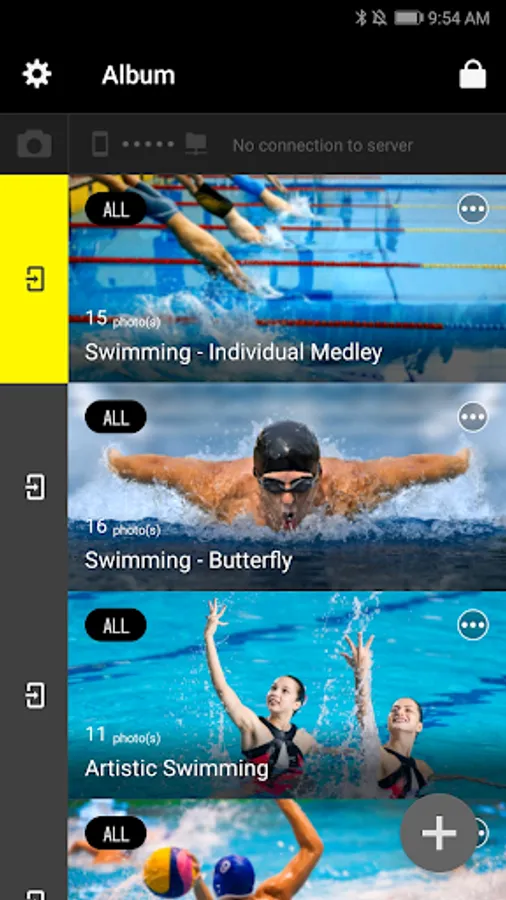
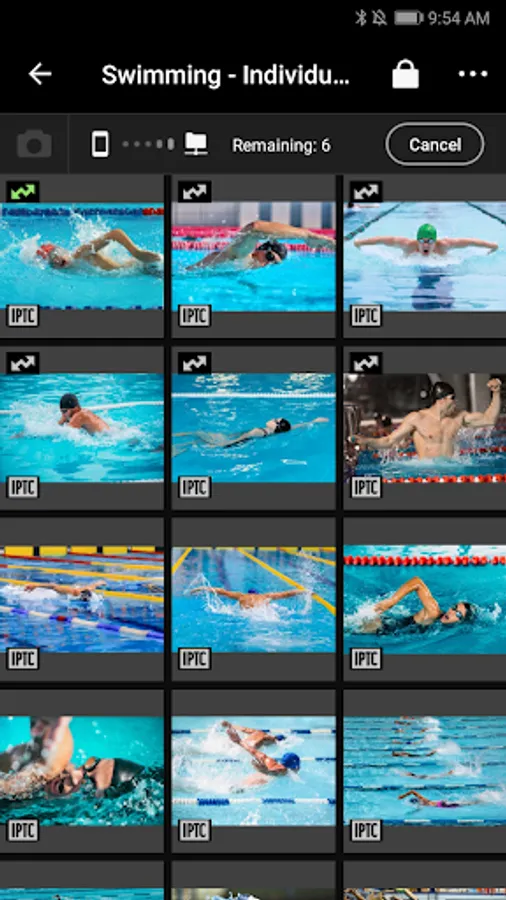
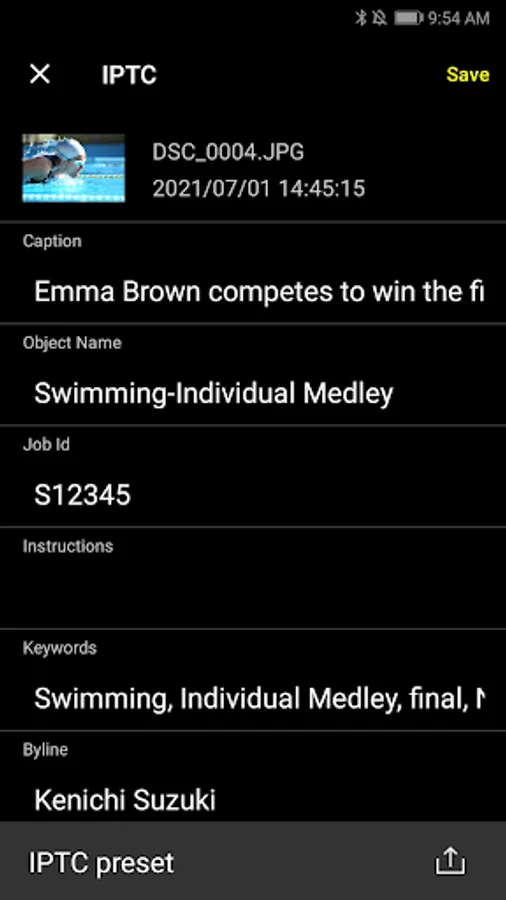
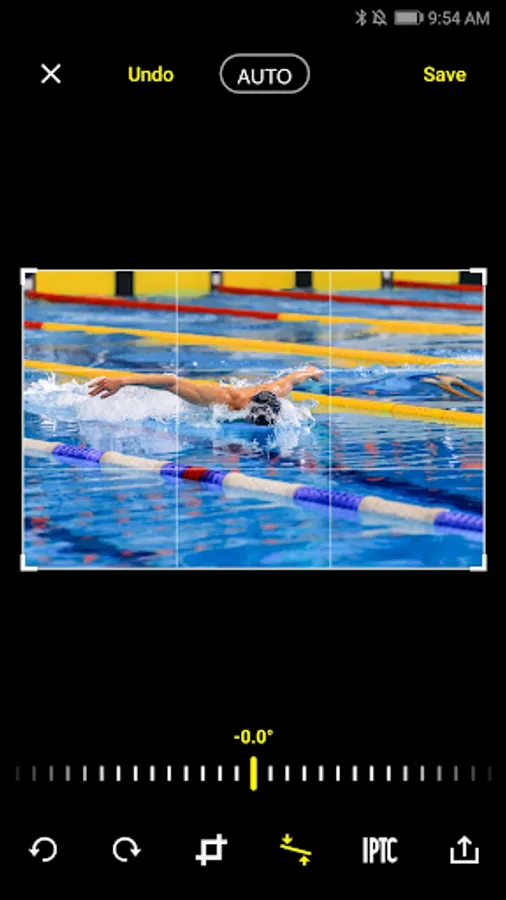
With this app, you can upload photos from your camera to an FTP server using a smartphone and manage upload settings for each album. Includes support for multiple FTP destinations, image editing, and IPTC data customization.
AppRecs review analysis
AppRecs rating 2.5. Trustworthiness 85 out of 100. Review manipulation risk 15 out of 100. Based on a review sample analyzed.
★★☆☆☆
2.5
AppRecs Rating
Ratings breakdown
5 star
27%
4 star
0%
3 star
18%
2 star
0%
1 star
55%
What to know
✓
Low review manipulation risk
15% review manipulation risk
⚠
Mixed user feedback
Average 2.5★ rating suggests room for improvement
⚠
High negative review ratio
55% of sampled ratings are 1–2 stars
About NX MobileAir
Upload pictures from the camera to an FTP server via a smartphone.
The automated post-shooting workflow lets you focus on taking pictures.
The process is completely computer-free, letting you work where the spirit takes you.
Supported Digital Cameras as of December 2025
ZR, Z 9, Z 8, Z 7II, Z 7, Z 6III, Z 6II, Z 6, Z 5II, Z 5, Z f, Z fc, Z 50II, Z 50, Z 30, D6, D5, D850, D780
The foregoing may include models not available in some regions.
Be sure to update the camera firmware to the latest version.
Use a computer to download the latest camera firmware from the Nikon Download Center.
http://downloadcenter.nikonimglib.com/
Principal Features
⁃ Download all or only protected pictures from the camera to your smartphone via a cabled connection (see Note 1).
⁃ Upload pictures via the smartphone to an FTP server of your choosing.
⁃ Choose a destination from multiple FTP servers.
⁃ Choose image processing, IPTC data, and FTP upload settings on an album-by-album basis.
⁃ View, select, or crop, rotate, or otherwise edit pictures, or straighten pictures automatically.
'⁃ Lock the screen while the app is in use or download pictures again if import fails.
'⁃ Change or reorder IPTC field names and import or export IPTC settings.
System Requirements
Android 10.0 or later
There is no guarantee that this app will run on all Android devices.
For more information, see:
https://nikonimglib.com/nxmoba/support/
Notes
'⁃ You will need a USB cable when using this app. See online help for more information.
⁃ The free version of this app restricts the number of pictures that can be downloaded.
Using the App
For more information, use the app “Help” option.
The automated post-shooting workflow lets you focus on taking pictures.
The process is completely computer-free, letting you work where the spirit takes you.
Supported Digital Cameras as of December 2025
ZR, Z 9, Z 8, Z 7II, Z 7, Z 6III, Z 6II, Z 6, Z 5II, Z 5, Z f, Z fc, Z 50II, Z 50, Z 30, D6, D5, D850, D780
The foregoing may include models not available in some regions.
Be sure to update the camera firmware to the latest version.
Use a computer to download the latest camera firmware from the Nikon Download Center.
http://downloadcenter.nikonimglib.com/
Principal Features
⁃ Download all or only protected pictures from the camera to your smartphone via a cabled connection (see Note 1).
⁃ Upload pictures via the smartphone to an FTP server of your choosing.
⁃ Choose a destination from multiple FTP servers.
⁃ Choose image processing, IPTC data, and FTP upload settings on an album-by-album basis.
⁃ View, select, or crop, rotate, or otherwise edit pictures, or straighten pictures automatically.
'⁃ Lock the screen while the app is in use or download pictures again if import fails.
'⁃ Change or reorder IPTC field names and import or export IPTC settings.
System Requirements
Android 10.0 or later
There is no guarantee that this app will run on all Android devices.
For more information, see:
https://nikonimglib.com/nxmoba/support/
Notes
'⁃ You will need a USB cable when using this app. See online help for more information.
⁃ The free version of this app restricts the number of pictures that can be downloaded.
Using the App
For more information, use the app “Help” option.