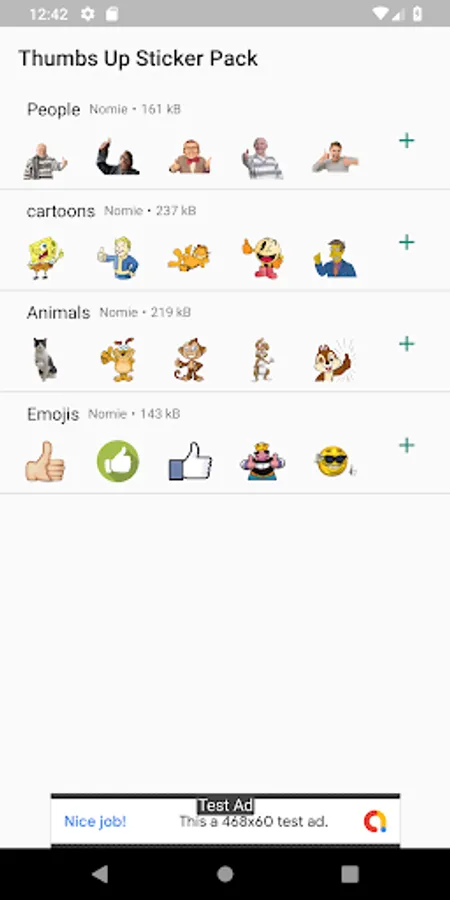
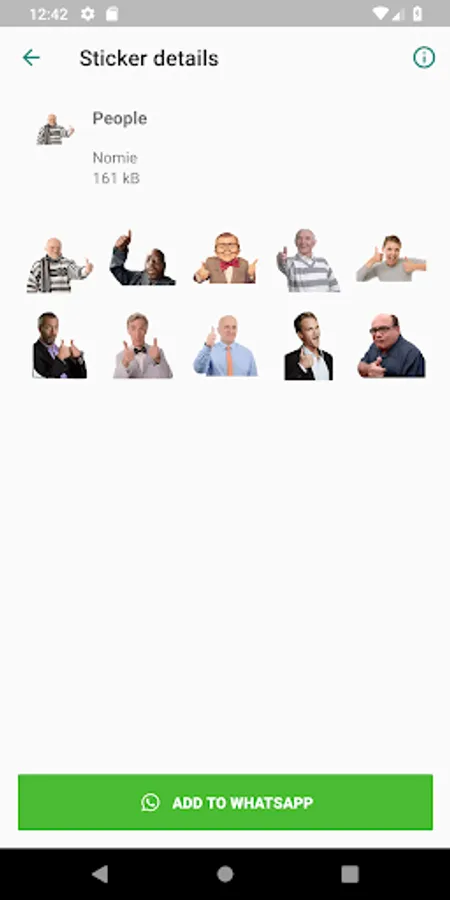
With this sticker pack app, you can save and share a variety of stickers to WhatsApp. Includes four sticker packs with ten stickers each, plus options for user suggestions.
AppRecs review analysis
AppRecs rating 3.9. Trustworthiness 0 out of 100. Review manipulation risk 0 out of 100. Based on a review sample analyzed.
★★★☆☆
3.9
AppRecs Rating
Ratings breakdown
5 star
58%
4 star
7%
3 star
14%
2 star
7%
1 star
14%
What to know
✓
Good user ratings
65% positive sampled reviews
✓
Authentic reviews
Natural distribution, no red flags
About Thumbs Up Sticker Pack
The Thumbs Up Sticker Pack is now avaliable!
To start using Thumbs Up Sticker Pack on whatsapp:
1) Open the Thumbs Up Sticker Pack app on you device, select a sticker pack and tap Add to WhatsApp.
2) In WhatsApp, press the emoji icon, then the sticker icon at the bottom. Select your newly added sticker pack and start sharing with your friends.
The Thumbs Up Sticker Pack contains 4 sticker packs with 10 stickers each, feel free to suggest other stickers I should add.
WAStickerApps
To start using Thumbs Up Sticker Pack on whatsapp:
1) Open the Thumbs Up Sticker Pack app on you device, select a sticker pack and tap Add to WhatsApp.
2) In WhatsApp, press the emoji icon, then the sticker icon at the bottom. Select your newly added sticker pack and start sharing with your friends.
The Thumbs Up Sticker Pack contains 4 sticker packs with 10 stickers each, feel free to suggest other stickers I should add.
WAStickerApps