J1939 OBD Code Reader
CHINH LUONG QUOC
1.4 ★
21 ratings
500+
downloads
$3.99
In this J1939 OBD Code Reader app, you can connect via Bluetooth to read and clear fault codes and view engine data. Includes fault code management, live sensor data, and PGN/SPN lookup features.
AppRecs review analysis
AppRecs rating 1.4. Trustworthiness 53 out of 100. Review manipulation risk 31 out of 100. Based on a review sample analyzed.
★☆☆☆☆
1.4
AppRecs Rating
Ratings breakdown
5 star
0%
4 star
0%
3 star
11%
2 star
11%
1 star
79%
What to know
⚠
Mixed user feedback
Average 1.4★ rating suggests room for improvement
About J1939 OBD Code Reader
Version 1.3.0
J1939 Code Reader
For Android Mobile and Tablet
Requirement:
1. The vehicle must be J1939 CAN compliant to use the app
2. A Bluetooth Adapter ELM327 or compatible
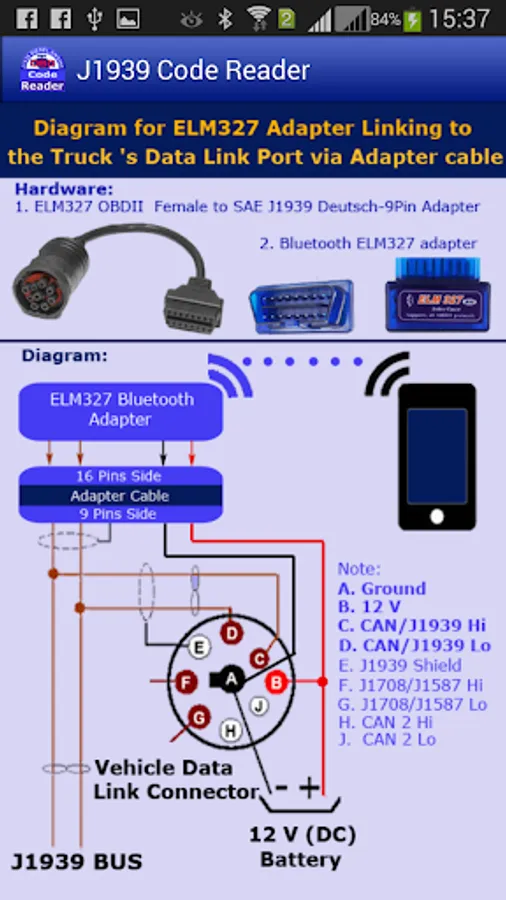
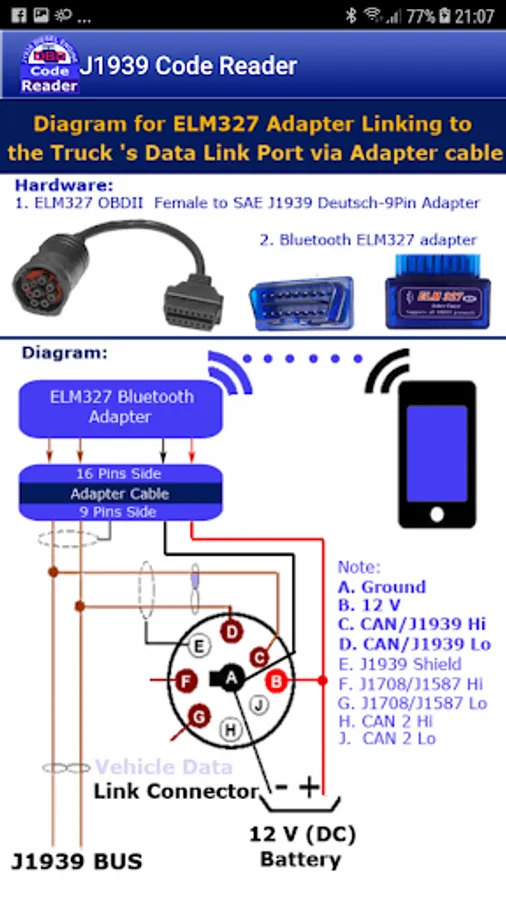
3. Most trucks in north America use the 9-pins Deutsch connector, so they need A cable adapter (OBDII Female 16 pins to SAE J1939 Deutsch 9 pins). Other trucks like Volvo trucks or Mack trucks (For 2013 and newer) use the normal OBDII J1962 16-pins connector so they don't need an adapter cable.
4. The bluetooth device on the phone(Tablet) must be enabled and paired with the bluetooth ELM327 adapter (ELM327 adapter)
5. Android OS from version 4.03 or newer
This is the cost effective solution. Just with a cheap Bluetooth ELM327 adapter and an adapter cable (OBDII 16 Pins to J1939 9 Pins Deutsch) you already have complete hardware to make connection between your Android device and the Vehicle's data link port. These hardwares can be found online at sites Amazon, eBay or elsewhere.
Features:
* OBDII comunication protocol : SAE J1939 CAN 29bit/250kb
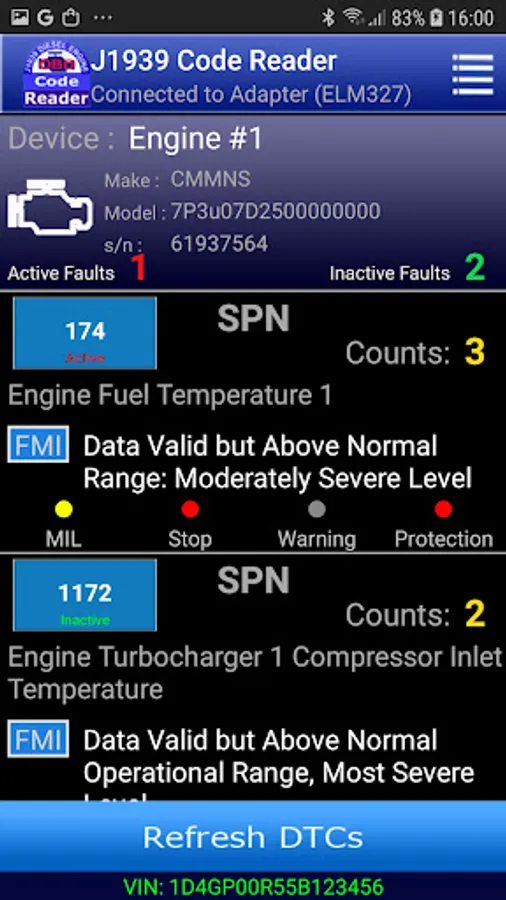
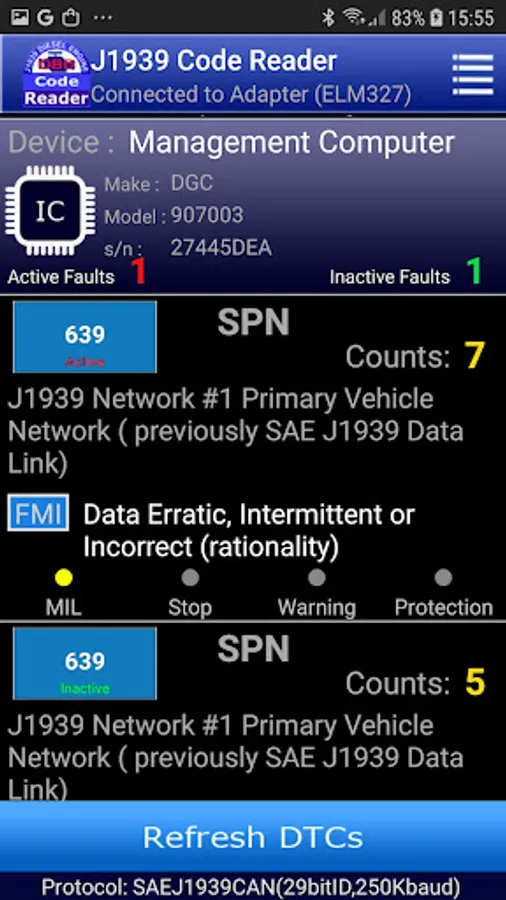
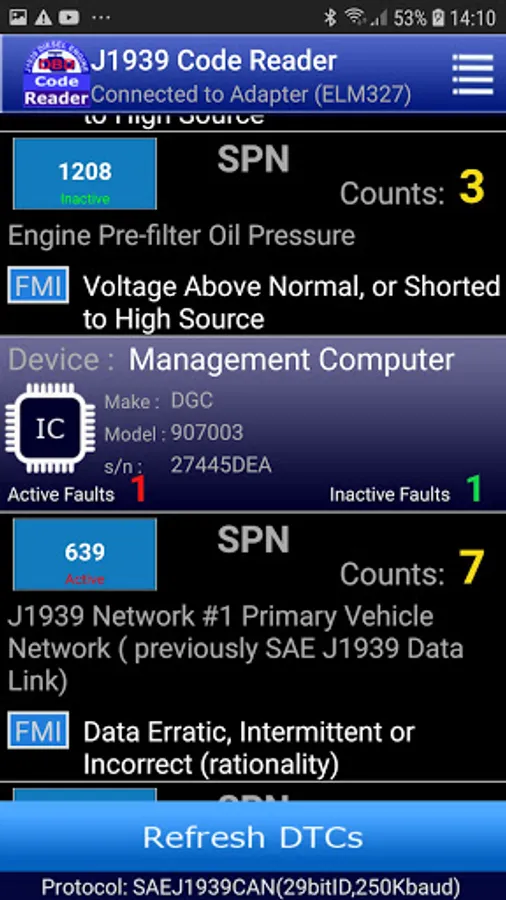
* Reads/Clears public active (or previously active) fault codes (DTCs)
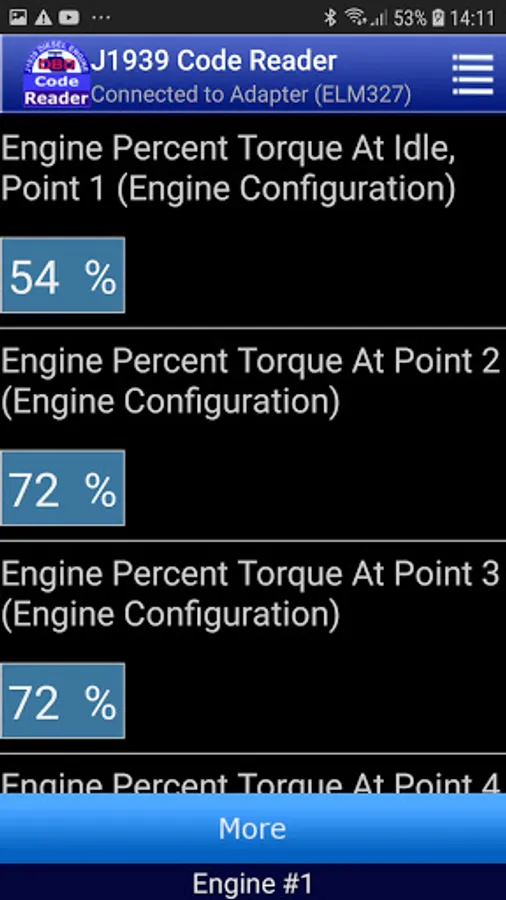
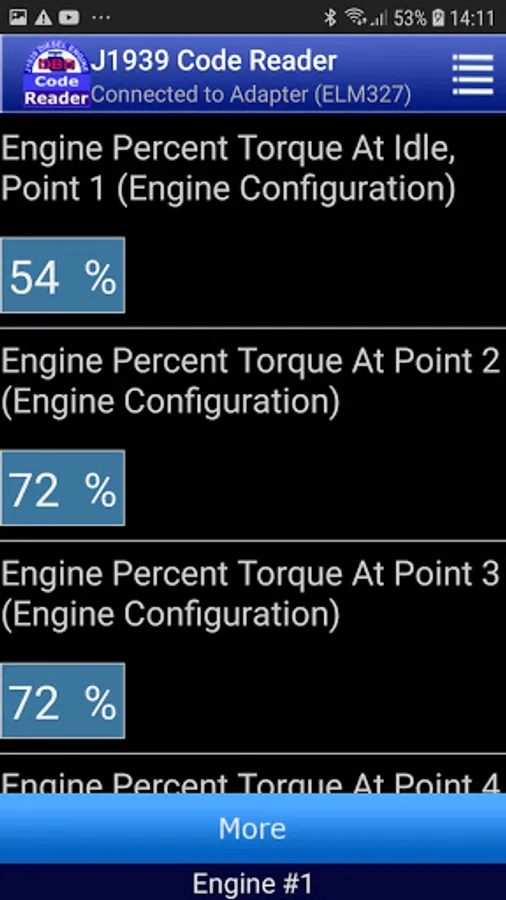
* Views some engine sensor live data
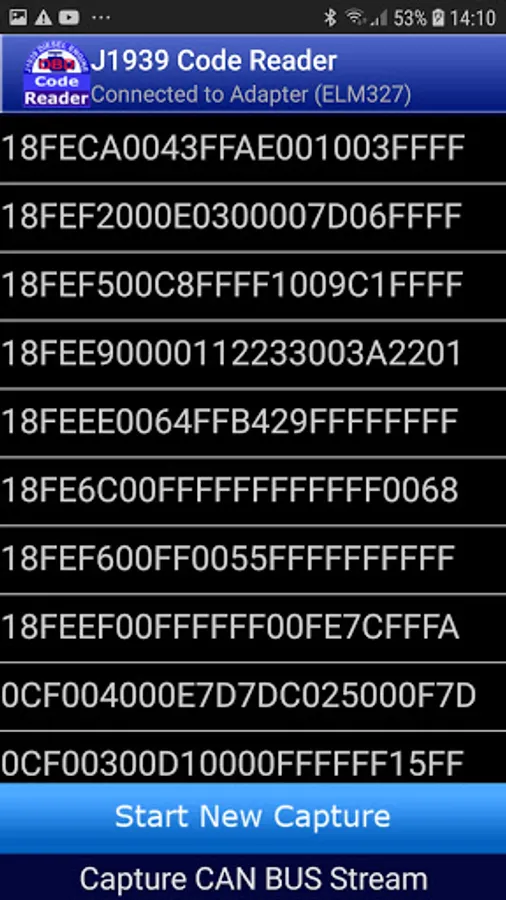
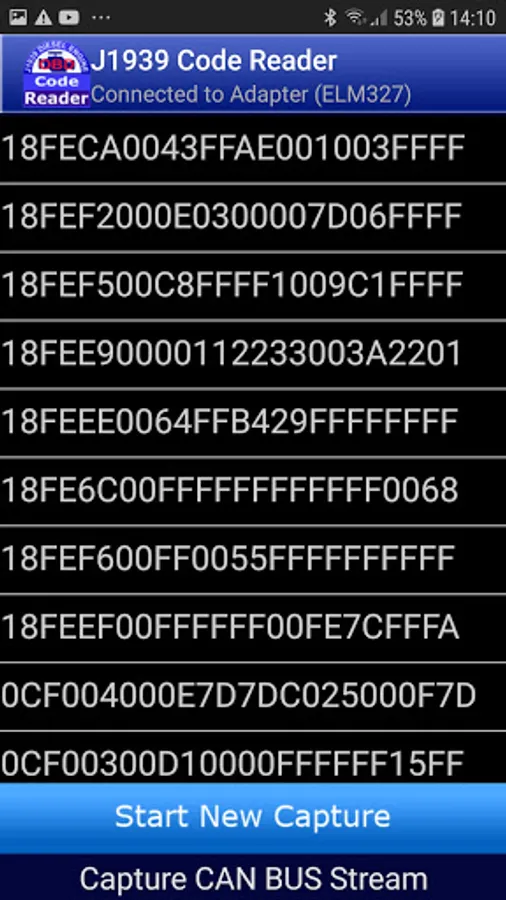
* Captures live CAN bus stream and makes snapshot for stream. After snapshot is made each data row (frame) in snapshot can be lookup by click on the data row
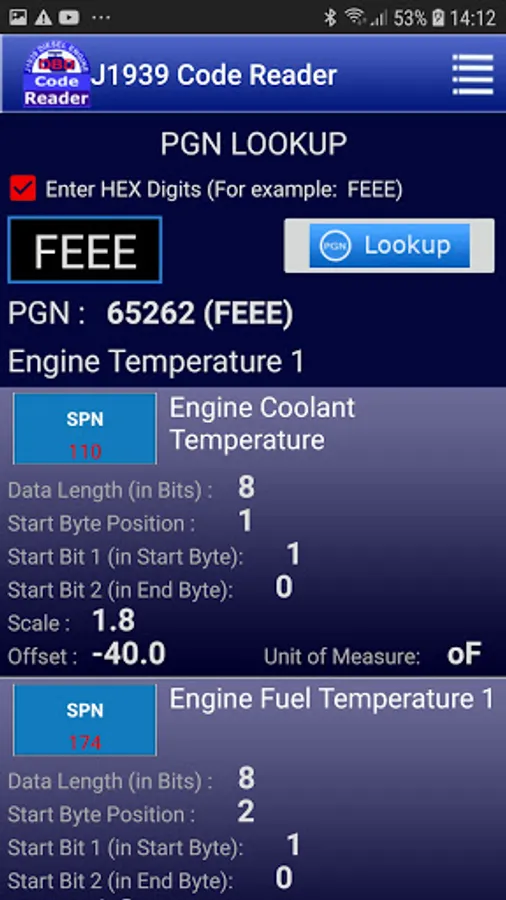
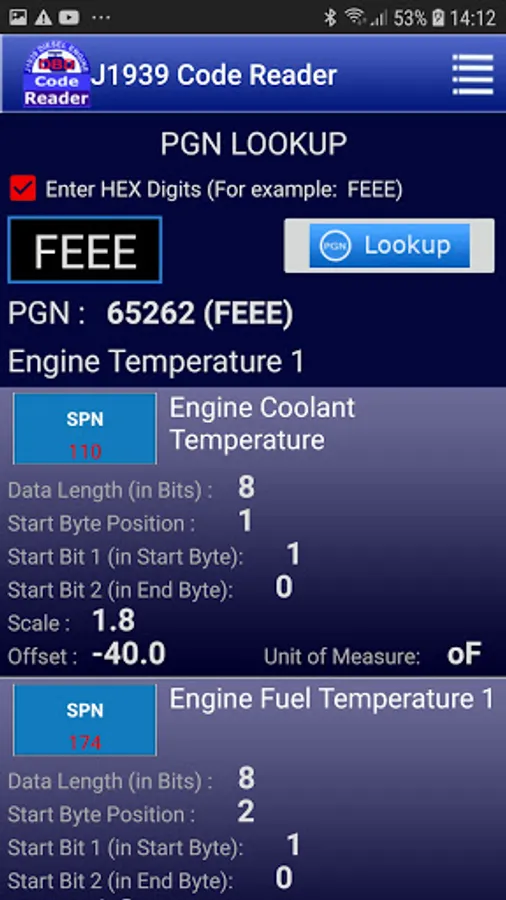
* PGN/SPN Lookup function: Uses SQLite database with number of above 3000 standard SAE PGNs (Parameter Group Number) and SPNs (Suspect Parameter Number)
* Stores the last fault code data for later use (View)
* Unit of Measure : Supports 4 Unit Systems - Metric, USA, Imperial, Latin America.
* Supports class 5-8 trucks manufactured from 2004
How to use:
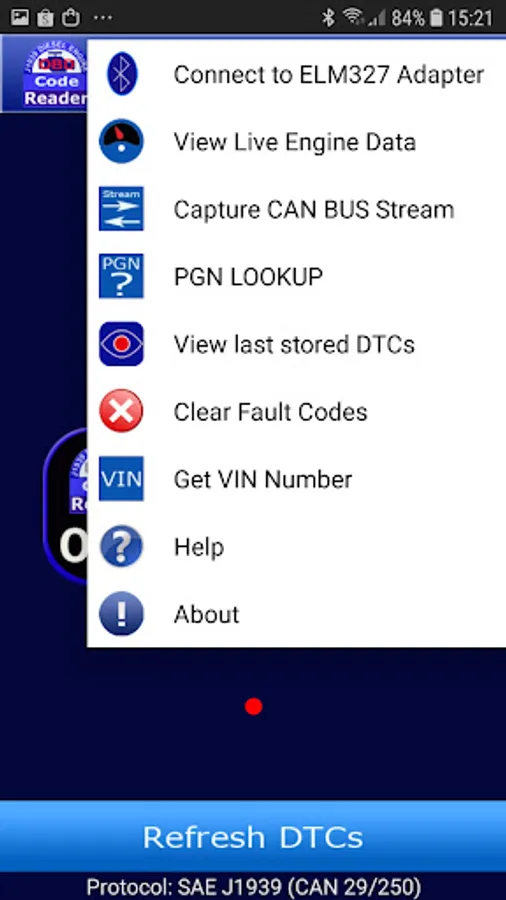
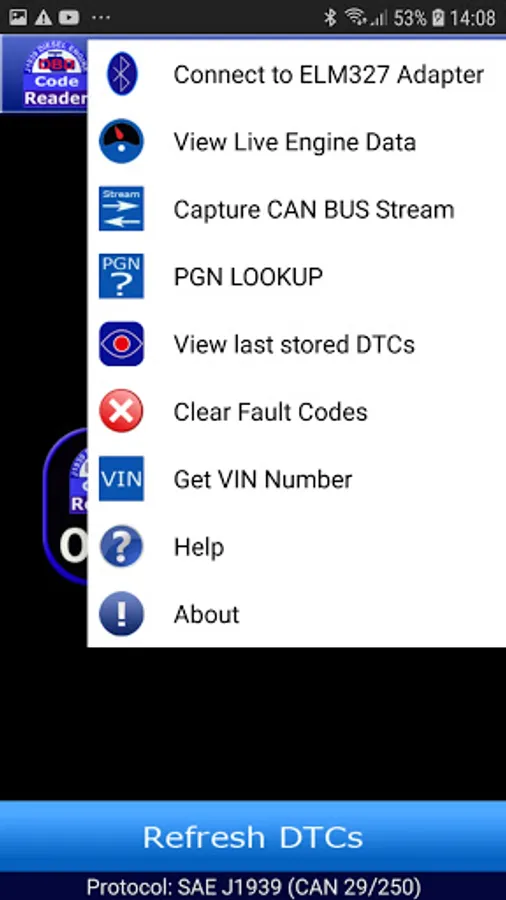
Once you have the bluetooth ELM327 adapter connected to the vehicle's data link port via adapter cable and ignition switch is on, you can connect to the vehicle's system computer by pulling down the option menu and select item "Connect to ELM327 Adapter", a dialog window will appears and shows a list of paired devices (one or more devices in the list), each paired device has two information as following:
Name of paired bluetooth device (for example: obdII)
Max address (for example: 77:A6:43:E4:67:F2)
The Max address is used to distinguish two or more bluetooth adapters with the same name.
You must choose your bluetooth ELM327 device by select the correct it's name (or it's max address) in the list and click on the item, then the app starts the connecting process under J1939 protocol.
If the process finished successfully, the notification "Connected to Adapter (ELM327)" will appear on the status bar.
If the process was failed you can try it some times (we assume that the bluetooth OBD-II adapter is working well)
When you only use the lookup function you do not need the above connection step
Now you are ready to use all functions of App like reads out fault codes or Clears them if need, lookup PGNs or views engine live data ...
Note:
One Fault Code in J1939 standard is made up of four (4) independent fields as follows:
Field Description, Abbreviation, Field Width (Bits), Range
1.Suspect Parameter Number (SPN) 19 (0-524288)
2.Failure Mode Identifier FMI 5 (0-31)
3.Occurrence Count OC 7 (0-127)
4.SPN Conversion Method CM 1 (0-1)
Calculating SPN values =
(data[3]*16777216.0 + data[2]*65536.0 + data[1]*256.0 + data[0]*1.0)*scale + offset
Where
data[0] ...data[3] are 4 bytes data of SPN returned
using this data and guide in lookup to determine SPN calculating components like:
- data length (in bit)
- start byte position
- start bit 1 (in start byte)
- start bit 2 (in end byte)
- scale
- offset
- unit of measure
Privacy policy
https://www.freeprivacypolicy.com/live/d1f99383-265f-4cb6-a261-31ca6e2a2adc
J1939 Code Reader
For Android Mobile and Tablet
Requirement:
1. The vehicle must be J1939 CAN compliant to use the app
2. A Bluetooth Adapter ELM327 or compatible
3. Most trucks in north America use the 9-pins Deutsch connector, so they need A cable adapter (OBDII Female 16 pins to SAE J1939 Deutsch 9 pins). Other trucks like Volvo trucks or Mack trucks (For 2013 and newer) use the normal OBDII J1962 16-pins connector so they don't need an adapter cable.
4. The bluetooth device on the phone(Tablet) must be enabled and paired with the bluetooth ELM327 adapter (ELM327 adapter)
5. Android OS from version 4.03 or newer
This is the cost effective solution. Just with a cheap Bluetooth ELM327 adapter and an adapter cable (OBDII 16 Pins to J1939 9 Pins Deutsch) you already have complete hardware to make connection between your Android device and the Vehicle's data link port. These hardwares can be found online at sites Amazon, eBay or elsewhere.
Features:
* OBDII comunication protocol : SAE J1939 CAN 29bit/250kb
* Reads/Clears public active (or previously active) fault codes (DTCs)
* Views some engine sensor live data
* Captures live CAN bus stream and makes snapshot for stream. After snapshot is made each data row (frame) in snapshot can be lookup by click on the data row
* PGN/SPN Lookup function: Uses SQLite database with number of above 3000 standard SAE PGNs (Parameter Group Number) and SPNs (Suspect Parameter Number)
* Stores the last fault code data for later use (View)
* Unit of Measure : Supports 4 Unit Systems - Metric, USA, Imperial, Latin America.
* Supports class 5-8 trucks manufactured from 2004
How to use:
Once you have the bluetooth ELM327 adapter connected to the vehicle's data link port via adapter cable and ignition switch is on, you can connect to the vehicle's system computer by pulling down the option menu and select item "Connect to ELM327 Adapter", a dialog window will appears and shows a list of paired devices (one or more devices in the list), each paired device has two information as following:
Name of paired bluetooth device (for example: obdII)
Max address (for example: 77:A6:43:E4:67:F2)
The Max address is used to distinguish two or more bluetooth adapters with the same name.
You must choose your bluetooth ELM327 device by select the correct it's name (or it's max address) in the list and click on the item, then the app starts the connecting process under J1939 protocol.
If the process finished successfully, the notification "Connected to Adapter (ELM327)" will appear on the status bar.
If the process was failed you can try it some times (we assume that the bluetooth OBD-II adapter is working well)
When you only use the lookup function you do not need the above connection step
Now you are ready to use all functions of App like reads out fault codes or Clears them if need, lookup PGNs or views engine live data ...
Note:
One Fault Code in J1939 standard is made up of four (4) independent fields as follows:
Field Description, Abbreviation, Field Width (Bits), Range
1.Suspect Parameter Number (SPN) 19 (0-524288)
2.Failure Mode Identifier FMI 5 (0-31)
3.Occurrence Count OC 7 (0-127)
4.SPN Conversion Method CM 1 (0-1)
Calculating SPN values =
(data[3]*16777216.0 + data[2]*65536.0 + data[1]*256.0 + data[0]*1.0)*scale + offset
Where
data[0] ...data[3] are 4 bytes data of SPN returned
using this data and guide in lookup to determine SPN calculating components like:
- data length (in bit)
- start byte position
- start bit 1 (in start byte)
- start bit 2 (in end byte)
- scale
- offset
- unit of measure
Privacy policy
https://www.freeprivacypolicy.com/live/d1f99383-265f-4cb6-a261-31ca6e2a2adc
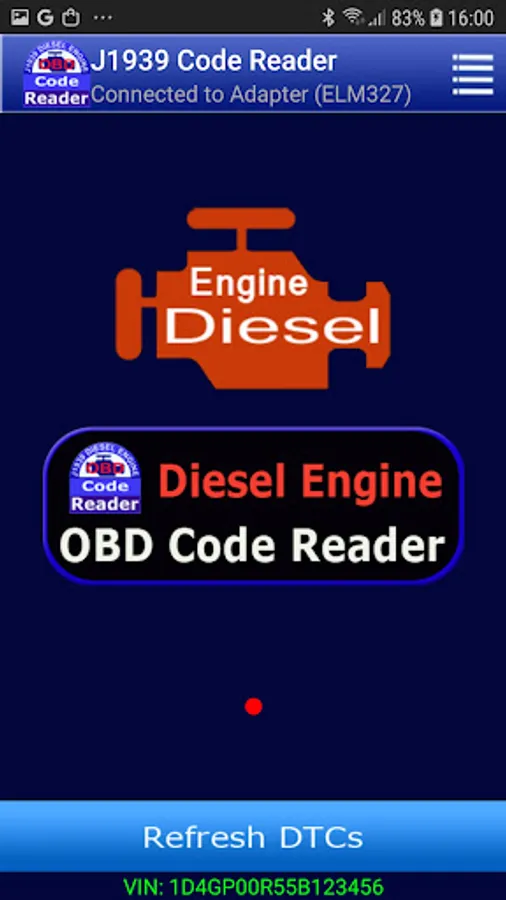
J1939 OBD Code Reader Screenshots
Tap to Rate:
Reviews for J1939 OBD Code Reader
AZJeeper
11/19/2025
No Bueno! Connects to ELM but can't get engine data. Pinout of adapter looks good.
Samuel Biggs
11/9/2023
cant connect with anything. tried several different units