
About Field Sales ORKT
eMOBIQ Field Sales: Mobile Sales Management Integrated with Microsoft Dynamics 365 Business Central
Overview
Introducing eMOBIQ Field Sales — a mobile-first application built on OrangeKloud’s cutting-edge eMOBIQ AI Platform and seamlessly integrated with Microsoft Dynamics 365 Business Central. Designed for field sales technicians, sales managers, and customer service representatives, this app streamlines the sales workflow by enabling users to manage customers, orders, returns, invoices, collections, and reports — all from smartphones or tablets.
With real-time synchronization to Business Central, eMOBIQ Field Sales ensures data accuracy, visibility, and efficient operations for field sales teams.
Core Capabilities
1. Secure Login & Multi-Company Access
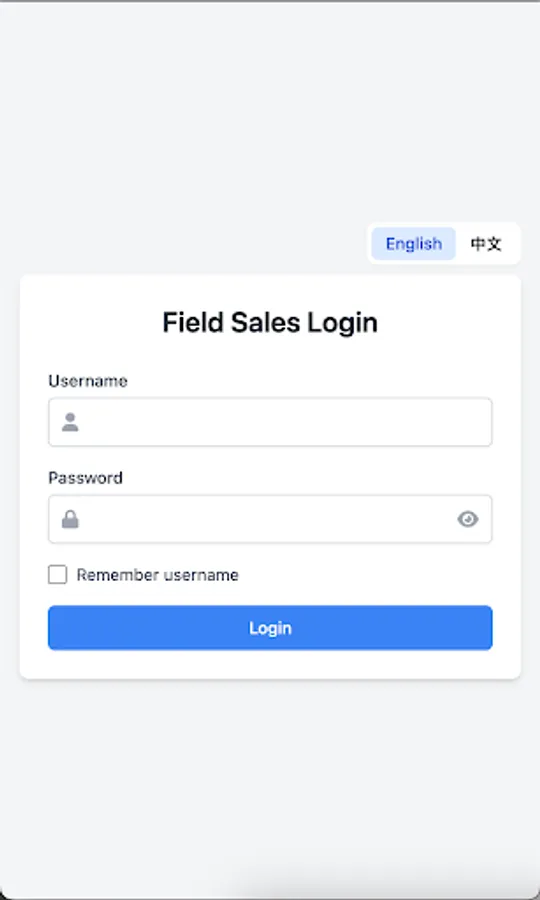
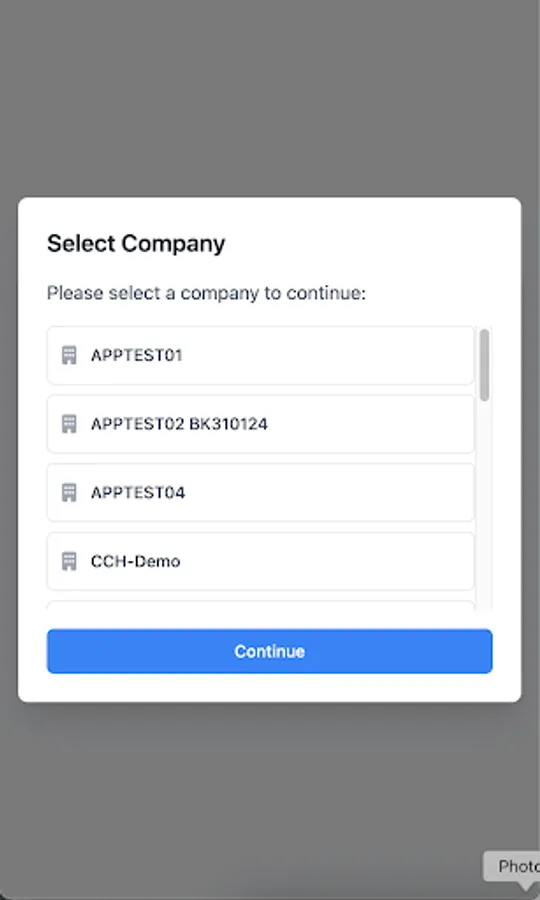
Users log in securely with username/password validation. Multi-company selection is supported for users with access to multiple companies, ensuring accurate context for operations.
2. Main Menu Dashboard
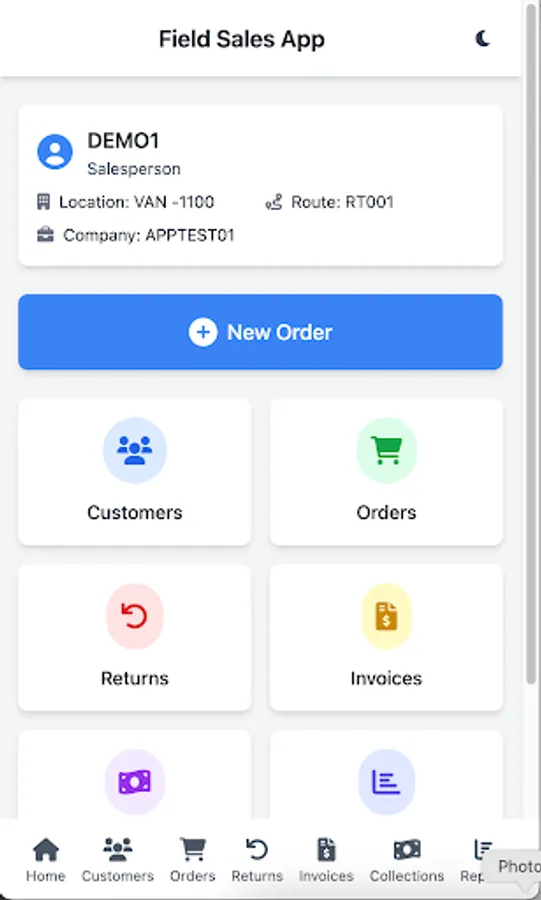
Navigate easily to all key functions — Customers, Orders, Returns, Invoices, Collections, Reports, and Logout — through a clean, responsive, icon-driven menu optimized for mobile devices.
3. Customer Management
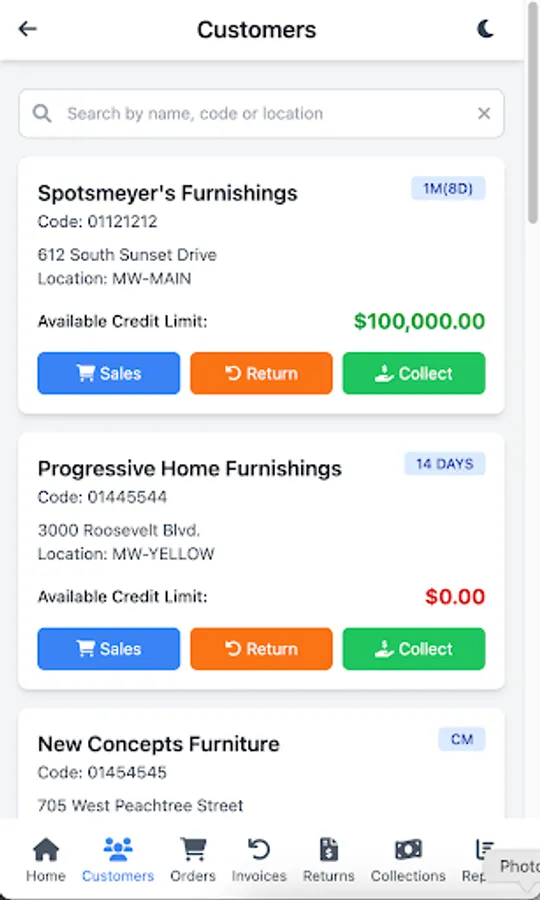
View searchable customer lists with detailed information, including Customer Code, Name, Payment Terms, Address, Account Balance, and Location. Perform actions directly from the customer record, including Sales, Returns, and Collections.
4. Order Management
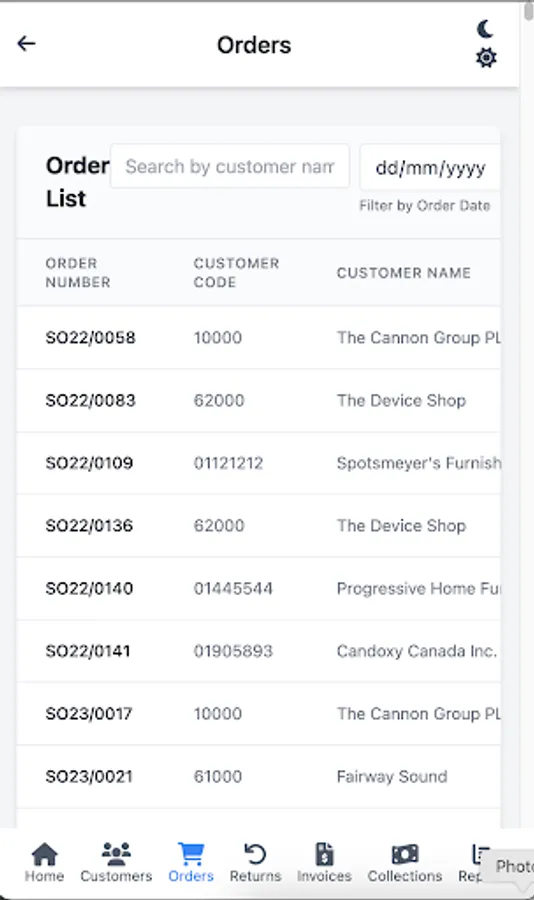
Create orders by selecting items filtered by location. Add items to a cart, edit quantities, remove items, and submit orders. Access detailed order lists and lines with item-specific pricing, quantities, and units of measure.
5. Return Management
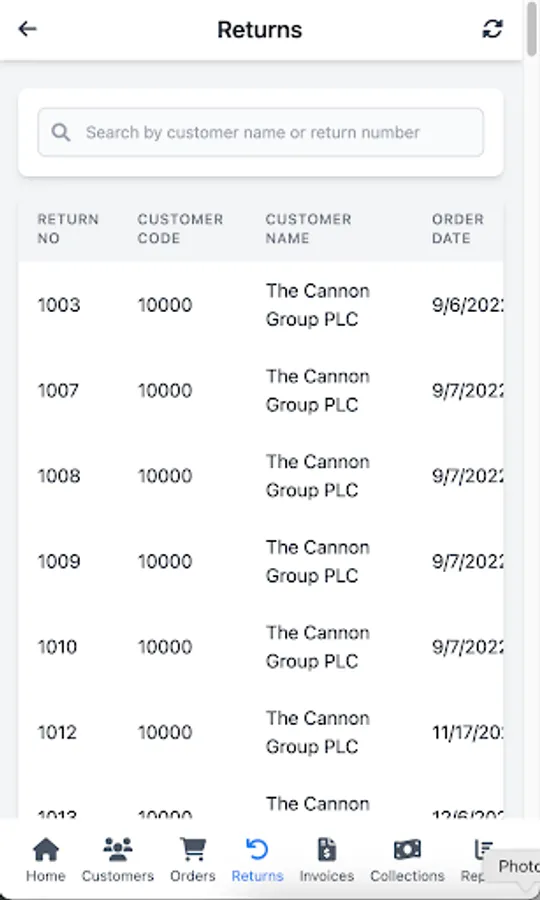
Process returns efficiently by selecting items, adjusting quantities, and submitting return orders. Review return lists with full details and itemized lines for accurate record-keeping.
6. Invoice Management
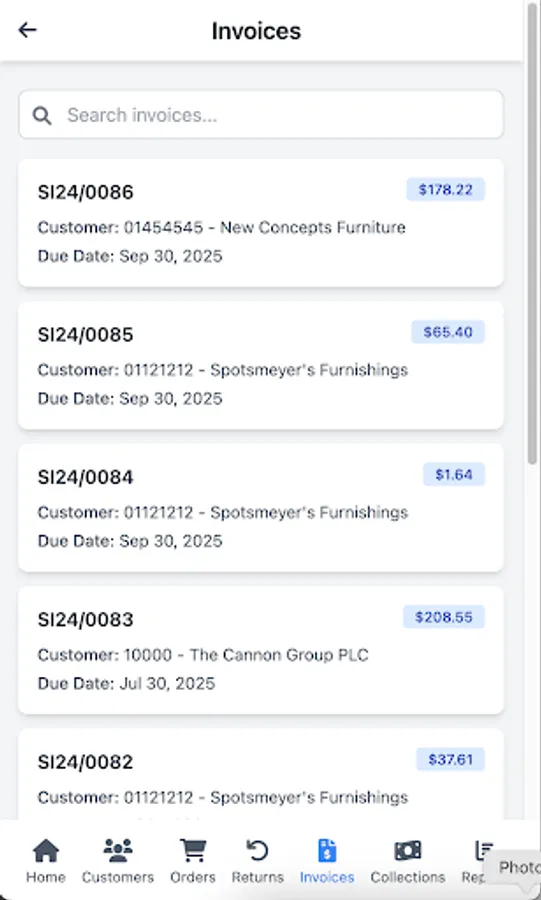
View invoices with comprehensive details including Invoice Number, Customer, Due Date, and Total Amount. Access invoice lines with itemized information for complete visibility.
7. Collection Management
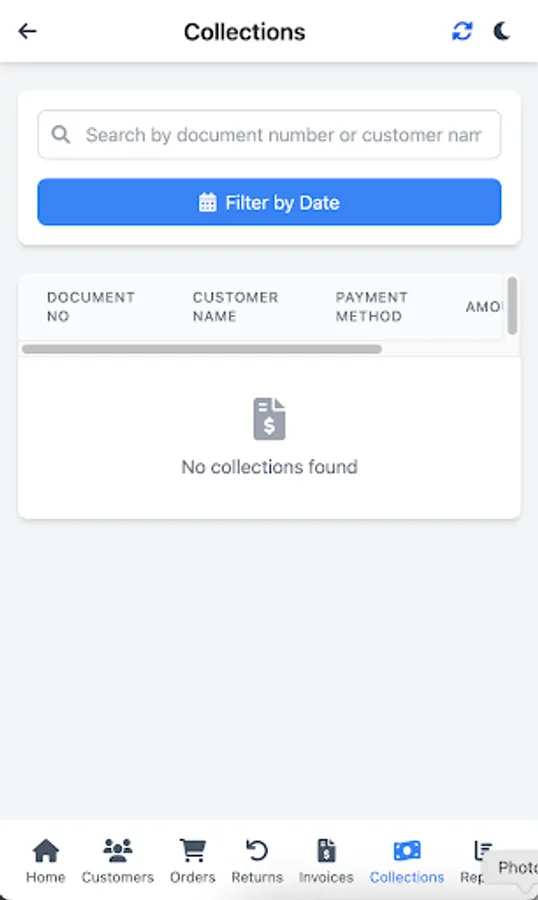
Create collections by selecting invoices and payment terms. Submit collections and monitor collection lists with detailed information such as Document Number, Customer, Collection Date, Payment Terms, and Amounts.
8. Reporting & Analytics
Generate daily sales reports with summary information including Route Code, Cash and Credit Sales Amounts, Return Sales, and Collection Amounts. Apply filters by Route Code and Date for targeted insights.
Overview
Introducing eMOBIQ Field Sales — a mobile-first application built on OrangeKloud’s cutting-edge eMOBIQ AI Platform and seamlessly integrated with Microsoft Dynamics 365 Business Central. Designed for field sales technicians, sales managers, and customer service representatives, this app streamlines the sales workflow by enabling users to manage customers, orders, returns, invoices, collections, and reports — all from smartphones or tablets.
With real-time synchronization to Business Central, eMOBIQ Field Sales ensures data accuracy, visibility, and efficient operations for field sales teams.
Core Capabilities
1. Secure Login & Multi-Company Access
Users log in securely with username/password validation. Multi-company selection is supported for users with access to multiple companies, ensuring accurate context for operations.
2. Main Menu Dashboard
Navigate easily to all key functions — Customers, Orders, Returns, Invoices, Collections, Reports, and Logout — through a clean, responsive, icon-driven menu optimized for mobile devices.
3. Customer Management
View searchable customer lists with detailed information, including Customer Code, Name, Payment Terms, Address, Account Balance, and Location. Perform actions directly from the customer record, including Sales, Returns, and Collections.
4. Order Management
Create orders by selecting items filtered by location. Add items to a cart, edit quantities, remove items, and submit orders. Access detailed order lists and lines with item-specific pricing, quantities, and units of measure.
5. Return Management
Process returns efficiently by selecting items, adjusting quantities, and submitting return orders. Review return lists with full details and itemized lines for accurate record-keeping.
6. Invoice Management
View invoices with comprehensive details including Invoice Number, Customer, Due Date, and Total Amount. Access invoice lines with itemized information for complete visibility.
7. Collection Management
Create collections by selecting invoices and payment terms. Submit collections and monitor collection lists with detailed information such as Document Number, Customer, Collection Date, Payment Terms, and Amounts.
8. Reporting & Analytics
Generate daily sales reports with summary information including Route Code, Cash and Credit Sales Amounts, Return Sales, and Collection Amounts. Apply filters by Route Code and Date for targeted insights.
Field Sales ORKT Screenshots
Tap to Rate: