
About Van Sales ORKT
eMOBIQ Van Sales: Mobile Sales Management Integrated with Microsoft Dynamics 365 Business Central
Overview
Introducing eMOBIQ Van Sales — a mobile-first application built on OrangeKloud’s cutting-edge eMOBIQ AI Platform and seamlessly integrated with Microsoft Dynamics 365 Business Central. Designed for field technicians, sales representatives, and small business owners, this app streamlines van sales operations by enabling users to manage customers, inventory, orders, returns, collections, stock counts, transfers, invoices, and sales reporting — all from smartphones or tablets.
With real-time synchronization to Business Central, eMOBIQ Van Sales ensures accurate data, efficient operations, and full visibility across sales and inventory workflows.
Core Capabilities
1. Secure Login & Multi-Company Access
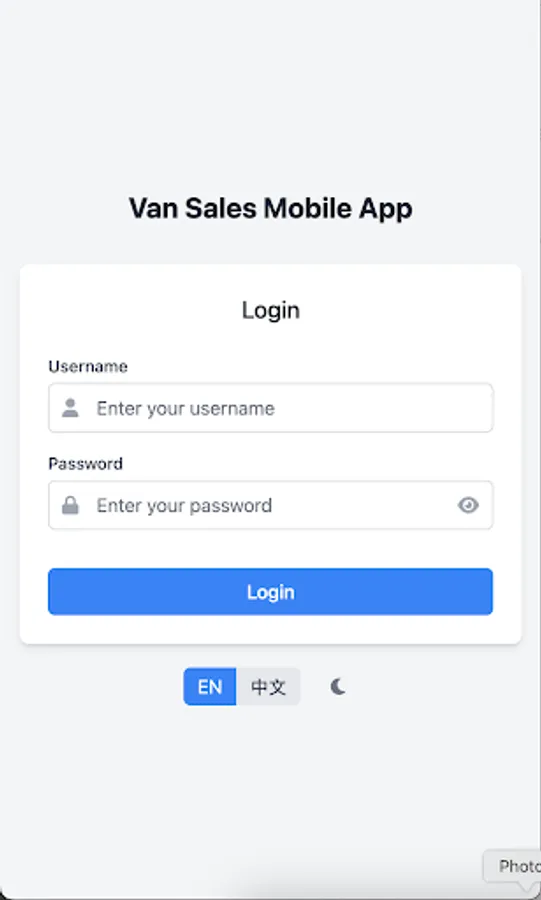
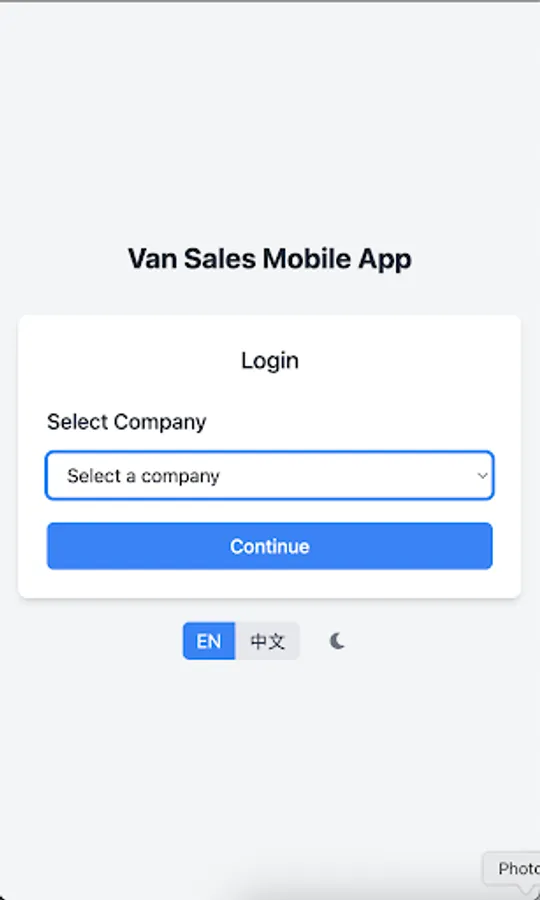
Technicians log in securely with username and password validation. Users can select a default company or choose from a list when multi-company support is enabled.
2. Main Menu Dashboard
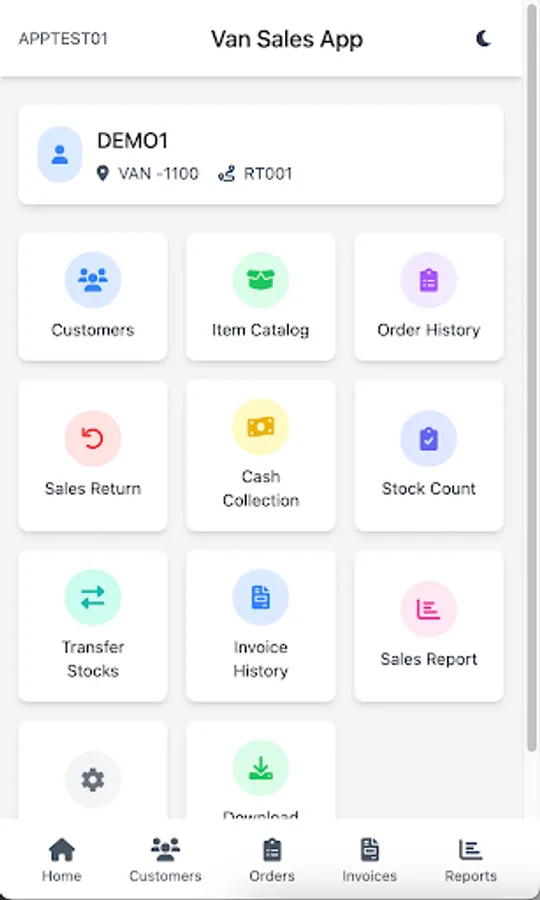
Navigate seamlessly to all key functions — Customers, Item Catalog, Order Listing, Sales Return, Cash Collection, Stock Count, Transfer Stocks, Invoice History, Sales Report, Settings, and Download Items — through a responsive, icon-driven menu optimized for mobile devices.
3. Customer Management
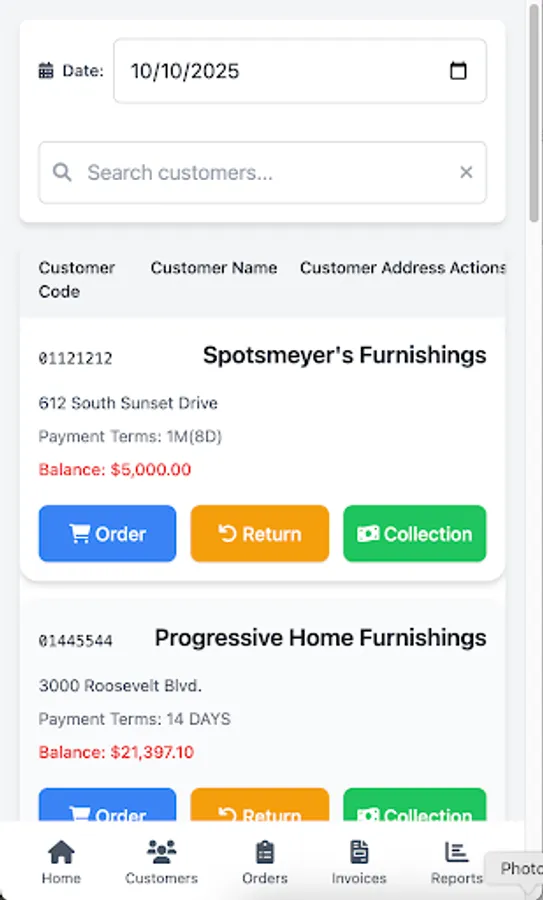
View route- and day-specific customer lists with detailed information, including Customer Code, Name, and Address. Search functionality allows quick filtering and easy access to customer-specific sales, returns, and collection operations.
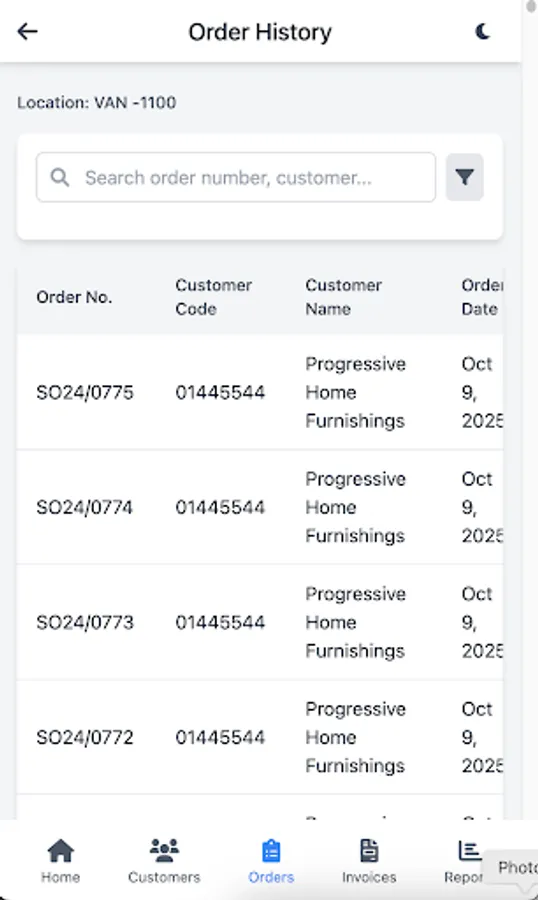
4. Order Management
Create orders by selecting a customer, choosing items filtered by location and availability, adding them to a cart, editing quantities, and submitting the order. Optionally proceed directly to invoicing.
5. Invoice Processing
Confirm invoices with invoice date, payment method, and payment amount. Options include Pay & Invoice or Invoice Only, with signature capture for payment confirmation.
6. Sales Return Management
Process returns efficiently by selecting items, adjusting quantities, adding reasons, and submitting return orders. Return lists are filterable by location and status for precise tracking.
7. Cash Collection
Select outstanding invoices for a customer, input payment details, and submit collections. Options include Submit Collection or Submit & Print, streamlining cash management.
8. Stock Count & Inventory Management
Perform real-time stock counts, edit item quantities, add new inventory items, and release stock directly from the mobile interface.
9. Transfer Stock Management
Create, add items to, and release transfer orders efficiently, with filterable lists by status and location code.
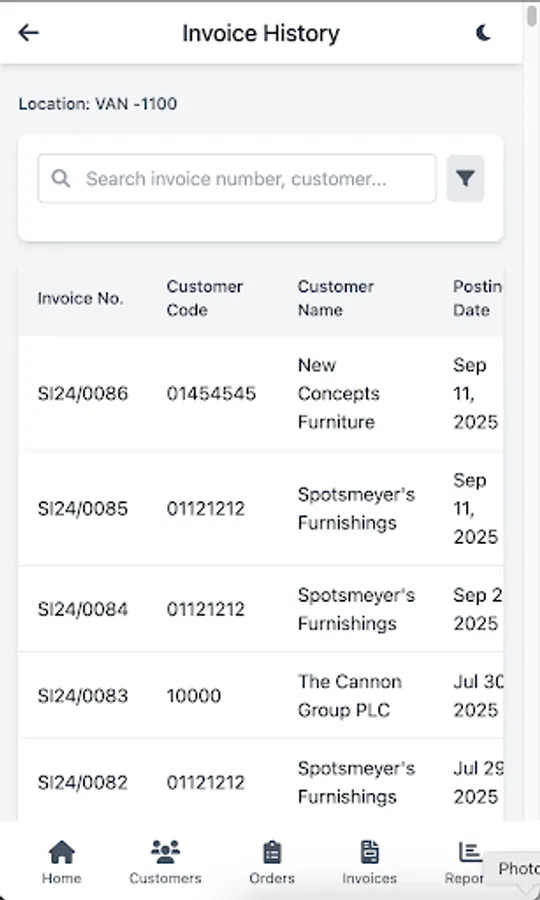
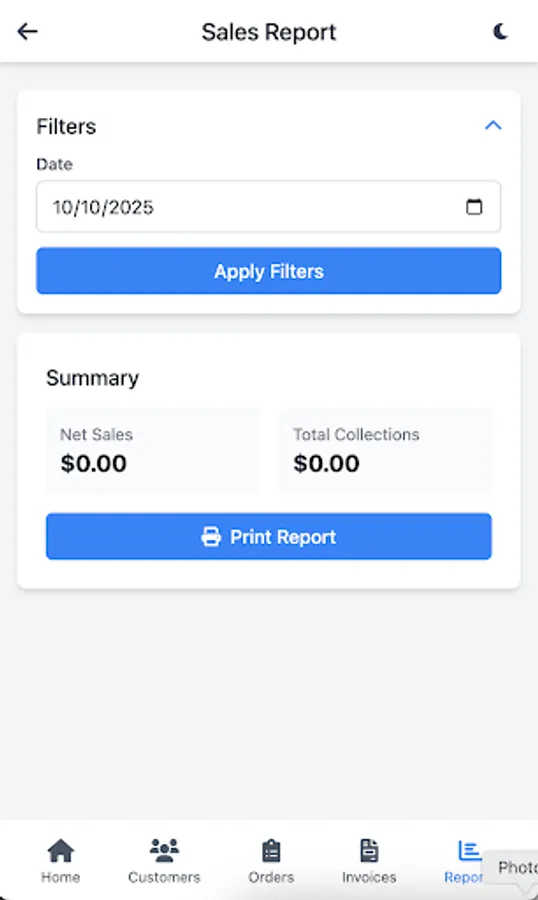
10. Invoice History & Sales Reporting
Access detailed invoice history with filtering by location, invoice number, or customer. Generate daily sales reports including cash, credit, return sales, and collection amounts, with filtering by route and date.
Overview
Introducing eMOBIQ Van Sales — a mobile-first application built on OrangeKloud’s cutting-edge eMOBIQ AI Platform and seamlessly integrated with Microsoft Dynamics 365 Business Central. Designed for field technicians, sales representatives, and small business owners, this app streamlines van sales operations by enabling users to manage customers, inventory, orders, returns, collections, stock counts, transfers, invoices, and sales reporting — all from smartphones or tablets.
With real-time synchronization to Business Central, eMOBIQ Van Sales ensures accurate data, efficient operations, and full visibility across sales and inventory workflows.
Core Capabilities
1. Secure Login & Multi-Company Access
Technicians log in securely with username and password validation. Users can select a default company or choose from a list when multi-company support is enabled.
2. Main Menu Dashboard
Navigate seamlessly to all key functions — Customers, Item Catalog, Order Listing, Sales Return, Cash Collection, Stock Count, Transfer Stocks, Invoice History, Sales Report, Settings, and Download Items — through a responsive, icon-driven menu optimized for mobile devices.
3. Customer Management
View route- and day-specific customer lists with detailed information, including Customer Code, Name, and Address. Search functionality allows quick filtering and easy access to customer-specific sales, returns, and collection operations.
4. Order Management
Create orders by selecting a customer, choosing items filtered by location and availability, adding them to a cart, editing quantities, and submitting the order. Optionally proceed directly to invoicing.
5. Invoice Processing
Confirm invoices with invoice date, payment method, and payment amount. Options include Pay & Invoice or Invoice Only, with signature capture for payment confirmation.
6. Sales Return Management
Process returns efficiently by selecting items, adjusting quantities, adding reasons, and submitting return orders. Return lists are filterable by location and status for precise tracking.
7. Cash Collection
Select outstanding invoices for a customer, input payment details, and submit collections. Options include Submit Collection or Submit & Print, streamlining cash management.
8. Stock Count & Inventory Management
Perform real-time stock counts, edit item quantities, add new inventory items, and release stock directly from the mobile interface.
9. Transfer Stock Management
Create, add items to, and release transfer orders efficiently, with filterable lists by status and location code.
10. Invoice History & Sales Reporting
Access detailed invoice history with filtering by location, invoice number, or customer. Generate daily sales reports including cash, credit, return sales, and collection amounts, with filtering by route and date.
Van Sales ORKT Screenshots
Tap to Rate: