DSLR Camera Remote Control
LektorHansen
2.8 ★
479 ratings
100,000+
downloads
Free
+ in-app
In this app, you can remotely control your DSLR camera via USB, adjusting settings and triggering the shutter. Includes live view, time lapse, burst shooting, focus stacking, and scripting tools.
AppRecs review analysis
AppRecs rating 2.5. Trustworthiness 82 out of 100. Review manipulation risk 22 out of 100. Based on a review sample analyzed.
★★☆☆☆
2.5
AppRecs Rating
Ratings breakdown
5 star
33%
4 star
5%
3 star
5%
2 star
14%
1 star
42%
What to know
⚠
Ad complaints
Many low ratings mention excessive ads
⚠
Mixed user feedback
Average 2.8★ rating suggests room for improvement
⚠
High negative review ratio
56% of sampled ratings are 1–2 stars
About DSLR Camera Remote Control
TetherMonkey is a new and exciting app that lets you remote control and trigger your compatible Canon or Nikon DSLR camera from your phone or tablet with a tethered USB OTG (USB HOST) cable. See live view, adjust shutter speed, aperture, ISO, and more! If it's possible to remote control a camera setting over USB, it's possible with TetherMonkey! Turn your phone or tablet into a DSLR controller. But hold on. There's many more useful tools and features you won't find in any other DSLR remote control app! Check out those features below:
Remote Control
Control your compatible DSLR camera via a tethered USB connection.
Shutter Release*
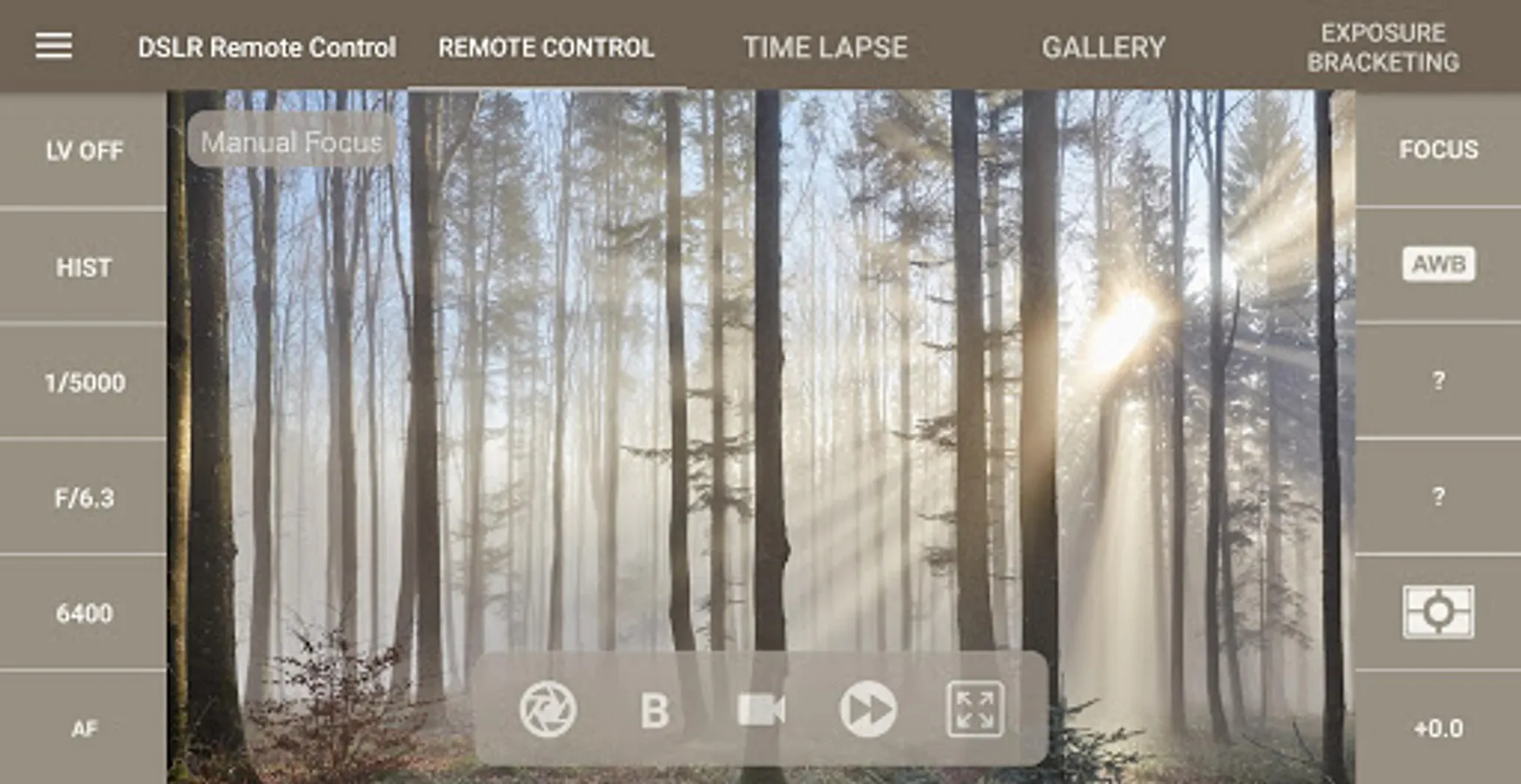
Control and adjust almost all important settings such as but not limited to Shutter Speed, Aperture, ISO, White Balance, Picture Styles, Metering Modes; precisely control focus, and more!
Live View
See a live view of what your camera sees, on your connected phone or tablet. Great for precise, critical adjustments!
Time Lapse*
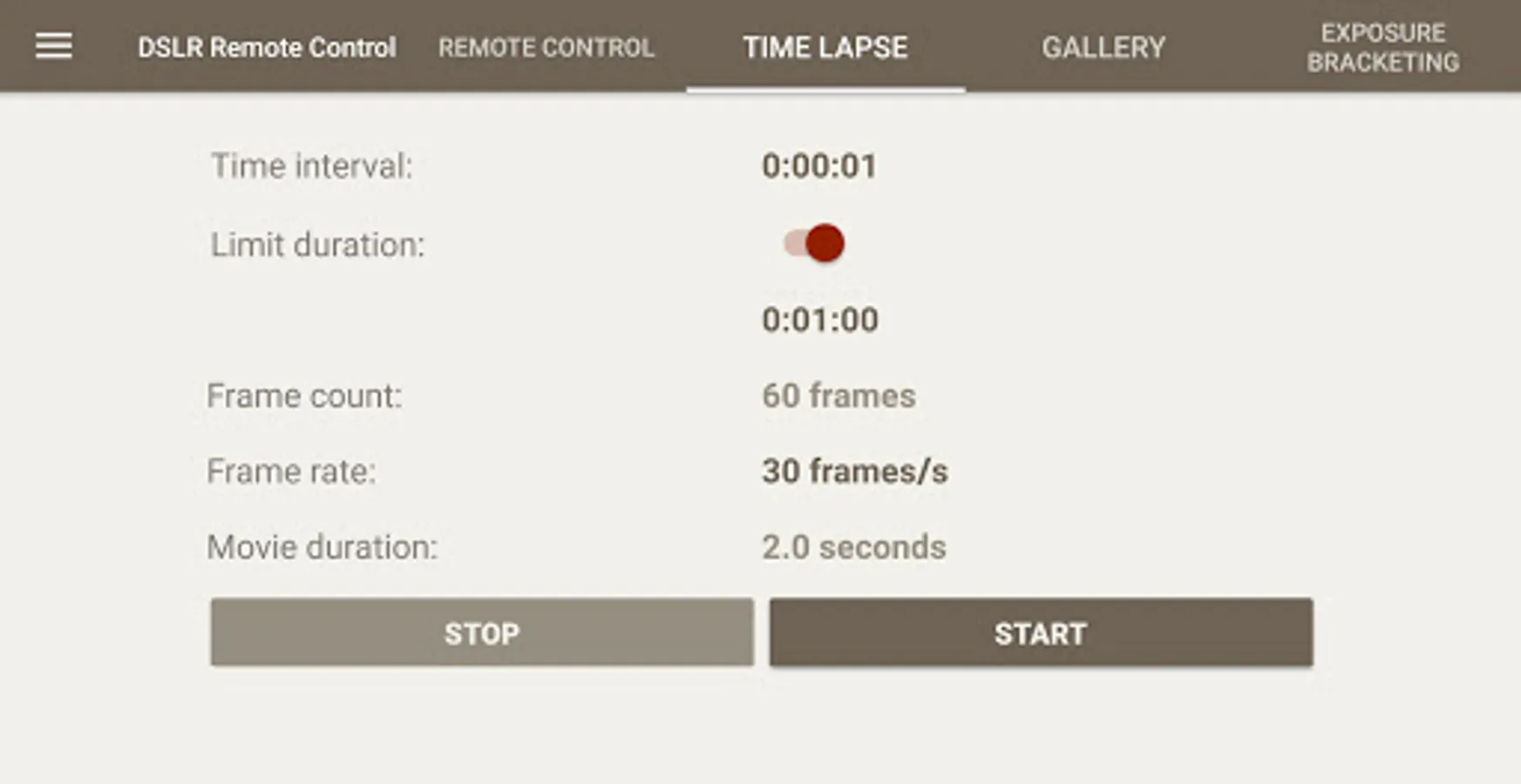
With TetherMonkey, taking time lapse photos is easier than ever! You can set your camera to fire automatically at any interval or speed that you set, and set how long you want it go. It will also calculate how long a time lapse video will be, with a FPS (frames per second) that you set.
Burst Shooting*
Set how many shots to take, and TetherMonkey will automatically fire your shutter that many times in a row.
Live Histogram
See a live histogram that updates automatically.
Movie Recording
Record video! Currently only supported on Canon cameras. We are adding movie recording for Nikon cameras soon.
Bulb Shooting
Shoot in Bulb mode! Currently only supported on Canon cameras that do not have a "B" setting on mode dial, and some newer Nikon cameras.
Script Builder*
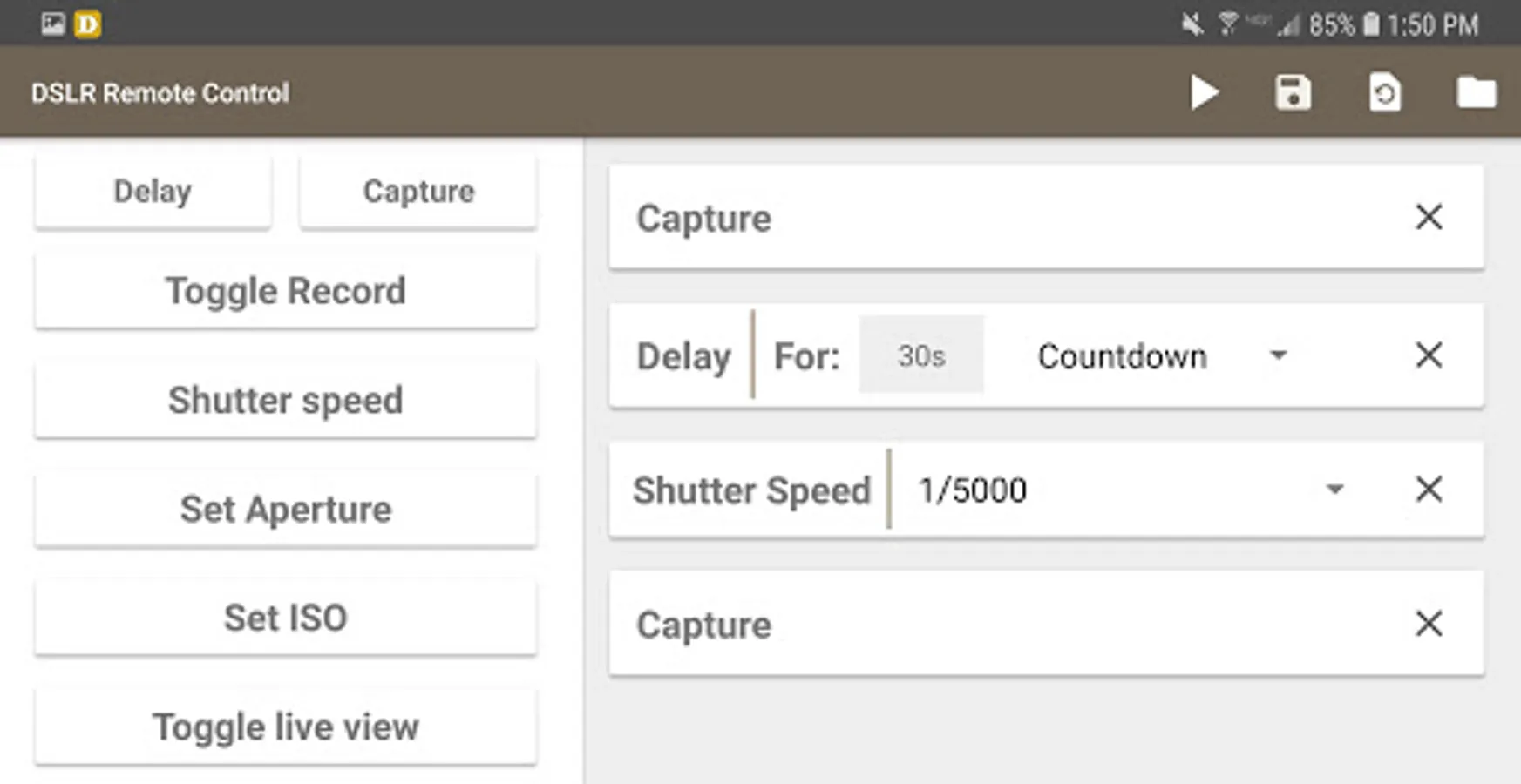
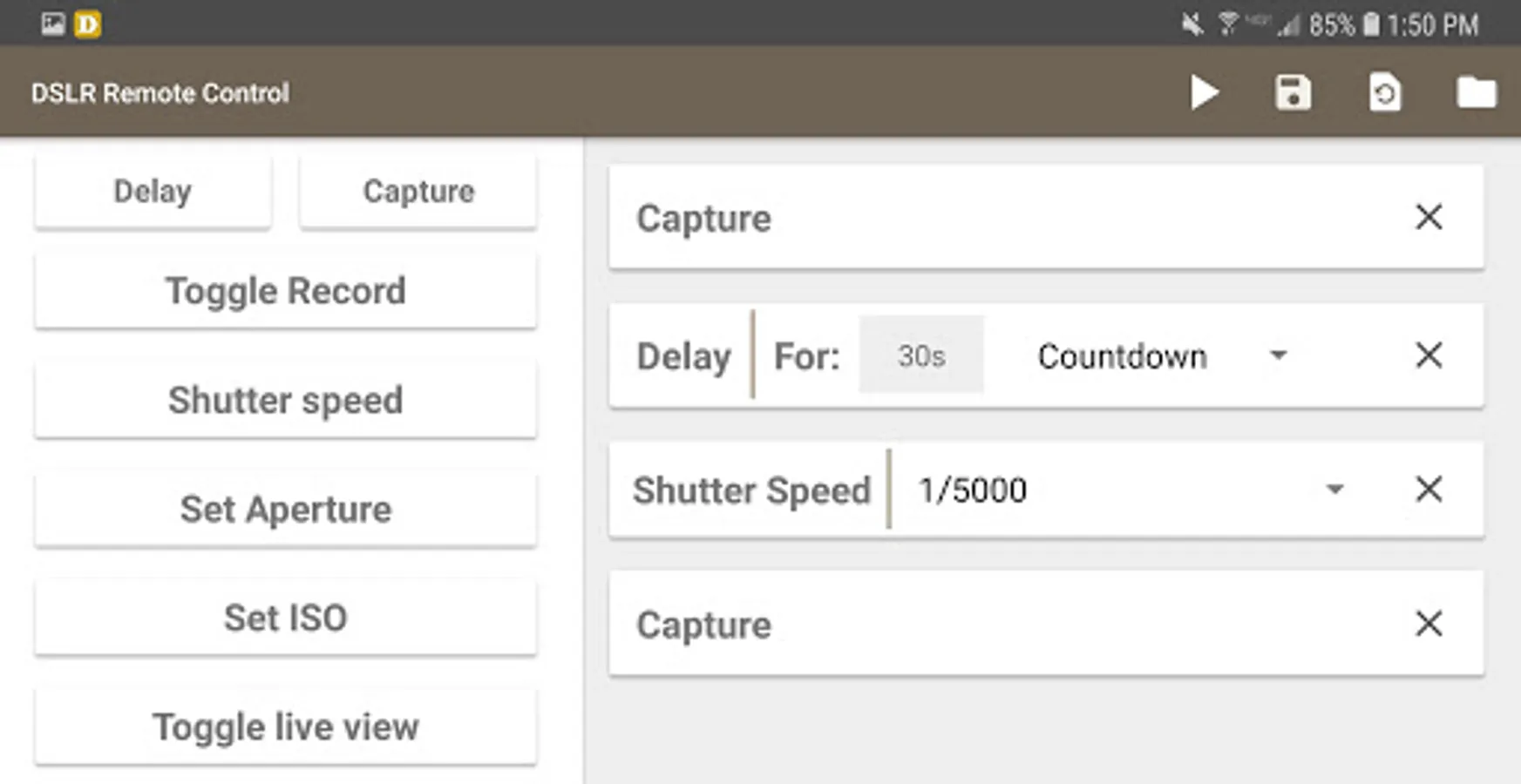
In the pro version, you can create scripts to automatically control your camera! Create and save multiple scripts, re-edit them, and export them in .json format!
Focus Stacking Assist*
TetherMonkey has a unique Focus Stacking Assist tool, which allows you to automatically take a set number of photos with a variance in focus, so that you can stack them together later in post processing.
Calculators Galore*
11 photography calculators including exposure, hyperfocal, depth of field, flash range, field of view, time lapse, aspect ratio, print size, astrophotography, cost of doing business, and regular calculator.
Bubble Level
Need precise shooting? Use your mobile device as a live, accurate level.
Inventory Checklists*
Save your favorite photo equipment onto checklists sorted by gear category, so you never forget to bring them to your next photo shoot
Lighting Diagram Creator*
Create studio lighting setup diagrams so you never forget the perfect placement of your studio strobes!
Light Meter Tool*
Turn your compatible mobile device into an ambient light meter with our light meter tool!
*Requires in-app purchase to pro version
Fully Supported Cameras:
Nikon: D4, D4s, D5, Df, D500, D5000, D5100, D5200, D5300, D5500, D5600, D600, D610, D7100, D7200, D750, D800, D800e, D810, D810A. Other Nikons Bulb, Live View and/or Video Recording may or may not function.
LIVE VIEW IS NOT SUPPORTED ON: D3000 / D3100, D3200, D40, D60, D80, D90. AS NIKON DOES NOT SUPPORT THIS OVER USB FOR THESE CAMERAS. THIS IS OUT OF OUR CONTROL.
Canon:1D X Mk II, 1D Mark III, 1Ds Mark III, 1D Mark IV, 1Dc, 1Dx, 5D Mark II, 5D Mark III, 5D Mark IV, 6D, 7D, 7D Mark II, 40D, 50D, 5DS, 5DS R (5DSR), 60D, 70D, 77D, 80D, Rebel XTi/EOS 400D, 100D/SL1/Kiss X7, 450D/Rebel XSi/Kiss X2, 500D/Rebel T1i/Kiss X3, 550D/Rebel T2i/Kiss X4, 600D/Rebel T3i/Kiss X5, 650D/Rebel T4i/Kiss X6, 700D/T5i/Kiss X7i, 750D/Rebel T6i/Kiss x8i, 760D/Rebel T6s/EOS 8000D, 1000D/Rebel XS / Kiss F, Rebel T7i/EOS 800D, 1100D/Rebel T3/Kiss X50, 1200D/T5/Kiss X70, Rebel T6/1300D, Rebel T100/EOS 4000D, Rebel T7 EOS 2000D, M50
DSLR camera on emi
Remote Control
Control your compatible DSLR camera via a tethered USB connection.
Shutter Release*
Control and adjust almost all important settings such as but not limited to Shutter Speed, Aperture, ISO, White Balance, Picture Styles, Metering Modes; precisely control focus, and more!
Live View
See a live view of what your camera sees, on your connected phone or tablet. Great for precise, critical adjustments!
Time Lapse*
With TetherMonkey, taking time lapse photos is easier than ever! You can set your camera to fire automatically at any interval or speed that you set, and set how long you want it go. It will also calculate how long a time lapse video will be, with a FPS (frames per second) that you set.
Burst Shooting*
Set how many shots to take, and TetherMonkey will automatically fire your shutter that many times in a row.
Live Histogram
See a live histogram that updates automatically.
Movie Recording
Record video! Currently only supported on Canon cameras. We are adding movie recording for Nikon cameras soon.
Bulb Shooting
Shoot in Bulb mode! Currently only supported on Canon cameras that do not have a "B" setting on mode dial, and some newer Nikon cameras.
Script Builder*
In the pro version, you can create scripts to automatically control your camera! Create and save multiple scripts, re-edit them, and export them in .json format!
Focus Stacking Assist*
TetherMonkey has a unique Focus Stacking Assist tool, which allows you to automatically take a set number of photos with a variance in focus, so that you can stack them together later in post processing.
Calculators Galore*
11 photography calculators including exposure, hyperfocal, depth of field, flash range, field of view, time lapse, aspect ratio, print size, astrophotography, cost of doing business, and regular calculator.
Bubble Level
Need precise shooting? Use your mobile device as a live, accurate level.
Inventory Checklists*
Save your favorite photo equipment onto checklists sorted by gear category, so you never forget to bring them to your next photo shoot
Lighting Diagram Creator*
Create studio lighting setup diagrams so you never forget the perfect placement of your studio strobes!
Light Meter Tool*
Turn your compatible mobile device into an ambient light meter with our light meter tool!
*Requires in-app purchase to pro version
Fully Supported Cameras:
Nikon: D4, D4s, D5, Df, D500, D5000, D5100, D5200, D5300, D5500, D5600, D600, D610, D7100, D7200, D750, D800, D800e, D810, D810A. Other Nikons Bulb, Live View and/or Video Recording may or may not function.
LIVE VIEW IS NOT SUPPORTED ON: D3000 / D3100, D3200, D40, D60, D80, D90. AS NIKON DOES NOT SUPPORT THIS OVER USB FOR THESE CAMERAS. THIS IS OUT OF OUR CONTROL.
Canon:1D X Mk II, 1D Mark III, 1Ds Mark III, 1D Mark IV, 1Dc, 1Dx, 5D Mark II, 5D Mark III, 5D Mark IV, 6D, 7D, 7D Mark II, 40D, 50D, 5DS, 5DS R (5DSR), 60D, 70D, 77D, 80D, Rebel XTi/EOS 400D, 100D/SL1/Kiss X7, 450D/Rebel XSi/Kiss X2, 500D/Rebel T1i/Kiss X3, 550D/Rebel T2i/Kiss X4, 600D/Rebel T3i/Kiss X5, 650D/Rebel T4i/Kiss X6, 700D/T5i/Kiss X7i, 750D/Rebel T6i/Kiss x8i, 760D/Rebel T6s/EOS 8000D, 1000D/Rebel XS / Kiss F, Rebel T7i/EOS 800D, 1100D/Rebel T3/Kiss X50, 1200D/T5/Kiss X70, Rebel T6/1300D, Rebel T100/EOS 4000D, Rebel T7 EOS 2000D, M50
DSLR camera on emi
DSLR Camera Remote Control Screenshots






Tap to Rate:
Reviews for DSLR Camera Remote Control
lori lorenz
7/7/2023
I really would like this app to work. Tried several phones, Nikon 610 and 800. Different OPT cables. Sometimes the Nikon 800 conects but can not get live view to work. Would be happy to pay if it would work! Is anyone using this success fully?
József Unszorg
5/11/2023
Scam. :-(