
Technics Audio Connect
Panasonic Entertainment & Communication Co., Ltd.
3.7 ★
1K ratings
100,000+
downloads
Free
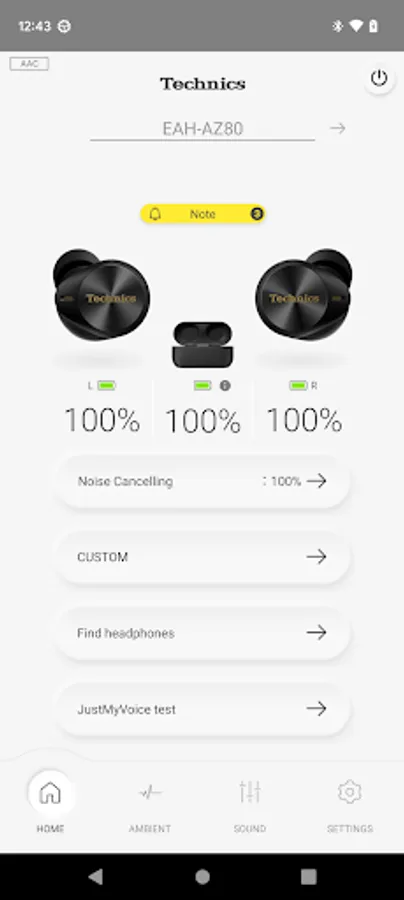
In this audio app, you can connect your Technics headphones, customize sound settings, and manage firmware updates. Includes options for ambient sound control, headphone location tracking, and user guides.
AppRecs review analysis
AppRecs rating 3.5. Trustworthiness 84 out of 100. Review manipulation risk 17 out of 100. Based on a review sample analyzed.
★★★☆☆
3.5
AppRecs Rating
Ratings breakdown
5 star
50%
4 star
16%
3 star
10%
2 star
2%
1 star
22%
What to know
✓
Low review manipulation risk
17% review manipulation risk
✓
Credible reviews
84% trustworthiness score from analyzed reviews
✓
Good user ratings
66% positive sampled reviews
About Technics Audio Connect
Providing you with a sensational music experience, getting the most from your Technics headphones and earphones.
By linking with your headphones and earphones that are compatible with the app, your music listening experience becomes even more appealing.
・ Compatible models
EAH-AZ100(New),
EAH-AZ80, EAH-AZ60M2, EAH-AZ40M2,
EAH-A800, EAH-AZ60, EAH-AZ40, EAH-AZ70W
・ A smooth pairing experience
Use the displayed guide to make pairing with your smartphone or tablet a smooth experience.
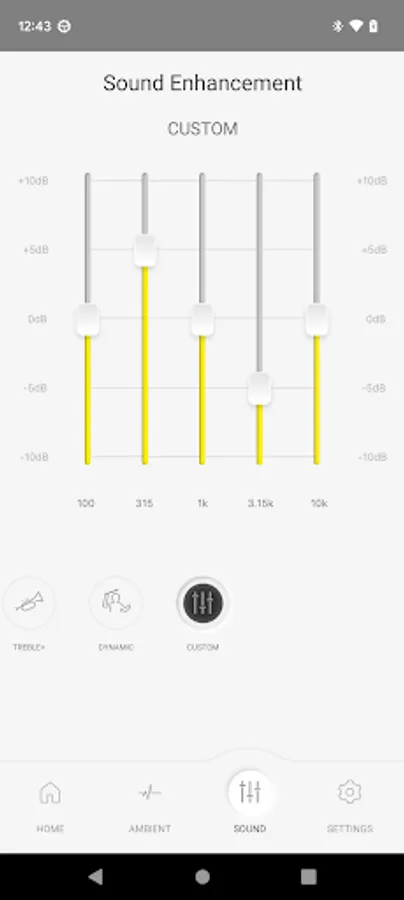
・ Customize the sound quality to suit your own tastes
With multiple presets and an equalizer that you can freely customize, you can modify the sound quality to your liking. *1
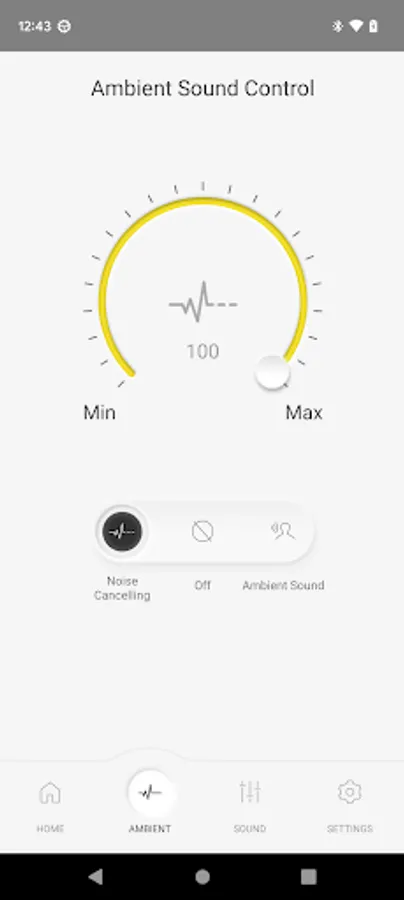
・ Customizing Ambient Sound Control
Noise canceling and the degree of sound to be included from outside can be adjusted in 100 steps. *1
・ Find headphones
You can display on a map the location where the headphones last communicated. Furthermore, if the headphones are within communication range, you can have them emit a sound. *1
・ Firmware updates
These keep your headphones in the most up to date state.
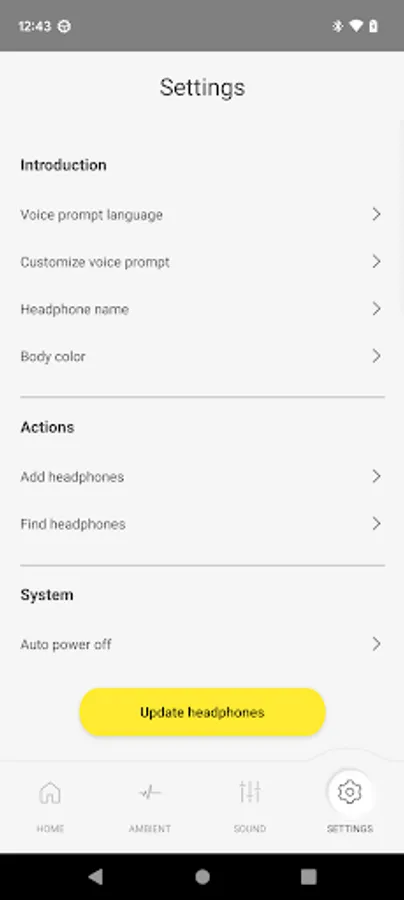
・ Settings for a variety of functions
You can make settings for the ""Auto power off"" function which turns the power off automatically if there are no operations for a certain time and for switching the LED on and off when connected, etc. *1
・ For more detailed information
Direct access to the user guide for the app and the FAQs.
We will continue to increase the functionality while making improvements so that we can provide you with an unrivaled experience into the future.
You will not receive a direct reply from the developers even if you send a message to their email address. We appreciate your understanding in advance.
*1 Available only for applicable models
By linking with your headphones and earphones that are compatible with the app, your music listening experience becomes even more appealing.
・ Compatible models
EAH-AZ100(New),
EAH-AZ80, EAH-AZ60M2, EAH-AZ40M2,
EAH-A800, EAH-AZ60, EAH-AZ40, EAH-AZ70W
・ A smooth pairing experience
Use the displayed guide to make pairing with your smartphone or tablet a smooth experience.
・ Customize the sound quality to suit your own tastes
With multiple presets and an equalizer that you can freely customize, you can modify the sound quality to your liking. *1
・ Customizing Ambient Sound Control
Noise canceling and the degree of sound to be included from outside can be adjusted in 100 steps. *1
・ Find headphones
You can display on a map the location where the headphones last communicated. Furthermore, if the headphones are within communication range, you can have them emit a sound. *1
・ Firmware updates
These keep your headphones in the most up to date state.
・ Settings for a variety of functions
You can make settings for the ""Auto power off"" function which turns the power off automatically if there are no operations for a certain time and for switching the LED on and off when connected, etc. *1
・ For more detailed information
Direct access to the user guide for the app and the FAQs.
We will continue to increase the functionality while making improvements so that we can provide you with an unrivaled experience into the future.
You will not receive a direct reply from the developers even if you send a message to their email address. We appreciate your understanding in advance.
*1 Available only for applicable models
Technics Audio Connect Screenshots
Tap to Rate:
Reviews for Technics Audio Connect
b crow
12/25/2025
Useless since last "Update"! Now takes forever to connect. If at all. Battery level shows 100 percent always. Worst money I ever spent! Would not recommend.
Javier Chang
12/20/2025
comprehensive and intuitive app. Well done!